In a small apartment a Wi-Fi extender is a quick patch. In a large home it is a design problem. Once a house stretches across three floors, a finished basement, a garage workshop, or a long ranch layout, the router in the front hall simply cannot reach the back bedroom with a usable signal. The listing numbers get big in this category, with claims of 5,000, 10,000, even 18,000 square feet, and the gap between those claims and what a real house with plaster, brick, and ductwork delivers is where most disappointment happens.
This guide is for owners of large homes shopping in 2026 who want to push the signal further without replacing the router. It compares a name-brand mesh system, a compact name-brand extender, and several high-coverage plug-in boosters with Ethernet ports. The goal is to help you sort realistic from optimistic claims and pick the approach that matches your layout.
Our Top Picks
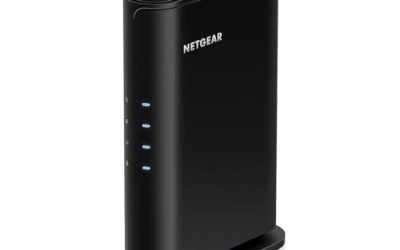
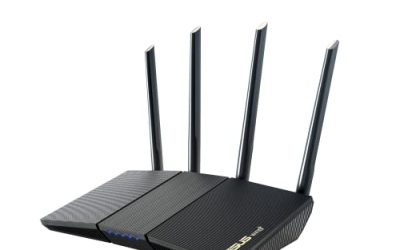
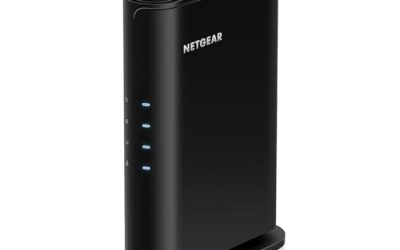
 NETGEAR WiFi Extender EX50001.2 Gbps, 1000 sq.ft.2.55 x 2.85 x 2.85 inches0.34 poundsCheck on Amazon




Top 3 picks at a glance
Quick Picks
As an Amazon Associate we earn from qualifying purchases at no extra cost to you.


| Product | Best for | Key spec from the title |
|---|---|---|
| Long Range 18000 Sq.Ft Extender | Biggest claimed coverage | Up to 18000 sq ft, Ethernet port |
| TP-Link Deco S4 Mesh 3-Pack | Whole-home mesh | AC1900, up to 5,500 sq ft, replaces router and extender |
| Dual Band 1200Mbps Booster (5000 Sq.Ft) | Mid-size coverage with many devices | 1200Mbps dual band, up to 5000 sq ft |
| Long Range 18000 Sq.Ft Extender (Alternate Listing) | Second option at the same claim | Up to 18000 sq ft, Ethernet port |
| 1200Mbps Dual Band Extender (18999 Sq.Ft) | Dual-band plug-in | 5.8GHz/2.4GHz, Ethernet port |
| Long Range Repeater (8470 Sq.Ft) | Large single-story homes | Up to 8470 sq ft |
| NETGEAR EX5000 | One trouble spot | 1,500 sq ft, 1.2 Gbps, 25 devices |
| 15X 2.4GHz Extender (10999 Sq.Ft) | Low-bandwidth devices at distance | 2.4GHz 300M, 85+ devices |
How to Choose
Treat coverage numbers as ceilings, and compare them honestly
The claims here span from 1,500 square feet on the NETGEAR to 18,999 on an unbranded plug-in. Those figures come from the seller, not a standard test, and they assume open space with no walls. A plug-in extender simply rebroadcasts what it hears, so its real reach is limited by how strong the router signal is where you plug it in. As a rule, a believable plan for a large home uses more than one node, placed halfway between the router and the dead zone, not at the edge of it.
Mesh versus extender
A mesh system like the TP-Link Deco S4 three-pack replaces the router and extender, using several nodes that share one network name. That avoids the problem of switching between two names as you walk. A traditional extender creates a second network, or repeats the first, and halves throughput when it uses the same radio for both receiving and sending. For homes over about 3,000 square feet, mesh is usually the cleaner answer. Extenders suit a single added zone, like a garage or a guest suite.
Bands, speed, and the Ethernet port
A dual-band extender, listing both 5GHz and 2.4GHz, can move more data than a 2.4GHz-only model such as the 300M unit. Look for the 1200Mbps class if you stream or work on video calls. An Ethernet port lets you wire a TV, console, or desktop, which avoids the speed penalty of a wireless hop. Also check how many devices the listing claims to support, from 25 on the NETGEAR to 85-plus on the 2.4GHz model, but remember that real capacity depends on activity.
What to ignore and where budget models cut corners
Ignore buzzwords like 15X, which is a marketing multiplier with no standard meaning, and the idea that more antennas always means more range. Budget extenders often cut corners on antenna quality, heat management, and setup instructions. Also check that the unit works with any router, as the NETGEAR does, rather than needing a matching brand. For the best results, plug the extender where the router signal is still strong, and connect it to the network using the setup button or app.
The 8 Best Options
Long Range 18000 Sq.Ft Extender
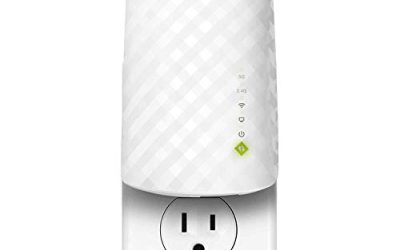
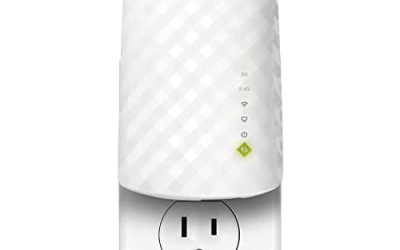
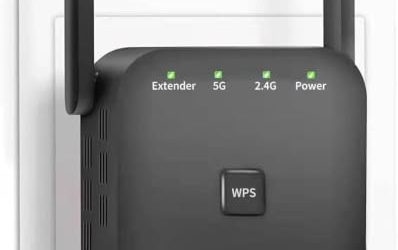
This unbranded plug-in claims coverage of up to 18000 square feet and includes an Ethernet port, with a headline long-range pitch. The claim is the largest in the group, which makes it attractive to owners of very big homes. In practice, treat it as a high-reach repeater to place midway, not as a promise to cover an entire estate from one outlet. A sensible use is the far end of a long hallway or a second-floor landing, where the router signal is still decent and the extender can carry it to rooms beyond.
- Strength: the highest listed coverage number and a wired Ethernet port.
- Strength: simple plug-in design suited to a single added zone.
- Trade-off: the claim is unusually large, so expect less in a walled house.
Skip it if you want a name brand with proven support.
TP-Link Deco S4 Mesh 3-Pack
The Deco S4 pack covers up to 5,500 square feet according to the title, uses AC1900 speeds, replaces both router and extender, and has Gigabit ports on each node. It is the only true mesh system in the group, which suits a multi-story family home that needs even coverage rather than a patch. With one node near the router, one on the upper level, and one near the back of the house, people moving between rooms on calls stay on a single network instead of hopping between names.
- Strength: three nodes with a single network name, and Gigabit ports.
- Strength: recognizable brand with Alexa compatibility noted in the title.
- Trade-off: it replaces the router, so it is a bigger project than plugging in an extender.
Skip it if you want to keep your existing router and add one extender.
Dual Band 1200Mbps Booster (5000 Sq.Ft)
This extender lists 5G dual-band 1200Mbps performance, coverage up to 5000 square feet, and support for a large number of devices. The dual-band design is its main advantage over 2.4GHz-only options, and a coverage claim in the thousands is more modest than the biggest listings, which can make it feel more realistic. For a family of streamers in a two-story house, the dual-band radios give room to keep one band for phones and the other for TVs and laptops.
- Strength: dual-band 1200Mbps class with a mid-range coverage claim.
- Strength: suits a house with many connected devices.
- Trade-off: unbranded, so support and updates depend on the seller.
Skip it if you want mesh-style roaming.
Long Range 18000 Sq.Ft Extender (Alternate Listing)
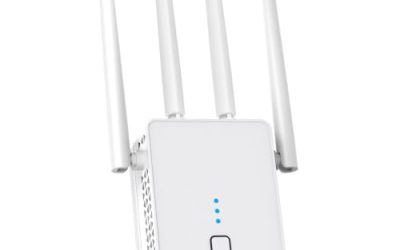
This is a second listing with the same 18000 square foot claim, long-range positioning, and Ethernet port. Because the specs match the first listing closely, the choice between them comes down to availability and seller. Buying both makes sense only if you plan separate zones, such as a main house and a detached garage.
- Strength: Ethernet port for a wired device.
- Strength: high coverage claim for large layouts.
- Trade-off: it overlaps with the first 18000 listing, so do not expect different performance.
Skip it if you already chose the other 18000 square foot model.
1200Mbps Dual Band Extender (18999 Sq.Ft)
This extender combines 1200Mbps dual-band operation on 5.8GHz and 2.4GHz with an Ethernet port and a coverage claim near 19,000 square feet. The pairing of dual-band and a very large coverage claim is its selling point. It fits a home office added over a garage or a sunroom where a desktop on Ethernet needs steadier speeds than a wireless-only link.
- Strength: dual-band design with a wired Ethernet port.
- Strength: suited to streaming and video calls in the far rooms.
- Trade-off: the huge coverage claim should be treated as a ceiling rather than a typical result.
Skip it if you prefer a known brand.
Long Range Repeater (8470 Sq.Ft)
The title promises coverage up to 8470 square feet in a long-range repeater format. It targets owners of large single-story homes or sprawling layouts who want a mid-priced extender without chasing the biggest claim. Because the title lists so little, read the full specification for ports and bands before deciding whether it matches your devices.
- Strength: a coverage claim that is large but less extreme than the top listings.
- Strength: signal booster design intended for the home.
- Trade-off: the title gives no speed or band details.
Skip it if you need to know the band configuration before buying.
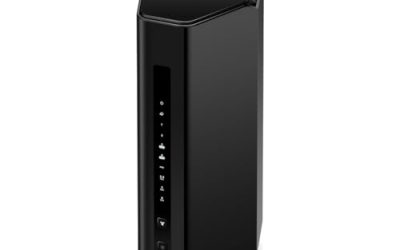
NETGEAR EX5000
The EX5000 is a compact name-brand extender with 1.2 Gbps combined speed, 25 devices, and compatibility with any router. Its 1,500 square foot coverage is the smallest here, so it is the right choice for a single problem area such as a back bedroom, not an entire large house. Owners of big homes sometimes pair a unit like this with a main mesh system to cover one stubborn corner at a modest cost.
- Strength: works with any router and has an easy setup claim.
- Strength: compact design and a clear 25-device figure.
- Trade-off: coverage is limited next to the large-home claims.
Skip it if you need to cover multiple floors with one purchase.
15X 2.4GHz Extender (10999 Sq.Ft)
This unit lists a 2.4GHz 300M connection, coverage up to 10999 square feet, 85-plus devices, and an Ethernet port. The 2.4GHz band travels farther through walls but carries less data. It suits smart plugs, cameras, and basic browsing in distant corners. Think of it as a utility link for a barn, shed, or far bedroom rather than a media connection.
- Strength: 2.4GHz range for devices far from the router.
- Strength: a high device-count claim and an Ethernet port.
- Trade-off: 300M is slow for streaming and video calls.
Skip it if you want to stream high-definition video on the extended network.
Which One Fits Your Situation
A three-story house where every floor has dead spots
The TP-Link Deco S4 Mesh 3-Pack covers floors evenly with nodes that share one network name.
A big ranch with a far-end office
The Long Range Repeater (8470 Sq.Ft) is built for long single-story layouts.
A detached garage or workshop
The 15X 2.4GHz Extender (10999 Sq.Ft) can serve cameras and smart devices at a distance.
One stubborn bedroom in a large home
The NETGEAR EX5000 solves a single trouble spot.
Common Mistakes
- Believing the largest coverage number instead of planning node placement.
- Plugging the extender into a room that already has a weak signal.
- Forgetting that a 2.4GHz-only unit cannot match dual-band speed.
- Stacking several extenders in a chain, which can reduce speed.
- Ignoring wired options like the Ethernet port for fixed devices.
Related guides
- Windows Macos Linux Gaming Performance Comparison Strengths Weaknesses
- Desktop Operating Systems Gaming Performance Strengths Weaknesses
- 5G Home Internet Wifi Modem Settings Low Latency Gaming
Frequently Asked Questions
Is mesh better than an extender for a large home?
Usually yes for multi-story or sprawling homes, because nodes share one network name and manage roaming. Extenders are cheaper but simpler.
Where should an extender go?
Midway between the router and the dead zone, where the router signal is still strong. Placing it in the dead zone gives a weak signal to rebroadcast.
Do extenders cut speed?
Single-radio extenders can reduce throughput because they use the same radio for receiving and sending. Dual-band and mesh designs reduce that effect.
Can I use an Ethernet cable with an extender?
Many listings include an Ethernet port, which lets you wire a TV or console directly and skip the wireless hop on that device.