A Mac does not need a special Wi-Fi extender, and that fact surprises many buyers who see “works with Mac” splashed across product pages. Wi-Fi is a standard, so any extender that speaks the same protocol as your router will connect a MacBook, iMac, or Mac mini. What a Mac owner should care about is the stuff that is easy to get wrong: setup that works from a Safari browser rather than a Windows-only app, a dual-band design that keeps 5GHz speeds for video calls, and an Ethernet port for the desktop Mac that sits two rooms from the router.
This guide is for people with a dead zone in a home office, a bedroom, or a garage workshop, who want a dependable range extender without turning their network into a hobby. Eight models are compared using only what their listings say, and none of the titles claim Mac-specific features, so the focus is on band design, coverage claims, device limits, and ports. A 2026 buyer should treat the huge square-footage figures on unbranded listings as marketing, and weigh them against the established TP-Link and NETGEAR entries on the list.
Our Top Picks
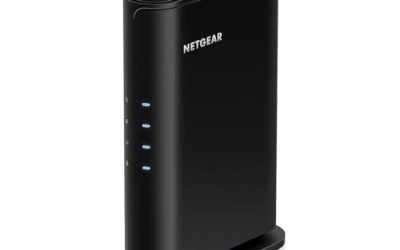
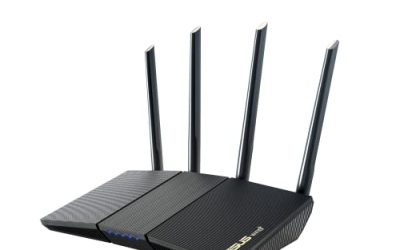
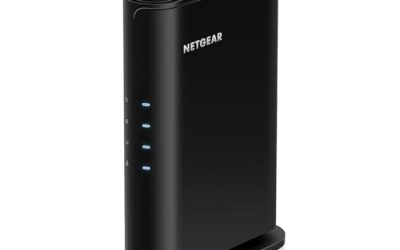
 NETGEAR WiFi Extender EX50001.2 Gbps, 1000 sq.ft.2.55 x 2.85 x 2.85 inches0.34 poundsCheck on Amazon
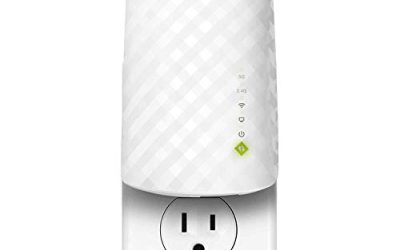
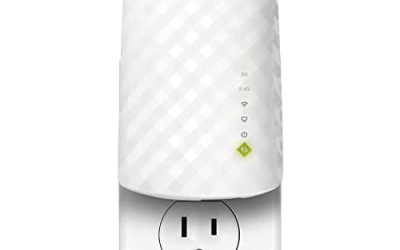
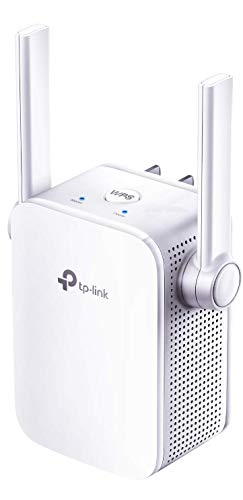 TP-Link N300 WiFi ExtenderWiFi Extender- N300(Newer Model)3.15 x 2 x 2.7 Inches0.3 PoundsCheck on Amazon


Top 3 picks at a glance
Quick Picks
As an Amazon Associate we earn from qualifying purchases at no extra cost to you.




| Product | Best for | Key spec from the title |
|---|---|---|
| TP-Link AC1750 RE450 | Strongest established dual-band option | Up to 1750Mbps dual-band repeater |
| NETGEAR EX5000 | Small apartments and simple setup | Up to 1,500 sq ft, 1.2 Gbps, 25 devices |
| TP-Link N300 RE105 | Basic, low-demand rooms | Single band N300, access point support |
| Jancane Extender | Mid-size homes with Ethernet | Up to 5800 sq ft, 55 devices, Ethernet port |
| Generic 1200Mbps 5G Booster | Modest rooms on a tight budget | 1200Mbps dual band, up to 5000 sq ft, 35 devices |
| Generic Upgraded Repeater | Large-coverage claims with Ethernet | Up to 9995 sq ft, Ethernet port |
| Generic Fastest Repeater | High device-count claims | Up to 10000 sq ft, 80 devices, Ethernet port |
| Generic 1200Mbps Extender (18999 sq ft) | Dual-band with Ethernet | 1200Mbps, 5.8GHz and 2.4GHz, Ethernet port |
How to Choose
Insist on dual band and know what it does
A dual-band extender talks on 2.4GHz and 5GHz. The 5GHz band is faster but covers less distance, so place the extender where it still gets a strong signal from the router, typically halfway to the dead zone. Single-band N300 units only use 2.4GHz and top out around 300Mbps, which is fine for browsing but weak for video calls or large downloads. For a Mac used in video meetings, dual band is the sensible floor.
Read coverage and device claims skeptically
Square footage numbers on listings are best-case estimates in open space. Walls, floors, and appliances cut real range sharply. A claim of ten thousand square feet or 80 devices from an unbranded unit tells you little, whereas NETGEAR’s stated 1,500 square feet and 25 devices is a more modest, believable figure. Match the claim to your actual space and ignore anything that promises whole-house coverage from one small plug-in box.
Check ports and setup flow
An Ethernet port lets you hardwire a desktop Mac, a streaming box, or a printer, and it also provides a wired backhaul option on some designs. Many MacBooks have no Ethernet jack, so a USB-C adapter may be needed. Look for setup via a web browser or a WPS button rather than an app, and confirm the unit works with any router, as NETGEAR’s listing states.
Remember what an extender cannot do
A plug-in extender repeats the signal on the same radio, which can cut throughput roughly in half on single-radio designs. If speed in the far room matters, a mesh system or a wired access point outperforms any repeater. Budget units cut corners on firmware updates, so favor brands with a track record. Treat the PCMag mention on the TP-Link listing as an outside opinion, not a guarantee of fit.
The 8 Best Options
TP-Link AC1750 RE450
This dual-band repeater is listed at up to 1750Mbps and carries a PCMag Editor’s Choice mention in its title. It is an established brand with a more premium spec among the group. It suits a Mac user who needs a solid signal in a home office or upstairs bedroom. The dual-band design means the Mac can ride the faster 5GHz band for calls and cloud backups while older gadgets stay on 2.4GHz, a split that keeps a busy household from dragging the laptop down.
- Strength: A 1750Mbps dual-band rating is the highest speed class on this list.
- Strength: Comes from a long-standing networking brand with a wide support base.
- Trade-off: It is larger and costs more than plain N300 units.
Skip it if you only need a basic signal in a small room.
NETGEAR EX5000
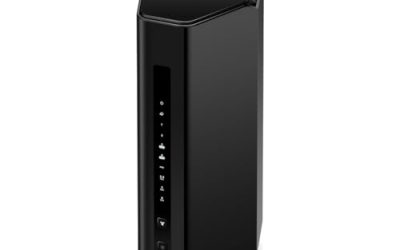
The NETGEAR lists coverage up to 1,500 square feet, 1.2 Gbps, support for 25 devices, easy setup, compatibility with any router, and a compact design. The modest claims read as honest for a small apartment or single dead zone. Because the title says it works with any router, a Mac owner with an ISP-supplied gateway does not need to match brands, which removes a common source of setup frustration for first-time buyers.
- Strength: Works with any router and is described as easy to set up.
- Strength: Compact design avoids blocking a second outlet.
- Trade-off: The 1,500 square foot coverage will not stretch across a large house.
Skip it if you need to cover a large multi-story home.
TP-Link N300 RE105
A single-band N300 extender with access point support. It is the simplest and least expensive style here, suited to a bedroom or den where the Mac mainly handles email and web browsing. Pairing it with a Mac that mostly sends mail, reads articles, and loads documents keeps expectations sensible, and the access point option is useful if you later run a cable to the room and want that cable to become a Wi-Fi hotspot.
- Strength: Simple, small, and made by a trusted brand.
- Strength: Access point mode adds flexibility with a wired connection.
- Trade-off: Single band at N300 speeds is slow for modern video work.
Skip it if you stream video calls or move large files.
Jancane WiFi Extender
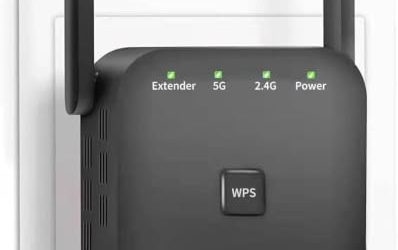
The listing claims up to 5800 square feet and 55 devices, with an Ethernet port and one-key setup, described as a long-range amplifier. It is a mid-range choice for a house where a wired Mac desktop needs a stronger link. One-key setup is the kind of feature that matters when you would rather not install a phone app just to join the extender to your network, though you should still confirm that the web interface loads cleanly in Safari.
- Strength: Ethernet port and one-key setup are practical for a desktop.
- Strength: Higher device count than the NETGEAR listing.
- Trade-off: Coverage claims are best-case and come from a lesser-known brand.
Skip it if you want a name with a long support record.
Generic 1200Mbps 5G Booster
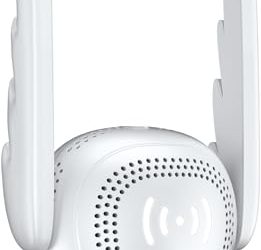
This unbranded dual-band booster lists 1200Mbps, coverage up to 5000 square feet, and support for 35 devices. It is a budget route to a dual-band signal when you prefer to spend little. It makes the most sense for a single bedroom or a small office where the router is a room or two away, and where an occasional hiccup in speed is an acceptable trade for a low outlay.
- Strength: Dual-band 1200Mbps rating at a low tier.
- Strength: Moderate coverage claim is more realistic than the extreme ones.
- Trade-off: Limited brand information and support.
Skip it if firmware updates and support matter to you.
Generic Upgraded Repeater
The listing promises coverage of up to 9995 square feet, an Ethernet port, and an upgraded internet repeater design. It is aimed at buyers who want maximum claimed range at a low cost. The sensible way to read the number is as a sign of the seller’s marketing, then judge the unit on dual-band operation and its wired port, which are the specifics a buyer can actually use.
- Strength: Includes an Ethernet port for wired devices.
- Strength: Very large coverage claim for a small unit.
- Trade-off: The claim is unrealistic in a real home with walls.
Skip it if you want credible, verifiable performance figures.
Generic Fastest Repeater
The listing says it covers up to 10000 square feet and 80 devices, with an Ethernet port and quick setup. Its high device claim suits a household with many smart devices. Even so, an extender shares one radio among everything connected, so a claim of 80 devices describes connection capacity rather than the speed each device will actually get.
- Strength: Large device count claim helps crowded smart homes.
- Strength: Quick setup and Ethernet port.
- Trade-off: Nothing in the title identifies the brand or the speed class.
Skip it if you need a transparent spec sheet.
Generic 1200Mbps Extender (18999 sq ft)
This dual-band 1200Mbps extender lists 5.8GHz and 2.4GHz operation, an Ethernet port, and a claim of up to 18999 square feet. It is the most extreme coverage figure on the list, and it deserves the most skepticism. Judge it by the dual-band design and wired port, and treat it as a budget stopgap for one weak spot rather than a whole-home fix.
- Strength: Dual-band operation with an Ethernet port.
- Strength: Home-focused design at an entry tier.
- Trade-off: The square footage claim is not credible for a single plug-in unit.
Skip it if you want realistic performance expectations.
Which One Fits Your Situation
You work from a Mac in a distant home office
The TP-Link AC1750 RE450 is the strongest established choice, with a dual-band design suited to video calls.
You live in an apartment with one dead zone
The NETGEAR EX5000 matches a small space with honest coverage figures and simple setup.
You have a Mac mini or iMac that needs a wire
The Jancane extender offers an Ethernet port and a one-key setup for a desktop machine.
You only need email and browsing
The TP-Link N300 RE105 is the leanest option for light use in a single room.
Common Mistakes
- Believing a “Mac compatible” label means something, when Wi-Fi works with any standard device.
- Placing the extender in the dead zone instead of halfway to the router.
- Trusting huge square footage claims on unbranded listings.
- Choosing a single-band unit for video calls and large uploads.
- Forgetting that many Macs need a USB-C Ethernet adapter to use the wired port.
Related guides
- Windows Macos Linux Gaming Performance Comparison Strengths Weaknesses
- Desktop Operating Systems Gaming Performance Strengths Weaknesses
- 5G Home Internet Wifi Modem Settings Low Latency Gaming
Frequently Asked Questions
Do I need a special extender for my Mac?
No. Any extender that supports your router’s Wi-Fi standard will work. Prefer one with browser-based setup you can open from Safari.
Will an extender slow my connection?
Often yes, because the repeated signal shares airtime. A dual-band unit with good placement limits the drop, and a wired or mesh approach avoids it.
Is a mesh system better than an extender?
Generally for larger homes, yes, because mesh nodes are designed to work together. An extender is simpler and cheaper for one dead zone.
Where should I plug it in?
Halfway between the router and the weak area, where it still receives a strong signal. Avoid placing it behind large metal objects.