
Graphic design on a laptop asks for things that a general-purpose student machine skips: a processor that can keep Photoshop, Illustrator, and a pile of browser references responsive, enough memory to hold large layered files, and a display you can trust for color. Add a touch screen and the question becomes whether touch actually helps your workflow. It does for pinching to zoom a canvas, nudging artboards, or sketching ideas with a finger or compatible pen, and it does not help if the underlying hardware stalls on a 500MB file. The goal here is a short list of touch screen laptops with enough processing and memory to be taken seriously by designers.
The audience is freelancers, design students, and hobbyists who work in vector and raster tools, plus those who dabble in light video. One caution up front: none of the listings state color gamut coverage or panel calibration, so the picks below are judged on processor class, memory, storage, and display size and resolution, as printed. If color accuracy is critical to your income, plan to calibrate with an external device or pair the laptop with a proper desktop monitor. That advice stands in 2026 just as it did before.
Our Top Picks
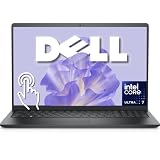
 Dell 15.6" FHD Touchscreen Business Laptop16GB RAM | 1TB SSD14.11 x 9.27 x 0.75 inches3.65 PoundsCheck on Amazon


Top 3 picks at a glance
Quick Picks
As an Amazon Associate we earn from qualifying purchases at no extra cost to you.



| Product | Best for | Key spec from the title |
|---|---|---|
| HP 15.6-inch Ryzen 7 7730U | Balanced design work on a mid-range budget | Ryzen 7 7730U, 16GB RAM, 512GB SSD, FHD IPS |
| HP 16-inch OmniBook | Large, sharp canvas for illustration | 16-inch 2K IPS touchscreen, 16GB DDR5, 512GB SSD |
| Dell 15.6-inch Core Ultra 7 255U | Heavier multitasking and large files | Core Ultra 7 255U, 16GB DDR5, 1TB SSD, backlit keyboard |
| Dell 14 2-in-1 Ryzen 7 8840HS | Sketching in tablet mode | 14-inch FHD+ 2-in-1, Ryzen 7 8840HS, 1TB SSD, Wi-Fi 6E |
| HP 15.6-inch Core Ultra 7 155H | AI-assisted tools and graphics muscle | Ultra 7 155H, Intel Arc graphics, 16GB DDR5, backlit keyboard |
| Lenovo IdeaPad 5i 2-in-1 16 | Large convertible canvas | 16-inch 2-in-1 touchscreen, Core 5 120U, 16GB DDR5 |
How to Choose
Processor class and graphics
Design apps lean on both CPU cores and graphics acceleration. For vector work and photo editing, a Ryzen 7, Core Ultra 7, or comparable chip gives noticeably smoother brushes and filters than a Ryzen 3 or Core i3. Machines with Intel Arc or the newer Radeon integrated graphics are fine for 2D work, but if you do 3D rendering or heavy video, a laptop with a dedicated graphics card is the safer path. None of the picks here list a dedicated card, so set expectations accordingly. Ignore the AI branding on newer chips unless you actually use features that take advantage of it, since most everyday design work is still driven by core count, memory, and graphics.
Memory and storage for big files
Treat 16GB of RAM as the minimum for design, since layered files and multiple apps consume memory fast. DDR5 is a plus for bandwidth, though capacity matters more than type. For storage, an SSD of 512GB works if you archive finished projects externally, while 1TB suits those who keep working files locally. Avoid anything with less than 512GB, because design assets and fonts add up quickly, and consider an external SSD for archives so the internal drive stays fast.
Display size, resolution, and touch behavior
A 2K or FHD+ panel gives more room for palettes and toolbars than a standard HD screen. IPS panels offer wider viewing angles, which helps when you tilt the screen to draw. Convertible 2-in-1 designs let you lay the screen flat for sketching, but the listings here do not mention pen support, so confirm compatibility with the maker before you buy a stylus. Ignore marketing terms like vivid or cinematic; they are not measurements. What does matter is whether the panel is IPS, how sharp it is at its size, and whether the finish reflects the room behind you, since glare makes color judgments harder.
Cooling, ports, and ergonomics
Sustained design work heats a laptop, and thin machines throttle when they warm up. Higher-power H-series chips deliver more speed but also more heat. A backlit keyboard and a numeric pad help during long sessions, and Wi-Fi 6 or 6E speeds up pulling assets from cloud storage. Check for USB-C or Thunderbolt if you plan to add an external display. Budget machines tend to cut corners on cooling and panel quality first, so be skeptical of low-tier models that claim professional-grade results.
The 6 Best Options
HP 15.6-inch Ryzen 7 7730U
An HP 15.6-inch touchscreen with a Ryzen 7 7730U, 16GB of RAM, a 512GB SSD, an FHD IPS display, AMD Radeon graphics, Windows 11 Pro, Wi-Fi 6, a Copilot key, and a numeric keypad. It suits design students who need a capable but affordable machine.
- Strength: Ryzen 7 power at a mid-range tier handles vector and photo editing comfortably.
- Strength: 16GB of RAM and an FHD IPS touchscreen meet the practical design floor.
- Trade-off: integrated Radeon graphics will lag on 3D and video workloads.
Skip it if your projects involve rendering, motion graphics, or very large files that need more than 512GB of local storage. Designers who need a drawing posture should also note that this is a regular clamshell, not a fold-flat convertible.
HP 16-inch OmniBook
A 16-inch OmniBook with a 2K IPS touchscreen, a Ryzen 5 processor, 16GB of DDR5 RAM, a 512GB SSD, and Wi-Fi 6 on Windows 11. It gives illustrators a big, detailed canvas.
- Strength: the 2K IPS panel on a 16-inch screen offers generous workspace for palettes and artboards.
- Strength: DDR5 memory at 16GB supports multitasking across design tools.
- Trade-off: a Ryzen 5 sits one step below the Ryzen 7 and Core Ultra 7 options on raw power.
Skip it if you need the fastest processing available or a compact machine to carry between clients. A 16-inch chassis is a lot to haul to coffee shops and client meetings.
Dell 15.6-inch Core Ultra 7 255U
A Dell 15.6-inch FHD touchscreen with a 12-core Intel Core Ultra 7 255U, 16GB of DDR5 RAM, a 1TB SSD, and a backlit keyboard on Windows 11. It targets professionals who juggle many apps at once.
- Strength: a 1TB SSD gives local space for active projects and asset libraries.
- Strength: the multi-core Core Ultra 7 helps with multitasking and exports.
- Trade-off: it is a U-series chip, so sustained heavy loads may run cooler but slower than H-series rivals.
Skip it if you want a tablet-style fold-flat drawing posture, because this is a standard clamshell. It also pays for a large amount of storage you may not need if you archive projects to the cloud.
Dell 14 2-in-1 Ryzen 7 8840HS
A 14-inch FHD+ 2-in-1 with an AMD Ryzen 7 8840HS, 16GB of RAM, a 1TB SSD, Radeon graphics, DDR5, and Wi-Fi 6E. It is the pick for designers who like to sketch with the screen laid flat.
- Strength: the H-series Ryzen 7 brings stronger sustained performance than a typical U-series chip.
- Strength: the FHD+ 2-in-1 design and 1TB of storage suit sketching and file-heavy work.
- Trade-off: at 14 inches the canvas is smaller than the 16-inch alternatives.
Skip it if you prefer a very large screen or work on multiple palettes at once; the 14-inch panel gets crowded once toolbars and panels are open.
HP 15.6-inch Core Ultra 7 155H
An HP 15.6-inch touchscreen laptop built around an Intel Core Ultra 7 155H with Intel AI Boost and Arc graphics, 16GB of DDR5, a 512GB SSD, and a backlit keyboard. It fits designers who use AI-assisted features in modern creative tools.
- Strength: an H-series Core Ultra 7 with Arc graphics offers a capable platform for 2D and light video.
- Strength: a backlit keyboard and DDR5 memory help during long work sessions.
- Trade-off: the title stresses a long-life battery, but heavy creative loads will drain any laptop quickly.
Skip it if you need a 1TB drive out of the box or a convertible form factor. Anyone who values a cooler, quieter laptop may also prefer a U-series chip, since H-series parts run warmer.
Lenovo IdeaPad 5i 2-in-1 16
A 16-inch 2-in-1 touchscreen with an Intel Core 5 120U, Intel graphics, Office 365, a backlit keyboard, 16GB of DDR5 RAM, and a 512GB SSD under Windows 11 Home. It offers a big convertible canvas for sketching and layout.
- Strength: a large 16-inch panel in a convertible body is rare and good for drawing.
- Strength: 16GB of DDR5 RAM and a backlit keyboard cover the basics for long sessions.
- Trade-off: a Core 5 120U is a power-efficient chip, so it lags behind the H-series options for heavy editing.
Skip it if raw processing power is your top priority, or if you regularly export large batches of images or video, where a stronger chip saves real time.
Which One Fits Your Situation
You sketch by hand and then refine on the same device
The Dell 14 2-in-1 with the Ryzen 7 8840HS balances a fold-flat drawing posture with strong H-series performance. For a bigger canvas, the Lenovo IdeaPad 5i 2-in-1 16 trades some speed for size.
You work in large layered files and keep many apps open
The Dell 15.6-inch Core Ultra 7 255U with 1TB of storage is the better fit, and the HP Core Ultra 7 155H is the alternative if you prefer H-series power.
You are a student on a mid-range budget
The HP 15.6-inch Ryzen 7 7730U provides 16GB of RAM and a Ryzen 7 chip at a sensible tier, enough for coursework in vector and photo tools. Add an external SSD for archives and the 512GB internal drive stays comfortable for a while.
You want maximum screen area for illustration
The HP 16-inch OmniBook offers a 2K IPS panel, which gives the most detail among the clamshell options here. Pair it with a mouse and an external display for desk work, and use touch for quick zooming and panning.
Common Mistakes
- Assuming a touch screen guarantees accurate color, when none of these listings state color coverage.
- Buying 8GB of RAM for layered files and then fighting slow performance.
- Expecting integrated graphics to handle 3D rendering or heavy video editing.
- Assuming pen support without confirming it for the specific model.
- Choosing a small drive and filling it with fonts, assets, and working files within a few months.
Related guides
- Windows Macos Linux Gaming Performance Comparison Strengths Weaknesses
- Desktop Operating Systems Gaming Performance Strengths Weaknesses
- 5G Home Internet Wifi Modem Settings Low Latency Gaming
Frequently Asked Questions
Do I need a dedicated graphics card for graphic design?
For 2D vector and photo work, integrated graphics from current Ryzen or Intel chips are generally adequate. A dedicated card becomes important for 3D rendering, heavy video editing, and some GPU-accelerated effects.
Is 16GB of RAM enough?
For most design work, yes. If you routinely work with very large layered files or run several creative apps at once, 32GB provides more comfort.
Is a touch screen useful for designers?
It helps with zooming, panning, and sketching, especially on a 2-in-1. Many designers still prefer a mouse or tablet for precision tasks, so treat touch as a convenience.
How should I handle color accuracy?
Look for a panel spec that lists color coverage, and calibrate with a hardware tool. If the listing does not state coverage, treat the screen as general purpose and use an external monitor for final color decisions.









