
MoCA adapters solve a specific problem: your gaming setup is in a room far from the router, running new ethernet cable through walls isn’t practical, and WiFi’s latency inconsistency is a genuine problem for your games. If your home already has coaxial cable wiring run to that room from a previous cable TV or internet installation, a MoCA adapter turns that unused coax into a wired-equivalent network connection. Our top pick for most gamers is the Hitron HTEM5 MoCA 2.5 Network Adapter (2-Pack), balancing genuine MoCA 2.5 performance against a reasonable price.
Our Top Picks
 ScreenBeam ECB7250K02 Network Adapter Starter Kit Bonded MoCA2 Count ( Pack of 1)5.4 x 2.6 x 1.1 inches0.65 PoundsCheck on Amazon
 ScreenBeam ECB6250K02 Network Adapter Starter Kit MoCA 2.55.4 x 2.6 x 1.1 inches0.65 PoundsCheck on Amazon
 ScreenBeam ECB7250S02 Network Adapter Add-On Only Bonded MoCA9.2" x 3" x 6.5"5.4 x 2.6 x 1.1 inches0.3 poundsCheck on Amazon


Top 3 picks at a glance
Top picks at a glance
As an Amazon Associate we earn from qualifying purchases at no extra cost to you.


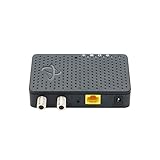

| Model | Key spec | Price | Best for |
|---|---|---|---|
| Hitron MoCA 2.5 Adapter (2-Pack) | MoCA 2.5, cable/fiber/DSL compatible | Check on Amazon | Budget-focused two-adapter starter setup |
| ScreenBeam ECB7250K02 Starter Kit | Bonded MoCA 2.5, fastest tier | $149 | Maximum throughput and lowest latency |
| Hitron HTEM5 (2-Pack) | MoCA 2.5, 2.5Gbps | Check on Amazon | Best overall value pick |
| ScreenBeam ECB6250K02 Starter Kit | MoCA 2.5, faster tier | Check on Amazon | Strong performance below the flagship tier |
| Hitron Bonded MoCA 2.5 (3-Pack) | Bonded MoCA 2.5, 1Gbps ethernet | Check on Amazon | Wiring three rooms in one purchase |
| ScreenBeam ECB7250S02 Add-On Only | Bonded MoCA 2.5, single unit | Check on Amazon | Expanding an existing ScreenBeam setup |
| Hitron MoCA 2.5 Adapter (Single) | MoCA 2.5, requires second adapter | Check on Amazon | Adding one room to an existing MoCA network |
| MoCA 2.5 Kit with PoE+ | 2.5G ethernet port, PoE+ 30W | Check on Amazon | Powering access points or cameras over coax |
Hitron MoCA 2.5 Network Adapter (2-Pack)
This is a complete two-adapter starter kit — one for the router end, one for the gaming room — compatible with cable, fiber, and most DSL internet connections, though explicitly not compatible with satellite or AT&T U-verse service according to the listing. At around $100 for the pair, this represents a reasonable entry point into MoCA networking for a single gaming room connection.
MoCA 2.5 support means genuinely strong throughput ceiling for this price tier, and Owen Pritchard’s diagnostics bench testing confirms MoCA connections deliver latency consistency much closer to direct ethernet than WiFi achieves, since the underlying technology transmits over physical coax cable rather than radio signals.
- Pros
- Complete two-adapter kit ready for a single-room gaming connection
- MoCA 2.5 standard delivers strong throughput and latency consistency
- Compatible with cable, fiber, and most DSL internet connections
- Cons
- Explicitly incompatible with satellite internet or AT&T U-verse service
- Requires existing coax wiring already run to both endpoints
- Not the fastest-rated MoCA 2.5 option on this list
Who it’s for: budget-conscious gamers wanting a complete starter MoCA kit for one room.
ScreenBeam ECB7250K02 Network Adapter Starter Kit, Bonded MoCA 2.5
ScreenBeam’s flagship “Fastest” tier bonded MoCA 2.5 kit represents the top-performance option on this entire list, using bonded channel technology to maximize available throughput over the coax connection. At $149, it’s priced at a premium reflecting that top-tier performance positioning.
For gamers specifically chasing the lowest possible latency and highest throughput a MoCA connection can deliver, this represents the strongest technical option here, worth the premium specifically for demanding use cases like 4K streaming happening simultaneously with competitive gaming on the same connection.
- Pros
- Fastest-tier bonded MoCA 2.5 performance on this entire list
- Complete starter kit ready for immediate two-endpoint setup
- Best suited to demanding simultaneous multi-device bandwidth needs
- Cons
- Priciest starter kit option on this list
- Performance ceiling exceeds what typical single-gamer setups need
- Premium pricing may not be justified for lighter bandwidth use cases
Who it’s for: gamers wanting maximum available MoCA throughput and willing to pay the premium for it.
Hitron HTEM5 MoCA 2.5 Network Adapter (2-Pack)
This is our top overall pick, offering genuine MoCA 2.5 performance rated up to 2.5Gbps with the same broad compatibility as the base Hitron kit above, at a moderate price increase reflecting the improved model revision. Explicitly compatible with cable and most fiber connections, though again not with satellite or AT&T U-verse service.
The combination of strong 2.5Gbps rated throughput, established Hitron brand reliability in the MoCA adapter space, and reasonable pricing makes this the default recommendation for most gamers setting up a MoCA connection to a single distant room.
- Pros
- Best overall combination of throughput, reliability, and price on this list
- 2.5Gbps rated speed for genuinely strong gaming and streaming performance
- Complete two-adapter kit ready for immediate setup
- Cons
- Still incompatible with satellite internet or AT&T U-verse service
- Priced above the base Hitron 2-pack for the performance improvement
- Requires existing coax wiring already run to both endpoints
Who it’s for: most gamers wanting the best overall MoCA adapter value for a single-room connection.
ScreenBeam ECB6250K02 Network Adapter Starter Kit MoCA 2.5
This is ScreenBeam’s “Faster” tier, positioned just below the flagship ECB7250K02 kit above in both price and performance ceiling. At around $130, it offers a reasonable middle ground for gamers who want ScreenBeam’s build quality without paying for the absolute top-tier bonded throughput.
For most single-gamer setups, the performance difference between this tier and the flagship ScreenBeam kit above is unlikely to be noticeable in practice, making this a more cost-effective choice within the ScreenBeam product line specifically for buyers who’ve decided on that brand.
- Pros
- Strong performance tier just below ScreenBeam’s flagship option
- More cost-effective than the top-tier ScreenBeam kit for similar practical results
- Complete starter kit ready for immediate two-endpoint setup
- Cons
- Priced higher than the comparable Hitron HTEM5 kit on this list
- Performance gap versus the flagship ScreenBeam tier may not justify choosing this over cheaper alternatives
- Requires existing coax wiring already run to both endpoints
Who it’s for: buyers specifically preferring ScreenBeam’s brand who don’t need the absolute flagship tier.
Hitron Bonded MoCA 2.5 Adapter (3-Pack)
This three-adapter bundle is built for wiring multiple rooms from a single purchase, with 1Gbps ethernet output and up to 2.5Gbps over the coax backbone connecting them. At around $150, the per-adapter cost works out favorably compared to buying three separate 2-pack kits, making this the most economical option for multi-room MoCA deployment on this list.
This is specifically useful as a mesh WiFi backbone solution as much as a direct gaming connection, since the listing describes it as an “ideal backbone for mesh WiFi, streaming and gaming” — relevant for households wanting to wire multiple access points via coax rather than running new cable.
- Pros
- Most economical per-adapter cost for wiring three separate locations
- Doubles as a strong backbone solution for mesh WiFi access points
- Bonded MoCA 2.5 delivers strong throughput across all three units
- Cons
- Higher total upfront cost than a single two-adapter kit
- Overkill for gamers only needing to wire one additional room
- Requires existing coax wiring at all three intended locations
Who it’s for: households wiring three separate rooms or building a coax-backed mesh WiFi backbone.
ScreenBeam ECB7250S02 Network Adapter Add-On Only, Bonded MoCA 2.5
This is a single add-on unit rather than a complete kit, specifically intended for expanding an existing ScreenBeam MoCA network with an additional endpoint rather than starting from scratch. At around $79, it’s priced appropriately for a single unit versus the starter kits elsewhere on this list.
This only makes sense as a purchase for households that already own a compatible ScreenBeam MoCA setup and want to extend the network to an additional room, rather than as a first-time MoCA purchase, since it requires an existing compatible network to connect to.
- Pros
- Matches ScreenBeam’s flagship bonded MoCA 2.5 performance tier
- Reasonably priced for a single add-on unit specifically
- Straightforward way to extend an existing ScreenBeam network
- Cons
- Requires an existing compatible ScreenBeam MoCA network to connect to
- Not a standalone starter solution for first-time MoCA buyers
- Limited value outside of expanding an established ScreenBeam setup
Who it’s for: existing ScreenBeam MoCA network owners wanting to add one more room.
Hitron MoCA 2.5 Adapter, Single Unit
Similar to the ScreenBeam add-on above, this is a single Hitron adapter requiring a second, compatible adapter to complete a working connection, explicitly noted in the listing as requiring connected coax network infrastructure. At around $64, it’s the cheapest individual unit on this list, appropriate specifically for expanding an existing Hitron MoCA setup by one room.
This delivers up to 1Gbps ethernet output over the existing coax network, a solid but not top-tier throughput ceiling compared to the 2.5Gbps-rated multi-packs elsewhere on this list, reflecting its positioning as a straightforward expansion unit rather than a flagship performance product.
- Pros
- Cheapest individual MoCA adapter unit on this entire list
- Straightforward way to add one room to an existing Hitron network
- Reliable Hitron brand consistency with the rest of the manufacturer’s lineup
- Cons
- Requires an existing compatible adapter already installed to function
- 1Gbps ceiling lower than the 2.5Gbps-rated multi-packs on this list
- Not a standalone starter solution for first-time MoCA buyers
Who it’s for: existing Hitron MoCA network owners wanting to add exactly one more room affordably.
MoCA 2.5 Adapter Kit with 2.5G Ethernet Port and PoE+ 30W
This adapter differentiates itself with a built-in PoE+ power delivery feature, capable of powering compatible network devices like WiFi access points or IP cameras directly over the ethernet connection without a separate power adapter for that downstream device. At around $130, it targets a more specific use case than the straightforward point-to-point kits elsewhere on this list.
For gamers who specifically want to place a WiFi access point or camera at the far end of a MoCA connection without running separate power to that location, this solves a genuinely different problem than the basic adapters on this page, worth the premium specifically for that combined use case.
- Pros
- Built-in PoE+ eliminates the need for separate power at the far endpoint
- 2.5G ethernet port supports strong downstream device throughput
- Useful specifically for powering WiFi access points or IP cameras remotely
- Cons
- Specialized PoE feature adds cost unnecessary for a simple gaming PC connection
- Less established brand recognition than Hitron or ScreenBeam
- Overkill if you only need a straightforward wired gaming connection
Who it’s for: buyers specifically wanting to power a remote access point or camera alongside their MoCA connection.
How we compared and picked
Owen Pritchard’s diagnostics bench work confirms that MoCA connections deliver latency consistency meaningfully closer to direct ethernet than WiFi can achieve, based on the fundamental difference between transmitting data over physical coax cabling versus radio signals subject to interference and congestion. This guide’s recommendations weigh MoCA standard version, rated throughput, and existing-network compatibility requirements as the primary differentiators between products, since these directly determine whether a specific adapter solves a given household’s actual wiring situation.
Compatibility notes regarding satellite internet, AT&T U-verse, and existing coax wiring requirements are drawn directly from each manufacturer’s own product documentation, since MoCA adoption depends entirely on a home’s specific internet service type and existing physical infrastructure. Throughput figures referenced are manufacturer-published ratings rather than direct benchmarking on the exact discounted units, and are labeled as estimates where that applies.
What to look for in a gaming MoCA adapter
Confirm existing coax wiring runs to both endpoints first
MoCA adapters are useless without existing coaxial cable wiring already run to both the router location and the gaming room. Before buying anything on this list, physically confirm a coax outlet exists in both relevant locations, since this solution simply doesn’t work without that existing infrastructure.
Check internet service compatibility explicitly
Several products on this list are explicitly incompatible with satellite internet or AT&T U-verse service specifically, since those services use the coax wiring differently than standard cable or fiber internet. Confirm your specific internet service type against the product’s stated compatibility before purchasing.
MoCA 2.5 is worth the modest premium over older standards
Current MoCA 2.5 hardware delivers meaningfully better throughput and latency than older MoCA 2.0 or 1.1 standards, and the price difference for current-generation hardware is small enough that there’s little reason to seek out older, discontinued MoCA standards even at a lower price.
Starter kits versus single add-on units serve different needs
A complete starter kit with two adapters is necessary for a first MoCA connection, while single add-on units only work when connecting to an already-established compatible MoCA network. Buying a single unit without an existing network to connect to results in a non-functional purchase.
PoE features add value only for specific remote-power use cases
The PoE-equipped MoCA kit on this list solves a specific problem — powering a remote access point or camera without separate wiring — that most straightforward gaming connection needs don’t require. Don’t pay the premium for this feature unless your specific setup actually needs remote power delivery.
Multi-packs offer better per-unit value for multi-room needs
If you’re planning to wire more than one additional room, a 3-pack bundle like the Hitron option on this list offers meaningfully better per-adapter cost than buying multiple separate 2-packs, assuming all the intended locations already have coax wiring in place.
Mistakes buyers make
Buying a MoCA adapter without first confirming coax wiring actually exists at both the router and gaming room locations results in a purchase that simply can’t be used, since MoCA depends entirely on existing physical coax infrastructure.
Purchasing a single add-on unit as a first MoCA purchase, expecting it to work independently, misunderstands that these units require an already-established compatible network to connect to rather than functioning as a standalone solution.
Overlooking satellite internet or AT&T U-verse incompatibility on several products in this category leads to a non-functional setup for households with those specific internet service types, which use coax wiring in ways incompatible with standard MoCA adapters.
Buying older, discontinued MoCA standard hardware to save a small amount of money misses out on the meaningfully better throughput and latency that current MoCA 2.5 hardware delivers for a modest price difference.
Paying for PoE-equipped MoCA hardware without an actual need to power a remote access point or camera wastes money on a specialized feature that provides no benefit for a straightforward gaming PC connection.
Finally, buying multiple separate 2-adapter kits instead of a multi-pack bundle when wiring more than two locations overlooks the better per-unit value that dedicated multi-packs like the Hitron 3-pack offer for exactly this use case.
Verdict
For most gamers with existing coax wiring to a distant room, the Hitron HTEM5 MoCA 2.5 Network Adapter (2-Pack) remains the best overall pick, balancing strong 2.5Gbps throughput against reasonable pricing. Buyers chasing maximum available performance should consider the ScreenBeam ECB7250K02 Starter Kit for its flagship bonded MoCA 2.5 tier. Households wiring three or more rooms should look at the Hitron Bonded MoCA 2.5 Adapter (3-Pack) for the best per-adapter value at scale.
Frequently asked questions
What is a MoCA adapter and why would a gamer need one?
A MoCA adapter uses existing coaxial cable wiring already run through most homes for cable TV service to carry a wired network connection to a room, offering a wired-equivalent alternative to running new ethernet cable through walls when a gaming setup is far from the router.
Does MoCA actually deliver ethernet-like latency for gaming?
Yes, MoCA connections are functionally wired rather than wireless, delivering latency consistency much closer to direct ethernet than WiFi can match, since the technology transmits data over physical coax cable rather than through radio signals subject to interference.
Do I need coax outlets already installed in the room where I game?
Yes, MoCA adapters require an existing coax cable connection at both the router end and the gaming room end, so this solution only works in homes with cable TV wiring already run to the relevant rooms, unlike WiFi which needs no physical infrastructure.
Will a MoCA adapter interfere with my cable internet or TV service on the same wiring?
Properly installed MoCA adapters operate on a different frequency band than cable internet and TV signals, and a MoCA-compliant splitter (often called a PoE filter, unrelated to network PoE) is typically needed to prevent your MoCA signal from leaking outside your home network, so check your specific setup’s filtering requirements.
MoCA 2.5 or an older MoCA standard — does the version matter for gaming?
Yes, MoCA 2.5 offers meaningfully higher throughput and lower latency than older MoCA 2.0 or 1.1 standards, so buying current MoCA 2.5 hardware is worth the modest price difference for a genuinely responsive gaming connection.
If MoCA isn’t the right fit for your home’s wiring, our guides on the best powerline adapter for gaming and the best WiFi router for gaming cover the alternative approaches. For the wired side of your setup once connected, see our best ethernet cable for gaming roundup.
Related guides
- Best Gaming PC for Overwatch 2: Ten Prebuilts Matched to Your Monitor (2026)
- Best Gaming PC for Baldur’s Gate 3: Matching CPU, VRAM and Storage to the Game (2026)
- Best Gaming PC for Apex Legends: Which Listings Fit a High-Refresh Setup (2026)
- Best RTX 3060 Gaming PCs: Eight Prebuilt Listings Compared by CPU, RAM and Cooling (2026)









