
Our Top Picks
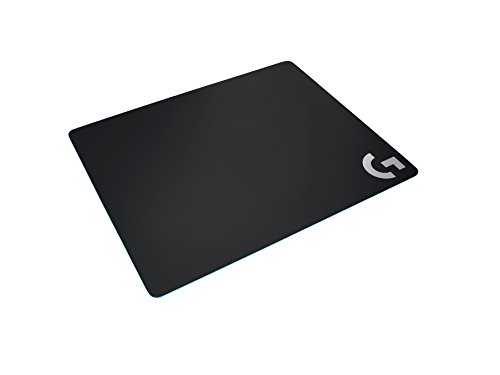 Logitech G240 Cloth Gaming Mouse Pad for Low13.4L x 11W inches11.02 x 0.04 x 13.39 inches0.2 poundsCheck on Amazon
 Corsair MM Glass Precision Gaming Mouse Pad19.7L x 15.8W inches19.69 x 15.75 x 0.1 inches2.2 PoundsCheck on Amazon
 Bucknell Secondary Logo Low Profile Thin Mouse Pad7.8L x 9.3W inches9.3 x 7.8 x 0.1 inchesCheck on Amazon
 Clarkson Primary Logo Low Profile Thin Mouse Pad7.8L x 9.3W inches9.3 x 7.8 x 0.1 inchesCheck on Amazon
Top 3 picks at a glance


The Short Answer
If you play at low sensitivity — typically under 800 eDPI, often 400–600 eDPI — you want a mousepad that is at least 400 mm wide (about 16 inches) and 450 mm deep (about 18 inches). Most low-sens players land comfortably on a pad in the 450 × 400 mm (17.7 × 15.7 in) range, which is the classic “large” size used by CS2, Valorant, and tactical shooter pros. If your sensitivity is very low (under 400 eDPI) or you tend to make full arm sweeps for 180-degree turns, step up to an extended pad of 900 × 400 mm (35.4 × 15.7 in) or larger. The governing rule: your pad should be big enough that you never run off the edge mid-flick, and low sens means big, sweeping motions that eat surface fast.
Standard Sizes
Manufacturers converge on a handful of standard dimensions. Here’s how they map out for low-sens aiming:
As an Amazon Associate we earn from qualifying purchases at no extra cost to you.

| Size Class | Dimensions (inches) | Dimensions (mm) | Suitable for Low Sens? | Typical Price Range |
|---|---|---|---|---|
| Small | 9.8 × 8.3 in | 250 × 210 mm | No — made for high-DPI wrist aimers | $5–$12 |
| Medium | 12.6 × 10.2 in | 320 × 260 mm | No — edge-lift territory at low sens | $8–$15 |
| Large | 17.7 × 15.7 in | 450 × 400 mm | Yes — the low-sens sweet spot | $10–$30 |
| XL / Extended | 35.4 × 15.7 in | 900 × 400 mm | Yes — fits mouse plus keyboard | $15–$45 |
| XXL / Desk Mat | 47 × 23.6 in | 1200 × 600 mm | Yes — full-desk coverage | $25–$70 |
A good concrete reference point: the Logitech G240 Cloth Gaming Mouse Pad measures 13.4 × 11.4 in (340 × 290 mm) and sells for around . It’s specifically designed for low-DPI gaming and is noticeably larger than generic office pads, but it’s still on the small side for deep-arm low sens — many players who start here eventually upgrade to a 450 × 400 mm pad for unrestricted arm movement. Thickness is a separate axis: cloth pads typically run 1–5 mm thick, with 3–4 mm being the most common choice for comfort over hard desks.
Hard pads are a different category. The Corsair MM Glass Precision Gaming Mouse Pad, for example, lists for about and trades the cushioning of cloth for a slick glass micro-texture that reduces friction dramatically — some low-sens players love the glide, but note that glass surfaces can amplify any hesitation in your arm control.
How to Measure Your Space
- Trace your current arc. Put your mouse where it naturally rests and swipe your arm through your full in-game turn, edge to edge, as you would for a 180-degree flick. Note where your hand, elbow, and forearm travel.
- Measure the widest span. Use a tape measure across that arc. Most low-sens players end up between 14 and 20 inches of horizontal travel. Add 1–2 inches of buffer on each side so you’re not finishing flicks on the pad’s edge stitching.
- Check your desk depth. Measure front-to-back desk space. A 450 × 400 mm pad needs roughly 16 inches of depth beyond your keyboard — if your desk is only 24 inches deep total, a desk-mat-style XL pad may crowd your typing area.
- Account for keyboard placement. If you plan to put your keyboard on the pad (common with XL sizes), add about 5–6 inches to your required width.
- Verify thickness clearance. If your pad sits against a desk edge or wrist rest, measure that gap. A 4 mm pad slides under most keyboard trays; thicker 5 mm pads may not.
By Room or Use Case
Dedicated Gaming Desk
This is where sizing freedom lives. With no other constraints, go straight to 450 × 400 mm (17.7 × 15.7 in) or an 900 × 400 mm extended pad. Extended pads shine here because you can keep your keyboard on the surface and reposition it freely between matches. Budget $15–$45 for a quality cloth extended pad; thinner 2–3 mm options glide the fastest, while 4 mm adds forearm comfort during long sessions.
Small or Shared Desks
If your desk is under 47 inches wide or doubles as a workspace, a large 450 × 400 mm pad is the practical ceiling. Dedicated cloth pads like the G240-style large cloth pads ($10–$25) fit neatly beside a keyboard and leave room for notebooks or a second monitor stand. If desk width is truly tight, a 400 × 320 mm pad is the smallest size that still supports genuine low-sens arm aiming without constant edge contact.
Laptop and Travel Setups
Low sens and laptops are awkward partners — coffee-shop desks rarely offer 16 inches of swipe room. If you practice on the go, a rollable cloth pad in the 450 × 400 mm class that you lay across the full desk is your best bet. Avoid rigid pads like glass here; they don’t travel well. Expect to pay $10–$25 for a portable cloth pad that rolls without creasing.
Office/Work Desk That Doubles as a Gaming Station
Keep it subtle. A thin, low-profile pad — the kind of branded decorative pad you see at around $14 price points, like logo-themed low-profile thin mouse pads — measures roughly 9.3 × 7.8 in (236 × 198 mm) and is fine for spreadsheet work and casual browsing. But be honest with yourself: that footprint cannot support low-sens aiming. Use it during the workday, then move a large pad into position for evening play, or keep a 450 × 400 mm pad in a drawer and deploy it when needed.
Console and Couch Setups
Couch aimers using a mouse on a lap desk or cushion board should prioritize a non-slip rubber base and a medium-large footprint, around 400 × 320 mm minimum. Lap surfaces shift, so the extra width gives your swipe arc room even when the base slides a bit. A 3–4 mm thick cloth pad with a textured rubber underside ($12–$30) works best here; hard pads slide around too much on fabric surfaces.
Common Sizing Mistakes
- Buying small because it “looks fine” in photos. A 250 × 210 mm pad is fine at 1600 DPI, but at 400 eDPI you’ll hit the edge within a few degrees of turn. Match the pad to your sensitivity, not your aesthetic.
- Ignoring depth. Width gets all the attention, but vertical travel matters for pressing down-angle flicks and pulling the mouse back to center. Under 320 mm of depth feels cramped for arm aimers.
- Forgetting the keyboard footprint. Buying an extended pad for keyboard-on-pad setups, then discovering the keyboard plus mouse leaves less swipe room than a dedicated large pad would have.
- Overbuying thickness. Beyond 4–5 mm, thick pads mostly add height that changes your wrist angle without improving tracking. Firmness and surface texture matter more than plushness.
- Skipping the desk measurement. Ordering a 1200 × 600 mm desk mat only to find your 43-inch desk leaves it draping over the edges, which causes lifting and curling at the corners.
- Assuming harder means faster, always. Glass and hard pads (like $60–$100 options) do glide faster, but if your muscle memory was built on cloth, the speed difference can wreck flick accuracy for weeks. Size and surface are separate decisions — fix size first.
FAQ
Is a 450 × 400 mm mousepad big enough for low sens?
For most players at 400–800 eDPI, yes. That’s 17.7 inches of horizontal swipe room, which covers the arm arc used in the majority of tactical shooter engagements. If you play below 400 eDPI or need full 360-degree turns without repositioning, an extended 900 × 400 mm pad removes any doubt.
Does mousepad thickness affect aim?
Indirectly. Thickness (1–5 mm on cloth pads) affects comfort and how the pad’s edge feels under your wrist, but surface texture and base grip affect aim more directly. If your desk is hard and cold, 3–4 mm is a comfortable middle ground; on a soft desk surface, 2 mm is plenty.
What size pad do pros use for low sens?
The most common setup among low-sens pro players is a large pad in the 450 × 400 mm class — it’s the size most pro-team-branded pads are produced in. Some very low-sens players use extended or desk-mat pads, but the majority of competitive setups keep the keyboard off the pad and use a dedicated large surface.
Are bigger mousepads always better?
No. Beyond what your arm arc actually requires, extra surface collects dust, costs more, and can crowd a small desk. Measure your natural swipe span, add a small buffer, and buy that size. A well-placed 450 × 400 mm pad outperforms an oversized mat that forces awkward keyboard positioning every time.









