
Our Top Picks
 DARKROCK Black F120 3in1 120mm Infinite Mirror Design120mm-Forward4.7 x 1 x 4.7 inchesCheck on Amazon
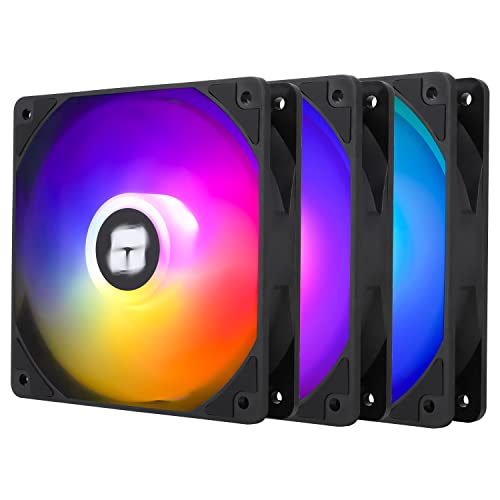

Top 3 picks at a glance

The Short Answer
Most gaming PCs need three to five case fans for reliable everyday cooling. A practical starting point is two 120 mm or 140 mm intake fans at the front plus one rear exhaust fan. This setup brings cool room air across the graphics card and CPU area, then removes warm air from the back of the case.
Move up to five or six fans when you have a high-wattage graphics card, a power-hungry CPU, a 240 mm or 360 mm liquid cooler, a compact case, or a warm gaming room. More fans are not automatically better, however. The goal is a clear front-to-back and bottom-to-top airflow path—not every mounting position filled with high-speed fans.
As an Amazon Associate we earn from qualifying purchases at no extra cost to you.


For most mid-tower gaming builds, use this layout:
- 3 fans: 2 front intake + 1 rear exhaust
- 4 fans: 3 front intake + 1 rear exhaust, or 2 front intake + 1 top exhaust + 1 rear exhaust
- 5 fans: 3 front intake + 1 top exhaust + 1 rear exhaust
- 6 fans: 3 front intake + 2 top exhaust + 1 rear exhaust
In 2026, 120 mm fans remain the easiest size to buy and fit, while 140 mm fans are often the better choice when your case supports them. A larger fan can move similar air at a lower RPM, which can reduce noise.
Standard Sizes
Case fans are measured by the width and height of their square frame, not by the diameter of the spinning blades. The depth is usually 25 mm, although slim fans may measure 15 mm thick and high-performance models can be 30 mm thick.
| Fan Size | Frame Dimensions | Typical Depth | Mounting Hole Spacing | Best Uses |
|---|---|---|---|---|
| 80 mm | 3.15 x 3.15 in. / 8 x 8 cm | 0.98 in. / 2.5 cm | 2.81 in. / 7.15 cm | Older compact cases, small rear vents |
| 92 mm | 3.62 x 3.62 in. / 9.2 x 9.2 cm | 0.98 in. / 2.5 cm | 3.23 in. / 8.25 cm | Small-form-factor and older mid-tower cases |
| 120 mm | 4.72 x 4.72 in. / 12 x 12 cm | 0.98 in. / 2.5 cm | 4.13 in. / 10.5 cm | Most gaming cases, radiators, rear exhaust positions |
| 140 mm | 5.51 x 5.51 in. / 14 x 14 cm | 0.98 in. / 2.5 cm | 4.90 in. / 12.45 cm | Quiet front intake, top exhaust, larger cases |
| 200 mm | 7.87 x 7.87 in. / 20 x 20 cm | 1.18–1.26 in. / 3–3.2 cm | Varies by brand | Cases specifically designed for oversized fans |
Always check your case manual or the manufacturer’s specification page before ordering. A case may support 140 mm fans at the front but only 120 mm fans at the top. Also note that 200 mm fans do not use one universal hole pattern, so a 200 mm replacement should match the case’s stated compatibility exactly.
Budget three-packs of 120 mm fans commonly cost about $9 to $15. For example, basic 120 mm three-packs such as the DARKROCK Black F120 set may fall near the lower end, while RGB models such as Thermalright TL-C12C-S X3 packs are often around $12 to $15. Premium fans, reverse-blade RGB models, and models with integrated controllers can cost substantially more.
How to Measure Your Space
- Read the case specifications first. Look for fan support listings such as “front: 3 x 120 mm or 2 x 140 mm,” “top: 2 x 120 mm,” and “rear: 1 x 120 mm.” This is more reliable than estimating from a product photo.
- Measure the mounting area. Remove the side panel and measure the distance between screw-hole centers. About 4.13 inches (10.5 cm) indicates a 120 mm mount; about 4.90 inches (12.45 cm) indicates a 140 mm mount.
- Measure clearance behind the mount. Standard fans need roughly 1 inch (25 mm) of depth. Leave additional room for cables, radiator tubes, tall RAM, motherboard heatsinks, or a front-mounted graphics card.
- Check radiator thickness. A typical radiator is about 27 mm thick. Add a standard 25 mm fan, and the combined assembly is about 52 mm, or just over 2 inches. Some radiators are 30 mm to 38 mm thick, increasing the clearance requirement.
- Identify existing fans. A case that includes two front fans and one rear fan already has a sound baseline layout. You may only need to add top exhaust fans after checking temperatures and noise.
- Count motherboard headers. Most PWM case fans use a 4-pin connector. If you are installing four or more fans, you may need a splitter cable or powered fan hub. Do not overload a single motherboard header; consult the board manual for its amp rating.
By Room or Use Case
Small Bedroom or Shared Space
Choose three 140 mm fans, if your case supports them: two front intake and one rear exhaust. Run them on a PWM curve so they stay quiet at idle and ramp up only during gaming. Larger fans are useful here because they can often provide adequate airflow at lower speeds than smaller fans. If your case only accepts 120 mm models, use three 120 mm PWM fans rather than inexpensive fixed-speed fans.
Typical Mid-Tower Gaming PC
Use three to five 120 mm or 140 mm fans. For an air-cooled CPU and a mainstream to high-end graphics card, begin with two or three front intakes and one rear exhaust. Add one top-rear exhaust fan if heat lingers near the CPU cooler. Avoid placing a top intake directly above the CPU area in a conventional build; it can disrupt the natural exhaust path.
High-End GPU or Long Gaming Sessions
Use five or six fans in a mesh-front mid-tower or full-tower. Three front intakes are especially useful for feeding fresh air to a large graphics card. Pair them with one rear exhaust and one or two top exhaust fans. This is a sensible configuration for systems that regularly game for several hours, stream, render video, or operate in rooms above roughly 80°F (27°C).
Liquid-Cooled PC
Count radiator fans as case fans because they still determine airflow. A 240 mm radiator uses two 120 mm fans, while a 360 mm radiator uses three. If the radiator is mounted at the top as exhaust, install two or three front intake fans and retain a rear exhaust only if the airflow layout remains balanced. A front-mounted radiator can act as intake, but it warms the air entering the case, so provide a rear and top exhaust route.
Compact Mini-ITX or Micro-ATX Case
Use every fan location only when it has a purpose. Small cases often work best with two to four fans, such as two bottom or front intakes plus one rear and one top exhaust. Check graphics-card clearance carefully: a 25 mm fan can interfere with long cards, thick radiators, or tight cable bends. Slim 15 mm fans can solve a clearance issue, though they may need higher speed to move comparable air.
Common Sizing Mistakes
- Buying based on blade diameter: A “120 mm fan” refers to the frame, so measure mounting holes rather than the visible blade circle.
- Assuming 140 mm always fits a 120 mm location: Some mounts accept both sizes, but many rear mounts accept only 120 mm.
- Forgetting fan thickness: A standard 25 mm fan plus a radiator can block RAM, motherboard heatsinks, or the top edge of the graphics card.
- Installing too much exhaust: Three exhaust fans with only one intake fan can pull dust through unfiltered gaps. Aim for slightly more intake capacity than exhaust capacity when possible.
- Mixing airflow directions: The open side is usually intake, while the side with support struts and the motor hub is exhaust. Check the small airflow arrows molded into the fan frame.
- Ignoring connectors: PWM power connectors and 3-pin or proprietary RGB connectors are separate systems. Confirm that your motherboard or controller supports both before buying RGB fans.
FAQ
Is three case fans enough for a gaming PC?
Yes. Two front intake fans and one rear exhaust fan are enough for many gaming PCs, especially in a mesh-front mid-tower case. Add fans only if component temperatures, room temperature, or noise levels suggest the system needs more airflow.
Should I choose 120 mm or 140 mm case fans?
Choose 140 mm fans when the case supports them and quiet operation matters. Choose 120 mm fans for universal compatibility, radiator mounting, and tighter spaces. A good 120 mm fan is still an excellent choice for nearly any gaming build.
How many intake fans versus exhaust fans should I use?
A common setup is two or three intake fans and one or two exhaust fans. Slightly favoring intake helps bring air through filtered panels and can reduce dust entering through unsealed openings. Fan speed matters as much as fan count, so tune the intake and exhaust curves after installation.
Do RGB case fans use more electricity?
Only slightly. The fan motor itself commonly uses a few watts or less at normal speed, while the lighting adds a small additional draw. The more important consideration is connector compatibility: make sure you have enough fan headers, RGB or ARGB headers, or a suitable powered hub.









