
Our Top Picks


Top 3 picks at a glance


The Short Answer
For modern gaming, 16GB is the minimum and 32GB is the new sweet spot. Most games released in the last few years list 16GB as their recommended requirement, but real-world memory usage tells a different story: running Windows 11, a modern GPU driver stack, a browser with a few tabs, Discord, and a launcher or two eats 6–10GB before your game even loads. Add a AAA title pulling 12–16GB on its own, and a 16GB system starts swapping to disk. If you’re buying a prebuilt in 2026, 32GB of DDR5 costs only $40–80 more than 16GB, making it the easiest performance upgrade you can spec.
Quick guidance by tier:
As an Amazon Associate we earn from qualifying purchases at no extra cost to you.

- 8GB: Not recommended. Older esports titles only, at reduced settings.
- 16GB: Fine for 1080p esports and most single-player games at 60fps, with background apps closed.
- 32GB: The recommended choice for AAA gaming, streaming, and multitasking.
- 64GB: Overkill for pure gaming; worth it only for heavy content creation, local AI workloads, or heavy modding (Starfield and Cities: Skylines II modders, we’re looking at you).
Standard Sizes
System memory is sized in gigabytes (GB) rather than inches, but each capacity tier has practical “footprint” numbers that matter for a buyer: how many modules fill your motherboard slots, typical module height (which matters for large CPU air coolers), and typical kit pricing.
| Capacity | Typical Configuration | Common Speed (DDR5) | Module Height | Typical Kit Price |
|---|---|---|---|---|
| 16GB | 2 x 8GB | 5600–6000 MT/s | 1.2–1.8 in / 3–4.5 cm | $45–70 |
| 32GB | 2 x 16GB | 5600–6000 MT/s | 1.2–2.6 in / 3–6.5 cm | $85–130 |
| 64GB | 2 x 32GB | 5600–6400 MT/s | 1.2–2.6 in / 3–6.5 cm | $180–280 |
| 96–128GB | 2 x 48GB or 4 x 32GB | 5600–6000 MT/s | 1.2–3.0 in / 3–7.5 cm | $300–500 |
A note on height: low-profile sticks run about 1.2–1.3 inches (3–3.3 cm) tall and clear almost any tower cooler. Tall RGB heat spreaders can reach 2.6–3 inches (6.5–7.5 cm). If your CPU cooler overhangs the RAM slots, check the cooler’s max RAM height clearance before buying — this is the most common physical fit issue with memory upgrades.
How to Measure Your Space
Before you buy a prebuilt PC or plan an upgrade, walk through this checklist so your capacity choice matches your actual needs:
- Check your current usage. Open Task Manager (Ctrl+Shift+Esc), go to the Performance tab, and play your most demanding game for 30 minutes with your usual background apps open. Note the “In use” and “Available” numbers. If available memory drops below 2–3GB, you need more.
- Count your DIMM slots. Most consumer motherboards have 4 slots; small-form-factor and many prebuilt boards have 2. On a 2-slot board, buy the full capacity you want up front — a 2 x 16GB kit now beats two 8GB sticks you’ll have to discard later.
- Match your DDR generation. DDR4 and DDR5 are physically keyed differently and are not interchangeable. Intel’s 14th-gen (like the i5-14400F) supports DDR4 or DDR5 depending on the board; Ryzen 7000 and Core Ultra 200-series chips are DDR5 only.
- Verify cooler clearance. Measure from the motherboard surface to the inside of your cooler’s fin stack. If it’s under 2.5 inches (6.4 cm), choose low-profile modules.
- Confirm dual-channel pairing. Always install sticks in matched pairs in the correct slots (usually slots 2 and 4, or per your manual). Dual-channel 2 x 16GB meaningfully outperforms a single 32GB stick in games.
- Set the right speed in BIOS. DDR5 defaults to 4800 MT/s until you enable EXPO/XMP. Enabling it is free performance — often 5–10% better average frame rates in CPU-bound titles.
By Room or Use Case
The Desk: 1080p and 1440p Gaming
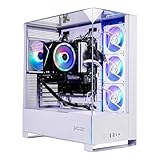
This is where most gamers live. At 1080p and 1440p, your GPU (an RTX 5060 or 5060 Ti class card) does the heavy lifting, and 16GB is genuinely workable if you keep background apps lean. That said, a system like the Skytech Gaming PC with an i5-14400F, RTX 5060, 16GB of RAM, and a 1TB SSD at around $1,249 is a solid entry point — but if the same builder offers a 32GB configuration for $50–100 more, take it. Memory usage in AAA games has crept up steadily, and 32GB removes the need to close Chrome before you launch anything.
The High-Refresh Setup: 1440p and 4K
Once you move to a 4K display or push 240Hz at 1440p, CPU-side memory bandwidth matters more, and capacity demands climb with it. Pairing a Ryzen 7 7800X3D or Core Ultra 7 with an RTX 5070-class GPU — as seen in the MSI Codex Z2 (32GB DDR5, around $2,080) or Alienware Aurora (around $1,999) — pairs naturally with 32GB. These systems are built for GPU-intensive titles where texture packs, ray tracing, and frame generation all increase memory pressure. 32GB keeps the pipeline full; 16GB can cause stutter when assets stream in.
The Streaming and Creator Corner
If you stream, record, or edit video on the same machine you game on, 32GB is the floor, not the ceiling. OBS with an x264 or AV1 encode, a browser with your stream dashboard, alerts, and chat can add 6–10GB on top of the game. For 4K video editing or 3D work alongside gaming, 64GB earns its keep — kits run $180–280, cheap compared to the time lost waiting on a swapped-out timeline.
The Living Room / Couch Gaming PC
Small-form-factor builds and mini PCs often ship with 2 RAM slots and integrated or compact cooling. For a living room box driving a TV, 16GB is fine for couch co-op and game pass titles; just remember these compact cases frequently use SO-DIMM laptop-style memory that’s not upgradeable later, so spec what you’ll need for the life of the machine.
The Simulation and Modding Rig
Flight simulators, heavily modded Skyrim or Fallout 4, and city builders are the hidden memory hogs of PC gaming. Microsoft Flight Simulator with detailed scenery add-ons and modded Bethesda games with 200+ plugins can comfortably exceed 16GB and push toward 24–30GB of total system usage. If this is your genre, 32GB is not optional.
Common Sizing Mistakes
- Buying 8GB to save money. The $25–30 savings isn’t worth a machine that can’t run current games at spec. Skip this tier entirely for gaming.
- Choosing one big stick over matched pairs. A single 32GB module runs single-channel and costs you real frame rate consistency versus 2 x 16GB.
- Ignoring speed for capacity. 64GB of slow 4800 MT/s memory performs worse in games than 32GB at 6000 MT/s with tight timings. For Ryzen 7000/9000 chips, aim for DDR5-6000 CL30.
- Forgetting the cooler clearance check. Tall RGB modules colliding with a tower air cooler means a return shipment, not a gaming night.
- Buying 128GB “future-proofing.” Nothing in the gaming pipeline for the next several years needs it. Spend the difference on a better GPU — it will return far more frames per dollar.
- Not enabling EXPO/XMP. Thousands of gamers run fast RAM at its default slow speed every day. One BIOS setting fixes it.
- Assuming prebuilt RAM is upgradeable. Some OEM desktops ship with all slots filled or proprietary form factors. Check before you buy if you plan to add sticks later.
FAQ
Is 16GB still enough for gaming in 2026?
Yes, with caveats. Most current games run fine on 16GB if you close background apps and keep your browser shut while playing. But usage in AAA titles has risen steadily, and if you multitask — Discord, streaming, music, guides on a second monitor — 16GB will bottleneck you. It’s the minimum we’d recommend in a new build, not the target.
Does more RAM increase FPS?
Only up to a point. Going from 8GB to 16GB can transform performance if you were swapping to disk. Going from 16GB to 32GB rarely raises average FPS, but it reduces stutter and asset-loading hiccups, especially in open-world games. Beyond 32GB, more RAM adds essentially nothing for gaming. RAM speed and timings matter more than raw capacity once you’re past the 32GB threshold.
Should I get 2 x 16GB or 4 x 8GB for 32GB?
Prefer 2 x 16GB. Two sticks are easier for your memory controller to run at full speed (some CPUs struggle above 6000 MT/s with four populated slots), it leaves two slots free for future expansion, and dual-channel bandwidth is identical. Four-stick configurations also increase total module height clearance issues under large coolers.
How much RAM do I need for 4K gaming?
32GB. At 4K, modern GPUs with large frame buffers (12–16GB of VRAM, like the RTX 5060 Ti 16GB or RTX 5070) push more texture and asset data through system memory, and 4K sessions are more likely to involve background tasks like recording or streaming. A 32GB DDR5-6000 kit paired with a Ryzen 7 7800X3D or Core Ultra 7 is the standard 4K-ready configuration — and at a typical $85–130, it’s the cheapest component of a $2,000 build to get right.









