
Choosing between 16GB and 32GB of RAM for a gaming setup at home feels straightforward until you start shopping for an actual system. Most prebuilt gaming desktops now list RAM right next to the graphics card, and the price difference can look small on paper. But the real decision is not just about frame rates. It is about how you use your home computer day to day, whether you multitask while you game, how long you plan to keep the machine, and how much headroom you want for newer, more demanding titles. For many buyers in 2026, 16GB still gets the job done, while 32GB is quickly becoming the comfortable standard for a modern gaming home.
Our Top Picks



Top 3 picks at a glance
Quick Verdict
For pure gaming at 1080p with one game running at a time, 16GB remains enough for the vast majority of titles and offers the best value upfront. If you stream on Twitch or YouTube, run Discord, Chrome, and Spotify in the background, play memory-heavy simulation or open-world games, or want a system that will stay relevant for the next four to five years without an upgrade, 32GB is the smarter buy. The upfront cost is higher by $40 to $120 depending on DDR4 versus DDR5, but it eliminates stuttering from memory pressure and gives you breathing room to multitask.
As an Amazon Associate we earn from qualifying purchases at no extra cost to you.



Think of it this way: 16GB is the practical minimum for modern gaming performance. 32GB is the comfort zone. If you are building or buying a long-term home setup, the extra capacity pays for itself in smoother daily use.
Side by Side
| Feature | 16GB RAM | 32GB RAM |
|---|---|---|
| Comfort in Daily Use | Smooth for gaming alone; can feel tight with 10+ browser tabs, Discord, and streaming software open | Smooth even with heavy multitasking, streaming, and background apps |
| Gaming Performance | Excellent in most current titles; occasional dips in RAM-hungry games like large modded simulations | Consistently smooth; eliminates memory-related stutters in demanding open-world and strategy games |
| Durability / Longevity | Viable for 2 to 3 years before upgrades may be needed for new releases | Viable for 4 to 5+ years; better future-proofing as games use more memory |
| Price Range | $35 to $75 for a 16GB kit (2x8GB DDR4), $55 to $95 for DDR5 | $65 to $130 for a 32GB kit (2x16GB DDR4), $85 to $160 for DDR5; prebuilt desktops add $80 to $150 vs 16GB models |
| Maintenance | Lower initial cost, may require later upgrade and manual installation | Set and forget; no near-term need to open the case or reinstall modules |
| Space Needed Inside Case | Uses 2 DIMM slots (2x8GB), leaves 2 slots free on most ATX motherboards | Typically 2x16GB, same physical footprint, standard height 1.2 to 1.7 inches with heatsink |
| Look / Build Aesthetic | Clean and minimal; available with or without RGB heatsinks | Identical look to 16GB kits; heatsink options like the grey aluminum on value gaming kits blend with most builds |
| Power Draw | Approx. 3 to 5 watts per DIMM under load, 6 to 10 watts total | Approx. 3 to 5 watts per DIMM under load, 6 to 10 watts total; no meaningful difference in electricity cost |
| Best For | Budget-focused gamers, 1080p gaming, single-task use, secondary or guest room PC | Primary home gaming setup, streamers, creators, families sharing one PC, anyone keeping a PC 4+ years |
Where 16gb Wins
16GB wins on value and efficiency, and for many homes that is the deciding factor. If your gaming time is focused on one title at a time without a lot running in the background, you will not notice a meaningful difference between 16GB and 32GB in most current shooters, sports games, and competitive multiplayer titles. Frame rates are driven far more by your GPU and CPU than by adding RAM beyond what the game actually uses.
The upfront savings are real. A 16GB kit costs roughly half of a comparable 32GB kit. That $40 to $80 difference can go toward a larger 1TB NVMe SSD, a better air cooler, or a nicer monitor for your desk. In compact home offices where the PC doubles as a work machine, 16GB is also lighter on the budget if you need to equip more than one station. For example, keeping a few portable drives like the IMEASON Swivel Design 16GB USB Flash Drive with Keychain for moving save files, photos, and school documents between computers costs just around $8, which is a good reminder that not every home tech purchase needs to be a big-ticket upgrade.
16GB also makes sense if you plan to upgrade incrementally. On a standard ATX or micro-ATX motherboard with four DIMM slots, starting with 2x8GB leaves two slots open. You can add another matched 16GB kit later when prices drop or when your needs change. The modules themselves are compact, typically around 5.2 inches long, 1.2 inches tall without a large heatsink, and weighing under 1.5 ounces per stick, so they do not affect case airflow or desk space.
For secondary setups, such as a living room PC or a kids’ homework and light gaming computer, 16GB is more than adequate and keeps the total system price under $750 to $850 for a balanced build.
Where 32gb Ram for Modern Gaming Performance Wins
32GB wins on headroom, smoothness, and longevity, which is why it is becoming the default recommendation for a primary home gaming PC. Modern gaming performance is not just about the game itself. It is about everything else running at the same time. Discord voice chat, a Chrome window with a guide or map, Spotify, OBS for recording, and the game can easily push total system memory use to 14GB to 18GB. With 16GB, Windows starts paging to your SSD, which can cause micro-stutters. With 32GB, that pressure disappears.
This difference is most noticeable in specific genres. Large open-world games, flight simulators, city builders, and heavily modded titles like Minecraft or Skyrim with high-resolution texture packs can allocate 12GB to 16GB on their own. Strategy games with huge maps and simulation games that track thousands of entities also benefit. If you like to leave your game running while you tab out to edit a clip or manage files, 32GB keeps everything responsive.
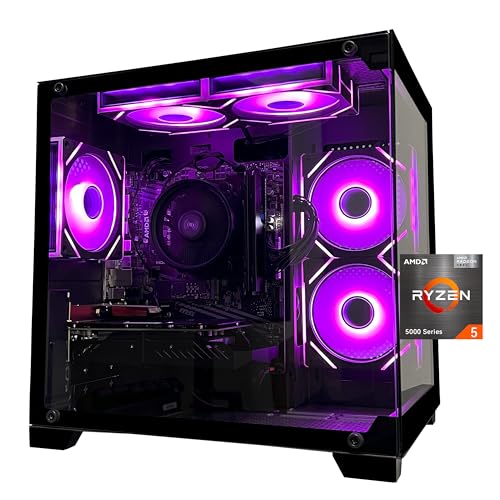
For a family home where one PC is shared, 32GB is even more valuable. You might have multiple user profiles, background cloud backups, and browser tabs that never get closed. A ready-to-go system like the SKYESEV Prebuilt Gaming Desktop PC with its AMD Ryzen 5 5600, GeForce RTX 3050 6GB, 32GB DDR4 3200MHz RAM, and 1TB NVMe SSD at around $960 shows how mainstream 32GB has become in prebuilt towers. At 16.5 x 14 x 8 inches and roughly 22 to 26 pounds, that type of tower fits easily under a desk or in a media nook without dominating the room.
If you prefer to build or upgrade, a kit such as the Silicon Power Value Gaming DDR4 RAM 32GB (2x16GB) 3200MHz with its grey heatsink is a common home-builder choice in the $110 to $230 range depending on sales and DDR generation. It runs at 1.35V, fits standard 288-pin DIMM slots, and requires no extra maintenance beyond seating it correctly and enabling XMP in BIOS. For creators who also edit video, work with large photo libraries, or run virtual machines for work from home, 32GB is not just better for gaming, it improves the whole home office experience.
Finally, 32GB helps with resale and hand-me-down value. A system with 32GB will be more attractive on the secondhand market in three years and makes a better hand-me-down for a teen’s room or a home office when you eventually upgrade your main rig.
Cost Over 5 Years
The sticker price does not tell the full story, so it helps to think in terms of five-year ownership in a home.
A 16GB DDR4 kit today costs $35 to $75. Over five years, you may need to add another 16GB to keep up with newer releases. That second kit will likely cost $30 to $65 in the future, plus your time to install it. Total RAM spend: $65 to $140. If you never upgrade, you may instead face earlier system replacement or reduced settings in future games.
A 32GB DDR4 kit today costs $65 to $130, or $85 to $160 for DDR5. You are unlikely to need an upgrade within five years for gaming alone. Total RAM spend: one-time purchase. Power cost difference is negligible, less than $2 per year, since both configurations draw about 6 to 10 watts total.
For data management around that gaming PC, small accessories add minimal ongoing cost. A bulk option like the Enfain 16GB USB 2.0 Flash Drive 10 Pack at around $35 is often used in homes for backups of save games, school projects, and family photos, and it illustrates how low the cost is to keep portable storage handy compared to the core RAM decision.
When viewed over five years, the effective premium for starting at 32GB is often $20 to $50 if you would have upgraded a 16GB system anyway. If you value not having to open the case again or troubleshoot compatibility later, that premium is easy to justify.
Which One for Your Home
Your home layout and how the PC fits into daily life should guide the choice as much as the spec sheet.
Small Apartment or Compact Desk Setup
If space is tight and your PC is on a 42 to 48 inch desk or in a closet nook, you probably want a single, quiet tower that does everything without fuss. For 1080p gaming on a 24 to 27 inch monitor, 16GB is enough and keeps the budget free for a compact case and good airflow. Choose 32GB only if you stream or work and game on the same machine without shutting apps down. Either way, stick with two sticks (2x8GB or 2x16GB) rather than four for better stability and easier cable management in small cases.
Family With Kids or Pets
Shared home PCs take more abuse from multitasking than from any single game. Kids leave browser games and YouTube open, parents leave work apps running, and the system rarely gets a clean restart. Here, 32GB is worth the peace of mind. It prevents the slowdowns that lead to complaints and hard reboots, and it handles the extra load from parental controls, backups, and antivirus scans running in the background. Pair the tower with simple habits like regular dusting every three months and keeping the case off the floor and away from pet hair to protect your investment.
Rental or Short-Term Living Situation
If you move frequently or are outfitting a rental where you do not want to invest heavily in a setup you may sell or leave behind, 16GB is the practical pick. It keeps the initial outlay low, and you can take portable storage with you when you move. The lower cost also makes it less painful if the system needs to be replaced sooner than expected. Look for a balanced prebuilt in the $700 to $950 range with a 1TB SSD so you are not juggling external drives for game storage.
Long-Term Home or Dedicated Game Room
For a home you plan to stay in for several years, or a dedicated game room or basement setup where the PC is a long-term fixture, 32GB is the better home investment. It extends the useful life of the system, improves resale, and supports hobbies beyond gaming, like video editing, music production, or running a home server for media. In a permanent desk setup with a 55 to 65 inch viewing distance to a large monitor or TV, the smoother multitasking is something you will appreciate daily, not just in benchmarks.
FAQ
Is 16GB still enough for modern AAA games?
Yes, for most AAA games at 1080p and 1440p with high settings, 16GB is still enough if you close background apps before playing. You will see excellent performance when paired with a current GPU like an RTX 3050 or better and a fast 1TB NVMe SSD. Issues appear when you multitask heavily or play simulation-heavy titles that can use more than 16GB combined with Windows and other apps.
Will 32GB give me higher frame rates?
Not directly in most games. Going from 16GB to 32GB rarely raises average frame rates by more than a few percent if 16GB was already sufficient. The benefit is consistency: fewer stutters, faster alt-tabbing, and smoother performance when streaming or recording. If you are seeing low frame rates, a GPU or CPU upgrade will have a much larger impact than adding RAM.
Should I choose DDR4 or DDR5 for a new home gaming PC?
Both are good options for modern gaming. DDR4 3200MHz CL16 remains excellent value and is widely used in value-focused prebuilt systems. DDR5 4800MHz to 6000MHz costs more but offers higher bandwidth that helps in some newer titles and creative workloads. If you are buying a new motherboard for a long-term home, DDR5 makes sense for future-proofing. If you are upgrading an existing DDR4 system, staying with a 32GB DDR4 kit is more cost effective.
Can I mix a 16GB kit with a 32GB kit or add RAM later?
You can add RAM later, but for best stability you should match capacity, speed, voltage, and timing. The safest path is to use a matched kit, either 2x8GB to start and then add an identical 2x8GB kit, or buy 2x16GB from the start. Mixing different brands or speeds can work, but the system will run at the speed of the slower stick and may require manual BIOS tuning. If you are not comfortable with BIOS settings, buying the capacity you want up front avoids that hassle.
Related guides
- Best Gaming PC for Overwatch 2: Ten Prebuilts Matched to Your Monitor (2026)
- Best Gaming PC for Baldur’s Gate 3: Matching CPU, VRAM and Storage to the Game (2026)
- Best Gaming PC for Apex Legends: Which Listings Fit a High-Refresh Setup (2026)
- Best RTX 3060 Gaming PCs: Eight Prebuilt Listings Compared by CPU, RAM and Cooling (2026)









