The best Ryzen prebuilt gaming desktop for most buyers is a Ryzen 7 8700F system with an RTX 5060 Ti and 1TB of fast storage, and the Skytech Ryzen 7 9800X3D with RTX 5070 Ti is the one to choose if you want more performance and a stronger power supply. The ten listings below run from entry-level RTX 3050 builds to an RTX 5080 tower. A few entries have vague or confusing titles, and we mark those clearly so you know which ones need a question to the seller before you commit. Every spec comes from the listing title, so verify it on the product page before you order.
Our Top Picks
Top 3 picks at a glance
All ten Ryzen desktops side by side
As an Amazon Associate we earn from qualifying purchases at no extra cost to you.


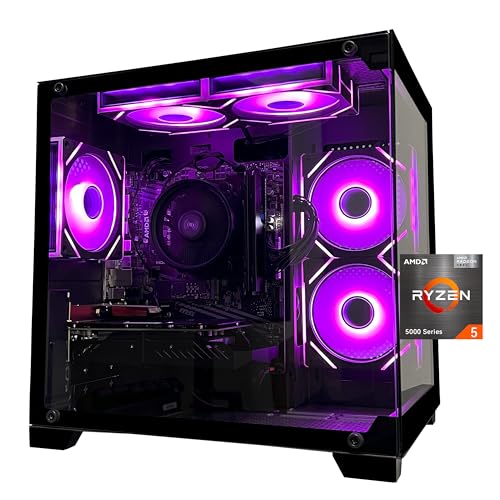



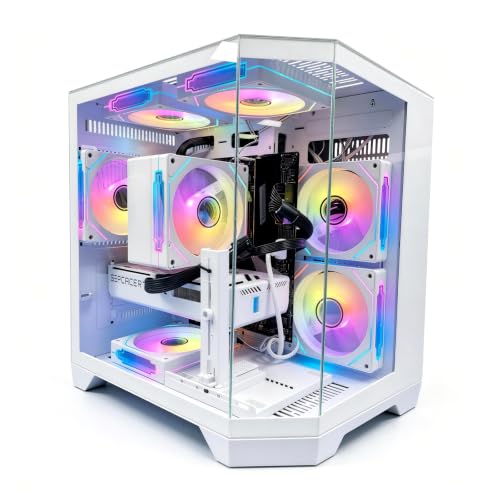
| Model | Key point from title | Price tier | Best for |
|---|---|---|---|
| Suevery Black Prebuilt | Ryzen 5, 16GB DDR4, 512GB, ‘Radeon 4G’ card | Budget | Basic home and light gaming |
| YAWYORE Gaming PC | Ryzen 5 5600GT, 16GB DDR4, 1TB NVMe, 550W PSU | Budget | Entry gaming, no GPU named |
| ZYNEEX Prebuilt | Ryzen 5 5500, RTX 3050 6GB, 16GB DDR4, 1TB | Budget | 1080p esports |
| SKYESEV Prebuilt | Ryzen 5 5600, RTX 3050 6GB, 32GB DDR4, 1TB | Budget | Multitasking on a budget |
| LXZ Prebuilt | Ryzen 7 8700F, RTX 5060, 16GB DDR5, 1TB, 650W | Mid-range | Current-gen entry build |
| CyberPowerPC Gamer Master | Ryzen 7 8700F, RTX 5060 Ti 8GB, 16GB DDR5, 1TB Gen4 | Mid-range | Known-brand 1080p play |
| KOTIN Gaming PC | Ryzen 7 8700F, RTX 5060 Ti 8G, 32GB DDR5, Wi-Fi 7, 650W Gold | Mid-range | 1080p/1440p with 32GB |
| msi Codex Z2 | Ryzen 7 8700F, RTX 5070, 32GB DDR5, 2TB | Premium | 1440p with big storage |
| Skytech Ryzen 7 9800X3D | RTX 5070 Ti, 32GB DDR5 6000, 2TB, 850W Gold, 360 AIO | Premium | High refresh 1440p |
| Skytech Ryzen 7 9850X3D | RTX 5080, 32GB, 2TB, 850W Gold, 360 AIO | Premium | 4K and top-end |
Tiers are relative within this set; prices are not quoted. Where a title gives no price, the tier is inferred from the parts.
The ten desktops in detail
Suevery Black Prebuilt Desktop
The title lists an unspecified Ryzen 5 with six cores at up to 4.1GHz, 16GB of DDR4, a 512GB SSD, Wi-Fi 6 and a ‘Radeon 4G’ graphics card. The Ryzen model and the graphics card are not named, so frame rates are hard to predict, and the ‘4K 2K’ claim in the title is marketing language. This is the weakest-specified entry here, so ask for the exact CPU model and graphics card before buying.
Pros
- Low price tier
- Wi-Fi 6 and a Windows-ready build
Cons
- Ryzen and graphics model not named
- 512GB storage and only 4GB of video memory
Who it’s for: Buyers who need a cheap home desktop with the occasional casual game.
YAWYORE Gaming PC Desktop
This one names a Ryzen 5 5600GT with 16GB of DDR4 3200MHz, a 1TB NVMe drive and a 550W 80PLUS power supply. No separate graphics card is listed, and the 5600GT is generally sold with integrated graphics, so it suits light games. The 1TB drive and named PSU rating are useful positives, though a 550W unit leaves little room to add a power-hungry graphics card later.
Pros
- 1TB NVMe SSD
- 550W 80PLUS power supply named
Cons
- No discrete graphics card listed
- DDR4 platform with limited upgrade life
Who it’s for: Beginners playing esports and older titles who want a roomy SSD.
ZYNEEX Prebuilt Gaming Desktop
A Ryzen 5 5500 with GeForce RTX 3050 6GB, 16GB of DDR4 3200MHz, a 1TB NVMe SSD and ARGB air cooling. The RTX 3050 6GB is an entry-level card suited to 1080p at moderate settings. The AM4-era platform and DDR4 mean fewer upgrade options later, and 16GB is the most you would want for current games.
Pros
- Dedicated RTX 3050 graphics
- 1TB NVMe and Wi-Fi
Cons
- Older platform and DDR4
- 6GB of video memory is limiting
Who it’s for: 1080p esports players on a strict budget.
SKYESEV Prebuilt Gaming Desktop
Almost the same concept as the ZYNEEX but with a Ryzen 5 5600 and 32GB of DDR4 3200MHz, still paired with an RTX 3050 6GB and 1TB NVMe. The extra memory helps multitasking and streaming, but the graphics card remains the limit in games. Because the two listings are near-duplicates, compare the exact parts and see which uses the faster CPU or larger memory kit for the money.
Pros
- 32GB of RAM
- Ryzen 5 5600 with ARGB air cooling
Cons
- Same RTX 3050 6GB limit
- Older DDR4 platform
Who it’s for: Players who also stream or run many apps while gaming.
LXZ Prebuilt Gaming PC
The title lists a Ryzen 7 8700F, ‘RTX 5060 16GB DDR5 1TB SSD’, six RGB fans, a 650W PSU and seven USB 2.0 plus three USB 3.0 ports. The wording is ambiguous: 16GB almost certainly refers to system RAM, not the card, so confirm it. Mostly USB 2.0 ports is a drawback for fast peripherals, and the 650W supply is adequate rather than generous.
Pros
- Current-generation Ryzen 7 and RTX 5060
- DDR5 platform
Cons
- Confusing spec wording
- Mostly USB 2.0 ports
Who it’s for: Buyers who want a newer platform at a mid-range tier and will verify the details.
CyberPowerPC Gamer Master (GMA2900A3)
This model lists a Ryzen 7 8700F, RTX 5060 Ti 8GB, 16GB of DDR5, a 1TB PCIe 4.0 SSD and Windows 11 Home, described as WiFi Ready. ‘WiFi Ready’ can mean an antenna or card is not included, so check. CyberPowerPC is a known brand, which can help with warranty and support questions, though terms differ by seller, so read them.
Pros
- RTX 5060 Ti 8GB with DDR5
- 1TB PCIe 4.0 SSD
Cons
- 16GB RAM limits multitasking
- ‘WiFi Ready’ may mean no adapter
Who it’s for: Shoppers who prefer an established builder for 1080p play.
KOTIN Gaming PC Desktop
A Ryzen 7 8700F with RTX 5060 Ti 8G, 32GB DDR5, a 1TB SSD, Wi-Fi 7, DLSS 4 and a 650W Gold PSU, aimed at 1080p and 1440p gaming and streaming. It adds RAM over the CyberPowerPC listing, and the 80 Plus Gold rating is a plus, though the brand is less established and warranty details are not in the title.
Pros
- 32GB DDR5 and Wi-Fi 7
- 650W Gold power supply
Cons
- Brand has less track record
- 8GB of video memory for 1440p
Who it’s for: Players wanting more memory and modern networking without paying for a premium brand.
msi Codex Z2 Gaming Desktop
The listing names a Ryzen 7 8700F, RTX 5070, 32GB of DDR5, a 2TB SSD, Windows 11 Home, USB-C and VR readiness, model A8NVP-436US. The RTX 5070 steps up to comfortable 1440p gaming. The title does not mention the power supply or cooler, so check those for upgrade room, along with the case airflow and the number of free drive bays.
Pros
- RTX 5070 with 32GB DDR5
- 2TB SSD and USB-C
Cons
- PSU and cooling not stated
- Premium price tier
Who it’s for: Players who want 1440p capability from a major brand with ample storage.
Skytech Ryzen 7 9800X3D with RTX 5070 Ti
The title lists a Ryzen 7 9800X3D, RTX 5070 Ti, 32GB DDR5 6000, a 2TB Gen4 NVMe SSD, an 850W Gold ATX 3 PSU and a 360mm ARGB liquid cooler in the King 95 case. The 850W unit leaves room for a future GPU. Wi-Fi 5 is the one dated spec, and the X3D chip’s strength is high refresh rates in games that favor cache.
Pros
- 850W Gold ATX 3 power supply
- 360mm cooler and X3D processor
Cons
- Wi-Fi 5 only
- Premium price tier
Who it’s for: High-refresh 1440p players who care about long-term upgrade room.
Skytech Ryzen 7 9850X3D with RTX 5080
This sibling listing pairs a Ryzen 7 9850X3D with an RTX 5080, 32GB RAM, a 2TB NVMe SSD and the same 850W Gold ATX 3 supply and 360mm cooler. The RTX 5080 is a top-end card, so check PSU headroom for it. At the top of this set it is the best fit for 4K gaming, but 32GB RAM is the minimum we would want, and a 360mm cooler is welcome for sustained loads.
Pros
- RTX 5080 top-tier graphics
- Same strong cooling and PSU package
Cons
- Highest price tier
- Wi-Fi 5 and unspecified RAM speed
Who it’s for: Enthusiasts targeting 4K or very high refresh rates.
How we picked these
We compared ten Ryzen desktop listings using published specifications, manufacturer documentation and buyer reviews, then ranked them by graphics card, CPU, memory, storage and power supply as stated in each title. Nobody on the team used or measured these units. Where a title is vague, such as the Suevery graphics card or the LXZ memory wording, we flagged it. Pricing changes constantly, so tiers replace amounts, and two near-duplicate pairs are noted where they appear. Confirm every part on the listing before ordering.
What to look for in a Ryzen prebuilt
CPU tier and the F suffix
Ryzen 5 chips such as the 5500, 5600 and 5600GT are entry-level and sit on the older AM4 platform with DDR4. The Ryzen 7 8700F is a newer DDR5 design, and the X3D chips are the performance leaders. A model ending in F generally has no integrated graphics, so a discrete card is mandatory. Our Ryzen CPU guide explains the tiers in more detail.
Graphics card and video memory
The graphics card matters more than the CPU for frame rates. An RTX 3050 6GB suits 1080p esports, an RTX 5060 Ti handles 1080p well and some 1440p, an RTX 5070 and 5070 Ti suit 1440p, and the RTX 5080 targets 4K. Eight gigabytes of video memory can limit high-resolution textures, so for a 1440p monitor a card with more memory or a lower texture setting is the safer plan. DLSS and similar upscaling can recover frame rate, but they depend on the game supporting them. Check which resolution and refresh rate your monitor runs before choosing, since a 1080p 144Hz screen needs far less than a 4K one.
RAM generation and capacity
DDR5 platforms such as the 8700F and X3D systems have more upgrade life than DDR4 ones. 16GB is the minimum for current games, 32GB is more comfortable for streaming and heavy multitasking, and a second kit can often be added later if the board has free slots. Mixing kits can lower speeds, so the safest upgrade is a matching pair. Titles seldom state memory speed, though the Skytech listings mention DDR5 6000, which is a good sign.
Power supply headroom
Use a simple estimate: add the graphics card and CPU board power, then keep 30 to 40 percent headroom. For example, if a card draws about 200W and the CPU about 90W, the total is roughly 290W, so a 650W Gold unit is comfortable, while an RTX 5080 build benefits from the stated 850W. Actual draw varies, so confirm figures on the listing.
SSD size, Wi-Fi and warranty
1TB is a practical minimum and 2TB is better for large libraries. Wi-Fi 6 or 7 helps if you cannot use Ethernet. Warranty terms are rarely in titles, so read the listing, and see our budget prebuilt checklist for what to confirm before buying.
Mistakes buyers make
- Choosing by CPU name while ignoring the graphics card, which sets most of the frame rate in modern games.
- Overlooking vague listings: ‘Radeon 4G’ or ’16GB DDR5′ next to a GPU name are warning signs.
- Skipping the power supply, then discovering there is no room to upgrade the card without replacing the whole unit.
- Paying for 32GB of RAM on a weak graphics card, when a better card would help more.
- Assuming every listing includes Wi-Fi, an antenna and the operating system.
- Ignoring USB layout: seven USB 2.0 ports are no substitute for fast USB 3 ports when you use external drives.
- Forgetting the return window, which is your protection if the build arrives with parts different from the title.
Which Ryzen prebuilt should you buy?
For most buyers, the KOTIN and CyberPowerPC Ryzen 7 8700F systems with RTX 5060 Ti offer the best current-generation balance, with KOTIN adding 32GB of RAM and CyberPowerPC offering a known brand. The msi Codex Z2 is the better 1440p pick, and the Skytech 9800X3D with RTX 5070 Ti is the strongest long-term buy. Budget buyers should favor the RTX 3050 builds over the Suevery and YAWYORE listings if gaming matters. Confirm all specs and the return window on the listing.
Related guides
- Windows Macos Linux Gaming Performance Comparison Strengths Weaknesses
- Desktop Operating Systems Gaming Performance Strengths Weaknesses
- 5G Home Internet Wifi Modem Settings Low Latency Gaming
Frequently asked questions
Are Ryzen prebuilt gaming desktops good?
Yes, Ryzen processors perform well in games, and the X3D chips are particularly strong for high refresh rates. The graphics card still decides frame rates, so compare it first. Also check the power supply, RAM and storage, since prebuilt makers sometimes cut costs there, and verify what the listing says about warranty.
Does the Ryzen 7 8700F have integrated graphics?
The F suffix generally means a model without integrated graphics, so it needs a discrete card. The listings that use it also name an RTX card. Confirm this on the specification sheet if you plan to run it without a graphics card, and never assume a spare display output works.
Is 16GB of RAM enough for gaming?
It is enough for most current games, but 32GB is more comfortable if you stream, edit video or keep many apps open. DDR5 systems generally offer easier upgrades, so check whether the listing leaves a free memory slot for a later upgrade. Matching kits are the safest way to add capacity.
Which graphics card is best for 1440p?
An RTX 5070 or RTX 5070 Ti is the sensible range among these listings, while an RTX 5060 Ti can manage some 1440p at reduced settings. The RTX 5080 suits 4K. Your monitor resolution and refresh rate should decide which tier you pay for. Video memory matters at high resolutions, and upscaling features can help where supported.
Should I worry about the power supply?
Yes. Check the wattage, the efficiency rating, the brand where stated and whether the connectors suit your graphics card. A 650W Gold unit suits mid-range builds like the RTX 5060 Ti systems, while the 850W Gold units in the Skytech listings give more room for a future card upgrade, assuming the connectors match.
Related guides
- Best Gaming PC for Overwatch 2: Ten Prebuilts Matched to Your Monitor (2026)
- Best Gaming PC for Baldur’s Gate 3: Matching CPU, VRAM and Storage to the Game (2026)
- Best Gaming PC for Apex Legends: Which Listings Fit a High-Refresh Setup (2026)
- Best RTX 3060 Gaming PCs: Eight Prebuilt Listings Compared by CPU, RAM and Cooling (2026)