The best Intel gaming PC for most players is a Core i7-14700F or Core Ultra 7 build with an RTX 5070-class card, 32GB of RAM and an 850W Gold supply. The Skytech Azure 3 and Falcon 270K Plus fit that profile. For maximum performance, the Skytech Legacy 4 with an RTX 5080 leads the group, while the Shadow 5 is the budget entry. This guide compares nine listings from titles and published specifications only, and it explains the Core Ultra versus 14th-gen decision.
Our Top Picks
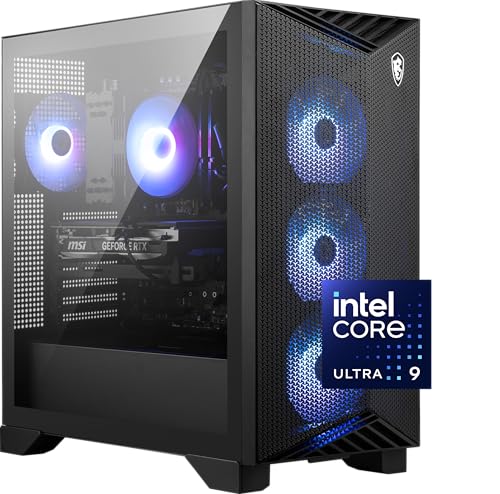 msi Aegis R2 AI Gaming Desktop: Intel Core3271.64 cubic inches19.4 x 9.1 x 19 Inches26.9 PoundsCheck on Amazon

Top 3 picks at a glance
Nine Intel gaming PCs side by side
As an Amazon Associate we earn from qualifying purchases at no extra cost to you.




| Model | Key point from title | Price tier | Best for |
|---|---|---|---|
| Skytech Azure 3 | i7-14700F, RTX 5070 Ti 16GB, 32GB DDR5-6000, 850W Gold, 360mm AIO | Premium | High-refresh 1440p play |
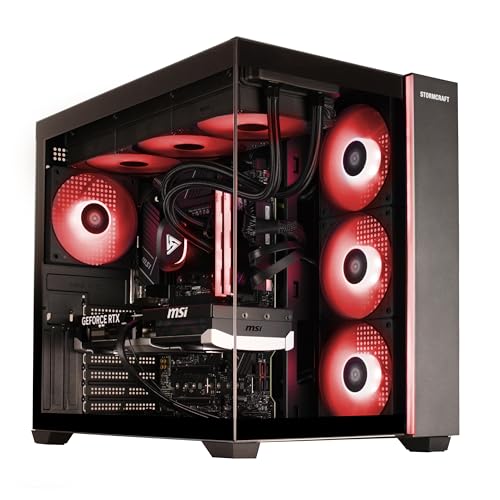
| STROMCRAFT Falcon 270K | Core Ultra 7 270K, RTX 5070, 32GB DDR5, B860, 850W Gold, 360mm AIO | Mid-range | Newer-platform 1440p builds |
| Skytech Legacy 4 | Ultra 9 285K, RTX 5080 16GB, Z890, 2TB, 64GB DDR5, 1000W | Premium | 4K and top-tier builds |
| Skytech Shadow 5 | i5-14400F, RTX 5060 Ti 8GB, 16GB DDR4-3200, 750W Gold | Budget | 1080p entry builds |
| ASUS ROG G700 | Core Ultra 7 265F, RTX 5060 Ti, 32GB DDR5, 1TB PCIe 4 | Mid-range | Brand-backed 1440p builds |
| msi Aegis R2 | Ultra 9 285, RTX 5070 Ti, 32GB DDR5, 2TB, air cooling | Premium | Quiet, upgrade-ready towers |
| msi Codex R2 (5060 Ti) | Ultra 7 265, RTX 5060 Ti, 32GB DDR5, 80+ Gold, Wi-Fi 7 | Mid-range | Balanced 1080p to 1440p |
| MSI Codex R2 Renewed | Ultra 7 265K, RTX 5060, 32GB DDR5, 2TB Gen4, Renewed | Budget | Value-minded buyers comfortable with refurbished gear |
| Skytech King 95 | i7-14700F, RTX 5070, 32GB DDR4-3200, 850W Gold, 360mm AIO | Mid-range | Strong CPU with a modest budget |
Every system in detail
Skytech Gaming Azure 3 (Core i7-14700F, RTX 5070 Ti)
The title pairs an i7-14700F with an RTX 5070 Ti 16GB, 32GB of DDR5-6000, a 1TB Gen4 NVMe drive, an 850W Gold ATX 3 power supply and a 360mm liquid cooler. That is a balanced build for 1440p. The “5.3GHz” figure is a peak boost claim. The 14th-gen CPU is on an older platform, so upgrade headroom is a question to check.
Pros
- 16GB graphics card and 32GB DDR5
- 850W power supply with headroom
- 360mm cooler
Cons
- 14th-gen platform is near the end of its line
- Only 1TB of storage
Who it’s for: Buyers who want strong 1440p performance and a conventional, well-cooled tower.
STROMCRAFT Falcon 270K Plus (Core Ultra 7 270K, RTX 5070)
A Core Ultra 7 270K with an RTX 5070, 32GB of DDR5, a B860 board, an 850W Gold supply and a 360mm cooler. The title says the CPU “Beat 285K” at 5.5GHz, which is a marketing line and not a verified result, so ignore it. The brand is spelled STROMCRAFT in this listing, so confirm the seller and warranty before buying.
Pros
- Newer Core Ultra platform
- Large 850W supply and 360mm cooler
Cons
- Unfamiliar brand needs warranty checks
- Performance claim is unverified
Who it’s for: People who prefer the newer CPU platform and a mid-high graphics card.
Skytech Gaming Legacy 4 (Core Ultra 9 285K, RTX 5080)
The highest-spec listing in the group: a Core Ultra 9 285K, an RTX 5080 16GB, a Z890 board, 2TB of Gen4 storage, 64GB of DDR5-6000, a 1000W Gold ATX 3 power supply, a 420mm cooler and Wi-Fi 7. The 64GB RAM is more than most games need. Check the listing for case airflow and the warranty terms.
Pros
- Top graphics card in the set
- Z890 board and 1000W supply give upgrade room
- 2TB drive and 64GB RAM
Cons
- Highest cost tier
- 64GB RAM is beyond most gaming needs
Who it’s for: Players aiming at 4K high settings or heavy multitasking who want room to upgrade.
Skytech Shadow 5 (Core i5-14400F, RTX 5060 Ti 8GB)
A budget-oriented build with an i5-14400F, an RTX 5060 Ti 8GB, 16GB of DDR4-3200, a 1TB NVMe drive and a 750W Gold power supply. The 8GB graphics memory and 16GB system RAM limit headroom for newer games at high texture settings. DDR4 also means a less future-ready platform.
Pros
- Lowest cost tier here
- 750W Gold power supply is generous for its parts
Cons
- 8GB VRAM may limit high settings
- 16GB of DDR4 is the minimum for modern play
Who it’s for: 1080p players who need a working gaming tower now and may upgrade RAM later.
ASUS ROG G700 (G700TF-AS776Ti)
A branded desktop with a Core Ultra 7 265F, an RTX 5060 Ti, 32GB of DDR5 and a 1TB PCIe 4 SSD, with Windows 11 Home. The title does not give the graphics memory size, PSU wattage or cooler type, so check the listing. The ROG name suggests a developed chassis and support network.
Pros
- 32GB DDR5 as standard
- Large manufacturer backing
Cons
- PSU and cooler not stated
- Storage is only 1TB
Who it’s for: Buyers who value brand support and a tidy prebuilt over spec-heavy extras.
msi Aegis R2 (Core Ultra 9 285, RTX 5070 Ti)
This pairs a Core Ultra 9 285 with an RTX 5070 Ti, 32GB of DDR5 and a 2TB M.2 SSD, with air cooling and VR-ready labelling. Air cooling can be simpler and quieter than a liquid loop for some owners. The non-K CPU limits overclocking, which matters little for most gamers.
Pros
- 2TB of storage included
- Air cooling is simpler to maintain
Cons
- PSU wattage not in the title
- Not an unlocked K-series CPU
Who it’s for: Players who want a strong GPU and plenty of storage without a liquid cooler.
msi Codex R2 (Core Ultra 7 265, RTX 5060 Ti)
A Core Ultra 7 265, an RTX 5060 Ti, 32GB of DDR5, a 1TB m.2 SSD, an 80+ Gold PSU, Wi-Fi 7 and air cooling. The title lacks the power supply wattage, so check the listing. It sits close to the ROG G700 in parts, and the choice comes down to price, support and case design.
Pros
- Wi-Fi 7 and 32GB DDR5
- 80+ Gold power supply named
Cons
- PSU wattage not shown
- Storage is 1TB
Who it’s for: Shoppers who want a straightforward 1080p-to-1440p tower.
MSI Codex R2 A2NVL7-464US (Renewed, Core Ultra 7 265K, RTX 5060)
This is labelled Renewed in the title, which means a refurbished or previously owned unit, so warranty and return rules differ from a new box. It has a Core Ultra 7 265K, an RTX 5060, 32GB of DDR5 and a 2TB Gen4 SSD. Graphics card tier is lower than the Codex above, and PSU and cooling are not named.
Pros
- Large 2TB drive and 32GB DDR5
- K-series CPU in a lower cost tier
Cons
- Renewed status means a different warranty
- Weaker graphics card than the other Codex
Who it’s for: Value buyers who accept refurbished equipment and have read the return policy.
Skytech King 95 (Core i7-14700F, RTX 5070)
An i7-14700F with an RTX 5070, 32GB of DDR4-3200, a 1TB Gen4 NVMe drive, an 850W Gold ATX 3 PSU and a 360mm cooler. The title mixes 32GB RAM and DDR4, so the memory is older than the DDR5 builds. Its graphics card is one tier below the Azure 3 above, but the overall layout is similar.
Pros
- Strong i7-class CPU named in the title
- 850W supply and 360mm cooler
Cons
- DDR4 limits the upgrade path
- Only 1TB of storage
Who it’s for: Buyers who want a strong CPU and RTX 5070 without paying for DDR5.
How we picked these
We compared product titles, published specifications, manufacturer documentation and buyer reviews, grouping each system by GPU tier, CPU generation and memory type. Nobody on the team used or measured these units. CPU speeds, performance claims and RAM figures come from the titles and are seller claims. Price tiers are relative inside this set. Performance depends on the game, settings and resolution, so no frame rates are quoted.
What to look for in an Intel gaming PC
Core Ultra or 14th-gen
The Core Ultra chips (265, 270K, 285 and 285K) use a newer platform and DDR5. The 14th-gen i5-14400F and i7-14700F builds here are on an older platform; the Shadow 5 and King 95 use DDR4, while the Azure 3 uses DDR5. Older platforms can cost less but may have a shorter upgrade path. Confirm the board and RAM type on the listing.
Pair the GPU to your screen
The RTX 5060 Ti and 5060 suit 1080p and some 1440p. The 5070 and 5070 Ti handle 1440p well, and the 5080 targets 4K. An 8GB card, as in the Shadow 5, can run short on memory in newer titles at high textures. The graphics card matters more than the CPU for most gaming.
RAM, storage and cooling
32GB of DDR5 is a comfortable level, and 16GB is the floor. Games are large, so a 1TB drive fills quickly; a 2TB drive, as in the msi Aegis R2, adds breathing room. A 360mm liquid cooler suits high-wattage CPUs, while air coolers are simpler.
A quick power-supply estimate
As a rough estimate with stated assumptions: an RTX 5080-class card might draw around 360 W and a 285K-class CPU around 250 W at peak, giving about 610 W before the board, drives and fans add roughly 100 W. That makes a 1000W unit sensible. A 5070-class card with a 65 W-class CPU lands closer to 450 W, so an 850W supply is generous. Check manufacturer figures.
A pre-purchase checklist
Before paying, confirm six items on the live listing: the graphics card model and its memory size, the power supply wattage and rating, the RAM type and speed, the number of free RAM slots and M.2 sockets, the cooler type, and the warranty length. Any listing that leaves out two or more of these deserves a question to the seller. It takes about five minutes and can prevent a return later.
Upgradeability and support
Look for open RAM slots, spare M.2 sockets and standard parts. Branded builds from ASUS and msi often use custom cases and power supplies, which can limit swaps. Check the warranty length and who handles repairs. Our RTX 5070 and 5070 Ti prebuilt comparison and the Skytech gaming PC guide go deeper on those lines.
Mistakes buyers make with Intel prebuilts
The first mistake is chasing the CPU clock speed in a title while ignoring the graphics card, which matters more for frame rates. The second is buying 16GB of DDR4 in a new system and expecting longevity. Third, shoppers skip the power supply wattage: if it is not shown, check the listing. Fourth, they ignore Renewed labels and assume a standard warranty. Fifth, they trust marketing claims like “Beat 285K” without evidence. Sixth, they forget cooling and case airflow. Finally, many buyers overlook the return window, which is the best protection against a noisy or poorly built unit. See also the CyberPowerPC comparison for other options.
Which Intel gaming PC to buy
For the best balance, choose the Skytech Azure 3 for 1440p or the STROMCRAFT Falcon 270K Plus if you prefer the newer platform. For top-tier performance and upgrade room, the Skytech Legacy 4 is the standout. For brand support, the ASUS ROG G700 and msi Codex R2 are sensible, and the msi Aegis R2 adds 2TB and air cooling. Shoppers on a tight budget can look at the Shadow 5 or the Renewed Codex, while the King 95 suits those who accept DDR4. Check specs on the live listing, and keep in mind that a prebuilt is only as good as its warranty, so read the terms before you order.
Related guides
- Windows Macos Linux Gaming Performance Comparison Strengths Weaknesses
- Desktop Operating Systems Gaming Performance Strengths Weaknesses
- 5G Home Internet Wifi Modem Settings Low Latency Gaming
Frequently asked questions
Is Core Ultra better than 14th-gen Intel for gaming?
Core Ultra chips use a newer platform and DDR5, which can help long-term upgrades, but the graphics card matters most for frame rates. A 14th-gen i7-14700F paired with an RTX 5070 can still game very well. Choose the platform that fits your budget, RAM type and upgrade plans, and remember that a stronger graphics card usually adds more performance than a newer CPU generation does.
How much RAM do I need in a gaming PC?
Sixteen gigabytes is the practical minimum, and 32GB is a comfortable level for modern games and background apps. Most listings here include 32GB, and the Skytech Legacy 4 lists 64GB. DDR5 builds are generally more future-ready than DDR4 builds, so check the RAM type on the listing. If a build ships with two memory sticks, there may be space to add more later, which is worth asking about.
Is 8GB of VRAM enough?
It works for 1080p with moderate settings, but newer titles can use more at high textures. The Skytech Shadow 5 lists an RTX 5060 Ti with 8GB. If you plan to play at 1440p or keep the PC several years, look for a card with 12GB or 16GB, such as the 16GB cards named in the Azure 3 and Legacy 4 titles.
Is a Renewed gaming PC a good idea?
It can save money, but the warranty and return rules may differ from those for a new unit. The MSI Codex R2 A2NVL7-464US is labelled Renewed. Read the seller’s terms and check what is covered before buying, and compare its parts with new alternatives that sit in a similar tier before deciding.
Do I need liquid cooling in a prebuilt?
Not always. Air coolers, as on the msi models, are simpler and can be quiet. A 360mm liquid cooler suits hotter, high-wattage CPUs such as those in the Skytech builds. Confirm the cooler type and case airflow, since neither is always in the title. Good airflow matters as much as the cooler type.
Related guides
- Best Gaming PC for Overwatch 2: Ten Prebuilts Matched to Your Monitor (2026)
- Best Gaming PC for Baldur’s Gate 3: Matching CPU, VRAM and Storage to the Game (2026)
- Best Gaming PC for Apex Legends: Which Listings Fit a High-Refresh Setup (2026)
- Best RTX 3060 Gaming PCs: Eight Prebuilt Listings Compared by CPU, RAM and Cooling (2026)