
The 240Hz refresh rate has become the sweet spot for competitive PC gaming—fast enough to keep esports titles like Valorant, CS2, and Apex Legends buttery smooth, but without the GPU cost that 1440p and 4K high-refresh setups demand. The catch? Most buyers fixate on the graphics card and forget that your monitor is the last stop in the pipeline. If you pair a $500 GPU with a 60Hz office display, you’ll never see a single frame above 60, no matter how hard your hardware works. In 2026, the good news is that genuine 240Hz panels have dropped into impulse-buy territory, with capable 1080p options ranging from about $85 to $190.
We rounded up eight 1080p 240Hz monitors that deliver the frame rates competitive players actually need, spanning everything from a around $99 Dell everyday workhorse to a $189 ASUS TUF with G-SYNC certification. Whether you’re building a first esports rig, upgrading from a 144Hz panel, or kitting out a second gaming desk, at least one of these belongs on your shortlist. Below you’ll find our quick-picks table, detailed mini-reviews, and a buying guide to help you match panel type, size, and sync technology to your setup.
As an Amazon Associate we earn from qualifying purchases at no extra cost to you.




Our Top Picks
 ArcticPro 24 Inch 240Hz Gaming Monitor24" FHD 240Hz1.63 x 21.23 x 12.61 Inches8.3 poundsCheck on Amazon


Top 3 picks at a glance
Dell 24 240Hz Gaming Monitor - SE2426HG - 23.8-inch FHD (1920x1080) 240Hz...Check priceSANSUI 24.5 Inch 300hz 240hz, FHD 1080P Gaming Monitor for FPS PC...Check priceQuick Picks
| Product | Best for | Price |
|---|---|---|
| Dell 24 240Hz Gaming Monitor – SE2426HG | Best overall value | Check on Amazon |
| ASUS TUF Gaming VG259QM5A 25″ | Best for G-SYNC users | Check on Amazon |
| SANSUI 24.5″ 300Hz/240Hz | Best for overclocking headroom | Check on Amazon |
| ArcticPro 24″ 240Hz | Best ultra-budget pick | Check on Amazon |
| SANSUI 24″ Curved 240Hz | Best curved budget option | Check on Amazon |
| ASUS TUF VG279QM5A 27″ | Best 27-inch competitive panel | $189 |
| KTC 24.5″ H25T7-A | Best Fast IPS under $150 | Check on Amazon |
| MSI MAG 274CF X24 | Best for HDR-ready versatility | Check on Amazon |
How We Compared
To make this list, every display had to hit three non-negotiables: a true 1920 x 1080 resolution, a native 240Hz refresh rate, and a price under $200. From there we weighed panel technology (IPS and Fast IPS for color and viewing angles, VA-style curved panels for immersion), adaptive sync support (AMD FreeSync Premium versus NVIDIA G-SYNC), and real-world connectivity. Every pick here offers at least HDMI plus DisplayPort or a comparable modern input, because running a 240Hz signal at full bandwidth demands the right port—older HDMI revisions can bottleneck your refresh rate.
We also considered ergonomics and eye comfort, favoring monitors with tilt adjustment, VESA mounting support, and low blue light or TÜV certifications for long gaming sessions. Response time claims (like the 0.5ms rating on the MSI) come from manufacturer specifications, not our own lab measurements—we flag those as spec-sheet figures throughout. Finally, we capped the list at prices ranging from around $85 to $189 so that every option leaves budget room for the GPU that actually feeds those 240 frames per second.
The 8 Best Picks
Dell 24 240Hz Gaming Monitor – SE2426HG — Best Overall Value
At around $99, the Dell SE2426HG is the easiest recommendation on this list for most competitive gamers. The 23.8-inch IPS panel delivers accurate color and wide viewing angles at a full 1920 x 1080 with a native 240Hz refresh rate, and AMD FreeSync Premium support keeps tearing and stuttering in check with Radeon cards. The TÜV 3-Star certification means it’s genuinely comfortable for marathon sessions, and dual HDMI ports plus DisplayPort 1.4 mean you can keep a console or second PC connected alongside your main rig. If you want the best balance of brand reliability, panel quality, and price, start here.
- IPS panel with FreeSync Premium and DisplayPort 1.4 for full-bandwidth 240Hz
- TÜV 3-Star certified for eye comfort during long sessions
- Stand only tilts—no height adjustment without a VESA arm
Skip it if you need a bigger screen than 23.8 inches or want height-adjustable ergonomics out of the box.
ASUS TUF Gaming VG259QM5A 25 Inch — Best for G-SYNC Users
NVIDIA gamers should put the ASUS TUF VG259QM5A at the top of their list. At around $180, you get a 25-inch 1080p panel with G-SYNC certification, which means frame pacing is as clean as it gets when your GPU output fluctuates mid-match. The TUF Gaming line is built for durability, and the 25-inch size hits the sweet spot for desk-based esports play—large enough to read distant targets, small enough that your eyes track the whole screen without moving your head. It’s the priciest 25-inch option here, but the G-SYNC validation justifies the premium for GeForce setups.
- Certified G-SYNC for tear-free NVIDIA gameplay
- Durable TUF Gaming build quality with a 25-inch esports-friendly size
- Costs roughly $80 more than the cheapest picks on this list
Skip it if you’re on an AMD or integrated GPU where FreeSync options deliver the same benefit for less.
SANSUI 24.5 Inch 300Hz/240Hz — Best for Overclocking Headroom
The SANSUI 24.5-inch is the spec-sheet wildcard here, rated at up to 300Hz while running a standard 240Hz mode. At around $120, it’s aimed squarely at FPS players who want maximum refresh headroom without approaching ASUS pricing. The 24.5-inch diagonal is the classic competitive size used in pro esports, making pixel tracking and target acquisition intuitive. If you’re building a rig around high-frame-rate titles and want a display that can keep pace with future GPU upgrades, this is the budget-friendly way to buy into the 300Hz tier today.
- Rated up to 300Hz with a standard 240Hz operating mode
- Strong value at around $120 for the 24.5-inch esports form factor
- Brand support and warranty service are less established than Dell or ASUS
Skip it if long-term manufacturer support matters more to you than raw refresh rate headroom.
ArcticPro 24 Inch 240Hz — Best Ultra-Budget Pick
If your budget is truly tapped out after buying the GPU, the ArcticPro gets you to 240Hz for just around $85—the lowest price on this list by a wide margin. The 24-inch FHD panel includes Adaptive Sync, which works with both AMD and NVIDIA cards to eliminate tearing, making it a genuinely flexible pick regardless of your platform. It’s the monitor to buy when you simply need high refresh rates now and every dollar needs to go toward frames per second. It won’t match the color accuracy of the Dell IPS panel or the build quality of the TUF line, but the core spec is identical where it counts.
- Cheapest 240Hz option here at around $85
- Adaptive Sync works across both GPU platforms
- Basic build and feature set—expect minimal extras
Skip it if you can stretch to around $99, where the Dell adds IPS panel quality and a better port selection.
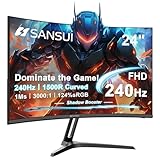
SANSUI 24 Inch Curved 240Hz — Best Curved Budget Option
Curved monitors at this price are rare, and the SANSUI 24-inch Curved brings a 1500R wrap to your desk for around $110. The gentle bend pulls the screen edges into your peripheral vision, which adds immersion in racing games, flight sims, and open-world titles—a genuine ergonomic benefit when you’re seated at typical desk distance. You still get the full 240Hz FHD experience, so competitive performance isn’t sacrificed for the curve. If you’ve never gamed on a curved panel and want to try one without a big spend, this is the least risky entry point we found.
- 1500R curve adds immersion at a budget price
- Full 240Hz at 1080p with a compact 24-inch footprint
- Curvature is a matter of taste—some players prefer flat panels for aiming
Skip it if you share the monitor for design work or text-heavy tasks, where flat panels read more naturally.
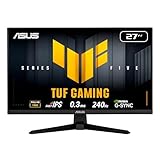
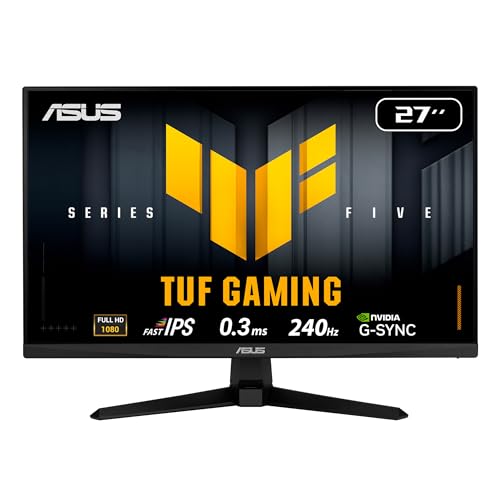
ASUS TUF VG279QM5A 27 Inch — Best 27-Inch Competitive Panel
Players who find 24-inch screens cramped should look at the ASUS TUF VG279QM5A, a 27-inch Fast IPS panel with G-SYNC support at $189. The larger canvas makes 1080p pixels more visible up close, but at typical gaming distances the tradeoff is a more spacious view with the color and viewing-angle benefits of Fast IPS technology. It’s the most expensive monitor here, and it’s clearly positioned for buyers who want ASUS TUF build quality and NVIDIA-friendly sync in a bigger size. If you split time between competitive shooters and cinematic single-player games, this is the most versatile TUF option on the list.
- 27-inch Fast IPS with G-SYNC support
- Largest screen here that still maintains full 240Hz
- Lowest pixel density of the group at 1080p on a 27-inch panel
Skip it if you sit close to your screen and pixel visibility at 27 inches would bother you.
KTC 24.5 Inch H25T7-A — Best Fast IPS Under $150
The KTC H25T7-A hits a compelling middle ground at around $140: a 24.5-inch Fast IPS panel running a full 240Hz, with the faster pixel response that Fast IPS technology brings to motion clarity in fast-paced titles. The 24.5-inch esports diagonal, modern FHD resolution, and a spec sheet that undercuts comparable name-brand Fast IPS panels by a meaningful margin make it the value pick for enthusiasts who want the panel tech without the premium badge. If your priority is motion sharpness and color consistency per dollar, this is the smartest mid-budget buy here.
- Fast IPS panel at around $140 undercuts big-name equivalents
- 24.5-inch esports-friendly size with full 240Hz
- Brand recognition and support network trail ASUS and Dell
Skip it if you want the assurance of a major manufacturer’s warranty pipeline.
MSI MAG 274CF X24 — Best for HDR-Ready Versatility
The MSI MAG 274CF X24 packs an unusual amount of flexibility into around $130. The 27-inch FHD panel runs 240Hz with AMD FreeSync Premium, carries an HDR Ready rating, and includes an HDMI port plus a VGA input—handy if you’re repurposing an older PC or console alongside a modern rig. MSI lists a 0.5ms response time on the spec sheet, and the stand offers tilt adjustment with VESA mounting for arm setups. For buyers who want one display to serve gaming, media, and legacy hardware, MSI’s MAG line delivers the broadest connectivity and feature set at a mid-tier price.
- HDR Ready with FreeSync Premium and a 0.5ms rated response
- VGA plus HDMI inputs for legacy device compatibility; VESA mountable
- 27 inches at 1080p means lower pixel density than smaller picks
Skip it if you want DisplayPort-class bandwidth and a modern port array only—check the input you need before buying.
Buying Guide
Panel Type and Motion Clarity
At 1080p, panel choice shapes both color and motion performance. IPS panels—like the Dell SE2426HG—offer the best color accuracy and viewing angles, ideal if you also use the monitor for media or work. Fast IPS variants, found on the KTC H25T7-A and ASUS TUF models, add quicker pixel response for sharper motion in shooters. Curved VA-style panels, like the SANSUI 1500R, trade some of that for immersion. Manufacturer response-time figures (such as MSI’s 0.5ms rating) are spec-sheet claims—treat them as relative comparisons, not guarantees.
Sync Technology and Connectivity
Match adaptive sync to your GPU: AMD FreeSync Premium (Dell, MSI, SANSUI) pairs naturally with Radeon cards, while G-SYNC-certified displays (the two ASUS TUF models) are the safe pick for GeForce rigs. Generic Adaptive Sync, as on the ArcticPro, generally works with both. Just as important is the port that carries the signal: DisplayPort 1.4 comfortably handles 1080p at 240Hz, while HDMI support varies by version—always confirm your GPU’s output and the monitor’s input can sustain full refresh rate before you buy.
Size, Ergonomics, and Total Budget
Competitive players typically favor 24 to 24.5 inches, where the whole screen fits in your field of view; 27-inch models like the MSI and ASUS VG279QM5A suit mixed gaming and general use but soften pixel density at 1080p. Check the stand: most budget 240Hz monitors tilt only, so budget $25–$40 for a VESA arm if you need height and swivel adjustment. Finally, remember the monitor is only half the equation—keeping $100–$190 for the display leaves the rest of your budget for the GPU that actually pushes 240 frames per second in your target titles.
Our Verdict
For most buyers, the Dell SE2426HG at around $99 is the pick: a name-brand IPS panel, FreeSync Premium, DisplayPort 1.4, and TÜV-certified comfort at a price that leaves GPU budget intact. NVIDIA owners should step up to the ASUS TUF VG259QM5A at around $180 for certified G-SYNC, while the ArcticPro at around $85 covers the absolute minimum spend. Chasing maximum refresh headroom? The SANSUI 24.5-inch at around $120, with its 300Hz rating, is the sleeper pick. Whatever you choose, every monitor here delivers true 1080p at 240Hz—so your upgrade will finally show the frame rates your hardware has been producing all along.
FAQ
Do I really need a 240Hz monitor for 1080p gaming?
If you play competitive shooters, yes—1080p is exactly where mid-range and even budget GPUs can push 240+ frames per second in esports titles. If you mostly play slower single-player games, a 144Hz panel would save money, but at $85–$190, these displays cost so little that the upgrade rarely hurts.
Can any GPU drive 240 frames per second at 1080p?
Esports titles like CS2 and Valorant are light enough that many mid-range cards exceed 240 fps at 1080p with settings tuned. Demanding AAA games rarely hit 240 natively, though adaptive sync keeps whatever frame rate you achieve smooth and tear-free.
Should I use HDMI or DisplayPort for 240Hz?
Use DisplayPort when available—DisplayPort 1.4, like the port on the Dell SE2426HG, reliably carries 1080p at 240Hz. HDMI works too, but bandwidth depends on the HDMI version on both your GPU and monitor, so verify the spec before assuming full refresh rate.
Is a curved monitor better for gaming?
It’s preference. A 1500R curve, like on the SANSUI 24-inch Curved, adds immersion for racing and simulation games and suits single-person viewing. Flat panels are generally preferred for competitive aiming and for any shared or design-oriented use.
Related guides
- Best Gaming PC for Overwatch 2: Ten Prebuilts Matched to Your Monitor (2026)
- Best Gaming PC for Baldur’s Gate 3: Matching CPU, VRAM and Storage to the Game (2026)
- Best Gaming PC for Apex Legends: Which Listings Fit a High-Refresh Setup (2026)
- Best RTX 3060 Gaming PCs: Eight Prebuilt Listings Compared by CPU, RAM and Cooling (2026)









