
Best 27 Inch 1440p Monitor for Competitive Shooters: Compared and Ranked
If you’re building or upgrading a dedicated gaming setup in a spare bedroom, basement den, or a shared office that doubles as your battle station, you already know the core problem: every competitive shooter rewards raw frame delivery and low input lag, but almost every budget-friendly 27-inch panel on the market claims to deliver it. The room matters, too. At a typical three-foot desk viewing distance, 27 inches at 2560×1440 is the sweet spot—large enough to read minimaps and spot movement at range, small enough that your eyes can track crosshair placement without sweeping your head. Push to 32 inches and you’re whipping your neck; drop to 24 and you lose visual information in titles like Valorant or Counter-Strike 2 where pixel-level enemy peeks decide rounds.
The hard part is separating marketing numbers from real-world value. Refresh rates on spec sheets range from 100Hz to 260Hz in this price bracket, panel types get blurred together, and adaptive sync branding (G-SYNC “compatible” versus certified) adds confusion. Below, we’ve ranked eight 27-inch 1440p monitors that keep the price under roughly $200 each, so you can put the savings toward a GPU that actually feeds those frames.
Our Top Picks
 Acer Nitro 27in QHD 2560x1440 IPS 180Hz Gaming27-inch8.28 x 24.2 x 18.14 inches12.1 poundsCheck on Amazon
 AOC 27" Gaming Monitor QHD 260Hz Overclocked IPS27" 240Hz IPS7.46 x 24.17 x 17.7 InchesCheck on Amazon
 MONITOR Acer Nitro 27in QHD 2560x1440 IPS 240Hz27-inch9.2 x 24.2 x 18 inches11.5 PoundsCheck on Amazon
 ASUS TUF Gaming VG27AQ3A 27 Inch 1440p 180Hz14.4" x 24.2" x 2.1"24.2 x 8.4 x 17.9 Inches10.1 poundsCheck on Amazon


Top 3 picks at a glance
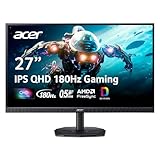 Acer Nitro 27in QHD 2560x1440 IPS 180Hz Gaming Monitor KG271U N3bmiipxCheck price
 AOC 27" Gaming Monitor QHD 260Hz Overclocked IPS NVIDIA G-SYNC Q27G41ZECheck price
Quick Picks
| Product | Best for | Price |
|---|---|---|
| AOC Q27G41ZE 260Hz | Maximum refresh rate for esports | Check on Amazon |
| Acer Nitro XV272U W2 240Hz | Best overall competitive value | Check on Amazon |
| ASUS TUF Gaming VG27AQ3A | Refined G-SYNC esports play | $199 |
| SANSUI 27″ 200Hz | Tightest budgets wanting high refresh | Check on Amazon |
| KTC 27M1 200Hz | Speakers and all-in-one simplicity | Check on Amazon |
| Acer Nitro KG271U N3 180Hz | Entry-level competitive play | Check on Amazon |
| ASUS TUF VG27AQ3A alternative — ASUS VA27AQ | Work-and-play hybrid setups | $169 |
| ViewSonic VS2725-2K 100Hz | Casual shooters and mixed desktop use | Check on Amazon |
How We Compared
For competitive shooters, panel response and refresh rate matter more than color accuracy or HDR. We focused on 27-inch panels with 2560×1440 resolution—the standard competitive geometry—then filtered for refresh rates of at least 100Hz, prioritizing IPS technology for its consistent viewing angles and fast-enough pixel response for fast pans across smoke-filled angles. Adaptive sync support (G-SYNC compatible, FreeSync) was weighted heavily, since tearing at high refresh rates is distracting mid-firefight. We also factored connectivity (DisplayPort is non-negotiable for high refresh at 1440p), ergonomic adjustability for long sessions, and real-world pricing under $200, because competitive gaming setups are usually part of a larger build where the GPU budget dwarfs the monitor budget. Finally, we noted standalone speakers and VESA compatibility for players with limited desk real estate or secondary consoles. None of these picks require a lab-grade calibration to be usable out of the box.
The 8 Best Picks
AOC Q27G41ZE — Best for Pure Refresh Rate
The AOC Q27G41ZE tops our list because it offers a 260Hz overclocked refresh rate at a price point where competitors typically offer 180Hz. That’s a real advantage in tactical shooters where every millisecond of frame latency compounds. The IPS panel keeps colors consistent across the wide viewing angles you’ll use when leaning in for close-range fights, and G-SYNC compatibility eliminates tearing with NVIDIA cards. For serious esports grinders, this is the pick.
- 260Hz overclocked refresh rate—the highest in this roundup
- NVIDIA G-SYNC compatible for tear-free gameplay
Con: The aggressive refresh rate means you’ll want a GPU capable of pushing serious frame rates to actually benefit.
As an Amazon Associate we earn from qualifying purchases at no extra cost to you.



Skip this one if your system hovers below 144 fps in your main title—the ceiling goes to waste.
Acer Nitro XV272U W2bmiiprx — Best Overall Competitive Value
Acer’s XV272U line has long been a competitive-gaming favorite, and the W2bmiiprx variant at 240Hz is the sweet spot of this entire roundup. You get a 2560×1440 IPS panel running at 240Hz for around $200, which undercuts most branded 240Hz competition. It’s fast enough for any shooter on the market today, including CS2 and Overwatch 2, and the Nitro series typically includes the ergonomic stand adjustments (height, tilt, pivot) that long gaming sessions demand.
- 240Hz refresh rate with IPS color consistency
- Excellent price-to-performance at the $200 mark
Con: Acer’s out-of-box color calibration tends to run slightly cool; enthusiasts may want a quick tweak.
Skip it if you’re locked into a 60Hz-era GPU that can’t break 150 fps.
ASUS TUF Gaming VG27AQ3A — Best Premium Feel
The ASUS TUF Gaming VG27AQ3A pairs 180Hz with G-SYNC compatibility and ASUS’s typical build quality, and it feels the most “finished” of the sub-$200 picks. ASUS’s TUF monitors usually include robust stands with good height adjustment, and the on-screen display is among the easiest to navigate mid-game. At $199, it costs the same as Acer’s faster 240Hz option, so you’re paying for refinement rather than raw spec.
- G-SYNC compatibility for smooth NVIDIA pairing
- ASUS TUF build quality and intuitive OSD
Con: At 180Hz, it’s outpaced on paper by cheaper options in this list.
Skip this if maximum hertz per dollar is your sole criterion.
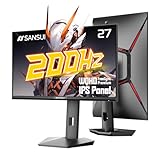
SANSUI 27″ 200Hz — Best Budget High-Refresh Pick
SANSUI is a lesser-known brand in Western markets, but its 27-inch 1440p monitor advertises 200Hz (180Hz native) at around $140, undercutting nearly every competitor. The IPS panel delivers the viewing-angle consistency competitive players expect, and the 1440p resolution is sharp enough for both gaming and everyday desktop work. If you’re building a secondary practice rig or a budget LAN setup, this is hard to beat.
- 200Hz (180Hz native) refresh for under $150
- 1440p IPS panel at a budget price point
Con: Brand support, warranty service, and OSD polish trail the bigger names.
Skip it if you value long-term manufacturer support over initial savings.
KTC 27M1 — Best for Built-In Audio
The KTC 27M1 solves a real problem for small setups: it includes built-in speakers, so you don’t need desk space for separate audio at around $160. The 1440p panel runs at 200Hz, positioning it competitively against SANSUI on specs while adding the audio convenience. For dorm rooms, bedroom stations, or anyone who plays with a headset off during casual matches, this consolidation is genuinely useful.
- Built-in speakers eliminate separate audio hardware
- 200Hz refresh rate in a 1440p IPS-class panel
Con: Built-in speakers rarely rival even budget desktop speakers for depth or volume.
Skip it if you already own quality external speakers—the feature is wasted.
Acer Nitro KG271U N3bmiipx — Best Entry Point
At around $150, the Acer Nitro KG271U N3bmiipx is the cheapest Acer option here, offering 180Hz with the Nitro line’s typical gaming features. It’s a sensible first competitive monitor: fast enough to feel the difference from 60Hz or 75Hz displays, sharp enough at 1440p for single-player titles too, and backed by Acer’s broader support network compared to budget brands. The IPS panel keeps colors accurate when you lean or share the screen.
- 180Hz refresh at an accessible around $150 price
- Nitro-series gaming features and brand support
Con: 180Hz is now mid-pack in this roundup—faster options cost only slightly more.
Skip it if a $10–$50 bump in budget unlocks the AOC or SANSUI options.
ASUS VA27AQ — Best Hybrid Work-and-Gaming
The ASUS VA27AQ isn’t marketed as a gaming monitor, and that’s precisely why it earns a spot. Its 1440p IPS panel, VGA port, and ASUS’s professional-grade ergonomics make it an excellent office monitor that handles shooters respectably well during off hours. At $169, you’re trading refresh rate for versatility: better text clarity for spreadsheets, broader input compatibility, and a design that doesn’t scream “gamer” in a shared living space.
- Excellent text and color for productivity work
- VGA and HDMI inputs for older hardware compatibility
Con: Its refresh rate is modest by gaming standards, holding back twitch-heavy titles.
Skip it if gaming is this monitor’s only job.
ViewSonic VS2725-2K — Best for Casual and Mixed Use
At around $140, the ViewSonic VS2725-2K is the most affordable pick here, and its 100Hz refresh rate still delivers a meaningful upgrade over standard 60Hz office monitors. ViewSonic has a long reputation for reliable, color-consistent panels, and the 1440p resolution makes this a great all-rounder for someone who plays shooters casually on weekends and works from home on weekdays. It’s the monitor you buy when competitive edge isn’t the priority.
- Lowest price in the roundup at around $140
- Reliable ViewSonic panel quality for daily use
Con: 100Hz is the slowest refresh here—you’ll feel the gap in fast tactical shooters.
Skip it if you’re genuinely grinding ranked ladders.
Buying Guide
Refresh Rate vs. Frames Per Second
A 260Hz monitor does nothing if your GPU renders 80 fps. Match your monitor to your hardware: if your rig sustains 200+ fps in your primary shooter, the AOC or the Acer 240Hz option pays off. If you’re hovering between 120 and 165 fps, the 180Hz picks deliver nearly all the benefit at lower cost. Check your title’s benchmark data before spending extra on refresh rate you can’t feed.
Panel Technology and Response
For competitive shooters, IPS panels dominate this price range for good reason: consistent colors at wide viewing angles and response times fast enough for quick camera flicks. VA panels can offer deeper contrast but often suffer smearing in dark transitions—bad news when you’re clearing a dim corner. All eight picks here use IPS-class panels, which is exactly why they made the list.
Ergonomics, Connectivity, and Setup
Height-adjustable stands matter more than most buyers expect; a monitor positioned with the top edge at eye level reduces neck strain during multi-hour sessions. Confirm DisplayPort support for high refresh rates—HDMI versions matter here, and older HDMI standards can cap 1440p at lower refresh rates. If your desk is shallow (under 24 inches deep), consider a VESA arm; every pick here supports standard 100x100mm VESA mounts.
Our Verdict
For most competitive players, the Acer Nitro XV272U W2bmiiprx at around $200 is the smartest buy: 240Hz, 1440p IPS, and Nitro-series features at a mid-tier price. If you chase maximum frames per dollar, the AOC Q27G41ZE at around $160 delivers 260Hz for less. Budget builders should grab the SANSUI at around $140, while hybrid work-and-gaming users will be happier long-term with the ASUS VA27AQ. Whichever you choose, pairing it with a GPU that can actually push 144+ fps at 1440p matters more than any spec sheet difference. Heading into 2026, 1440p remains the value sweet spot for 27-inch competitive gaming—4K still costs too much performance for the visual gain at this size.
FAQ
Is 1440p or 1080p better for competitive shooters?
At 27 inches, 1080p looks noticeably soft, and 1440p remains sharp while being easier for mid-range GPUs to push high frame rates than 4K. Most professional esports setups still run 1080p at 24 inches for pure frame advantage, but for a single 27-inch monitor that handles both gaming and general use, 1440p is the better all-around choice.
Do I need G-SYNC or FreeSync?
Adaptive sync is worth having at any refresh rate—it eliminates screen tearing without the input lag penalty of traditional V-Sync. All “G-SYNC compatible” monitors work with both NVIDIA and AMD cards via FreeSync/Adaptive-Sync protocols. If you play with frames uncapped and fluctuating, it noticeably smooths the experience; if you cap your fps at a stable rate, it matters less.
How much should I spend on a competitive monitor?
Between $140 and $200, as this roundup demonstrates, you can get 1440p IPS panels running 180Hz to 260Hz. Spending more typically buys better color accuracy, HDR, or faster panels—but for pure competitive performance under $200, the diminishing returns curve is steep. Put extra budget toward your GPU instead.
Can a monitor this size work for console gaming too?
Yes, with caveats. Current consoles support 1440p output at up to 120Hz, so these monitors work well for console shooters, though you won’t utilize refresh rates above 120Hz. Check that your pick has an HDMI 2.0 or newer port—all eight here do—and enable the console’s 120Hz mode in system settings to take advantage of the higher refresh rate.
Related guides
- Best Gaming PC for Overwatch 2: Ten Prebuilts Matched to Your Monitor (2026)
- Best Gaming PC for Baldur’s Gate 3: Matching CPU, VRAM and Storage to the Game (2026)
- Best Gaming PC for Apex Legends: Which Listings Fit a High-Refresh Setup (2026)
- Best RTX 3060 Gaming PCs: Eight Prebuilt Listings Compared by CPU, RAM and Cooling (2026)









