
As an Amazon Associate we earn from qualifying purchases at no extra cost to you.
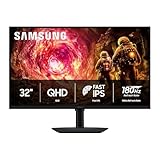

When you start shopping for a gaming monitor, the screen size and refresh rate get all the attention. But almost every monitor worth buying in 2026 carries one of two labels: G Sync or FreeSync. These are adaptive sync technologies, and they solve the same basic problem — the mismatch between your graphics card’s frame rate and your monitor’s refresh rate, which causes screen tearing and stuttering. The real decision you face is not which technology is “better” in the abstract, but which one matches your graphics card, your budget, and how your gaming setup fits into your home. Pick the wrong camp and you either pay for certification you cannot use or leave smoother gameplay on the table. This guide breaks down both sides in plain terms, with the practical details that actually matter once the monitor is on your desk.
Our Top Picks
 ASUS TUF Gaming VG27AQ3A 27 Inch 1440p 180Hz14.4" x 24.2" x 2.1"24.2 x 8.4 x 17.9 Inches10.1 poundsCheck on Amazon


Top 3 picks at a glance
Quick Verdict
If you game on an NVIDIA graphics card, a G Sync compatible monitor like the ASUS TUF Gaming VG27AQ3A is the natural pairing — it is certified to work with NVIDIA’s adaptive sync and costs around $199. If you run an AMD card, or you want to keep your options open for future GPU upgrades, an AMD FreeSync Premium display like the Dell SE2726HG at around $150 delivers the same core benefit at a lower price. If your household mixes both GPU brands or you upgrade frequently, prefer FreeSync or “Adaptive Sync” monitors, since nearly all modern NVIDIA cards also work with FreeSync displays. Console players using Xbox should look at FreeSync support; PlayStation does not use either technology, so any high-refresh monitor works.
Side by Side
| Factor | G Sync | FreeSync |
|---|---|---|
| Core technology | NVIDIA’s adaptive sync, with tiered certification (G Sync Compatible, G Sync, G Sync Ultimate) | AMD’s adaptive sync, based on open VESA Adaptive-Sync standard, with FreeSync, Premium, and Premium Pro tiers |
| Comfort during long sessions | Excellent once matched to an NVIDIA card; eliminates tearing and stuttering at low frame rates especially well on certified models | Equally tear-free on AMD systems; premium tiers add low framerate compensation so dips feel less jarring |
| Durability and longevity | No meaningful hardware difference; panel quality matters more than the sync brand | Same — both are firmware and certification layers, not physical components that wear out |
| Price range | Certified models typically run $180–$600+; the ASUS VG27AQ3A sits at $199 | Often $20–$100 less for equivalent specs; the Dell SE2726HG is around $150 |
| Maintenance | Identical: occasional screen cleaning, firmware updates, cable checks | Identical; keep DisplayPort or HDMI cables certified for your refresh rate |
| Space needed | 27–32 inch panels dominate; expect roughly 24 x 18 x 8 inches of desk depth including the stand | Same range; a 27-inch monitor like the Dell needs about 6 inches of stand depth and roughly 11 pounds of desk load capacity |
| Look and design | Skews toward enthusiast styling — slimmer bezels, RGB accents on higher tiers | Full range from budget plastic to premium designs; no visual tell that distinguishes it |
| Power draw | A 27-inch 1440p panel typically draws 25–45 watts in use | Comparable; a 27-inch 1080p IPS panel usually draws 20–35 watts |
| Resale value | Strong in the NVIDIA enthusiast market; certification wording helps listings | Slightly wider buyer pool since FreeSync works across brands |
| Best for | Dedicated NVIDIA gamers who want certified low-framerate performance | Budget builds, AMD owners, mixed-household setups, and console gaming |
Where G Sync Wins
G Sync’s strength is consistency on NVIDIA hardware. Monitors carrying full G Sync certification have been validated by NVIDIA for variable overdrive behavior, low framerate compensation, and flicker-free operation at low frame rates. That testing matters most when your frame rate drops below your refresh rate — the exact moments when a competitive match gets hectic. On a certified panel, the experience stays smooth rather than stuttering.
There is also a practical marketing benefit: certification tiers make it easy to know what you are buying. A monitor labeled G Sync Compatible has passed NVIDIA’s basic testing; higher tiers add hardware features. If you own or plan to buy an NVIDIA GeForce RTX card, a certified display like the ASUS TUF Gaming VG27AQ3A — which pairs that certification with a 1440p, 180Hz IPS panel for about $199 — removes guesswork. You plug in a DisplayPort cable, enable G Sync in the NVIDIA control panel, and it simply works. For buyers who value that predictability over saving fifty dollars, G Sync certification is worth the small premium.
Where Free Sync for Gaming Monitor Wins
FreeSync wins on openness and price. Because it is built on the VESA Adaptive-Sync standard, FreeSync displays work with AMD Radeon cards natively, with NVIDIA cards in most modern cases, and with Xbox Series consoles. That flexibility is valuable in a household where the gaming PC might get rebuilt every few years and the GPU brand could change. A FreeSync monitor never becomes the “wrong” screen after an upgrade.
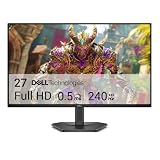
FreeSync Premium and Premium Pro add low framerate compensation and, in Pro’s case, HDR support requirements — meaningful features you often get for less money. The Dell SE2726HG illustrates the value proposition: around $150 gets you a 27-inch 1080p IPS panel running at 240Hz with AMD FreeSync Premium, dual HDMI inputs, DisplayPort 1.4, and a TÜV-certified low-blue-light rating for eye comfort. A comparable G Sync certified 240Hz panel typically costs noticeably more. If your goal is maximum refresh rate per dollar, FreeSync monitors are where the deals live.
Cost Over 5 Years
Both technologies are essentially free once you own the monitor — there is no subscription, licensing fee, or accessory to buy. The five-year cost differences come from the monitor itself and electricity.
A $199 G Sync monitor like the ASUS VG27AQ3A drawing roughly 40 watts, used four hours daily, consumes about 292 kWh over five years — roughly $35–$44 at typical American residential rates of 12 to 15 cents per kWh. The Dell SE2726HG at around $150 drawing closer to 30 watts uses around 219 kWh over the same period, or $26–$33 in electricity.
That puts total five-year ownership at roughly $235–$245 for the G Sync route and $176–$183 for the FreeSync route. Factor in likely replacement cables ($10–$20 for a certified DisplayPort 1.4 cable if yours fails) and the numbers stay close. The honest takeaway: choose based on your GPU, not your wallet, because the price gap over five years is smaller than one dinner out.
Which One for Your Home
Small Apartment or Shared Desk
Space and budget both point toward FreeSync. A 27-inch 1080p panel like the Dell SE2726HG keeps your desk footprint around 24 inches wide and under 12 pounds on the mounting arm or stand, and its around $150 price leaves room for a monitor arm that reclaims desk space. In a small apartment, the flexibility of FreeSync also matters — if your next PC or a roommate’s console connects to the same screen, it adapts without fuss.
Family with Kids or Pets
Durability here is about the stand, the cable management, and the screen coating, not the sync technology. Look for a sturdy base at least 8 inches deep and built-in eye-comfort certifications — the Dell’s TÜV 3-Star rating is a genuine plus for kids doing homework and gaming on the same screen. FreeSync’s cross-brand compatibility helps again in mixed households where a family PC might have an AMD card today and something else tomorrow. Position the monitor back from desk edges, route cables through a tray, and either technology holds up equally well.
Rental or Temporary Setup
Renters and students should optimize for resale flexibility and easy moves, which favors FreeSync slightly. Its wider compatibility means the monitor appeals to more buyers when you sell it before a move, and lightweight 27-inch models (most weigh 9–13 pounds without the stand) travel safely in the original box. The around $150 Dell is also cheap enough that a scratch or dinged corner during a move is an annoyance rather than a financial hit.
Long-Term Home Office Plus Gaming
If this monitor will anchor a desk for five or more years and you know your GPU loyalty, buy for the panel first and the certification second. A 1440p 180Hz display like the ASUS VG27AQ3A at $199 is the sweet spot: sharp enough for productivity work at 27 inches, fast enough for competitive gaming, and G Sync certified so an NVIDIA card behaves predictably at all frame rates. Long-term owners should prioritize IPS panels for viewing angles, height-adjustable stands, and a resolution that will still look good when your next graphics card arrives.
FAQ
Do I need G Sync or FreeSync for console gaming?
Xbox Series X and S support FreeSync over HDMI, so a FreeSync Premium monitor like the Dell SE2726HG will deliver tear-free gameplay. PlayStation 5 does not support either technology, so any high-refresh monitor with HDMI 2.0 or better works equally well. You lose nothing meaningful by choosing either camp for console use.
Can I use a FreeSync monitor with an NVIDIA graphics card?
Yes. Since 2019, NVIDIA drivers support adaptive sync on most FreeSync and VESA Adaptive-Sync certified monitors through the G Sync Compatible program. Enable it in the NVIDIA control panel. A small number of older FreeSync monitors flicker or tear on NVIDIA cards, which is why certified models are safer bets.
Is a higher refresh rate or the sync brand more important?
Refresh rate. The jump from 60Hz to 144Hz or 240Hz transforms how games feel; the difference between well-implemented G Sync and FreeSync on the same panel is nearly imperceptible. Spend your budget on refresh rate and panel quality first — a 240Hz FreeSync panel beats a 144Hz G Sync panel for competitive play.
Does adaptive sync hurt monitor lifespan or add power draw?
No. G Sync and FreeSync are firmware-driven features that adjust refresh timing; they add negligible power (typically under 1 watt) and do not affect panel lifespan. A monitor’s five-year durability depends on build quality, backlight type, and how it is treated — not on which adaptive sync brand it carries.
Related guides
- Best Gaming PC for Overwatch 2: Ten Prebuilts Matched to Your Monitor (2026)
- Best Gaming PC for Baldur’s Gate 3: Matching CPU, VRAM and Storage to the Game (2026)
- Best Gaming PC for Apex Legends: Which Listings Fit a High-Refresh Setup (2026)
- Best RTX 3060 Gaming PCs: Eight Prebuilt Listings Compared by CPU, RAM and Cooling (2026)









