
Our Top Picks
 AMD FX-8150 8-Core Black Edition Processor Socket AM3+5.91 x 3.35 x 5.12 inches1 poundsCheck on Amazon
The Short Answer
For most people building or upgrading a PC today, overclocking is not worth the time, money, or risk — with one important exception: if you already own an unlocked CPU (a “K” series Intel chip or an AMD Ryzen X3D/X chip), free performance is sitting there, and basic tuning can be worth an afternoon. The reason is simple: modern CPUs already boost themselves close to their thermal and power limits automatically. Manual overclocking typically yields 3–8% in sustained workloads, while stock boost behavior often matches or beats a conservative all-core overclock in single-threaded tasks like gaming.
What You Actually Get
Let’s put numbers on what overclocking delivers in the real world. A current-generation unlocked desktop chip ships with a factory boost clock around 5.4–6.0 GHz on one or two cores and a default package power limit in the 125–250W range depending on the platform. A typical all-core manual overclock lands at 5.2–5.6 GHz, requires roughly 1.25–1.35V, and pushes sustained power draw to 250–350W on higher-end boards. The performance delta in rendering, compiling, or simulation work usually measures in the 3–8% range. In gaming, the difference often falls inside margin of error — under 3% in most titles — because games lean on cache, memory latency, and GPU horsepower more than raw clock speed.
As an Amazon Associate we earn from qualifying purchases at no extra cost to you.


Memory and Infinity Fabric (on AMD) or gear settings (on Intel) tuning can matter more than the CPU clock itself, sometimes worth 5–10% in games. But that’s a separate skill with its own stability-testing time investment.
The costs add up beyond the CPU itself. Overclocking realistically demands a Z-series or X-series chipset motherboard ($150–$400 extra over a B-series equivalent), an all-in-one liquid cooler rated for 280mm or 360mm radiators ($90–$200), and a quality power supply with headroom ($80–$150). A serious cooling setup, thermal interface material, and extra case airflow can easily add $250–$500 to a build whose performance gain is a handful of percentage points.
Pros
- Free performance if your hardware is already unlocked — no new purchase required, just time and patience.
- Better sustained multi-core performance — useful for long rendering exports, video encoding, or code compilation where every percent compounds over hours.
- Extends the useful life of an aging CPU — squeezing 5–10% out of a four-year-old chip can delay an upgrade by a year.
- Educational value — you learn how voltage, temperature, and frequency interact, which makes you a better troubleshooter.
- Prestige and hobby satisfaction — for enthusiasts, tuning is the point, not the result.
Cons
- Diminishing returns — modern chips boost aggressively at stock; manual gains are small and workload-dependent.
- Added cost — expect $250–$500 in supporting hardware (motherboard tier, cooling, PSU) for a few percent.
- Heat and noise — an overclocked chip at 300W+ needs serious cooling; expect more fan noise under load.
- Stability headaches — marginal instability causes crashes, corrupted files, and hours of stress testing that may not surface a failure for weeks.
- Warranty risk — running voltage beyond manufacturer specification can degrade or damage a chip, and damage from manual overclocking generally isn’t covered.
- Time cost — a careful, stable overclock takes 4–10 hours of testing and iteration, not one evening.
- Better options exist — a GPU upgrade or faster storage delivers far more noticeable real-world improvement per dollar.
Who Should Buy It
Overclocking makes sense if you fit one of these profiles: you already own an unlocked CPU and a capable cooler and simply want to reclaim free performance; you run long, sustained multi-threaded workloads (rendering, simulation, distributed computing) where 5% over a multi-hour job saves real time; or you’re a hobbyist who enjoys the tuning process itself and treats the gains as a bonus. It’s also reasonable on a dying platform — if you’re stretching a last-generation system as long as possible, a modest overclock delays the inevitable upgrade for zero hardware cost.
Who Should Skip It
Skip it if you’re buying a new CPU in 2026 specifically to overclock it — at current prices, the same money spent on a higher stock-clocked chip delivers more performance with zero risk. Skip it if your PC is primarily for gaming, where GPU power dominates. Skip it if you use a small-form-factor case, a 120mm cooler, or a stock air cooler; thermals will fight you the whole way. And skip it if stability matters more than speed — a workstation used for income shouldn’t gamble crashes for single-digit gains.
Cheaper Alternatives
| Option | Cost | Trade-off |
|---|---|---|
| Enable PBO (Precision Boost Overdrive) or Intel’s stock power-limit unlocks in BIOS | Free | Smaller, safer gains than manual overclocking; uses the chip’s own validated limits |
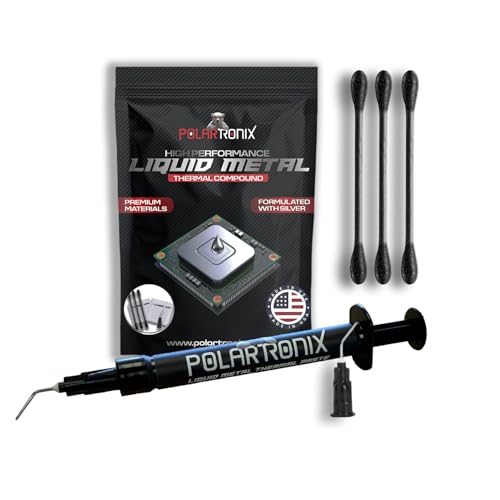
| High-quality thermal paste (e.g., a premium compound like PolarTronix liquid metal at around $12, or a quality paste for $8–$15) | $8–$15 | Drops temps a few degrees; no direct clock gains, but sustains boost better. Note: liquid metal is electrically conductive and requires careful, sparing application |
| DDR5/DDR4 memory XMP/EXPO profile tuning | Free (if RAM supports it) | Often worth more in games than CPU overclocking; still needs a stability test |
| Reinvest the $250–$500 cooling/board premium into a better GPU | $250–$500 | Delivers 20–60%+ real-world gains in games instead of 3–8% |
| Buy a used prior-generation flagship (e.g., an AMD FX-8150 8-core around $88) | ~$88 | Only sensible for legacy AM3+ builds; this architecture is a decade old and badly outclassed by modern budget chips |
FAQ
Does overclocking damage your CPU?
Not immediately, in most cases. Running a chip at safe voltages with adequate cooling will not harm it. The risk comes from pushing voltage beyond the manufacturer’s specification, which accelerates electromigration and can permanently degrade the silicon over months or years. Heat alone, kept within limits, is less dangerous than excess voltage.
How much performance does overclocking actually add?
On modern CPUs, expect roughly 3–8% in sustained multi-threaded workloads and under 3% in most games. Because modern processors already boost automatically to their thermal and power limits, the gap between stock and a manual overclock is far smaller than it was a decade ago.
Does overclocking void your warranty?
Intel and AMD both historically permitted overclocking on their unlocked (“K” and standard Ryzen) processors without voiding the CPU warranty, though damage caused specifically by operating outside specification is generally excluded. Overclocking on a locked chip or a non-overclocking motherboard isn’t possible, and pushing other components (RAM, motherboard VRMs) beyond spec can jeopardize their coverage. Check your specific warranty terms before you start.
Is overclocking worth it for gaming?
Usually not. Games are far more dependent on GPU performance, cache, and memory latency than raw CPU clocks, so a CPU overclock typically produces gains too small to notice frame-to-frame. If your goal is higher frame rates, spending the money a serious overclocking setup requires ($250–$500) on a graphics card upgrade will deliver a dramatically bigger improvement.
Related guides
- Best Gaming PC for Overwatch 2: Ten Prebuilts Matched to Your Monitor (2026)
- Best Gaming PC for Baldur’s Gate 3: Matching CPU, VRAM and Storage to the Game (2026)
- Best Gaming PC for Apex Legends: Which Listings Fit a High-Refresh Setup (2026)
- Best RTX 3060 Gaming PCs: Eight Prebuilt Listings Compared by CPU, RAM and Cooling (2026)









