
As an Amazon Associate we earn from qualifying purchases at no extra cost to you.



Our Top Picks
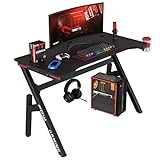
 DUMOS 52” Reversible Gaming Computer Desk with Drawers52 Inches51.9 x 3.7 x 23.4 inches41.7 PoundsCheck on Amazon
 X-cosrack 33.5" Small Gaming Desk with LED Lights33.5"15.75 x 33.5 x 35 Inches18.2 poundsCheck on Amazon
 Korfile 48" Gaming Desk with Power Outlet48 Inches18.9 x 48.98 x 47.24 inches38 PoundsCheck on Amazon

Top 3 picks at a glance
The Short Answer
For most desk gamers, the sweet spot is a **desk between 47 and 55 inches wide** paired with a **24 to 27 inch monitor**. That combination gives you enough surface depth for proper viewing distance (about 24 to 30 inches from your eyes to the screen) while still leaving room for a keyboard, mouse, and accessories.
If you play competitive shooters, a 24 to 25 inch monitor keeps everything in your field of vision at once. If you play immersive single-player titles or want side-by-side multitasking, 27 to 32 inches works better — but only if your desk is at least 24 inches deep so you don’t sit too close.
Standard Sizes
Here are the most common gaming desk footprints and the monitor sizes they comfortably support:
| Desk Size | Dimensions (W × D) | Metric (W × D) | Best Monitor Size |
|---|---|---|---|
| Compact | 33.5 × 19.5 in | 85 × 50 cm | Up to 24 in |
| Small | 40 × 20 in | 102 × 51 cm | 24 in |
| Standard | 47 × 23.5 in | 119 × 60 cm | 24–27 in |
| Mid-size | 48–52 × 23.5 in | 122–132 × 60 cm | 27 in |
| Large | 55–63 × 24–28 in | 140–160 × 61–71 cm | 27–32 in or dual monitors |
A few reference points from real products help put these numbers in context. The X-cosrack 33.5-inch gaming desk (about $69) is a classic compact footprint — it fits a 24 inch monitor, keyboard, and mouse, but a 27 inch screen will dominate it. The BestOffice 47-inch R-shaped gaming table (around $55) and the Korfile 48-inch carbon fiber desk with power outlet and LED (roughly $83) both handle a single 27 inch monitor comfortably. Step up to something like the DUMOS 52-inch reversible desk with drawers and power outlet (about $62) and you have room for a 27 to 32 inch display or a dual-monitor arm setup.
Budget-wise, expect to spend $55 to $90 for a solid small-to-mid gaming desk, and $100 to $250 for large L-shaped or sit-stand models.
How to Measure Your Space
- Measure the wall. Use a tape measure to record the full width of the wall where the desk will sit. Subtract at least 6 inches on each side so you can pull the chair back and walk past comfortably.
- Measure the depth available. Most gaming desks are 19.5 to 28 inches deep. You need at least 36 inches between the desk’s front edge and whatever is behind your chair for the chair itself plus clearance.
- Check vertical clearance. If you’re adding a monitor stand, shelf, or hutch, measure from desk surface to any window, shelf, or ceiling obstruction. A 27 inch monitor on a riser typically needs 18 to 22 inches of vertical space above the desk.
- Map outlets. Note where wall outlets sit. Desks with built-in power strips — like the Korfile or DUMOS models mentioned above — reduce cable clutter, but you still need the desk within reach of the wall, usually within 5 to 6 feet.
- Account for peripherals. Measure your keyboard (typically 17 inches wide), mousepad (up to 36 inches wide for extended pads), and any speakers. Add those to your monitor’s footprint to find your true minimum desk width.
- Verify doorway clearance. Measure doorways and hallways on the delivery path. Anything wider than 55 inches boxed may not fit through a standard 30 to 32 inch door frame without angling.
By Room or Use Case
Bedroom or Dorm Setups
Space is tight, so target a 33.5 to 40 inch wide desk with a depth around 19.5 to 20 inches. A single 24 inch, 1080p monitor is the right call — anything larger forces you to sit closer than the ideal 24 inch viewing distance. Models like the X-cosrack 33.5-inch (with a built-in monitor riser that adds usable vertical space) are designed exactly for this scenario. Total setup cost, desk plus monitor, typically runs $130 to $220.
Dedicated Home Office Gaming
With a dedicated room, go 47 to 52 inches wide and 23.5 to 24 inches deep. This supports a 27 inch, 1440p monitor at proper distance, plus a full-size keyboard, extended mousepad, and speakers. The Korfile 48-inch and BestOffice 47-inch both land here at $55 to $85. Look for desks with built-in power outlets rated for at least 1,200 to 1,500 watts total draw to safely handle your PC, monitor, and accessories.
Dual-Monitor and Streaming Setups
Running two 24 to 27 inch monitors side by side needs a minimum of 52 inches of desk width — a 24 inch monitor is roughly 21 inches wide with bezels, so two of them plus a center gap eats 44+ inches before you add a keyboard. The DUMOS 52-inch reversible desk fits this use case well, and its drawer and power outlet help manage the extra cabling a streaming rig generates (capture card, microphone, lighting). Pair with a dual-monitor arm to reclaim surface space; arms typically support 13 to 32 inch screens weighing up to 19.8 pounds per arm.
Console Gaming at a Desk
Console players can sit farther back, so a 32 inch monitor on a 48 to 55 inch desk works if you can position your seat 32 to 40 inches from the screen. Remember consoles add a horizontal footprint of about 15 × 11 inches (PS5-class), so keep that in your width calculation. Deep desks of 24 inches or more are strongly preferred here.
Common Sizing Mistakes
- Buying the desk too small for the monitor. A 27 inch monitor is about 24 inches wide and 17 inches tall with its stand — on a 33.5 inch desk, it crowds out your mousepad entirely.
- Ignoring depth. Width gets all the attention, but shallow desks under 20 inches deep force you too close to the screen, causing eye strain at anything above 24 inches.
- Forgetting stand vs. screen dimensions. A “27 inch” spec measures the diagonal of the panel only. The actual footprint with stand can be 24 × 9 inches. Check the stand width if your desk is narrow, or plan for a clamp-on monitor arm.
- Overlooking weight capacity. Most gaming desks in the $55 to $90 range support 100 to 175 pounds total, but monitor risers and shelves often cap at 20 to 30 pounds. Ultrawide monitors can weigh 20 to 25 pounds.
- Skipping chair clearance. A desk that fits the wall doesn’t help if you can’t recline. Leave 36 to 42 inches behind the desk for the chair zone.
- Buying 32+ inch monitors for close-range play. Sitting 24 inches from a 32 inch screen means you can’t take in the whole frame — a real disadvantage in fast-paced games.
FAQ
Is a 27 inch monitor too big for a 47 inch desk?
No. A 47 inch desk like the BestOffice R-shaped model comfortably holds a 27 inch monitor with room for a full keyboard, extended mousepad, and speakers. Just make sure the desk is at least 23 inches deep so you can sit at a healthy viewing distance.
Can I fit two monitors on a 52 inch desk?
Yes — 52 inches is the practical minimum for dual 24 to 27 inch monitors. Using a dual-monitor arm instead of two stands frees up several inches and lets you angle the screens inward. The DUMOS 52-inch desk is a common pick for exactly this layout.
How far should I sit from my gaming monitor?
Aim for 24 to 30 inches from a 24 to 27 inch monitor, and 32 to 40 inches from a 32 inch screen. A quick check: if you can touch the screen with an outstretched arm without leaning forward, you’re about right.
What size desk should I buy for a 32 inch monitor in 2026?
Go with at least 48 inches wide and 24 inches deep, though 55 inches gives you breathing room. At 32 inches wide (roughly 28 inches with the stand), the monitor plus a keyboard and mousepad needs every bit of a 48 inch surface. Desks in the $80 to $130 range with built-in power outlets make cable management much easier at this size.
Related guides
- Best Gaming PC for Overwatch 2: Ten Prebuilts Matched to Your Monitor (2026)
- Best Gaming PC for Baldur’s Gate 3: Matching CPU, VRAM and Storage to the Game (2026)
- Best Gaming PC for Apex Legends: Which Listings Fit a High-Refresh Setup (2026)
- Best RTX 3060 Gaming PCs: Eight Prebuilt Listings Compared by CPU, RAM and Cooling (2026)









