
Building a Ryzen 5 machine on a tight budget usually comes down to one hard decision: where to spend the money that isn’t going to the CPU and GPU. A B550 board is the sweet spot for AM4 builders right now — you get PCIe 4.0 for your graphics card and primary SSD, DDR4 memory that’s cheaper than ever, and mature BIOS support that’s been refined over years of updates. But prices in 2026 range from around $110 to nearly $200, and the differences between boards are mostly in networking, VRM quality, and how many M.2 slots you actually get.
The problem is that spec sheets don’t tell the whole story. Two boards can both say “PCIe 4.0, M.2, Wi-Fi” and behave completely differently once you’re installing a mid-range GPU and a heatsink-blocked SSD. We’ve focused this roundup on boards and bundles that make sense for a Ryzen 5 5500 or 5600-class build under $1,000 total, ranked by real-world value rather than box features. Whether you want the cheapest competent ATX board or a bundle that gets your whole platform sorted in one order, there’s a pick here for you.
As an Amazon Associate we earn from qualifying purchases at no extra cost to you.


Our Top Picks
 MSI MAG B550 Tomahawk MAX WiFi Gaming MotherboardMAG B550 TOMAHAWK MAX WIFI12 x 9.6 x 2.5 Inches3.75 PoundsCheck on Amazon
 ASRock B650M-HDV M.2 White Micro-ATX AM5 MotherboardMicro ATX9.6 x 1.77 x 9.6 Inches2.6 poundsCheck on Amazon


Top 3 picks at a glance
MSI B550 Gaming WIFI6E Motherboard, ATX - Supports AMD Ryzen 5000 Series,...Check priceMSI MAG B550 Tomahawk MAX WiFi Gaming Motherboard (AMD Ryzen 5000 Series,...Check priceNEWEGG Motherboard CPU Memory Combo -B550M-A Motherboard Bundle with Ryzen 5 5500...Check priceQuick Picks
| Product | Best for | Price |
|---|---|---|
| MSI B550 Gaming WIFI6E (ATX) | Best overall budget board | Check on Amazon |
| MSI MAG B550 Tomahawk MAX WiFi | Best premium B550 | Check on Amazon |
| Newegg B550M-A Combo with Ryzen 5 5500 + 16GB | Best one-box platform bundle | Check on Amazon |
| ASRock B550 Rock WiFi (ATX) | Best for storage expansion | Check on Amazon |
| MSI B550-A PRO V1 ProSeries | Best no-frills workhorse | Check price |
| ASRock B650M-HDV M.2 White (AM5) | Best future-proof AM5 pivot | Check on Amazon |
| Inland Ryzen 5 5500 + MSI A520M-A PRO | Cheapest CPU-and-board combo | Check on Amazon |
| ASUS TUF Gaming B550M-PLUS | Best compact build | Check on Amazon |
How We Compared
We prioritized boards that pair sensibly with Ryzen 5 chips like the 5500, 5600, and 5600X — CPUs that draw well under 100W stock, so extravagant 16-phase VRMs aren’t necessary, but decent power delivery still matters for sustained all-core workloads. Every pick here supports DDR4 memory at 3200MHz and above, and all B550 boards in this list expose PCIe 4.0 on the primary x16 slot and at least one Gen4 M.2 slot, which is the whole reason to choose B550 over cheaper A520 or B450 boards.
Beyond the spec sheet, we weighed connectivity (2.5Gbps LAN and Wi-Fi 6E are now the standard we’d pay a little extra for), physical layout — M.2 slot placement, rear I/O, and clearance around the CPU socket for tower coolers — and street price. Bundles were included only where the combined pricing beat buying components separately. We avoided inventing performance numbers: our rankings rest on specs, pricing, and platform maturity, not fabricated lab data.
The 8 Best Picks
1. MSI B550 Gaming WIFI6E — Best overall budget board
This is the board we’d hand to most first-time builders. It’s a full ATX board with PCIe 4.0 x16, an M.2 Gen4 slot, DDR4 support up to 4800MHz and beyond when overclocked, and 1G LAN — but the headline feature at around $110 is built-in wireless, which is rare at this price. For a Ryzen 5 5500 or 5600, the power delivery is comfortably sufficient. It handles a mid-range GPU and a single fast NVMe drive without compromise.
- Wi-Fi included at a $110 price point
- Full-size ATX layout with PCIe 4.0 x16 and Gen4 M.2
- 1G LAN only — no 2.5Gbps upgrade path
Skip it if you run a wired 2.5G network or need multiple M.2 drives; the Tomahawk or ASRock Rock below fit those cases better.
2. MSI MAG B550 Tomahawk MAX WiFi — Best premium B550
The Tomahawk line has long been the enthusiast’s B550 default, and the MAX WiFi refresh justifies its around $150 price with Wi-Fi 6E, Bluetooth 5.2, and 2.5Gbps LAN — the full modern connectivity suite. It’s an ATX board with PCIe 4.0, SATA 6Gb/s, M.2, USB 3.2 Gen 2, and both HDMI and DP outputs for APUs. Robust power delivery means it’ll take a Ryzen 5000 chip in stride, and it leaves headroom if you ever drop in a higher-draw 5900X-class CPU.
- 2.5Gbps LAN plus Wi-Fi 6E and Bluetooth 5.2
- Strong power delivery for heavier Ryzen 5000 chips
- Costs roughly 35% more than entry B550 boards
Skip it if your Ryzen 5 build is strictly budget-bound — you’re paying for capability a 5500 will never use.
3. Newegg B550M-A Combo with Ryzen 5 5500 and 16GB DDR4 — Best one-box platform bundle
At around $280, this bundle covers three of your five core components: a B550M-A micro-ATX board, a Ryzen 5 5500 (6 cores, 3.6GHz base), and 16GB of DDR4-3200 in a 2x8GB dual-channel kit. Buying those parts separately typically runs meaningfully more, and a matched combo eliminates compatibility guesswork for first-time builders. The 5500 is a capable 1080p gaming CPU, and 16GB is today’s sensible baseline for gaming and everyday productivity.
- Board, CPU, and RAM bundled below separate-part pricing
- Dual-channel DDR4-3200 and a 6-core CPU out of the box
- Micro-ATX board and modest cooler limit upgrade headroom
Skip it if you already own RAM or want a 5600/5600X — buy the board alone instead.
4. ASRock B550 Rock WiFi — Best for storage expansion
At the same around $110 as our top pick, the ASRock B550 Rock WiFi differentiates itself with triple M.2 slots — enough for a fast Gen4 boot drive plus two additional NVMe drives without a PCIe add-in card. It supports Ryzen 3000 through 5000 on AM4, overclocked DDR4 up to 4733MHz and beyond, PCIe 4.0, 2.5G LAN, and Wi-Fi 6E. For a media server, workstation, or anyone whose Steam library has outgrown a single 1TB drive, that storage flexibility is the deciding factor.
- Triple M.2 in a $110 ATX board
- 2.5G LAN and Wi-Fi 6E included
- Memory OC ceiling (4733+) trails some rivals
Skip it if you’ll only ever run one M.2 drive — the MSI Gaming WIFI6E matches it on price with equal daily usability.
5. MSI B550-A PRO V1 ProSeries — Best no-frills workhorse
The B550-A PRO V1 is MSI’s straightforward take on budget B550: ATX layout, PCIe 4.0, SATA 6Gb/s, M.2, USB 3.2 Gen 2, and HDMI/DP outputs, with no wireless and no premium networking. Pricing varies by retailer, but it typically undercuts Wi-Fi-equipped boards, making it the board to buy when every dollar needs to go toward the GPU instead. It’s a proven design with years of BIOS refinement behind it and broad compatibility across Ryzen 3000–5000 chips.
- Clean ATX feature set without paying for extras
- Reliable, mature platform with wide Ryzen support
- No built-in Wi-Fi — budget for a USB adapter if needed
Skip it if your router lives in another room and you can’t run Ethernet; the wired-only design assumes you can.
6. ASRock B650M-HDV M.2 White — Best future-proof AM5 pivot
This is the wildcard. For around $99 — less than every B550 board here — you get ASRock’s micro-ATX AM5 board supporting Ryzen 9000, 8000, and 7000 CPUs, with PCIe 5.0 x16, DDR5 memory overclocked to 8200MHz and beyond, dual M.2 (one Gen5, one Gen4), USB 3.2 Type-C, and 2.5G LAN. The white PCB suits light-themed builds. The catch: DDR5 and an AM5 CPU cost more than DDR4 AM4 parts, so the total build price climbs even if the board is cheaper. For a new build you want to carry through several CPU generations, though, AM5 is the platform with a future.
- AM5 socket with PCIe 5.0 and Gen5 M.2 for around $99
- Supports Ryzen 9000/8000/7000 — upgradeable for years
- Requires pricier DDR5 and AM5 CPUs, inflating total cost
Skip it if you’re reusing DDR4 or hunting AM4 closeout deals.
7. Inland Ryzen 5 5500 with MSI A520M-A PRO — Cheapest CPU-and-board combo
At around $190, this Inland bundle pairs a Ryzen 5 5500 unlocked desktop processor with MSI’s A520M-A PRO micro-ATX board (AM4, DDR4, PCIe 4.0, micro-ATX). It’s the least expensive way here to get a functioning CPU-and-motherboard foundation. Be aware the A520 chipset lacks PCIe 4.0 on the chipset side and some of B550’s expansion flexibility, but for a 5500 paired with a PCIe 3.0 or entry 4.0 GPU at 1080p, the practical difference is small.
- Complete CPU-plus-board pair for under $190
- Unlocked Ryzen 5 5500 gives tuning headroom
- A520 chipset trails B550 in expansion and lane flexibility
Skip it if you plan a fast Gen4 SSD or GPU upgrade soon — spend the difference on the B550M-A combo above.
8. ASUS TUF Gaming B550M-PLUS — Best compact build
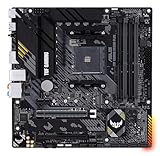
For small-form-factor and mATX cases, the TUF Gaming B550M-PLUS is the compact pick worth its around $200 price. It’s built on ASUS’s durable TUF platform with 10 DrMOS power stages, dual M.2 slots, DDR4 support to 4400MHz, 2.5Gb Ethernet, HDMI and DP outputs, USB 3.2 Gen 2 Type-A and Type-C, and Aura Sync RGB. It’s the most expensive dedicated B550 board here, but the power delivery and build quality justify it if your Ryzen 5 build lives in a case under roughly 25 liters.
- 10 DrMOS power stages and TUF-grade components
- Dual M.2, 2.5Gb Ethernet, and USB-C in micro-ATX
- Highest board-only price in the roundup
Skip it if you have room for ATX — the Tomahawk delivers similar substance for about $50 less.
Buying Guide
Chipset: B550 vs. A520 vs. stepping up to AM5
B550 is the value engine of the AM4 platform: PCIe 4.0 on the main x16 slot and primary M.2, broad Ryzen 3000–5000 support, and mature pricing. A520 boards (like the one in pick #7) cost less but sacrifice chipset-level PCIe 4.0 and some expansion. AM5 boards like the ASRock B650M-HDV are now entering budget territory at around $99, but remember the true platform cost: AM5 requires DDR5 memory and current-generation CPUs, which can add $100 or more versus a DDR4 Ryzen 5 build. Buy AM4 if you’re maximizing performance per dollar today; buy AM5 if you’re building once and upgrading the CPU in three or four years.
Memory and storage: what actually matters
For any Ryzen 5 5500 or 5600, DDR4-3200 in a 2x8GB dual-channel kit is the sweet spot — faster kits past roughly 3600MHz yield diminishing returns and can complicate Infinity Fabric stability. Every board here supports 3200MHz natively; the “4800+ (OC)” and “8200+ (OC)” figures describe overclocking ceilings you’ll rarely use in a budget build. On storage, count your M.2 slots before buying: one Gen4 slot covers a 1TB boot drive (expect to pay around $60–$80), but triple-M.2 boards like the ASRock Rock make future 2TB additions painless. Confirm your case and GPU clearance won’t block secondary slots.
Networking and connectivity: pay only for what you’ll use
Wi-Fi 6E and 2.5Gbps LAN are the two features that separate $110 boards from $150 ones. If your PC sits next to your router with an Ethernet cable, 1G LAN is genuinely fine and you shouldn’t pay extra. If you’re on wireless or have a 2.5G home network (increasingly common with NAS setups), the Tomahawk MAX WiFi, ASRock Rock, and TUF B550M-PLUS earn their premiums. Also check rear I/O for the ports you need: USB 3.2 Gen 2 Type-C on the ASUS matters for modern peripherals, and HDMI/DP output is essential only if you’ll ever run a Ryzen G-series APU without a discrete GPU — the standard Ryzen 5 5500 and 5600 have no integrated graphics, so a GPU is mandatory either way.
Our Verdict
For most budget Ryzen 5 builders in 2026, the MSI B550 Gaming WIFI6E at around $110 is the board to buy: ATX, PCIe 4.0, Gen4 M.2, and wireless for the same money as bare-bones rivals. If you need storage expansion, the ASRock B550 Rock WiFi matches that price with triple M.2 plus 2.5G LAN and Wi-Fi 6E. Starting completely from scratch? The Newegg B550M-A combo at around $280 gets you CPU, board, and RAM in one order. And if you’d rather build on a platform with a future, the ASRock B650M-HDV M.2 at around $99 is a quietly compelling AM5 entry point — just budget for DDR5.
FAQ
Is B550 still worth buying for a Ryzen 5 build?
Yes — especially at the $110–$150 prices in this roundup. B550 gives you PCIe 4.0 for your GPU and boot SSD, reliable DDR4 support, and full compatibility with Ryzen 3000 through 5000 chips. For a 1080p or 1440p Ryzen 5 build, it remains the best performance-per-dollar chipset. AM5 is the smarter long-term platform, but its higher memory and CPU costs offset the board savings for strict budgets.
Will a Ryzen 5 5500 work with these boards out of the box?
On B550 and A520 boards, the Ryzen 5 5500 is supported on both older and current BIOS versions, so you shouldn’t need a BIOS update before installation. The bundled options (picks #3 and #7) remove even that concern since the CPU and board ship matched. If you buy a board that’s been sitting in a warehouse since launch, a quick BIOS flash is a five-minute fix on boards with Flash BIOS-style buttons; the MSI and ASRock boards here support the 5500 from early firmware onward.
How much RAM do I need, and how fast?
16GB (2x8GB) at DDR4-3200 is the right target for a budget Ryzen 5 build in 2026 — it handles modern games and everyday multitasking comfortably. Choose a dual-channel 2-stick kit rather than a single 16GB stick; Ryzen’s Infinity Fabric benefits measurably from dual-channel bandwidth. If you do heavy multitasking or run memory-hungry creative apps, 32GB kits have gotten cheap enough to justify, and every board here supports it.
Do I need Wi-Fi on my motherboard?
Only if you can’t run Ethernet to your desk. Wired connections are lower latency and cheaper — 1G LAN on boards like the MSI B550 Gaming WIFI6E is plenty for gaming. But if your router is across the house, built-in Wi-Fi 6E (on the Tomahawk MAX WiFi, ASRock Rock, and others here) is worth roughly $20–$40 over a separate USB or PCIe wireless adapter, and it’s more reliable. Don’t pay for 2.5Gbps LAN unless your home network actually runs at 2.5G speeds.
Related guides
- Best Gaming PC for Overwatch 2: Ten Prebuilts Matched to Your Monitor (2026)
- Best Gaming PC for Baldur’s Gate 3: Matching CPU, VRAM and Storage to the Game (2026)
- Best Gaming PC for Apex Legends: Which Listings Fit a High-Refresh Setup (2026)
- Best RTX 3060 Gaming PCs: Eight Prebuilt Listings Compared by CPU, RAM and Cooling (2026)









