
Finding the best 1440p high refresh monitor for competitive gaming used to mean choosing between a fast panel and a usable price. Not anymore. The 1440p market has exploded with 180Hz IPS panels under $160, 240Hz options around $300, and even QD-OLED sliding into budget territory — all in the sweet-spot resolution that balances sharpness with the frame rates modern GPUs can actually push in esports titles.
The problem is that spec sheets blur together. Nearly every monitor here claims 1ms response, adaptive sync, and “pro-level” speed, yet real differences in panel type, screen size, curvature, and stand ergonomics separate a genuine upgrade from a regrettable impulse buy. We ranked eight current models — from a around $150 Nitro to a around $310 QD-OLED — by who each one actually serves, so you can match a panel to your game, your GPU, and your desk.
As an Amazon Associate we earn from qualifying purchases at no extra cost to you.






Our Top Picks
 AOC 27" Gaming Monitor QHD 260Hz Overclocked IPS27" 240Hz IPS7.46 x 24.17 x 17.7 InchesCheck on Amazon
 ASUS TUF Gaming VG27AQ3A 27 Inch 1440p 180Hz14.4" x 24.2" x 2.1"24.2 x 8.4 x 17.9 Inches10.1 poundsCheck on Amazon
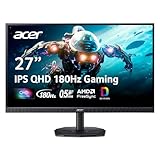
 Acer Nitro 27in QHD 2560x1440 IPS 180Hz Gaming27-inch8.28 x 24.2 x 18.14 inches12.1 poundsCheck on Amazon
 LG 32GS60QC-B Ultragear 32-inch Curved Gaming Monitor QHD32 inch8.9 x 27.6 x 20 inches13 PoundsCheck on Amazon
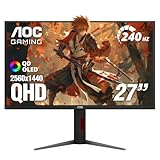
 AOC 27" Gaming Monitor QHD 240Hz QD OLED27" 240Hz Height Adjustable9.45 x 23.99 x 21.17 InchesCheck on Amazon

Top 3 picks at a glance
AOC 27" Gaming Monitor QHD 260Hz Overclocked IPS NVIDIA G-SYNC Q27G41ZECheck priceQuick Picks
| Product | Best for | Price |
|---|---|---|
| AOC Q27G41ZE 27″ QHD 260Hz IPS | Fastest budget esports play | Check on Amazon |
| ASUS TUF Gaming VG27AQ3A 27″ 180Hz | Balanced all-around competitive use | $199 |
| Acer Nitro KG271U N3bmiipx 27″ 180Hz IPS | Tightest budget flat IPS | Check on Amazon |
| Samsung Odyssey G55C 32″ 1000R Curved | Immersive curved QHD on a mid budget | Check on Amazon |
| LG 32GS60QC-B Ultragear 32″ Curved | Big-screen curved value with gaming extras | Check on Amazon |
| AOC Q27GAZDV 27″ QHD QD-OLED 240Hz | OLED contrast and motion clarity | Check on Amazon |
| LG 27GR83Q-B Ultragear 27″ 240Hz IPS | Ergonomics plus 240Hz speed | Check on Amazon |
| Acer Nitro EDA270U Pbmiipx 27″ Curved | Cheap curved 1440p entry | Check on Amazon |
How We Compared
Every monitor in this roundup hits three baseline requirements: native 2560×1440 resolution, a refresh rate of at least 180Hz, and adaptive sync support (NVIDIA G-SYNC or AMD FreeSync) so tearing never undermines fast gameplay. From that pool, we prioritized panel technology variety — IPS for color and viewing angles, curved VA-style panels for immersion, QD-OLED for contrast — because competitive players weigh these trade-offs differently depending on whether they grind ranked shooters or mix in single-player titles.
Price-to-performance anchored our rankings. We favored monitors that deliver measurable spec advantages (higher refresh, better stands, faster sync standards) per dollar over models with marketing gloss. Size factored in too: 27-inch panels remain the competitive standard because the full screen fits your field of view, while 32-inch curved models suit players who want immersion without losing QHD pixel density. We excluded anything with a stand that can’t tilt, a resolution below QHD, or refresh rates that don’t justify the 1440p tier. Where a monitor includes extras like crosshair overlays, FPS counters, or DTS audio processing, we treated those as tiebreakers, not deciding factors.
The 8 Best Picks
1. AOC Q27G41ZE — Best Overall for Competitive Speed
The Q27G41ZE is the standout pick for ranked play: an overclocked 260Hz IPS panel at 27 inches of QHD, paired with NVIDIA G-SYNC, for just around $160. That refresh rate is a genuine tier above the 180Hz crowd, translating to smoother target tracking in Valorant, CS2, and Overwatch. The IPS panel keeps colors consistent across viewing angles, and 1440p at 27 inches lands in the pixel-density sweet spot.
- 260Hz overclocked refresh — the fastest panel in this roundup by a wide margin
- G-SYNC support and IPS color consistency at a sub-$160 price
- Stand and ergonomic adjustments are basic; expect tilt-only movement
Buy it if you main fast shooters and want maximum frames per dollar. Skip it if you need a height-adjustable stand — budget for a monitor arm or a VESA riser.
2. ASUS TUF Gaming VG27AQ3A — Best All-Around Pick
The VG27AQ3A is the safe recommendation for players who want one monitor that does everything well. The 27-inch 1440p panel runs at 180Hz with G-SYNC, and ASUS TUF monitors typically bring sturdier builds and better out-of-box tuning than no-name competitors at this price. At $199, you’re paying a modest premium over the 180Hz budget crowd for ASUS’s quality control, firmware support, and a more refined package overall.
- Reliable 180Hz/G-SYNC pairing with ASUS’s consistent build quality
- Strong firmware and warranty support for long-term ownership
- 180Hz is now matched by cheaper rivals, so the premium buys polish, not speed
This suits gamers who value dependability and want a set-and-forget panel for mixed play. Skip it if raw refresh rate is your sole priority — the AOC Q27G41ZE offers far more hertz for $40 less.
3. Acer Nitro KG271U N3bmiipx — Best Budget Flat IPS
At around $150, the KG271U N3bmiipx is the cheapest way into a flat 27-inch 1440p IPS panel at 180Hz. Acer’s Nitro line targets exactly this buyer: someone upgrading from a 60Hz or 1080p display who wants the biggest visible jump for the least money. The IPS panel delivers accurate colors and wide viewing angles, and 180Hz is more than enough to benefit from in modern esports titles.
- Lowest price here for a 180Hz QHD IPS flat panel
- Wide viewing angles and good color typical of IPS at this tier
- Expect minimal extras — basic stand, modest brightness, no premium sync branding
Recommended for first-time high-refresh buyers and dual-monitor setups where a second fast panel needs to stay cheap. Skip it if you demand premium ergonomics or the fastest refresh available; the AOC at $10 more doubles down on speed.
4. Samsung Odyssey G55C — Best Immersive Curved Pick
The 32-inch Odyssey G55C wraps a QHD panel in Samsung’s aggressive 1000R curvature, pulling the screen edges into your peripheral vision — a genuine advantage in racing sims, flight games, and immersive single-player campaigns. At around $250, it’s the premium curved option here, and the extra 5 inches of diagonal versus the 27-inch picks makes open worlds feel notably larger. The 1000R curve also reduces eye strain during long sessions by keeping the whole screen equidistant.
- 32-inch 1000R curve delivers genuine immersion for sims and story games
- Samsung’s Odyssey styling and panel quality at a mid-tier price
- Curvature is divisive for competitive aim; some players never adjust
Buy this if your library leans immersive and you sit centered at a dedicated desk. Skip it for ranked shooters if you’ve never gamed on a curved display — try before committing.
5. LG 32GS60QC-B Ultragear — Best Big-Screen Value
The 32GS60QC-B packs a 32-inch curved QHD panel at 180Hz with 1ms response into a borderless design for around $200 — roughly $50 less than the Samsung G55C for the same size and curvature. LG adds a genuinely useful competitive toolkit: a built-in crosshair overlay, FPS counter, and DAS (Dynamic Action Sync) mode that reduces input lag, plus AMD FreeSync and HDR10 support. Dual HDMI ports plus DisplayPort mean console and PC can stay connected simultaneously.
- 32-inch 1000R curved panel at around $200 undercuts the Samsung G55C significantly
- Built-in crosshair, FPS counter, and DAS lag-reduction mode
- HDR10 at this price is nominal, not a true HDR experience
Ideal for players wanting big-screen immersion on a budget with genuine esports extras. Skip it if you prefer a flat panel or need G-SYNC certification specifically.
6. AOC Q27GAZDV — Best OLED Motion Clarity
The Q27GAZDV brings QD-OLED technology to the sub-$310 tier, and it changes how games look and feel. Per-pixel illumination delivers effectively infinite contrast, and OLED’s near-instantaneous pixel response makes 240Hz motion look clearer than any LCD at the same refresh rate. NVIDIA G-SYNC Compatible support keeps frames tear-free. For competitive players, the motion clarity advantage is real — enemy models resolve faster against dark backgrounds, a tangible edge in dimly lit maps.
- QD-OLED contrast and response redefine motion clarity at 240Hz
- G-SYNC Compatible at around $310 makes OLED genuinely affordable
- OLED panels require burn-in awareness; static HUDs demand care
Buy it if you split time between ranked play and cinematic single-player games. Skip it if you leave static UI elements on for 10-hour sessions and don’t want to think about panel care routines.
7. LG 27GR83Q-B — Best Ergonomics and Feature Set
The 27GR83Q-B is the complete package: a 27-inch QHD IPS panel at 240Hz with 1ms response, DisplayHDR 400, dual G-Sync and AMD FreeSync Premium support, and — rare at around $280 — a full ergonomic stand with tilt, height, and pivot adjustment. HDMI 2.1 means next-gen console owners can run 1440p at high refresh, and the 4-pole headphone jack with DTS Headphone:X processing adds a audio layer most competitors skip entirely.
- 240Hz IPS with full height/tilt/pivot stand — no arm required
- HDMI 2.1 plus FreeSync Premium and G-Sync covers PC and console
- DisplayHDR 400 is a baseline certification, not true HDR performance
This is the pick for players who’ll keep one monitor for years and want ergonomics, connectivity, and speed covered. Skip it if you’re on a strict budget — the AOC Q27G41ZE delivers competitive speed for $120 less.
8. Acer Nitro EDA270U Pbmiipx — Best Budget Curved
The EDA270U Pbmiipx is the affordable answer to the Odyssey G55C: a 27-inch curved QHD panel at 180Hz for around $160. It’s the entry point for players curious about curved gaming without the 32-inch footprint or $250 price tag. The Nitro line’s dual HDMI and DisplayPort inputs handle multi-device setups, and 180Hz is plenty for the frame rates most mid-range GPUs deliver at 1440p.
- Cheapest curved QHD panel in this roundup at around $160
- Multiple video inputs for console-plus-PC desk setups
- 27 inches limits the immersion benefit compared to 32-inch curved rivals
Recommended for budget builds and smaller desks where a 32-inch curve won’t fit. Skip it if immersion is your goal — the LG 32GS60QC-B at $40 more gets you a genuinely larger curved canvas.
Buying Guide
Refresh Rate vs. Panel Type
Refresh rate determines how many frames per second your monitor can display — 180Hz shows 180, 260Hz shows 260. Higher is smoother, but returns diminish: the jump from 60Hz to 180Hz is transformative, while 240Hz to 260Hz is subtle. Panel type shapes image quality independently. IPS panels (the AOC Q27G41ZE, ASUS VG27AQ3A, both Acers’ flat sibling, LG 27GR83Q-B) offer accurate colors and wide viewing angles, ideal for mixed use. Curved VA-style panels (Samsung G55C, LG 32GS60QC-B, Acer EDA270U) deliver deeper contrast and immersion but can exhibit smearing in fast dark scenes. QD-OLED (AOC Q27GAZDV) combines near-instant response with infinite contrast, the best motion clarity available — with burn-in considerations attached.
Size, Resolution, and Desk Real Estate
At 1440p, size directly affects pixel density. A 27-inch QHD panel lands around 109 pixels per inch — sharp at typical gaming distances. A 32-inch QHD panel drops to roughly 93 PPI, still acceptable but noticeably softer up close, which is why 32-inch models here pair with 1000R curves that pull edges into comfortable viewing range. Measure your desk depth before buying: curved 32-inch displays want you seated about 30 to 36 inches away for the curve to work as designed. Competitive players generally prefer 27 inches because the entire screen fits within a single glance, minimizing head movement during fast target switches. If your GPU struggles at 1440p, note that 32-inch and 27-inch QHD panels demand identical rendering power — resolution, not size, drives the load.
Sync Technology and Ports
Adaptive sync eliminates screen tearing by matching the monitor’s refresh to your GPU’s output. NVIDIA G-SYNC (native or Compatible) and AMD FreeSync achieve the same goal; most modern monitors support both standards, and modern GPUs from either vendor work with either badge. Check the ports against your hardware: DisplayPort remains the PC standard for hitting 240Hz-plus at 1440p, while HDMI 2.1 matters for PlayStation 5 and Xbox Series X, which can leverage 1440p at 120Hz on compatible displays. The LG 27GR83Q-B’s HDMI 2.1 makes it the console-friendly pick; budget models with dual HDMI 2.0 still handle consoles at high refresh on most titles. Finally, confirm a VESA mount pattern (typically 100x100mm) if you plan a monitor arm — several budget stands here are tilt-only.
Our Verdict
For pure competitive play, the AOC Q27G41ZE is the value story of this roundup: 260Hz, QHD IPS, and G-SYNC for around $160 is a combination that undercuts everything else here while outpacing most of it. If your budget stretches further, the LG 27GR83Q-B (around $280) adds a full ergonomic stand and console-ready HDMI 2.1 to 240Hz speed, making it the better long-term ownership choice. OLED curious players should look hard at the AOC Q27GAZDV at around $310 — QD-OLED at this price would have been unthinkable recently, and its motion clarity is a legitimate competitive advantage. Immersion-focused buyers get the most screen per dollar from the LG 32GS60QC-B at around $200. Whichever you choose, all eight deliver the core promise: 1440p sharpness at refresh rates that genuinely change how games feel.
FAQ
Is 1440p still worth it over 1080p for competitive gaming?
Yes, especially at these prices. 1440p at 27 inches offers roughly 78% more pixels than 1080p, meaning sharper target identification at range — useful even in esports titles. More importantly, the price gap has collapsed: the Acer KG271U at around $150 costs about the same as many 1080p high-refresh panels. The main reason to stick with 1080p is a very weak GPU that can’t push 1440p at high frame rates in your games of choice.
Do I need G-SYNC or FreeSync specifically?
For most buyers, no — you need adaptive sync, and both standards deliver it. Modern NVIDIA GPUs work with FreeSync monitors, and AMD GPUs work with G-SYNC Compatible displays. Certification matters mainly at the margins: native G-SYNC modules add variable overdrive and better low-framerate handling, while Compatible certification means NVIDIA validated the display’s VRR performance. All eight monitors here support some form of adaptive sync, so this shouldn’t eliminate any pick.
Is a curved monitor bad for competitive gaming?
It’s a preference, not a disadvantage. Curved panels keep the entire screen equidistant from your eyes, reducing distortion at the edges — some players find tracking smoother as a result. Others find curves interfere with their mental map of straight crosshair lines. The 1000R curve on the Samsung and LG models is aggressive; if you’ve never gamed curved, the gentler 1500R-style curve on the Acer EDA270U is a lower-risk introduction.
Can my GPU handle 1440p at high refresh rates?
It depends on the game. Esports titles like Valorant, CS2, and Rocket League run well above 200fps at 1440p on current mid-range GPUs, letting you exploit 240Hz-plus panels fully. Demanding AAA titles at max settings often land in the 60–100fps range at 1440p, where a 180Hz panel already exceeds what your GPU delivers. Check benchmarks for your specific games before paying a premium for refresh rates above 180Hz — and remember adaptive sync makes any frame rate look cleaner.
Related guides
- Best Gaming PC for Overwatch 2: Ten Prebuilts Matched to Your Monitor (2026)
- Best Gaming PC for Baldur’s Gate 3: Matching CPU, VRAM and Storage to the Game (2026)
- Best Gaming PC for Apex Legends: Which Listings Fit a High-Refresh Setup (2026)
- Best RTX 3060 Gaming PCs: Eight Prebuilt Listings Compared by CPU, RAM and Cooling (2026)









