
Our Top Picks
 KingSpec XG7000 1TB NVMe SSD PCIe 4.0-7400MB/s Read1TB3.15 x 0.86 x 0.08 inches0 poundsCheck on Amazon
The Short Answer
No, you don’t need paid benchmarking software for a new gaming PC — unless you plan to overclock your CPU or GPU. If you’re leaving your components at stock settings, free tools and built-in Windows features cover everything a typical gamer needs. Paid suites earn their price tag for one specific audience: people who tune voltages, push clock speeds, and need before-and-after numbers to prove their changes actually helped.
What You Actually Get
Benchmarking software falls into a few buckets, and knowing which one you’re paying for matters.
As an Amazon Associate we earn from qualifying purchases at no extra cost to you.


Synthetic benchmark suites (the paid kind, typically $30–$60 per license) run standardized stress tests — 3D rendering scenes, physics simulations, CPU and GPU workloads — and spit out a score you can compare against other systems online. They’re repeatable and consistent, which is exactly what you want when you’re changing one variable at a time.
Free benchmarking tools do much of the same work. Every major GPU vendor ships free stress tests and demos, and several well-known synthetic benchmarks offer free basic versions with paid pro tiers. The free versions are usually enough for a single home PC.
Monitoring software is a separate category, and here’s the good news: the best options are free. Lightweight utilities can display frame rates, CPU temperature, GPU utilization, clock speeds, and RAM usage in a small overlay while you game. For most new PC owners, this — not a benchmark suite — is the tool you’ll actually open every week.
Game-integrated benchmarks are built into many modern titles: a menu option that replays a set scene and reports average frame rate, 1% lows, and frame time graphs. These measure real gaming performance better than any synthetic test, and they cost nothing.
Pros
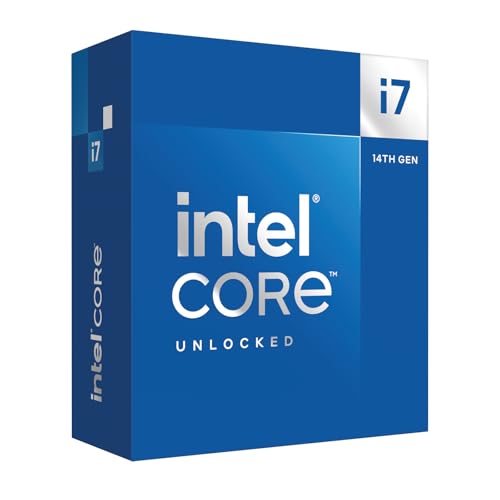
- Objective before-and-after comparisons. If you overclock a 20-core unlocked CPU like the Intel Core i7-14700K (a 125W base / 253W max turbo part), a repeatable benchmark score tells you whether your tuning gained 3% or 12% — versus just guessing from how a game “feels.”
- Verifying you got what you paid for. A new build should hit expected frame rates. A benchmark confirms your hardware performs in line with similar systems, which helps catch a misconfigured BIOS, a GPU running in the wrong PCIe slot, or a storage drive not hitting spec.
- Stress testing for stability. Sustained load tests can surface cooling problems or unstable memory timings before they crash you mid-raid.
- Resale documentation. If you sell components later, a benchmark score is credible evidence the part works properly.
- Troubleshooting leverage. When posting on forums for help, a score plus hardware details gets you useful answers far faster than “my PC feels slow.”
Cons
- You’ll likely use it a handful of times. Most people run one benchmark the week they build, then never again. That’s a poor return on a $30–$60 license.
- Synthetic scores don’t equal gaming performance. A strong rendering score tells you little about your actual frame rate in the specific games you play.
- Learning curve. Interpreting scores, frame time graphs, and 1% lows takes some reading. Raw numbers without context can mislead you into pointless upgrades.
- Free alternatives cover most needs. Game benchmarks, free versions of popular suites, and free monitoring overlays deliver 90% of the value at zero cost.
- Licenses and updates. Some paid suites charge for major version updates, adding cost over time.
Who Should Buy It
- Overclockers and tuners. If you’re adjusting ring ratios, memory timings, or GPU curves on an unlocked processor, repeatable scores are the only way to measure your progress. This is the “yes” condition from the short answer.
- PC builders who validate systems for others. If friends pay you to build or you sell refurbished rigs, documented scores are part of the service.
- Content creators who need reproducible test setups. If you review hardware or write comparisons, consistent methodology is non-negotiable.
- Perfectionists chasing a specific bottleneck. If you suspect your build underperforms and free tools haven’t pinpointed why, a paid suite’s deeper diagnostics can help.
Who Should Skip It
- First-time builders running stock settings. Buy your parts, update your drivers, and use free tools. Check that a fast PCIe 4.0 NVMe drive like the KingSpec XG7000 1TB (rated 7,400 MB/s read, standard M.2 2280 form factor) shows up correctly in your BIOS, confirm your RAM is running at its rated speed, and you’ve done the real validation work.
- Players who judge by frame rate alone. A free FPS overlay in your favorite game is a more honest benchmark than any synthetic test.
- Anyone upgrading on a budget. If you have $170 set aside, that’s a full terabyte of fast storage or a meaningful chunk of a better GPU — not a benchmark license.
Cheaper Alternatives
| Option | Cost | Trade-off |
|---|---|---|
| Free monitoring overlay (FPS, temps, clock speeds on-screen) | Free | No standardized score, but shows everything that matters during real gameplay |
| Game-integrated benchmarks | Free (built into many titles) | Results vary by game and settings; no single universal number |
| Free/basic tiers of popular benchmark suites | Free | Limited test scenes and fewer detailed diagnostics than paid versions |
| Community score databases | Free | You rely on other users’ submissions instead of controlling test conditions |
| Windows Task Manager and built-in reliability tools | Free | Very basic — fine for spotting a dead component, useless for performance tuning |
FAQ
Is free benchmarking software good enough for a new gaming PC?
For most people, yes. Free tools can measure frame rates, monitor temperatures, and run basic stress tests. The only meaningful gap is standardized, repeatable scoring for overclocking comparisons — and if you’re not overclocking, that gap doesn’t affect you.
Does benchmarking software improve gaming performance?
No. It only measures performance; it doesn’t change it. The exception is indirect: benchmark results can guide you toward settings changes (like enabling XMP memory profiles or fixing a cooling issue) that do improve performance.
Can benchmarking damage my new PC?
Sustained stress tests push components to their thermal and power limits — a modern CPU at full load can draw over 250 watts — but healthy hardware with working cooling handles this safely. The genuine risk is running stress tests on a system with a badly seated cooler or inadequate case airflow, which is why checking temperatures early in a new build is smart regardless.
How long should I wait before benchmarking a new build?
Run a basic check the first day: confirm all components are detected, drivers are installed, and temperatures look sane under load. Don’t stress about formal scores until you’ve updated your BIOS and GPU drivers and played a few games — a build that’s been stable for a week or two is a fair test subject. By 2026 standards, any modern gaming PC should complete a standard benchmark without issue, so treat a crash as a troubleshooting signal, not a normal result.
Related guides
- Best Gaming PC for Overwatch 2: Ten Prebuilts Matched to Your Monitor (2026)
- Best Gaming PC for Baldur’s Gate 3: Matching CPU, VRAM and Storage to the Game (2026)
- Best Gaming PC for Apex Legends: Which Listings Fit a High-Refresh Setup (2026)
- Best RTX 3060 Gaming PCs: Eight Prebuilt Listings Compared by CPU, RAM and Cooling (2026)









