
There is a moment every competitive gamer and cinephile knows: you spend real money on a premium GPU, load into a dark corridor, and then discover your monitor’s backlight glow is washing the shadows into gray mud. That is the exact problem a 27-inch 1440p OLED monitor solves. The panel emits its own light pixel by pixel, so true black is simply the pixel turning off. On a desk, where you sit two to three feet from the screen, 27 inches at 2560×1440 hits a pixel density sweet spot around 109 pixels per inch — sharp enough that you never think about pixels, and light enough on your GPU that high refresh rates are actually attainable.
The catch is that the OLED monitor market has matured fast, and prices have dropped sharply. Screens that cost four figures a few years ago now cluster between $310 and $700, with third-generation QD-OLED panels pushing 240Hz — and in one case 480Hz — as standard. We compared and ranked the eight strongest options for this year’s buyers, focused on gaming performance, image quality, ergonomics, and value. If your desk is your battlefield, this list will get you to the right panel without the guesswork.
As an Amazon Associate we earn from qualifying purchases at no extra cost to you.


Our Top Picks
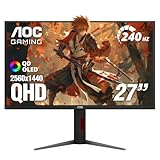
 AOC 27" Gaming Monitor QHD 240Hz QD OLED27" 240Hz Height Adjustable9.45 x 23.99 x 21.17 InchesCheck on Amazon
 msi MAG 274QP QD-OLED X24 27-Inch WQHD Gaming14" x 24" x 2.6"23.9 x 9.5 x 16.8 inches20.7 poundsCheck on Amazon
 ASUS ROG XG27AQDMGR 27 Inch 1440p 240Hz Glossy14.5" x 23.8" x 2.5"7.4 x 23.8 x 19.7 Inches14.6 poundsCheck on Amazon


Top 3 picks at a glance
Quick Picks
| Product | Best for | Price |
|---|---|---|
| AOC Q27GAZDV QD-OLED | Best overall value | Check on Amazon |
| LG 27GX704A-B UltraGear | Best brand reliability and connectivity | Check on Amazon |
| MSI MAG 274QP QD-OLED X24 | Best ergonomics for the price | Check on Amazon |
| AOC Q27GAZD QD-OLED | Best budget alternative from a proven panel | Check on Amazon |
| ASUS ROG XG27AQDMGR | Best glossy-coat image quality | Check on Amazon |
| Samsung Odyssey OLED G6 (G61SH) | Best Samsung ecosystem pick | Check on Amazon |
| ASUS ROG PG27AQDP | Best for esports at 480Hz | $699 |
| AOC Agon Pro AG276QZD2 | Best enthusiast-tier QD-OLED value | Check on Amazon |
How We Compared
We narrowed the field to 27-inch panels with 2560×1440 native resolution, since that combination is the sweet spot for desk gaming. Every candidate on this list runs at least 240Hz with a 0.03ms gray-to-gray response, which is effectively instantaneous — the practical difference is in how the panel handles motion blur and how the monitor’s firmware processes the signal. We also prioritized OLED and QD-OLED specifically over LCD-based HDR, because pixel-level contrast is the single biggest visible upgrade you can buy at this size.
Beyond raw specs, we weighed build quality, stand ergonomics, port selection, and warranty terms, since OLED panels carry a different burn-in risk profile than LCD and you want a manufacturer that stands behind the screen. Pricing was checked across major retailers, and we favored monitors that hit aggressive price points without cutting corners on inputs like HDMI 2.1 or DisplayPort 1.4a. Finally, we considered who each monitor actually serves: the esports competitor, the single-player immersion seeker, and the person who wants one screen for both work and play.
The 8 Best Picks
1. AOC 27″ Gaming Monitor QHD 240Hz QD-OLED Q27GAZDV — around $310
This is the price-shock pick of the entire list. A QD-OLED panel at 240Hz for just over three hundred dollars would have been unthinkable not long ago, and AOC has not gutted the essentials to hit it: you still get G-SYNC Compatible adaptive sync, near-instant 0.03ms response, and the rich, saturated color that quantum dot layering brings to OLED. For anyone upgrading from a mid-range LCD, the contrast jump alone will feel like a hardware overhaul.
- Pro: Aggressive price for a 240Hz QD-OLED panel, undercutting most of the field by $40 to $290
- Pro: NVIDIA G-SYNC Compatible and instant response make it a clean pairing for high-frame-rate rigs
- Con: AOC’s default warranty and burn-in coverage terms are more limited than some premium rivals
Skippers: competitive players who need 480Hz, or buyers who want maximum warranty peace of mind — step up to the ASUS or Samsung options.
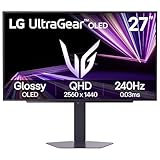
2. LG 27GX704A-B UltraGear — around $400
LG’s UltraGear line has long been the safe-hands choice, and the 27GX704A-B continues that tradition with a 240Hz OLED panel, HDMI 2.1, and DisplayPort, plus VESA DisplayHDR True Black 400 certification for HDR content. Dual-format adaptive sync — NVIDIA G-SYNC Compatible and AMD FreeSync Premium Pro — means it plays nicely with any GPU brand. If you split time between a console and a PC, the HDMI 2.1 ports make this one of the most flexible picks here.
- Pro: Both G-SYNC Compatible and FreeSync Premium Pro support, so any GPU pairing works
- Pro: HDMI 2.1 plus DisplayPort covers modern consoles and PCs without dongle gymnastics
- Con: At around $400 it costs $90 more than the AOC Q27GAZDV for broadly similar panel performance
Skippers: budget-focused buyers who will never use the extra HDMI 2.1 bandwidth or HDR certification — the cheaper AOC options deliver most of the experience.
3. MSI MAG 274QP QD-OLED X24 — around $350
The MAG 274QP stands out for ergonomics, which most budget OLEDs quietly drop. You get tilt and height adjustment on a proper stand, meaning you can align the panel with a dual-monitor setup or a seated posture without buying an aftermarket arm. The 2560×1440 quantum dot OLED panel runs 240Hz with 0.03ms response, HDMI 2.1, and DisplayPort 1.4a, so the core spec sheet matches monitors costing $100 more.
- Pro: Height- and tilt-adjustable stand is rare at this price and saves the cost of a VESA arm
- Pro: Full 240Hz QD-OLED core specs with both HDMI 2.1 and DisplayPort 1.4a
- Con: MSI’s design language is more understated than ASUS or Samsung, with fewer gamer-centric flourishes
Skippers: buyers who prioritize a flashy aesthetic or want the absolute lowest price — the AOC Q27GAZDV undercuts it by $40.
4. AOC 27″ Gaming Monitor QHD 240Hz QD-OLED Q27GAZD — around $330
The Q27GAZD is the sibling to our top value pick, sitting twenty dollars higher with a slightly different feature configuration. You get the same core formula — a 27-inch QHD quantum dot OLED panel running 240Hz with G-SYNC Compatible adaptive sync — which makes this a strong fallback if the Q27GAZDV is out of stock, a common problem with aggressively priced AOC monitors. In practice, both deliver the same jaw-dropping contrast and near-zero motion blur.
- Pro: QD-OLED contrast and 240Hz refresh at a price only $20 above the cheapest pick here
- Pro: G-SYNC Compatible support for tear-free high-frame-rate gaming
- Con: Less distinct identity than the Q27GAZDV, so check current availability before committing
Skippers: buyers who want a premium stand or extensive HDR feature set — this is a performance-first panel that keeps costs down elsewhere.
5. ASUS ROG XG27AQDMGR — around $570
ASUS leans into what makes OLED genuinely special with the XG27AQDMGR: a glossy OLED coating. Most monitors apply a matte anti-glare layer that scatters light and softens highlights; this panel leaves colors looking more direct and vivid, especially in dark rooms where OLED belongs. You get a 27-inch 1440p panel at 240Hz with HDR support and ASUS’s typically polished ROG build quality. The price premium over the AOC and MSI options is real, but the image quality argument is equally real.
- Pro: Glossy OLED finish delivers more vivid, film-like contrast than matte-coated competitors
- Pro: ROG build quality and firmware polish, with reliable HDR handling
- Con: At around $570 it costs roughly $220 more than the cheapest QD-OLED here for similar refresh rates
Skippers: bright-room users and value hunters — the glossy finish loves a dark, controlled space, and cheaper options get you 90 percent of the performance.
6. Samsung 27″ Odyssey OLED G6 (G61SH) — around $450
Samsung makes the QD-OLED panels inside several competitors on this list, and the Odyssey OLED G6 G61SH is its own take on the formula: a 27-inch QHD display with Samsung’s tuned quantum dot layer, high refresh rate, and the Odyssey design language with aggressive curves and RGB accents. If you already own Samsung devices, the ecosystem fit is a quiet bonus. The mid-list price reflects a premium panel with a premium brand behind it.
- Pro: Samsung’s own QD-OLED panel tuning, backed by one of the largest display manufacturers in the world
- Pro: Distinctive Odyssey design and build that stands out on any desk
- Con: around $450 buys similar panel performance from MSI or AOC for $100 to $140 less
Skippers: buyers who view the monitor purely as a spec sheet — you are partly paying for design and brand here.
7. ASUS ROG PG27AQDP — $699
The PG27AQDP is the specialist tool on this list, and the only one pushing 480Hz. That is double the refresh rate of every other panel here, and for Counter-Strike, Valorant, or Overwatch competitors running top-tier GPUs, the motion clarity difference is genuine. The OLED panel keeps the contrast and response advantages of the rest of this list while adding an esports-grade refresh ceiling and ASUS’s Swiftness-grade ROG build. This is a niche pick, but for that niche it is the benchmark.
- Pro: 480Hz refresh rate, twice the ceiling of every other pick here, for maximum competitive motion clarity
- Pro: Premium ROG build and OLED contrast in a single package
- Con: $699 is more than double the entry price on this list, and 480Hz demands serious GPU headroom
Skippers: anyone not playing competitively at a high level — the $310 to $450 options deliver a virtually identical experience for casual and single-player gaming.
8. AOC Agon Pro AG276QZD2 — around $350
The Agon Pro line is AOC’s enthusiast tier, and the AG276QZD2 brings a 240Hz QD-OLED panel with 0.03ms response to a price point that undercuts most premium branding. You get the deep contrast and color saturation QD-OLED is known for, plus a design language aimed at serious gamers rather than general users. It is a well-rounded alternative to the MSI at the same price, with the Agon branding carrying slightly more cachet in enthusiast circles.
- Pro: 240Hz QD-OLED at around $350 matches the MSI on price while competing with pricier rivals on panel quality
- Pro: Agon Pro positioning brings enthusiast-focused design and feature tuning
- Con: AOC’s brand warranty support is less established than LG, Samsung, or ASUS
Skippers: buyers who value long-term manufacturer support over raw value — the LG 27GX704A-B is the safer long-term bet.
Buying Guide
Resolution and Size: Why 27 Inches at 1440p Works
At 27 inches, 2560×1440 delivers roughly 109 pixels per inch, the point where text is crisp and game worlds look dense without a GPU-crushing pixel count. Jump to 32 inches at the same resolution and you start seeing pixel structure at typical desk distances. Go 4K at 27 inches and you pay double the price while halving your frame rate. For most desks and most GPUs, 1440p at 27 inches remains the rational choice, and every monitor on this list hits that mark.
Refresh Rate and Response: Matching Your Monitor to Your GPU
Every panel here runs at least 240Hz with 0.03ms response, which sounds like overkill until you remember that refresh rate is only half the equation. To actually see 240 frames per second, your GPU must render them, so pair a 240Hz OLED with a card that can push 200-plus frames in your games of choice. Competitive players with flagship GPUs should consider the 480Hz ASUS PG27AQDP, but for everyone else, 240Hz paired with adaptive sync — G-SYNC Compatible or FreeSync — delivers buttery motion without tearing.
Panel Care and Burn-In: Getting the Most From OLED
OLED panels can retain static images if you display the same content for hundreds of hours, so a few habits go a long way. Enable the monitor’s built-in pixel-shift or screen-saver features, set your OS to sleep the display after ten minutes of inactivity, and avoid leaving HUD-heavy games paused on screen overnight. Most manufacturers now offer burn-in coverage on OLED monitors, but terms vary — check the specific warranty before purchase, and rotate your desktop wallpaper occasionally. Treated well, a QD-OLED panel will look stunning for years.
Our Verdict
If you want the most monitor for your money, the AOC Q27GAZDV at around $310 is the clear pick, delivering 240Hz QD-OLED performance that rivals screens costing twice as much. The MSI MAG 274QP at around $350 is the smarter buy if you need a proper height-adjustable stand, and the LG 27GX704A-B earns its around $400 price with superior connectivity and dual-brand adaptive sync. For image quality purists, the glossy ASUS ROG XG27AQDMGR justifies its premium in dark rooms. And if your life is competitive shooters, the ASUS ROG PG27AQDP’s 480Hz panel is in a class of one — at $699, it costs more than every other pick combined to justify, but for the right buyer, nothing else compares. Whichever you choose, the jump to OLED will be the most visible upgrade your desk has seen in years.
FAQ
Is a 1440p OLED monitor good for productivity work?
Yes, with a caveat. The 109 pixels-per-inch density at 27 inches makes text crisp, and deep contrast reduces eye strain in dark-themed applications. The caveat is burn-in risk from static elements like taskbars and spreadsheets over long workdays. If your monitor doubles as an eight-hour office screen, use dark mode, enable pixel-shift features, and power the display down when idle.
Do I need HDMI 2.1 for a 240Hz monitor?
For a PC, no — DisplayPort 1.4a on monitors like the MSI MAG 274QP handles 1440p at 240Hz with room to spare. HDMI 2.1 matters if you connect modern consoles, which use HDMI exclusively. The LG 27GX704A-B and MSI both include HDMI 2.1, making them the safest picks for mixed PC-and-console setups.
How long do OLED gaming monitors last?
Modern QD-OLED panels are rated for tens of thousands of hours to half brightness — comparable to LCD backlights in practical terms. Burn-in, not panel failure, is the realistic concern, and it develops over thousands of hours of static content. With varied content, screensavers, and reasonable care, most buyers will replace the monitor for performance reasons long before the panel degrades.
Is 480Hz worth the extra money over 240Hz?
For almost everyone, no. The difference between 240Hz and 480Hz is real but subtle, and you only benefit if your GPU can push 400-plus frames per second — which in most games requires flagship hardware and lowered settings. The ASUS PG27AQDP makes sense for dedicated esports competitors. For single-player, cinematic, or casual gaming, a 240Hz panel is indistinguishable in practice and costs $350 to $460.
Related guides
- Best Gaming PC for Overwatch 2: Ten Prebuilts Matched to Your Monitor (2026)
- Best Gaming PC for Baldur’s Gate 3: Matching CPU, VRAM and Storage to the Game (2026)
- Best Gaming PC for Apex Legends: Which Listings Fit a High-Refresh Setup (2026)
- Best RTX 3060 Gaming PCs: Eight Prebuilt Listings Compared by CPU, RAM and Cooling (2026)









