A router for voice calls over the internet has a different job from a router chosen for streaming speed. Voice traffic is tiny, but it is unforgiving: a few hundred milliseconds of delay or a burst of dropped packets turns a clear call into choppy robot speech. The decision behind this keyword is therefore less about the biggest bandwidth number and more about stability, traffic prioritization, and whether your phones are IP desk phones, softphone apps, or old analog handsets that need an adapter.
This guide is for small offices, home-based workers on softphone apps, and households that kept a landline-style phone but moved to a VoIP provider. It mixes three kinds of hardware: business-style wired routers, consumer Wi-Fi routers, and Grandstream gateways that bridge analog phones to SIP service. The notes rely on the listed specs in each title, and none of the titles state voice-specific features such as call prioritization, so confirm those on the full spec sheet. Heading into 2026, Wi-Fi 7 is available, but wired stability still matters more than wireless headline speeds for calls.
Our Top Picks




Top 3 picks at a glance

Quick Picks
As an Amazon Associate we earn from qualifying purchases at no extra cost to you.





| Product | Best for | Key spec from the title |
|---|---|---|
| TP-Link ER605 | Small office with two internet lines | Up to 3 WAN ports plus USB WAN, load balance |
| TP-Link Archer AX21 | Home softphone users | AX1800 Wi-Fi 6, gigabit ports, EasyMesh |
| Grandstream HT814 | Connecting analog phones | 4 FXS ports, NAT router, 2 SIP profiles |
| NETGEAR Nighthawk R6700AX | Apartment-size coverage | Wi-Fi 6, 1.8Gbps, 4 gigabit ports |
| TP-Link Archer BE230 | Busy homes with wired gear | Wi-Fi 7, 2×2.5G plus 3x1G ports |
| Grandstream HT818 | Offices with many analog lines | 8-port FXS, gigabit NAT router |
| GL.iNet Opal | Travelers using hotel Wi-Fi | AC1200, OpenWrt, WireGuard and OpenVPN |
| TP-Link BE400 | Large homes with many devices | Wi-Fi 7, dual 2.5Gbps ports, 90 devices |
How to Choose
Look for traffic prioritization and a firewall you can tune
The single feature that most affects call quality is quality of service, a setting that puts voice packets ahead of downloads. Business routers like the ER605, which lists an SPI firewall and load balancing, are built around this kind of control. A feature called SIP ALG can also interfere with calls on some networks, so you want a router that lets you switch it off. None of these appear in the listing text, so check the spec sheet or manual before you buy.
Decide between wired and wireless calling
Desk phones should plug into Ethernet, and for them the number of gigabit ports matters more than any Wi-Fi standard. The NETGEAR R6700AX lists four gigabit ports, and the Archer BE230 offers 2.5G and 1G ports together. If your calls run on a laptop or phone app over Wi-Fi, look for dual-band operation so you can park voice devices on the less crowded 5GHz band.
Understand what an analog gateway does
The Grandstream HT814 and HT818 are not typical routers. They use FXS ports to connect ordinary analog phones to a SIP voice service, and they include NAT router functions. The HT814 lists four FXS ports and two SIP profiles; the HT818 lists eight ports and a gigabit router. They are useful if you own analog phones or a fax machine, but they will not give you Wi-Fi.
Ignore the biggest speed number and watch the extras
Voice needs very little bandwidth, so a Wi-Fi 7 label does not improve calls by itself. Budget models often cut corners on firmware updates, QoS controls, and port counts rather than on headline speed. If you work remotely, VPN support listed in the title, as on the ER605, BE230, and GL.iNet Opal, is a practical extra.
The 8 Best Options
TP-Link ER605
A wired gigabit VPN router with up to three WAN Ethernet ports plus a USB WAN, an SPI firewall, load balancing, and Omada SDN integration. It fits a small office that runs two internet connections so calls keep going if one fails.
- Strength: multiple WAN ports and load balancing give failover options for voice.
- Strength: an SPI firewall and VPN support suit a business setup.
- Trade-off: it is wired only, so you need a separate access point for Wi-Fi.
Skip it if you want a single device that also provides wireless coverage. Anyone who is not comfortable with router settings may find its business-style interface more than they need. The Omada SDN mention also means it can be managed centrally alongside other compatible gear, which is a plus for offices that plan to grow but unnecessary for a single home line.
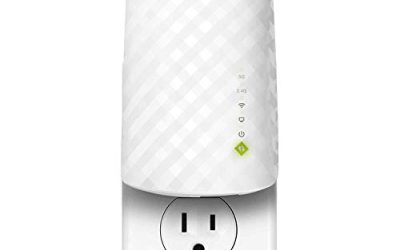
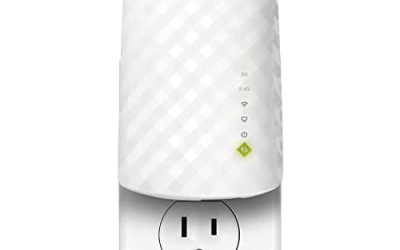
TP-Link Archer AX21
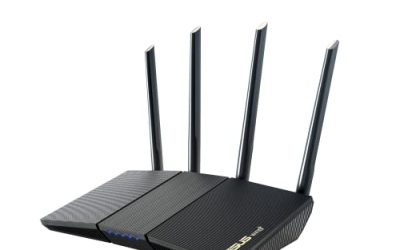
An AX1800 Wi-Fi 6 dual-band router with gigabit ports, EasyMesh, and Alexa support. It is a sound pick for a home worker whose calls run through a softphone on a laptop.
- Strength: Wi-Fi 6 on dual bands lets calls ride the 5GHz band.
- Strength: EasyMesh allows you to expand coverage later.
- Trade-off: the title does not describe voice-specific controls.
Skip it if you need multiple WAN ports or a business-grade firewall, or if you want to connect analog phones directly. It is a mainstream home router first, so treat any voice benefit as indirect: a stable, uncongested wireless network rather than purpose-built telephony features.
Grandstream HT814
A four-port FXS voice gateway with a NAT router, AES security, and two SIP profiles. It is meant for offices that want to keep analog phones while moving to SIP service.
- Strength: four FXS ports connect multiple analog handsets.
- Strength: two SIP profiles allow separate accounts or providers.
- Trade-off: it has no Wi-Fi, so it works alongside a normal router rather than replacing one.
Skip it if you use only softphones or IP desk phones, since you would not use the analog ports at all. Check your voice provider’s compatibility notes too, because gateways like this are configured with the provider’s SIP details and work best when the provider supports standard SIP registration.
NETGEAR Nighthawk R6700AX
A Wi-Fi 6 router listed at 1.8Gbps, with four gigabit ports, dual-band operation, and coverage for up to 1,500 square feet and 20 devices. It suits an apartment or small home where calls and streaming share the connection.
- Strength: four gigabit ports are enough for a desk phone, PC, and other wired gear.
- Strength: easy setup for a household that wants simplicity.
- Trade-off: the 1,500 square foot figure suggests it is not for large homes.
Skip it if you need Wi-Fi 7, 2.5G ports, or more than about twenty connected devices. If your plan runs at very high speeds, the gigabit-only ports may also become the limit, which is worth weighing against the 2.5G models in this list.
TP-Link Archer BE230
A dual-band Wi-Fi 7 router with 4-stream support, two 2.5G ports plus three 1G ports, USB 3.0, a 2.0GHz quad-core processor, VPN, EasyMesh, and HomeShield. It fits a busy home with wired phones, computers, and a fast internet plan.
- Strength: a quad-core processor and 2.5G ports provide headroom for many devices.
- Strength: mixed port speeds support both fast and ordinary wired gear.
- Trade-off: Wi-Fi 7 features add cost that a calls-only user may not benefit from.
Skip it if your needs are modest and a simpler Wi-Fi 6 model would cover them. The extra processing power is most useful when many people stream, game, and call at once, rather than for any single phone line.
Grandstream HT818
An eight-port FXS gateway with a gigabit NAT router. It is the larger sibling of the HT814 for offices that have many analog lines or extensions to bring onto SIP.
- Strength: eight FXS ports cover a lot of analog phones.
- Strength: a gigabit NAT router is built in.
- Trade-off: like the HT814, it provides no wireless networking.
Skip it if you only have one or two analog phones, because the four-port model would be enough. It also helps to count your lines before choosing, including any fax machine or alarm panel that shares the analog circuit.
GL.iNet Opal
A compact AC1200 dual-band travel router with three gigabit ports, OpenWrt, OpenVPN, and WireGuard, plus support for more than thirty VPN services. It suits travelers who make calls from hotel Wi-Fi and want to keep traffic inside a VPN.
- Strength: small, flexible, and VPN-ready for use away from home.
- Strength: OpenWrt lets advanced users tune settings.
- Trade-off: it is an older AC1200 design, not Wi-Fi 6 or 7.
Skip it if you want a primary home or office router, since it is aimed at portable use. Its three gigabit ports and compact size make it handy for a hotel desk with a single wired phone and a laptop, but not for serving a whole building.
TP-Link BE400
A dual-band Wi-Fi 7 router with BE6500 speeds, two 2.5Gbps ports, USB 3.0, coverage for up to 2,400 square feet, support for 90 devices, a quad-core CPU, and HomeShield. It targets large homes where many people are on calls and streams at once.
- Strength: 90-device capacity and larger coverage handle busy households.
- Strength: dual 2.5Gbps ports give fast wired options.
- Trade-off: it costs more and offers more than a voice-only setup needs.
Skip it if you just need a reliable router for a couple of phones. A smaller home or office will not use the coverage area and device count it advertises, so the extra capability would sit idle.
Which One Fits Your Situation
You run a small office with two internet connections
The TP-Link ER605 lets you use multiple WAN ports and load balancing. Add a separate access point for Wi-Fi.
You still use analog phones
The Grandstream HT814 handles up to four handsets, and the HT818 scales to eight. Pair either with your existing router.
You call from a laptop at home
The TP-Link Archer AX21 or the NETGEAR Nighthawk R6700AX gives you Wi-Fi 6 with enough gigabit ports. Choose the NETGEAR if you need more wired ports, and the TP-Link if you may add mesh coverage later.
You travel and rely on public Wi-Fi
The GL.iNet Opal packs VPN options into a small body so your calls travel through a private tunnel.
Common Mistakes
- Buying on Wi-Fi speed alone and ignoring whether the router supports traffic prioritization.
- Assuming a Grandstream gateway replaces a router with Wi-Fi when it only bridges analog phones.
- Leaving SIP ALG enabled when it disrupts calls on your network.
- Putting desk phones on Wi-Fi instead of wiring them to a gigabit port.
- Overspending on Wi-Fi 7 hardware for a household that mostly makes voice calls.
Related guides
- Windows Macos Linux Gaming Performance Comparison Strengths Weaknesses
- Desktop Operating Systems Gaming Performance Strengths Weaknesses
- 5G Home Internet Wifi Modem Settings Low Latency Gaming
Frequently Asked Questions
Do I need a special router for VoIP?
Not strictly, but a router with good QoS controls and stable firmware helps. Most modern routers work, though cheap models may mishandle voice traffic. A wired connection is the biggest single improvement.
What is an FXS port?
It is the jack that lets an ordinary analog phone connect to a VoIP service through an adapter. The Grandstream models listed here include these ports. They do not provide Wi-Fi.
Is Wi-Fi 7 better for calls?
Not by itself. Voice uses little bandwidth, so stability and prioritization matter more than raw speed. Wi-Fi 7 helps when many devices compete for airtime.
Should I use a VPN for VoIP calls?
It can add privacy on public networks, though it may add delay. Routers like the ER605, BE230, and GL.iNet Opal list VPN support. Compare call quality with and without it, and switch it off for the phones that sound worse.