
A student laptop with a touch screen has to survive a very specific week: a backpack on the bus, a lecture hall with a tiny fold-down desk, a library table shared with three other people, and a dorm room where it doubles as the entertainment system. Touch earns its place when you annotate PDFs, sign forms, scroll long readings, or flip a convertible into a slate for note taking. It is a poor use of money if the processor, memory, and storage underneath are too thin to keep up once the semester gets busy.
This guide is for high school, college, and graduate students and the parents buying for them, with a focus on specs that still make sense in 2026: 8GB of RAM on Windows, an SSD, Wi-Fi that copes with campus networks, and a screen big enough for split windows. Each pick below is judged only on the details printed in its listing, so read the trade-offs as prompts for what to verify before you buy.
Our Top Picks
 Tylvx 15.6" 2-in-1 Laptop/Tablet16GB+512SSD Laptop14.14 x 9.8 x 0.89 inches3.59 poundsCheck on Amazon
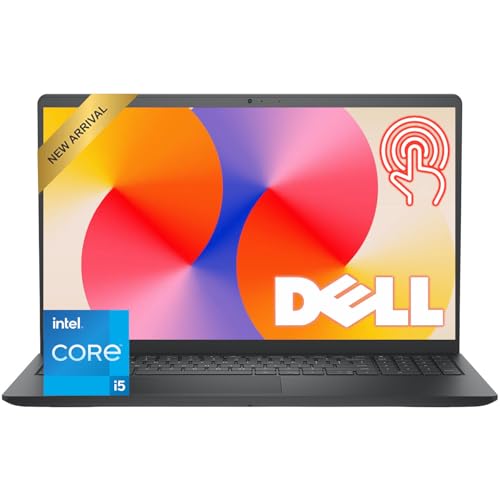 Dell 15.6" FHD Touchscreen Laptop8GB RAM | 512GB PCIe SSD14.11 x 9.28 x 0.75 inches3.65 PoundsCheck on Amazon


Top 3 picks at a glance
Quick Picks
As an Amazon Associate we earn from qualifying purchases at no extra cost to you.






| Product | Best for | Key spec from the title |
|---|---|---|
| HP 15.6-inch Ryzen 3 7320U | General coursework on a sensible budget | HD touchscreen, 8GB RAM, 256GB SSD |
| Tylvx 15.6-inch 2-in-1 | Note taking in tablet mode | 360-degree flip FHD touchscreen, 16GB RAM, 512GB SSD |
| Dell 15.6-inch Touchscreen (i5-1334U) | Business and study crossover | 13th Gen Core i5-1334U, 512GB PCIe SSD, HDMI |
| HP OmniBook 3 16 | Reading and writing on a larger screen | 16-inch 2K touchscreen, 512GB SSD |
| Lenovo Flagship Chromebook 14 | Web-based classes and cloud documents | 14-inch FHD touchscreen, 4GB RAM, Wi-Fi 6 |
| Dell 11-inch Convertible | Lightweight carry between classes | 11-inch IPS touchscreen convertible, 8GB RAM |
How to Choose
Match the operating system to your coursework
Before comparing specs, check what your school requires. Engineering, design, and statistics courses often depend on Windows-only programs, while writing, humanities, and many business programs run fine in a browser, which opens the door to a Chromebook. Some listings ship in Windows S mode, which only installs apps from the store; that is fine for casual use but can block specialized course software, so confirm before you commit. If the school provides a software list or a lab image, treat it as the final word and match your laptop to it rather than to a general rule of thumb.
Memory, storage, and processor floors
Aim for 8GB of RAM on Windows, because a browser with a dozen tabs, a video call, and a note app can consume it quickly. Storage should be an SSD of at least 256GB; 128GB leaves little room for updates and semester files. Ryzen 3, Core i3, and Core i5 chips handle coursework comfortably. Ignore the exact gigahertz numbers and look for the model name instead. A newer mid-range chip will usually feel quicker in daily use than an older chip that advertises a bigger number, and it tends to sip less power, which helps when you cannot find an outlet in a lecture hall.
Screen size, resolution, and portability
A 15.6-inch screen is comfortable for split windows but heavier to carry; a 14-inch or 11-inch model is easier on the shoulders. Full HD or better makes reading long PDFs less tiring than HD. If you plan to write by hand or annotate, a convertible that folds flat is more natural than a clamshell, though you should confirm stylus support separately since the listing may not mention it. Brightness matters too: a dim panel is hard to read near a window, and the listings here rarely state it, so lean on resolution and panel type as your clues.
Ports, connectivity, and what to skip
Wi-Fi 6 helps in crowded dorms and lecture halls, where dozens of devices compete for the same access points, and HDMI makes presenting or hooking up to a dorm monitor painless. A webcam is nearly mandatory for remote classes. Skip paying extra for cosmetic colors, inflated year labels, or bundled software you will not use, and remember that budget models often trade away brightness and keyboard quality to hit their tier. A modest premium for a better keyboard is usually money well spent, because a student types more than anything else.
The 6 Best Options
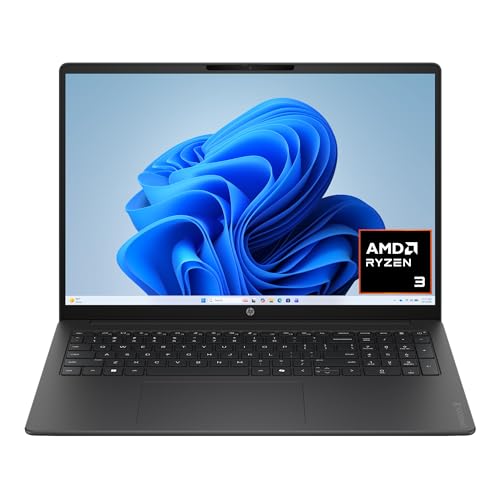
HP 15.6-inch Ryzen 3 7320U
A 15.6-inch HD touchscreen laptop with an AMD Ryzen 3 7320U, 8GB of RAM, a 256GB SSD, and Radeon graphics on Windows 11 Home. It is the no-fuss option for a student who mostly writes papers, joins video classes, and streams.
- Strength: 8GB of RAM and an SSD cover the practical floor for coursework.
- Strength: the 15.6-inch size gives room for side-by-side windows.
- Trade-off: HD resolution looks softer than FHD, and 256GB fills up over several semesters.
Skip it if you want a sharper screen for long reading sessions or a laptop that doubles as a tablet. Students who expect to keep the machine through a full degree should also weigh the modest storage against how many files they accumulate.
Tylvx 15.6-inch 2-in-1
This convertible pairs a 15.6-inch FHD touchscreen on a 360-degree hinge with an Intel Core m3-8100Y, 16GB of RAM, and a 512GB SSD. It appeals to students who annotate readings and want one device for typing and handwriting-style note taking.
- Strength: 16GB of RAM and 512GB of storage exceed what most student laptops list.
- Strength: the flip design supports tent and tablet modes for lecture notes.
- Trade-off: the Core m3 chip is a low-power part, so heavy software will feel slow.
Skip it if you plan to run demanding engineering or video-editing programs, or if you want a lighter tablet-style device. A 15.6-inch convertible is never going to be as easy to hold as a smaller slate.
Dell 15.6-inch Touchscreen (i5-1334U)
A 15.6-inch FHD touchscreen laptop with a 13th Gen Intel Core i5-1334U, 8GB of RAM, a 512GB PCIe SSD, Wi-Fi 6, a 1080p webcam, and HDMI. It fits students who need a machine that can also handle internships or part-time office work.
- Strength: a Core i5 and a large SSD give the most balanced performance of the Windows picks.
- Strength: HDMI and a 1080p webcam suit presentations and online classes.
- Trade-off: 8GB of RAM is fine now but offers less headroom than the 16GB convertible.
Skip it if you need a small laptop that slips easily into a crowded bag. It also lacks the fold-flat hinge, so note takers who want a tablet posture should look at the convertibles instead.
HP OmniBook 3 16
A 16-inch 2K touchscreen laptop with an AMD Ryzen 3 processor, 8GB of RAM, a 512GB SSD, and Radeon 610M graphics. It is suited to reading-heavy majors where a taller, sharper display reduces scrolling.
- Strength: the 2K panel renders text and diagrams more crisply than HD screens.
- Strength: 512GB of storage leaves breathing room for several years of files.
- Trade-off: a 16-inch body is bulky for students who walk between buildings all day.
Skip it if portability matters more than screen area, or if you need strong graphics for design courses. The integrated Radeon graphics are meant for everyday visuals rather than rendering or modeling work.
Lenovo Flagship Chromebook 14
A 14-inch FHD touchscreen Chromebook with an 8-core MediaTek Kompanio 520, 4GB of RAM, 64GB of eMMC, and Wi-Fi 6. It targets students whose work lives in browser tools and cloud documents.
- Strength: Chrome OS is simple, quick to start, and easy for younger students to manage.
- Strength: an FHD touchscreen at 14 inches balances sharpness and carry weight.
- Trade-off: 4GB of RAM and 64GB of storage limit heavy tab use and local files.
Skip it if your courses require Windows-only applications. Students who like to keep large lecture recordings or datasets on the device will also run out of room quickly.
Dell 11-inch Convertible
An 11-inch IPS touchscreen convertible with an Intel Pentium processor, 8GB of RAM, a 128GB SSD, and Wi-Fi 6. It targets students who prize the smallest, lightest footprint for note taking between classes.
- Strength: the compact convertible body is easy to carry and use on a small desk.
- Strength: 8GB of RAM and an SSD are solid for the size.
- Trade-off: a Pentium processor and a small screen are best for light tasks and short sessions.
Skip it if you write long papers or need several windows visible at once; the small keyboard and display wear on you over a long study session.
Which One Fits Your Situation
You take handwritten-style notes and read PDFs
The Tylvx 2-in-1 is the clearest match, thanks to the 360-degree hinge, FHD panel, and 16GB of RAM. Add a stylus if your course platform supports one, and confirm compatibility first, since the listing itself does not mention a pen.
You want one Windows laptop that lasts through graduation
The Dell 15.6-inch with the Core i5 and 512GB SSD gives the most balanced platform, with HDMI and a 1080p webcam for presentations. It also leaves room for internship software that students pick up later in their degree.
You are on a tight budget and mostly write papers
The HP 15.6-inch Ryzen 3 covers the basics, and the Lenovo Flagship Chromebook 14 costs less in practice if your work is browser-based. Both leave you with enough money for a decent backpack and a protective sleeve.
You commute and carry the laptop all day
The Dell 11-inch Convertible is the lightest choice here, while the Lenovo Chromebook 14 offers a bit more screen without much extra weight.
Common Mistakes
- Buying before confirming which operating system the program requires, especially for engineering or design majors.
- Choosing 4GB of RAM on a Windows laptop to save a little and living with lag for four years while every update makes it slower.
- Ignoring Windows S mode restrictions that block course software.
- Picking a 15.6-inch or 16-inch model and then resenting the weight on a long campus walk.
- Assuming a touch screen means stylus support without checking the details, then discovering that handwriting input needs a separate compatible pen.
Related guides
- Windows Macos Linux Gaming Performance Comparison Strengths Weaknesses
- Desktop Operating Systems Gaming Performance Strengths Weaknesses
- 5G Home Internet Wifi Modem Settings Low Latency Gaming
Frequently Asked Questions
Is a touch screen worth it for school?
It is useful for annotating, signing documents, and tablet-style reading, especially on a convertible. If you never use touch, you can save by choosing a non-touch model, but the premium is often small.
Can a Chromebook handle college work?
For writing, research, and web-based tools, yes. It struggles with specialized Windows programs, so check your course list first.
How much RAM does a student laptop need?
Eight gigabytes is the practical floor for Windows, and 16GB is a good idea if you plan to keep the machine for four years. Chromebooks can work with 4GB for light use, though browser tabs and video calls will push that limit sooner than you expect.
Which screen size is best for students?
Fourteen inches is a popular balance of workspace and weight. Go to 15.6 inches or larger for split-screen work, and choose 11 to 12 inches only if portability is the priority. Whatever the size, a Full HD panel is easier on the eyes than HD during long reading sessions.









