Virtual reality asks more of a computer than a monitor ever does. A headset needs two slightly different images drawn at once, held at a steady frame rate, because a stutter that is a minor annoyance on a flat screen can turn into real discomfort when the picture is strapped to your face. That changes the shopping logic: a VR machine is judged by how consistently its graphics card and processor keep up, not by a peak number, and by whether it has the connection a headset expects.
The seven desktops here are all sold with current GeForce cards, DDR5 memory and fast solid-state storage, and several are marketed with VR in the name. For 2026 the useful questions are which graphics tier you need for your headset and games, how much memory and storage you want for large titles, and whether a USB Type-C port is listed. Every comment below is drawn from the listing titles only, so verify the details with the seller before buying.
Our Top Picks



Top 3 picks at a glance
Quick Picks
As an Amazon Associate we earn from qualifying purchases at no extra cost to you.


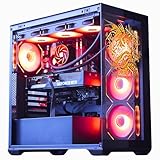
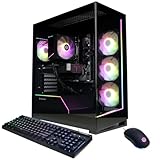

| Product | Best for | Key spec from the title |
|---|---|---|
| msi Codex Z2 RTX 5070 | High-fidelity VR with headroom to spare | Ryzen 7 8700F, RTX 5070, 32GB DDR5, 2TB SSD, USB Type-C |
| CyberPowerPC Gamer Xtreme VR Core i5-13400F | Entry VR with a dedicated model name | i5-13400F 2.5GHz, RTX 5060 8GB, 16GB DDR5, 1TB PCIe 4.0 SSD |
| msi Codex Z2 RTX 5060 Ti | Mid-range VR with a USB Type-C port | Ryzen 7 8700F, RTX 5060 Ti, 16GB DDR5, 1TB SSD |
| CyberPowerPC Gamer Xtreme VR Core i9-14900KF | Heavy simulation and modded VR titles | Core i9-14900KF, RTX 5070 12GB, 32GB DDR5, 2TB PCIe 4.0 SSD |
| Horizon Autherium Dragon RGB | VR plus content creation and big libraries | Core i9 up to 5.4GHz, RTX 5070 OC, 64GB RAM, 5TB storage, 360MM AIO |
| CyberPowerPC Gamer Master Ryzen 7 | Sensible mid-tier VR without a premium | Ryzen 7 8700F, RTX 5060 Ti 8GB, 16GB DDR5, 1TB PCIe 4.0 SSD |
| CyberPowerPC Gamer Xtreme VR Core Ultra 5 | VR buyers who want extra memory and storage | Core Ultra 5 225F, RTX 5060 8GB, 32GB DDR5, 2TB PCIe 4.0 SSD |
The 7 Best Options
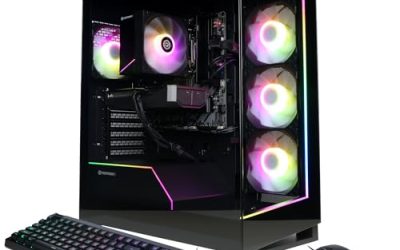
msi Codex Z2 RTX 5070
This is the pick for a VR player who wants to stop worrying about settings. If you run demanding simulators, crank supersampling in your headset software or play at higher render quality, a stronger graphics card is the single most useful upgrade, and this machine pairs one with generous memory and storage.
The title lists an AMD R7-8700F, an NVIDIA GeForce RTX 5070, 32GB of DDR5 and a 2TB SSD. It also names USB Type-C and describes the system as VR-Ready with Windows 11 Home preinstalled. The Type-C mention is worth noting because some headsets and accessories use it, although you should still confirm the exact connection your headset requires.
- The RTX 5070 is a step above the 5060 tier for demanding VR scenes.
- 32GB of DDR5 and a 2TB SSD give room for large game libraries.
- The listing calls out USB Type-C and VR readiness directly.
- It asks for a larger budget than the 5060-class machines below.
- The title does not state a power supply wattage or cooling type.
Skip it if you mostly play lighter VR titles and wearable fitness games, where the extra power goes unused. Compared with the CyberPowerPC Core i5 system next, you get a faster card and double the memory, while the Intel build keeps a dedicated VR product line. The difference matters most in sessions where you raise render resolution in your headset software, because that is the setting that punishes a weaker card first.
CyberPowerPC Gamer Xtreme VR Core i5-13400F
For buyers entering VR for the first time, this is the most approachable of the VR-branded machines. It is built around a mainstream graphics card rather than a flagship, which suits someone who wants popular rhythm, shooter and exploration titles at comfortable settings without paying for features they will not use for a year.
The title lists a Core i5-13400F at 2.5GHz, a GeForce RTX 5060 8GB, 16GB of DDR5, and a 1TB PCIe 4.0 SSD, with WiFi readiness and Windows 11 Home. The F suffix means the processor has no integrated graphics, so the dedicated card carries the whole load, which is normal for a gaming system.
- An RTX 5060 with 8GB handles mainstream VR titles.
- PCIe 4.0 storage shortens load times and level streaming.
- The product name signals an intended VR use case.
- 16GB of memory is the minimum comfortable amount, with little spare.
- 8GB of video memory can limit very high texture settings.
Skip it if you play heavily modded titles or like to run other apps next to the headset software. The Core Ultra 5 machine near the end of the list uses the same RTX 5060 and doubles the memory and storage, so it is the obvious step up inside the same brand. If you are unsure which headset you will buy, this entry model is a reasonable place to start, since memory is the cheapest part to expand later.
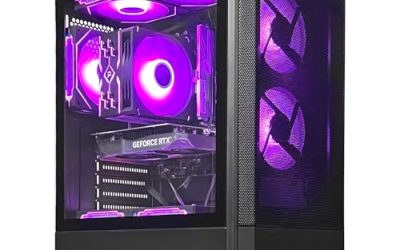
msi Codex Z2 RTX 5060 Ti
This msi tower sits in the middle of the range and suits the buyer who wants a mid-tier card with a USB Type-C port named on the listing. It is a good match for someone who splits time between VR and flat-screen gaming and wants one machine to cover both without stepping into the premium tier.
The title shows an R7-8700F, an RTX 5060Ti, 16GB of DDR5 and a 1TB SSD, and it repeats the VR-Ready and USB Type-C wording with Windows 11 Home. The exact video memory amount for the card is not stated in the visible title, so confirm it if texture quality matters to you.
- The Ti variant is a stronger graphics tier than the standard 5060.
- USB Type-C is called out, which may simplify some accessory setups.
- Windows 11 Home comes preinstalled.
- 16GB of memory and 1TB of storage are the practical minimum for VR libraries.
- The title omits cooling and power supply details.
Skip it if you want to future-proof with 32GB of RAM from day one. Compared with the CyberPowerPC Gamer Master that appears later, the graphics tier looks similar, so the choice becomes brand features, the Type-C mention and which listing you trust more. Because both msi titles share the same model family, the 5070 version is the better pick if you want the strongest card, while this one makes sense when you want to keep the budget in the mid-range band.
CyberPowerPC Gamer Xtreme VR Core i9-14900KF
This build is for the VR enthusiast who plays processor-hungry titles, such as large flight and racing simulators or heavily modded worlds, where the processor can become the bottleneck before the graphics card does. It pairs a top Intel chip with a capable GeForce card and a large drive.
The title lists a Core i9-14900KF, a GeForce RTX 5070 12GB, 32GB of DDR5 and a 2TB PCIe 4.0 SSD, with WiFi readiness and Windows 11 Home. The 12GB of video memory is a helpful detail for texture-heavy VR scenes, and the K-series processor suggests a platform aimed at performance users.
- The Core i9-14900KF is the strongest processor in the group by name.
- 12GB of video memory gives more texture headroom than 8GB cards.
- 32GB of DDR5 and 2TB PCIe 4.0 storage suit large libraries.
- A high-end processor tends to run warm, and the title does not mention cooling.
- It costs more than the Ryzen 7 machines with similar graphics.
Skip it if your VR habits are mostly casual, because the processor tier would be overkill. Against the msi RTX 5070 system earlier, you choose between Intel power and AMD efficiency at a similar graphics level. In practice, the 12GB label on this listing is the clearer reason to pay more, because processor gains show up only in the heaviest simulation scenes.
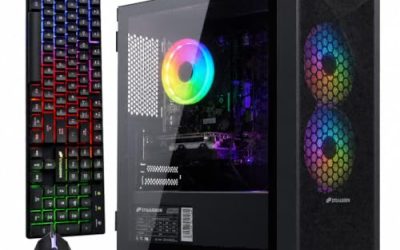
Horizon Autherium Dragon RGB Core i9 RTX 5070 OC
This is the oddball of the group, a heavy-duty machine for someone who wants VR, content creation and a mountain of storage in one tower. The listing leans on specifications rather than a familiar brand name, so it suits a careful buyer who reads the fine print.
The title advertises 64GB of RAM, 5TB of storage, a Core i9 running up to 5.4GHz, an RTX 5070 OC, Windows 11 PRO and a 360MM AIO liquid cooler. The visible title text is cut off after that, so confirm the remaining details such as RAM generation and drive type with the seller.
- 64GB of RAM is far beyond what most VR needs, which helps with creative work.
- 5TB of storage can hold a huge library of games and recordings.
- A 360MM AIO is a serious cooling approach for a high-end processor.
- The brand is less established than the larger names in this list.
- The title does not confirm warranty terms or the drive interface.
Skip it if you want a plain, widely supported gaming system with straightforward support. Compared with the CyberPowerPC Core i9 build, you gain capacity and cooling on paper, but lose the clearer VR labeling and the familiar service network. Ask for the full specification sheet and the warranty terms in writing before ordering, since a boutique-style listing leaves more to confirm than a major brand does.
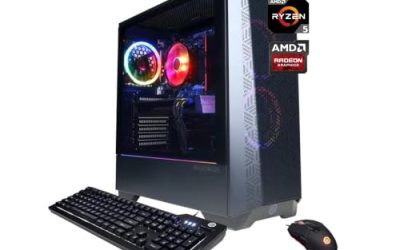
CyberPowerPC Gamer Master Ryzen 7 8700F RTX 5060 Ti
The Gamer Master is the quiet middle choice. It is not branded around VR, but the specifications are in the right zone, and it suits a buyer who treats VR as one use among several and wants a dependable all-rounder from an established maker.
The title lists a Ryzen 7 8700F, a GeForce RTX 5060 Ti 8GB, 16GB of DDR5 and a 1TB PCIe 4.0 SSD, with WiFi readiness and Windows 11 Home. The graphics card and the processor are a balanced pair for 1080p-class gaming and mainstream VR.
- The RTX 5060 Ti sits above the plain 5060 in graphics tier.
- PCIe 4.0 storage keeps load times short.
- Windows 11 Home is preinstalled.
- 8GB of video memory is the main limit for the most demanding VR scenes.
- 16GB of memory leaves little spare for heavy multitasking.
Skip it if you want a USB Type-C mention on the listing or a VR label for peace of mind. It is nearly a twin of the msi RTX 5060 Ti build, so compare the two on the details each seller provides before deciding. If the cost gap is small, the Type-C mention and the msi branding on the other listing are the tie-breakers; if the gap is wide, this one gives up very little.
CyberPowerPC Gamer Xtreme VR Core Ultra 5 RTX 5060
This one targets the VR buyer who values capacity over graphics. With the same RTX 5060 tier as the Core i5 machine but twice the memory and double the storage, it suits players who install many titles, record gameplay and keep other programs open.
The title lists a Core Ultra 5 225F, a GeForce RTX 5060 8GB, 32GB of DDR5 and a 2TB PCIe 4.0 SSD, with WiFi readiness and Windows 11 Home. It carries the Gamer Xtreme VR product name that the Core i5 sibling also uses.
- 32GB of DDR5 leaves room for multitasking around VR.
- A 2TB PCIe 4.0 SSD stores a large library with fast loading.
- The Core Ultra platform is a newer Intel generation than the 13400F build.
- The RTX 5060 is the same tier as the cheaper Core i5 system.
- 8GB of video memory remains the limit for the highest settings.
Skip it if graphics performance is your priority, since the msi RTX 5060 Ti and RTX 5070 machines offer stronger cards. It is the best value pick in the VR-branded lineup for people who need space more than speed, and it leaves less to upgrade on the memory and storage side than almost any other machine here.
Why Buy a Dedicated VR Gaming PC
A regular office computer almost never has the graphics power for VR, and a general gaming laptop often runs hot and loud with a headset on. A tower built for it avoids both problems and leaves you room to upgrade.
Players who are tired of stutter
If your current computer drops frames when you turn your head, a machine with a modern graphics card and fast memory addresses the cause directly. Frame consistency matters more than average speed, so a current RTX card is worth more than a faster processor with an old card. A purpose-built tower also runs cooler during long sessions than a thin laptop, which matters when a headset is already warm on your face.
Fitness and social VR users
Fitness and social apps are friendlier on hardware, so a mid-range card like the RTX 5060 tier is enough. These users benefit most from reliable Wi-Fi and Bluetooth, which is why the WiFi-ready listings are attractive.
Simulator and enthusiast players
Flight, racing and heavily modded games stress both the processor and the graphics card. Players in this group should look at the RTX 5070 machines and the Core i9 builds, where the extra power translates into higher render quality. These players also tend to keep a machine longer, so memory and storage headroom are worth paying for up front instead of planning a second round of upgrades.
How to Choose a Gaming PC for VR
Graphics card tier and video memory
The graphics card matters most in VR. An RTX 5060 class card with 8GB handles mainstream headsets and popular games, while an RTX 5070 with 12GB gives space for higher render resolution and texture-heavy titles. If you plan to use a high-resolution headset, favor the higher tier. Look for 8GB of video memory as a minimum and 12GB if you want to avoid compromises. Remember also that a headset renders a separate image for each eye, so the same game demands noticeably more from the card in VR than on a monitor, and headroom is what keeps frame rates steady when a scene suddenly gets busy.
Processor cores and clock speed
VR needs a steady processor as well as a strong card, because the system prepares two views and handles tracking at the same time. Aim for six cores with twelve threads at least, and consider eight or more cores for simulators and modded games. Be careful with chips carrying an F in the name, which have no integrated graphics, since the card is then the only way to drive a display. Single-core speed matters because many VR engines lean on one main thread, so a chip with a high boost clock often beats a slower chip with more cores in games that are not well threaded.
Memory capacity and speed
Sixteen gigabytes of DDR5 is the minimum for VR, and 32GB is a better target if you keep a browser, voice chat and recording software open. Dual-channel memory with two sticks performs better than one stick. Memory beyond 32GB mainly helps with video editing or very large mod lists. Pay attention to the speed rating as well, since DDR5 kits vary, but treat it as a secondary detail after capacity and dual-channel layout.
Storage size and speed
VR titles are often large, and many players install several. Look for at least 1TB, and prefer 2TB if your library is growing. A PCIe 4.0 NVMe drive loads quickly, and extra bays or M.2 slots give you an easy way to add storage later. Budget models sometimes pair a large drive with a slow interface, so a named NVMe standard on the listing is a better sign than a bare capacity figure.
Ports and connections
Check which connection your headset needs: some use DisplayPort and USB 3.0, some use USB Type-C, and some work wirelessly over Wi-Fi. Make sure the PC has enough USB 3.0 ports for the headset, cameras and controllers, and look for a USB Type-C port if your headset or accessories need it. A graphics card with a DisplayPort output is also worth confirming.
Cooling, power and what to ignore
VR keeps the graphics card and processor busy for long sessions, so good airflow and adequate power matter. Look for a power supply of at least 650W with a 5060 Ti or 5070 card, and prefer an air or liquid cooler that suits your processor. Ignore RGB lighting and decorative case features, which add nothing to performance, and be wary of listings that skip the power supply and cooling details. That is where budget models most often cut corners: a no-name supply, a thin cooler on a hot processor, or a case with poor airflow can quietly limit a VR session to a shorter comfortable length than the parts themselves would allow.
RTX 5060 Class or RTX 5070 Class for VR
The real choice among these desktops is which graphics tier to buy. The listings split into three RTX 5060 machines, two RTX 5060 Ti machines and three RTX 5070 machines, so the table compares them by tier. VR players often assume they must buy the top card, but the gap between tiers shows up mainly in render resolution and texture settings, not in whether the headset works at all.
| Factor | RTX 5060 and 5060 Ti tier | RTX 5070 tier |
|---|---|---|
| Listed examples | CyberPowerPC Core i5, Core Ultra 5, Gamer Master; msi 5060 Ti | msi Codex RTX 5070, CyberPowerPC Core i9, Horizon Autherium |
| Video memory in titles | 8GB named on most | 12GB named on the CyberPowerPC build |
| Best for | Mainstream VR at comfortable settings | Higher render quality and heavy titles |
| Typical memory and storage | 16GB and 1TB, up to 32GB and 2TB | 32GB and 2TB or more |
When the lower tier is enough
If your headset runs at a modest resolution and you play popular titles, the 5060 tier is a sound choice. It lets you spend on memory and storage instead, as with the Core Ultra 5 build, and it keeps the total budget lower.
When to step up to the 5070 tier
Step up if you play simulators, use a high-resolution headset or run supersampling. The extra graphics headroom keeps frame rates smoother, and the 12GB of video memory on the CyberPowerPC build helps with large textures. It is also the safer choice if you expect to move to a sharper headset within a couple of years, since the card will not be the limit.
Setup, Compatibility and Upgrade Tips
What to check before buying
Confirm your headset’s connection requirements and compare them with the ports on the listing. Find out whether the system includes Wi-Fi for wireless streaming, and check the room you will use for cable reach. Verify warranty terms, since a VR system will run long sessions. Measure your play space too: a headset cable needs slack, and a tower placed on the floor near the play area is easier to reach and tidier than one on a distant desk.
What to upgrade first
If you buy a 16GB system, the first upgrade is a matching second kit to reach 32GB. After that, extra storage is simple to add. Graphics upgrades are possible in a tower, but they depend on case size and the power supply. Keep graphics drivers current, and update your headset software before blaming the hardware for a problem, because many tracking and stutter complaints trace back to outdated software rather than the PC.
Common compatibility traps
Some headsets need a specific USB controller or a DisplayPort connection, and a card without the right output may need an adapter. Mixed memory kits can run slower than a matched pair. Finally, remember to leave clear space around the tower, since poor airflow shortens long play sessions. Likewise, a USB hub shared with a keyboard and an external drive can starve a headset of bandwidth, so plug it into a dedicated port on the back panel whenever you can.
Which One Fits Your Situation
You want the strongest all-round VR machine
The msi Codex Z2 RTX 5070 combines a strong graphics card with 32GB of DDR5, a 2TB SSD and a listed USB Type-C port, so it suits someone who wants to plug in the headset and stop thinking about settings.
You are new to VR and want to start sensibly
The CyberPowerPC Gamer Xtreme VR Core i5-13400F gives you a VR-labeled system with an RTX 5060 at a measured budget, and it leaves room to add memory when your library and ambitions grow.
You play simulators and heavy mods
The CyberPowerPC Gamer Xtreme VR Core i9-14900KF with an RTX 5070 12GB suits processor-heavy and texture-heavy titles, which is where the Core i9 and the larger video memory pay for themselves.
You need space for a large library
The CyberPowerPC Gamer Xtreme VR Core Ultra 5 offers 32GB of DDR5 and a 2TB drive for players who install everything and record clips, though you should accept the 8GB graphics card that comes with it.
Common Mistakes
- Spending on a flagship processor while keeping a mid-tier graphics card.
- Assuming every headset connects the same way and skipping the port check.
- Choosing 16GB of memory when you also record or stream.
- Ignoring cooling and power supply details on the listing.
- Buying a small drive and running out of space after a few large titles.
- Judging a system by its VR label rather than by its actual specifications, since the label has no formal definition across sellers.
- Forgetting the headset itself, a play-space clearance and the cost of any adapters when planning the total budget.
Frequently Asked Questions
What graphics card do I need for VR?
An RTX 5060 class card handles mainstream headsets and popular games. Step up to an RTX 5070 for demanding simulators, high-resolution headsets or higher render settings.
How much RAM is enough for a VR gaming PC?
Sixteen gigabytes of DDR5 is the minimum for VR. Thirty-two gigabytes is more comfortable if you record gameplay, run voice chat or keep other programs open.
Does a VR-Ready label guarantee smooth play?
No. It is a marketing claim, so check the graphics card, memory and ports yourself. Frame consistency depends on the whole system, not a single label.
Do I need a USB Type-C port?
Only if your headset or accessories use it. Check the connection requirements of your specific headset, and look for enough USB 3.0 ports for cameras and controllers.
Is an Intel or AMD processor better for VR?
Both work well. The listed Intel chips suit heavy simulators, while the Ryzen 7 8700F pairs nicely with mid-range cards, so the graphics tier matters more than the brand.
Can I use these desktops for regular gaming too?
Yes. Strong graphics cards and fast storage serve flat-screen games equally well, and you can enjoy higher settings on a monitor. That flexibility is a good reason to buy a stronger card than the bare minimum, since the same hardware earns its keep every day, not only during headset sessions.
Final Words
The right VR desktop is the one whose graphics tier matches your headset and games, not the one with the longest spec sheet. For most buyers the RTX 5060 and 5060 Ti machines are enough, with the Core Ultra 5 build offering the most space. For simulators and high render quality, step up to the msi RTX 5070 or the CyberPowerPC Core i9 system. Confirm headset connections, power supply and cooling with the seller before you order, and remember that memory and storage are the easiest parts to expand once the machine is in your home, while the graphics tier is the choice you will live with longest.