
Most podcasters I talk to hit the same wall around their tenth episode: they realize their voice sounds thin, their co-host’s mic is two decibels too loud, and the background music from their editing software is bleeding into the recording. A proper audio mixer fixes all three problems simultaneously by giving you physical control over gain staging, signal routing, and monitoring before anything hits your recording software.
The category has exploded over the last few years, which is both good and bad news for buyers. You now have options at every price point, but many are generic boards dressed up with RGB lighting that do nothing useful for spoken-word production. The ones that actually work for podcasting share a few traits: clean preamps with enough headroom for dynamic mics, real headphone monitoring with latency you can tolerate, and input flexibility that lets you blend a mic, a music source, and a phone call without re-patching cables mid-recording.
As an Amazon Associate we earn from qualifying purchases at no extra cost to you.



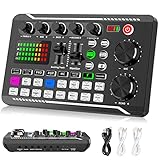

Our Top Picks
 FIFINE Ampligame SC3 Gaming Audio Mixer with Indi-Fader4.44 x 6.45 x 1.6 inches1.1 PoundsCheck on Amazon
 TENLAMP G10 Creator Audio Mixer Bundle with Microphone10.9 x 2.28 x 7.67 inches4.23 PoundsCheck on Amazon
 MAONO E2 Gen2 Podcast Equipment Bundle Audio Interface9.64 x 6.18 x 2.16 inches2 poundsCheck on Amazon


Top 3 picks at a glance
Quick Picks
| Product | Best For | Price |
|---|---|---|
| FIFINE Ampligame SC3 | Gamers who also podcast | Check on Amazon |
| PUPGSIS Gaming Mixer | Beginners on a tight budget | Check on Amazon |
| TENLAMP G10 Bundle | Creators who want a complete kit | Check on Amazon |
| MAONO E2 Gen2 Bundle | Serious solo podcasters | Check on Amazon |
| SINWE Live Sound Card | Singers and live producers | Check on Amazon |
| Socodox 5 Channel | Streamers who need Bluetooth | Check on Amazon |
| Facmogu F998 | Minimal setups and mobile work | Check on Amazon |
| Wegrower W-11GD | Podcasters who need portability | Check on Amazon |
How We Compared
We evaluated each mixer on four criteria that matter most for spoken-word production: preamp headroom (can it drive a dynamic mic without a separate interface?), monitoring quality (does the headphone mix let you hear problems in real time?), input flexibility (how many sources can you blend simultaneously?), and build durability (will the faders and knobs still feel tight after a year of daily use?). Price-to-performance ratio was the final filter that separated recommendations from mere options.
The 8 Best Audio Mixers For Podcasting in 2026
FIFINE Ampligame SC3
This mixer targets the overlapping audience of streamers who also record podcasts, and it handles that dual role surprisingly well. The Indi-Fader on the main channel gives you instant mute or duck without touching software, which is genuinely useful when you need to cut yourself off mid-sentence without fumbling a mouse.
- Pros: Dedicated fader for quick muting, clean build quality for the price bracket.
- Cons: Only two analog input channels limits multi-person setups.
Skip it if you regularly record more than two people at the same desk. For solo or duo podcasting alongside gaming, it punches above its weight.
PUPGSIS Gaming Audio Mixer
The cheapest option on this list, and it earns its place by proving you do not need to spend heavily to get functional signal routing. The sound board feature lets you trigger effects or samples live, which some podcasters use for show transitions. It connects to both PC and phones, making it the rare budget board that handles mobile recording.
- Pros: Extremely low entry price, works with phones and computers out of the box.
- Cons: Preamps are noisy when pushing dynamic mics; condenser mics or an inline gain booster work better here.
Skip it if your mic requires substantial clean gain. It is best for casual podcasters with USB mics or condensers who want tactile control over levels.
TENLAMP G10 Creator Bundle
This is a complete starter kit rather than a standalone mixer, and that distinction matters. You get the mixer plus a microphone in one package, which removes the compatibility guesswork that trips up new buyers. The build feels more substantial than its price suggests, and the included mic is a competent condenser that records clean vocals without room treatment being absolutely critical.
- Pros: Mic and mixer tested together so you skip the research, solid included accessories.
- Cons: You are locked into the included mic unless you buy a separate XLR option later.
Skip it if you already own a quality mic and only need a mixer. For true beginners, the convenience saves more than it costs.
MAONO E2 Gen2 Bundle
MAONO built a reputation for affordable audio interfaces, and the E2 Gen2 extends that into podcasting with a dedicated equipment bundle. The Gen2 revision improves the preamp section noticeably over the first version, with less hiss in the noise floor. It is the most focused “podcast-first” product here in terms of marketing and feature set.
- Pros: Clean preamp with adequate gain for dynamic mics, purpose-built podcast workflow.
- Cons: Limited channel count compared to standalone mixers in this price range.
Skip it if you need more than two inputs or want a board for live events. Solo podcasters upgrading from a USB mic will find it a natural step forward.
SINWE Live Sound Card Mixer
This one leans heavily toward singers and live performers who also produce podcast content between shows. The DSP effects on board (reverb, echo, voice changer) are its primary draw, and the sound card integration lets you record directly from the mixer into software without a separate interface.
- Pros: Onboard effects useful for live performance and entertainment, direct USB audio output.
- Cons: Effects processing can introduce latency that makes it frustrating for talk-only recording.
Skip it if you record interviews or panels where you need zero-latency monitoring of raw voice. For musical or entertainment podcasters, it adds versatility other boards lack.
Socodox 5 Channel Mixer
Five input channels with Bluetooth connectivity is a rare combination at this price. The Bluetooth function lets you wirelessly pull audio from a phone for remote guests, music beds, or sound effects without occupying a physical input. The 99 DSP effects overlap with the SINWE, but here they serve more as polish tools than performance features.
- Pros: Bluetooth input frees up physical channels for wired mics, five channels accommodate three-person setups.
- Cons: The DSP effects sound dated compared to software processing, making them a feature you will rarely use.
Skip it if you only record solo. The extra channels and Bluetooth shine with multi-person or multi-source sessions.
Facmogu F998
Compact and direct, the F998 does one job well: it turns a mic signal into a clean USB output with a few useful knobs for gain, monitoring, and effects. It is smaller than most boards here, making it suitable for cramped desks or travel kits. The sound card functionality means you get plug-and-play without driver headaches.
- Pros: Small footprint, straightforward operation with no learning curve.
- Cons: Limited headroom means it struggles with high-output dynamic mics that need gain.
Skip it if your studio has more than one person. This is a single-mic solution for people who want simplicity over flexibility.
Wegrower W-11GD
The rechargeable battery is the headline feature, and it solves a real problem: podcasting away from a power outlet, whether that is in a park, a convention floor, or a car during a road trip recording. The build is lightweight but not flimsy, and the included effects and faders give you enough control for casual multi-source work.
- Pros: Battery operation enables true portable recording, lightweight enough to carry without a bag.
- Cons: Battery life is adequate but not exceptional, so long sessions still benefit from a wall connection.
Skip it if your setup is permanently desk-bound. For podcasters who record on location or need a backup unit, the portability is its killer feature.
Buying Guide
Preamp Headroom and Gain Staging
Dynamic microphones like the Shure SM7B or Samson Q7x demand 60dB or more of clean gain to reach usable recording levels. Many budget boards deliver 45-55dB, which means your mix is either too quiet or drowning in hiss. Check whether the mixer lists a gain range or whether you will need an inline booster like a Cloudlifter or Fethead. If the product does not mention gain specs at all, assume it is insufficient for dynamics and plan for a condenser mic or a separate interface.
Channel Count vs. Your Actual Needs
A solo podcaster with one mic and a phone for remote guests does not need five channels. A panel show with three hosts plus a music source plus a phone line absolutely does. Count your simultaneous inputs honestly. Add one for future growth. A two-channel board with a USB music return might serve you better than a five-channel board that introduces noise on every unused line.
Monitoring Path and Latency
Direct hardware monitoring from the mixer (before the signal hits your computer) gives you zero-latency headphone feedback, which lets you hear clipping, proximity effect, and background noise in real time. Software-only monitoring adds round-trip delay that makes natural conversation feel stuttery. If you record with a co-host across the table, both of you need to hear a clean mix without lag. Look for a dedicated monitor output or a headphone path that bypasses the computer entirely.
Our Verdict
The FIFINE Ampligame SC3 is the top overall pick for most podcasters who also create gaming or streaming content. Its Indi-Fader alone justifies the price for anyone who has muted themselves on the wrong channel in a live recording. The PUPGSIS at around $27 is the best budget option for beginners who already own a condenser mic and need simple level control. However, if you are building a multi-person panel show and need Bluetooth for remote guests without consuming a physical input, the Socodox 5 Channel is the one that solves your actual workflow problem.
FAQ
Do I need a mixer if I already have a USB audio interface?
Not always. An interface converts and records; a mixer gives you tactile control over levels, routing, and monitoring in real time. If you record alone and edit in post, an interface is sufficient. If you run live sessions or multi-source shows, a mixer saves editing time.
Can I connect a dynamic mic directly to a cheap mixer?
Physically, yes. Functionally, you will often get a weak or noisy signal because budget preamps lack gain. An inline gain booster or a cloudlifter solves this, but adding one raises your total cost toward the mid-range boards on this list.
Are the DSP effects on these mixers useful for podcasts?
Rarely. Reverb, echo, and voice changers suit entertainment or musical content. For spoken-word podcasting, effects processing in your editing software is cleaner and more controllable. The DSP features mostly add latency and complexity you do not need.
Can any of these mixers replace a dedicated audio interface?
Several output USB audio directly to your computer, which technically covers interface duties. The quality of that USB conversion varies, and dedicated interfaces generally offer better clock stability and lower noise. For most podcasters in this price range, the mixer’s USB output is fine.
Related guides
- Best Gaming PC for Overwatch 2: Ten Prebuilts Matched to Your Monitor (2026)
- Best Gaming PC for Baldur’s Gate 3: Matching CPU, VRAM and Storage to the Game (2026)
- Best Gaming PC for Apex Legends: Which Listings Fit a High-Refresh Setup (2026)
- Best RTX 3060 Gaming PCs: Eight Prebuilt Listings Compared by CPU, RAM and Cooling (2026)









