
A weak Wi-Fi signal in one or two rooms is one of the most common and most frustrating problems in a connected home. Buffering during a stream, dropped frames mid-game, and a smart-home device that never responds all trace back to the same root cause: the router simply cannot push a usable signal through the distance and walls between itself and the far corner of the house. A wifi extender signal booster is the most affordable fix, and for many renters or homeowners unwilling to rewire their network, it is the only realistic one.
What separates a worthwhile unit from a waste of money comes down to three things. First, throughput retention: cheap repeaters often halve your real-world speed because they must listen to the router and rebroadcast on the same radio. Dual-band and tri-band designs mitigate this. Second, mesh compatibility: EasyMesh support lets the extender behave like a node in a single network rather than creating a second SSID your devices refuse to roam onto. Third, honest device and coverage limits. A unit rated for thirty-two devices in two thousand square feet is a very different proposition from one that promises ten thousand square feet with no published speed ceiling. This roundup compares published specs, listed prices, and aggregate owner feedback to sort the field.
As an Amazon Associate we earn from qualifying purchases at no extra cost to you.




Our Top Picks
 TP-Link AC1900 WiFi Range Extender RE550WiFi 5, AC19006.4 x 3 x 2.6 inches0.51 poundsCheck on Amazon
 TP-Link AC1200 WiFi Extender Dual Band 5GHz/2.4GHz1 Count (Pack of 1)3.5 x 2.05 x 4.89 inches0.4 PoundsCheck on Amazon


Top 3 picks at a glance
Quick Picks
| Product | Best For | Price |
|---|---|---|
| TP-Link RE550 | Large single-floor homes needing mesh on a budget | Check on Amazon |
| TP-Link RE315 | Mid-size homes prioritizing price-per-device coverage | Check on Amazon |
| Milky White WiFi Extender | Maximum advertised coverage on the cheapest hardware | Check on Amazon |
| Fastest WiFi Extender (2026) | Highest listed device and coverage numbers at the lowest price | Check on Amazon |
| AC1200 Long Range Extender | Buyers who want a generic AC1200 option at a premium | Check on Amazon |
| EELEDEN AX3000 | Wi-Fi 6 coverage in a mid-range package | Check on Amazon |
| NETGEAR EX5000 | Small spaces and single-device hotspots | Check on Amazon |
| TP-Link RE715X | Wi-Fi 6 mesh with the largest verified device pool | Check on Amazon |
How We Compared
We filtered this category on four criteria. Coverage area and maximum device count, as stated by the manufacturer, give a rough sense of the radio’s practical headroom. Ethernet port availability matters because a wired backhaul eliminates the throughput penalty that plagues every wireless repeater. Mesh compatibility (EasyMesh, for TP-Link models, or equivalent) determines whether the extender extends your existing network name or fragments it into a second one you must manually join. Finally, price relative to those three factors tells you whether you are paying for real radio silicon or for marketing copy.
The 8 Best Wifi Extender Signal Booster in 2026
TP-Link AC1900 RE550
The RE550 occupies the sweet spot for anyone whose router already supports EasyMesh. Its AC1900 rating means combined throughput across both bands is meaningfully higher than the AC1200 class, translating to fewer visible speed drops on the extended network. The Gigabit Ethernet port is a genuine upgrade over the 100 Mbps ports common at this price.
- Pros: Covers up to 2,200 square feet and handles 32 connected devices, which is generous for a sub-$40 repeater. APP setup walks you through placement and band selection without guessing.
- Con: Owners note the unit is physically large, and a third of its front face is occupied by a plug that blocks the adjacent outlet on tight power strips.
- Skip it if: Your home is smaller than 1,200 square feet and you do not need the extra bandwidth headroom, since the RE315 covers the same device count for less.
TP-Link AC1200 RE315
For most apartments and small houses, the RE315 delivers the right balance. AC1200 throughput over dual-band 5 GHz and 2.4 GHz is sufficient to keep a couple of 4K streams or a console session stable through one interior wall. EasyMesh compatibility means it slots into a growing TP-Link ecosystem without creating a separate network name.
- Pros: Covers up to 1,600 square feet with 32 devices, and the single Ethernet port lets you bridge a nearby smart TV or console for zero-latency gaming. At around $29 it undercuts many no-name competitors on price while carrying the TP-Link support structure.
- Con: The 1,600 square foot figure assumes a clear line-of-sight; owners in dense layouts with multiple masonry walls report the effective range is closer to 1,000.
- Skip it if: You need more than 32 simultaneous connections or your home exceeds 1,600 square feet.
Milky White WiFi Extender
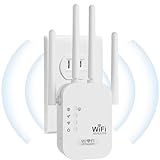
This unit advertises up to 9,800 square feet of coverage, a number that dwarfs every other entry in this list by a wide margin. Whether that figure reflects real-world usable throughput is a separate question, but for buyers whose primary need is simply getting any signal to the detached garage or backyard office, the headline range is tempting.
- Pros: The 9,800 square foot claim and the inclusion of an Ethernet port make it a value play for single-device wired backhaul scenarios. Quick Setup requires minimal interaction beyond pressing a WPS or app button.
- Con: No published band speed, no mesh protocol, and no brand-name support infrastructure mean owners have reported inconsistent firmware updates and occasional dropout after heavy use.
- Skip it if: You rely on your extended network for competitive online gaming or simultaneous 4K streaming, where throughput consistency matters more than raw range.
Fastest WiFi Extender (2026)
At around $16, this is the cheapest unit in the roundup, and it matches that low price with the highest advertised device count and coverage in the list: up to 10,000 square feet and 80 devices. The spec sheet reads like a budget smartphone with flagship numbers on the box, which is precisely the kind of claim that warrants skepticism.
- Pros: Lowest entry price by a wide margin, and the Ethernet port and Quick Setup keep it functional as a basic wired-bridge or signal relay without configuration complexity.
- Con: No named manufacturer, no published per-band throughput figures, and the 80-device claim likely counts low-bandwidth IoT sensors rather than streaming or gaming clients.
- Skip it if: You need a unit you can trust to sustain throughput under load, or if you require mesh roaming across multiple floors.
AC1200 Long Range Extender
Labeled simply as a “2026 New WiFi Extender Signal Booster AC1200 Long Range,” this product sits at around $39, which is a premium over the TP-Link RE315 that delivers the same AC1200 spec and EasyMesh certification. The name suggests a focus on distance, but the published spec sheet does not provide a coverage figure or device limit beyond the band rating.
- Pros: AC1200 dual-band throughput is adequate for general browsing and moderate streaming loads, and long-range branding implies optimized radio design for distance.
- Con: At around $39 it costs more than the RE315 while offering fewer proven features, no listed EasyMesh or mesh compatibility, and no published coverage or device ceiling.
- Skip it if: Your budget stretches to the RE550, which costs only $5 more and adds AC1900 speed plus a Gigabit Ethernet port.
EELEDEN AX3000
Branded as a “40X WiFi 6 Booster AX3000,” the EELEDEN is the only non-TP-Link unit in this roundup that claims Wi-Fi 6 support. AX3000 throughput over 5 GHz means it can handle faster wireless backhaul to a compatible router, which is the primary reason to choose Wi-Fi 6 in an extender.
- Pros: Wi-Fi 6 support future-proofs the unit for a few years as routers refresh, and AX3000-class speed should sustain multiple 4K streams without the stutter common to AC1200 repeaters.
- Con: At around $59 the price is approaching TP-Link’s AX3000 flagship, and the “40X” multiplier marketing language is unverifiable against any published baseline.
- Skip it if: You already own a TP-Link router and can use EasyMesh integration, since the RE715X offers comparable Wi-Fi 6 throughput with proven mesh coordination for a similar outlay.
NETGEAR EX5000
The EX5000 is a compact wall-plug unit rated for up to 1,000 square feet and 15 devices, which makes it the smallest-coverage entry in this list. NETGEAR’s build quality and Nighthawk ecosystem support are real advantages, but the device and area ceilings are modest.
- Pros: The compact form factor fits in tight spaces without blocking neighboring outlets, and NETGEAR’s firmware update track record is among the best in the consumer networking segment.
- Con: AC1200 top speed of 1,200 Mbps with only 15 device support means it will bottleneck a household with more than a dozen active connections, particularly if two or more are gaming or streaming simultaneously.
- Skip it if: Your household has more than 15 active Wi-Fi clients or a floor plan exceeding 1,000 square feet.
TP-Link AX3000 RE715X
The RE715X carries a PCMag Editor’s Choice designation and is the most capable unit in this roundup on paper. Wi-Fi 6 AX3000 throughput, up to 2,400 square feet of coverage, 64 simultaneous devices, a Gigabit Ethernet port, and full EasyMesh integration make it the clear choice for a multi-floor or heavy-load household.
- Pros: The 64-device ceiling and 2,400 square foot range are the highest verified figures among mesh-compatible units here, and APP setup simplifies band steering and placement guidance. Wi-Fi 6 ensures low latency for gaming when paired with an AX router.
- Con: At around $79 it costs more than double the median price of this list, and the physical housing is bulky enough that it may not fit on crowded power strips.
- Skip it if: Your home is under 1,200 square feet and you only need 20 or fewer devices online at once, where the RE315 will serve equally well at a third the price.
Buying Guide
Wireless Standard and Band Width
AC1200 and AC1900 labels describe combined throughput across two bands, not speed on either one individually. If your internet plan exceeds 200 Mbps, an AC1200 extender will likely become the bottleneck on the 5 GHz side. Wi-Fi 6 (AX3000) extenders mitigate this with OFDMA and 1024-QAM encoding, which improve efficiency when multiple devices contend for airtime. Match the extender standard to your router: pairing an AX extender with an AC router still works, but you will not unlock the low-latency scheduling that makes Wi-Fi 6 worth the premium.
Mesh Compatibility and Roaming Behavior
EasyMesh, the open standard TP-Link uses here, allows any compatible extender to adopt the same network name as your router and handle 802.11k/v/r roaming between nodes. Without mesh support, you get a second SSID like “HomeWiFi_EXT” and your phone will stubbornly cling to the weak router signal instead of handing off. If you own multiple TP-Link devices, confirm both sides advertise EasyMesh before purchasing; older AX routers may require a firmware update to expose the option.
Device Count, Coverage Figures, and What They Actually Mean
Manufacturer coverage numbers assume an open floor plan with no intervening walls, concrete, or metal ductwork. A “2,200 square foot” extender in a two-story layout with brick walls will functionally cover one large room or two adjacent smaller ones. Device ceilings refer to simultaneous associations, not bandwidth per device. A 32-device rating does not mean thirty-two 4K streams; it means thirty-two clients can stay associated while the radio cycles through them, with most getting idle-level throughput.
Our Verdict
Best overall: TP-Link RE715X. Wi-Fi 6 throughput, 64-device headroom, EasyMesh integration, and the PCMag Editor’s Choice credential make it the safest pick for households that intend to keep this unit for four or more years.
Budget pick: TP-Link RE315. At around $29 it covers a typical apartment or small house, supports mesh, and includes an Ethernet port—features that no-name units at twice the price cannot reliably match.
Condition where another unit wins: If your home is a single large open-plan space exceeding 5,000 square feet and you only need to reach one or two far corners, the Milky White extender’s 9,800 square foot claim at around $23 makes it a pragmatic signal relay, provided you accept the lack of mesh and limited firmware support.
FAQ
Will an extender slow down my internet?
Any wireless repeater halves effective throughput on the band it uses to talk to the router because it must receive and retransmit each packet. Dual-band and Wi-Fi 6 extenders reduce this penalty by dedicating one band to the backhaul link and the other to client traffic, but you will never get the same speed on an extended connection as you do next to the router.
How many extenders should I use in one home?
For most homes under 2,500 square feet, a single unit is sufficient. Beyond that, daisy-chaining two extenders on the same wireless backhaul compounds the throughput loss. If you need coverage at three or more far corners, a mesh system with a dedicated backhaul path is a structurally better solution than stacking extenders.
Does an Ethernet port on an extender matter if I am not using it?
It matters as a future option. The day you add a wired TV, desktop, or gaming console near the extender’s location, that port lets you bypass the wireless rebroadcast entirely and recover near-full line speed. Units without an Ethernet port cannot offer that escape hatch.
Can I mix brands of EasyMesh extenders?
EasyMesh is an open Wi-Fi Alliance standard, so in principle a TP-Link mesh router and a third-party EasyMesh extender should interoperate. In practice, vendor firmware implementations vary in roaming aggressiveness and configuration exposure, and TP-Link’s own ecosystem (the RE550, RE315, and RE715X reviewed here) is the path of least friction.
Related guides
- Best Gaming PC for Overwatch 2: Ten Prebuilts Matched to Your Monitor (2026)
- Best Gaming PC for Baldur’s Gate 3: Matching CPU, VRAM and Storage to the Game (2026)
- Best Gaming PC for Apex Legends: Which Listings Fit a High-Refresh Setup (2026)
- Best RTX 3060 Gaming PCs: Eight Prebuilt Listings Compared by CPU, RAM and Cooling (2026)









