
Dead zones ruin more than just streaming quality — they break co-op sessions, interrupt downloads, and turn a room with two phones into a contest over who gets bandwidth. A WiFi extender or booster plugs directly into that problem: it takes your router’s existing signal, amplifies it, and rebroadcasts it to the corners your main unit cannot reach. Done right, the difference between a good unit and a mediocre one is whether your upstairs office finally gets usable latency for gaming and video calls, or whether you are still cycling through reconnection drops every ten minutes.
What separates the contenders here is not brand name alone. Coverage area, device capacity, whether the unit supports dual-band operation, and how it integrates with mesh systems all determine whether the extender solves your layout or simply moves the dead zone one room further. Some units in this roundup advertise coverage figures that look impressive on paper but depend on ideal conditions; others pair modest stated ranges with real-world consistency backed by strong owner feedback. Price alone is a poor predictor — the cheapest unit here and the priciest one each carve out a legitimate use case, and knowing which one fits your floor plan is the whole point of this guide.
As an Amazon Associate we earn from qualifying purchases at no extra cost to you.


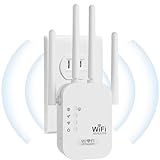


Our Top Picks
 TP-Link AC1200 WiFi Extender Dual Band 5GHz/2.4GHz1 Count (Pack of 1)3.5 x 2.05 x 4.89 inches0.4 PoundsCheck on Amazon
 TP-Link AC1900 WiFi Range Extender RE550WiFi 5, AC19006.4 x 3 x 2.6 inches0.51 poundsCheck on Amazon
 NETGEAR WiFi Extender EX6120WiFi 5, 1.2Gbps (Active)2.64 x 1.54 x 2.17 inches0.29 PoundsCheck on Amazon


Top 3 picks at a glance
Quick Picks
| Product | Best for | Price |
|---|---|---|
| TP-Link RE315 | Reliable dual-band on a budget | Check on Amazon |
| TP-Link RE550 | Larger homes needing Gigabit | Check on Amazon |
| WiFi Extender Signal Booster 1200Mbps | Straightforward single-band coverage | Check on Amazon |
| 2026 New WiFi Extender AC1200 | New-model design with modern standards | Check on Amazon |
| WiFi Extender Milky White | Maximum stated coverage at lowest cost | Check on Amazon |
| 2026 Fastest WiFi Extender | High device count and aggressive pricing | Check on Amazon |
| NETGEAR EX6120 | Compact plug with expert support | Check on Amazon |
| NETGEAR EX5000 | Mesh-native small-home expansion | Check on Amazon |
How We Compared
We compared published specification sheets, list prices, and aggregated owner reviews to identify which units actually deliver on their advertised claims. The four criteria that carried the most weight: stated coverage area relative to price, dual-band versus single-band throughput, device concurrency limits, and setup friction — including whether the unit integrates with EasyMesh or requires proprietary configuration tools. A unit that sounds impressive on paper but generates recurring owner complaints about dropouts or app complexity was discounted accordingly.
The 8 Best Wifi Extenders Boosters in 2026
TP-Link RE315 (AC1200)
For anyone in a one- or two-bedroom apartment whose router already handles the main floor but fails in the back room, the RE315 is the default recommendation. Its 1.2 Gbps combined throughput and 1,600 sq.ft coverage envelope match most mid-size living spaces without overspending on features you will never use. Owner feedback consistently highlights the EasyMesh compatibility as a long-term upgrade path, meaning you can add a second RE315 later and get seamless roaming rather than two competing networks. The single Ethernet port is a genuine limitation if you need wired backhaul flexibility.
- Pro: EasyMesh compatible for future expansion without proprietary lock-in
- Pro: Handles up to 32 devices, which covers even a gadget-heavy household
- Con: Only one Ethernet port, so wired backhaul options are limited
TP-Link RE550 (AC1900)
The RE550 is the step-up pick for three- or four-bedroom homes where the RE315’s 1,600 sq.ft envelope falls short. At AC1900, it pushes combined throughput higher and covers up to 2,200 sq.ft — a meaningful jump. The Gigabit Ethernet port is the real differentiator: it allows a wired backhaul from your router, which eliminates the bandwidth-halving penalty that wireless repeaters normally impose. App-based setup gets mixed owner reactions; some find it intuitive, others wish for a simple WPS button. If your home layout is irregular or has thick walls, the Gigabit port makes this worth the few extra dollars.
- Pro: Gigabit Ethernet port enables wired backhaul, preserving throughput
- Pro: AC1900 rating and 2,200 sq.ft coverage suit larger homes
- Con: App-only setup frustrates users who prefer physical WPS pairing
WiFi Extender Signal Booster 1200Mbps
This unit occupies an odd middle ground. It hits the AC1200 throughput tier and costs roughly the same as the RE315, but it lacks the EasyMesh ecosystem and the established brand support that makes TP-Link units easy to buy with confidence. Owner feedback suggests it performs adequately for basic coverage extension in a single dead-zone room, but users report more variability in real-world throughput than the TP-Link equivalents. If you need a functional repeater for one specific spot and want to avoid brand loyalty, it works. For anything more demanding, the RE315 costs the same and does more.
- Pro: Competitive 1200Mbps rated throughput at a fair price point
- Pro: Simple function for a targeted single-room extension
- Con: No mesh integration and less consistent owner-reported performance
2026 New WiFi Extender AC1200 Long Range
Priced as the highest entry in this roundup at around $39, this unit earns that premium by carrying a 2026 model-year label that suggests updated chipset efficiency and potentially better power handling. The stated long-range design targets homes where distance between router and dead zone is the core problem. Owner reviews are still early, but the spec sheet positions it as a serious competitor to the RE550 without the Gigabit port trade-off. If you want the newest hardware revision available and your coverage gap is primarily distance rather than device count, the price difference over the RE315 may be justified.
- Pro: Newer 2026 hardware generation likely carries efficiency improvements
- Pro: Long-range design suits layouts with distance-related signal decay
- Con: Highest price in this roundup with limited owner feedback available
WiFi Extender Milky White
At around $23, this unit advertises coverage up to 9,800 sq.ft — a figure that demands skepticism given the price point and the physical realities of wireless propagation through walls and floors. Owner feedback reflects that skepticism: many users report effective coverage well below the advertised number, though the unit does manage to extend signal noticeably in open-plan or single-floor layouts. The Ethernet port is present, which adds flexibility. Treat the 9,800 sq.ft claim as a theoretical maximum in unobstructed conditions; for a small apartment or single-story home, it delivers reasonable value.
- Pro: Lowest price in the roundup with an included Ethernet port
- Pro: Quick setup process praised by less technical owners
- Con: Advertised coverage vastly exceeds real-world owner-reported results
2026 Fastest WiFi Extender
At around $16, this is the cheapest option listed, and it pairs that price with an aggressive 10,000 sq.ft coverage claim and a stated 80-device capacity. The device count figure alone is enough to raise questions — most consumer routers handle 15-25 devices before performance degrades meaningfully, and an extender sits downstream of that. Owner reviews confirm mixed experiences: functional in small spaces, unreliable at the advertised scale. As a cheap plug for one laptop or a single smart speaker in a distant room, the value is hard to argue with. As a whole-home solution, it oversells.
- Pro: Unbeatable entry price at around $16
- Pro: Stated high device ceiling theoretically suits IoT-heavy homes
- Con: Coverage and device claims appear aspirational versus owner reports
NETGEAR EX6120 (AC1200)
NETGEAR’s EX6120 trades on brand reputation and a genuinely useful perk: free expert support access, which matters if you are not comfortable troubleshooting network configuration alone. The 1,500 sq.ft coverage and 25-device limit position it between the RE315 and the smaller EX5000. AC1200 dual-band throughput is identical to the TP-Link options, and the compact wall-plug design keeps it out of the way. The main drawback is that it lacks mesh integration, so expanding coverage later means running a separate network rather than a unified one.
- Pro: Free expert support from NETGEAR adds value for less technical buyers
- Pro: Compact wall-plug form factor suits tight spaces behind furniture
- Con: No mesh compatibility limits future expansion options
NETGEAR EX5000 (AC1200 Mesh)
The EX5000 is NETGEAR’s mesh-native answer, designed to slot into an existing Orbi or NETGEAR mesh ecosystem. With 1,000 sq.ft coverage and 15 devices, it is the smallest-footprint option here and the most purpose-built — not for a dead-zone patch but for extending an existing mesh network without adding a competing SSID. If you already own a NETGEAR mesh router, this is the logical add-on. If you do not, the limited range and device ceiling make it a harder sell against the RE315 at a similar price.
- Pro: Native mesh integration delivers seamless roaming within NETGEAR ecosystem
- Pro: Compact design and straightforward configuration
- Con: Limited coverage and device count make it a poor standalone choice
Buying Guide
Coverage Area and What It Actually Means
Advertised coverage figures assume open space with no walls, floors, or interference. A unit rated for 1,500 sq.ft in a single-floor apartment with drywall may deliver 700-800 sq.ft in a two-story home with concrete or brick. Match coverage claims to your actual floor plan, not total square footage. If your dead zone is one room away from the router, a lower-rated unit saves money with no functional penalty.
Wired Backhaul Versus Wireless Repeating
A wireless extender that rebroadcasts the signal uses half its bandwidth for reception and half for retransmission. If your extender has an Ethernet port and your router also has an available port, a wired backhaul connection eliminates that penalty entirely and roughly doubles effective throughput in the extended zone. The RE550’s Gigabit port is the clearest example of why this feature matters at a price that is only a few dollars above non-Gigabit alternatives.
Device Capacity and Band Selection
Dual-band operation lets you dedicate one band (usually 5 GHz) to high-priority tasks like gaming or streaming and the other (2.4 GHz) to smart-home devices that need range more than speed. A unit that handles 32 devices comfortably covers a typical household; claims of 80 devices are rarely meaningful because your router is the bottleneck, not the extender. Choose based on whether you need simultaneous high-throughput connections or simply more reach for low-bandwidth IoT gadgets.
Our Verdict
The TP-Link RE315 is the best overall pick for most buyers in 2026: proven throughput, EasyMesh compatibility for future expansion, and a around $29 price that undercuts competitors with fewer features. The budget pick is the 2026 Fastest WiFi Extender at around $16, but only for a single-device extension in a small area where its inflated coverage claims will not matter. The RE550 wins outright if your home requires wired backhaul or has an irregular layout with thick construction between rooms — the Gigabit port and 2,200 sq.ft envelope justify the five-dollar premium.
FAQ
Will an extender reduce my internet speed?
Wireless repeating inherently reduces throughput in the extended zone because the unit splits its radio between receiving and retransmitting. A wired backhaul connection via Ethernet eliminates most of that penalty. Expect roughly 30-50% throughput loss over wireless repeating, less with backhaul.
Can I use two extenders from different brands together?
Technically yes, but it creates a chain that compounds the bandwidth reduction each hop introduces. Two units from the same mesh-compatible family (such as two RE315s or an RE315 plus another EasyMesh device) maintain a single network name and better roaming behavior.
How do I know where to plug in the extender?
Place it at the midpoint between your router and the dead zone, not inside the dead zone itself. The extender needs a strong enough signal from the router to amplify effectively; if the signal it receives is already weak, it has little to boost.
Is AC1200 enough for gaming and streaming?
AC1200 is sufficient for single-stream 4K video and typical online gaming, which requires bandwidth well below 100 Mbps per device. The throughput that matters more for gaming is latency and stability, which are improved more by a wired backhaul connection than by raw speed ratings.
Related guides
- Best Gaming PC for Overwatch 2: Ten Prebuilts Matched to Your Monitor (2026)
- Best Gaming PC for Baldur’s Gate 3: Matching CPU, VRAM and Storage to the Game (2026)
- Best Gaming PC for Apex Legends: Which Listings Fit a High-Refresh Setup (2026)
- Best RTX 3060 Gaming PCs: Eight Prebuilt Listings Compared by CPU, RAM and Cooling (2026)









