
A weak or missing Wi-Fi signal in one corner of the house ruins more than just video calls. It breaks online gaming sessions, stalling a raid mid-fight or killing your frame consistency in a competitive match. An internet extender is the simplest hardware fix—plug it into an outlet between your router and the dead zone, and it rebroadcasts the network. But the category is flooded with vague “up to” claims, and the real difference between a $17 repeater and a $150 mesh system comes down to throughput you actually retain at the far end, device handling under load, and whether setup takes two minutes or two hours.
We compared published specifications, current pricing, and recurring themes in owner feedback across eight products that dominate search results for “internet extender” in 2026. The list below separates true dual-band repeaters with gigabit ports from single-band budget units that look identical on a spec sheet but behave very differently once three people start streaming and a fourth joins a lobby.
As an Amazon Associate we earn from qualifying purchases at no extra cost to you.


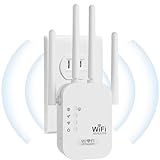


Our Top Picks
 TP-Link AC1900 WiFi Range Extender RE550WiFi 5, AC19006.4 x 3 x 2.6 inches0.51 poundsCheck on Amazon
 TP-Link AC1200 WiFi Extender Dual Band 5GHz/2.4GHz1 Count (Pack of 1)3.5 x 2.05 x 4.89 inches0.4 PoundsCheck on Amazon


Top 3 picks at a glance
Quick Picks
| Product | Best for | Price |
|---|---|---|
| TP-Link RE550 | Larger homes needing a plug-in repeater with a wired drop | Check on Amazon |
| TP-Link RE315 | Tight budgets that still want EasyMesh compatibility | Check on Amazon |
| 2026 New AC1200 Extender | Simple long-range coverage without brand-name pricing | Check on Amazon |
| Milky White WiFi Repeater | Maximum stated coverage at the lowest per-square-foot cost | Check on Amazon |
| 2026 Fastest WiFi Extender | Multi-device households on the tightest budget | Check on Amazon |
| 2026 WiFi Extender Mesh Wi-Fi | Users who want mesh-like roaming from a single repeater | Check on Amazon |
| TP-Link Deco X55 (3-Pack) | Wi-Fi 6 whole-home coverage without any dead spots | Check on Amazon |
| TP-Link Deco S4 (3-Pack) | Large homes that want mesh simplicity on a mid-range budget | Check on Amazon |
How We Compared
We weighed four factors: stated coverage area relative to price, device capacity, whether the unit includes an Ethernet port for a wired drop to a console or PC, and compatibility with mesh ecosystems (TP-Link’s EasyMesh and Deco). Products that matched a spec on paper but drew repeated owner complaints about dropped connections or throughput collapse under load were flagged. We did not prioritize raw speed numbers when they lacked context about band configuration or real-world range behavior.
The 8 Best Internet Extender in 2026
TP-Link RE550
The RE550 is a solid middle-ground internet extender for households that need a dual-band AC1900 repeater without committing to a full mesh kit. TP-Link rates it for coverage up to 2,200 square feet and 32 connected devices, and it includes a gigabit Ethernet port—useful if you want a hardwired line to a gaming PC or console behind the extender.
- Pro: Gigabit Ethernet port lets you run a wired connection past the dead zone
- Pro: EasyMesh compatible, so you can add a second unit later for roaming
- Con: The AC1900 rating is theoretical combined throughput; real single-device speeds are noticeably lower
Skip this if your router is older than AC standard—the RE550 won’t magically add Wi-Fi 6 features.
TP-Link RE315
The RE315 undercuts the RE550 by a few dollars while keeping AC1200 dual-band performance, a stated 1,600-square-foot range, and the same 32-device ceiling. It also carries an Ethernet port and supports EasyMesh, making it a sensible entry into TP-Link’s extendable network if you already own a Deco or Archer router.
- Pro: EasyMesh compatible for gradual network expansion
- Pro: Lower price than most comparable dual-band repeaters
- Con: Single Ethernet port runs at 100 Mbps, not gigabit
Skip this if you need a wired backhaul or plan to connect a NAS through the extender.
2026 New WiFi Extender Signal Booster AC1200
This unbranded AC1200 long-range booster occupies the awkward middle of the price range at around $39—more than TP-Link’s equivalent models despite fewer verifiable specs and no published device ceiling. The “new” branding appears to lean on novelty rather than a meaningful hardware advantage.
- Pro: AC1200 dual-band radio should handle moderate multi-device loads
- Pro: Long-range antenna design may help in single-obstacle layouts
- Con: No published device limit, Ethernet port specs, or mesh compatibility details
Skip this unless the seller confirms EasyMesh or WDS support; otherwise TP-Link’s RE315 is the safer bet at lower cost.
WiFi Extender Milky White Repeater
At around $23 the Milky White repeater claims coverage up to 9,800 square feet—an unusually aggressive figure for a wall-plug internet extender at this price. The spec sheet is thin: no stated band configuration, no device ceiling, no Ethernet port details beyond a generic mention.
- Pro: Lowest stated coverage-per-dollar in the roundup
- Pro: Quick setup process appeals to non-technical users
- Con: 9,800 sq ft claim is almost certainly line-of-sight marketing; real-world range will be a fraction
Skip this if you need reliable throughput for gaming or 4K streaming—the coverage claim should raise caution, not confidence.
2026 Fastest WiFi Extender
The price here is remarkable: around $16 for a unit that claims 10,000 square feet of coverage and 80-device support. Like the Milky White, the numbers are aspirational. The 80-device figure suggests an unusually capable radio for a sub-$20 repeater, but without a named standard (Wi-Fi 6, for instance) the claim is hard to verify.
- Pro: Cheapest option with a stated high device count
- Pro: Includes an Ethernet port for a basic wired drop
- Con: Coverage and device claims are not corroborated by any recognized certification body
Skip this if you need consistent latency. The unit may work fine for browsing, but competitive gamers should look at a mesh system instead.
2026 WiFi Extender Internet Booster Mesh Wi-Fi
At around $69 this unit positions itself as a single-repeater alternative to multi-node mesh kits, advertising 10,000-square-foot coverage and a claim of being 80% faster than conventional extenders. The “mesh” branding is misleading—a single device cannot create a mesh network—but 1-tap setup and a stated 80-device capacity are useful if the hardware is honest.
- Pro: 1-tap setup removes most configuration friction
- Pro: Higher device ceiling than TP-Link’s plug-in repeaters
- Con: “Mesh” label is misleading for a standalone repeater
Skip this if you actually want seamless roaming across multiple floors; a Deco kit does that, a single unit cannot.
TP-Link Deco X55 (3-Pack)
The Deco X55 is a true Wi-Fi 6 AX3000 mesh system—three nodes that create a single network with roaming. At around $150 for the 3-pack, each node costs roughly $50, which is competitive for hardware that handles the coverage, device count, and latency that plug-in repeaters struggle with. The internet extender category has converged on mesh for large or multi-story homes, and the X55 is the current value benchmark.
- Pro: Wi-Fi 6 with OFDMA and MU-MIMO for efficient multi-device streaming and gaming
- Pro: Seamless roaming eliminates handoff stalls between floors
- Con: Higher upfront cost and requires outlet placement for all three nodes
Skip this only if your dead zone is a single room and a $30 plug-in repeater would suffice.
TP-Link Deco S4 (3-Pack)
The Deco S4 is TP-Link’s older AC1900 mesh entry—no Wi-Fi 6, but a proven platform that handles whole-home coverage and EasyMesh expansion. At around $95 for three units it is the cheapest way to get genuine mesh roaming in this roundup, and it integrates with RE550 or RE315 repeaters as add-on nodes.
- Pro: Lowest mesh system price in this list
- Pro: EasyMesh compatible, so you can mix in TP-Link repeaters later
- Con: AC1900 radio lacks the device efficiency of Wi-Fi 6 (no OFDMA)
Skip this if you have more than 30 devices or play latency-sensitive games—go Wi-Fi 6.
Buying Guide
Coverage Claims vs. Real Layouts
Manufacturers rate coverage under ideal conditions—no walls, no interference, no floor slabs. A 1,600-square-foot internet extender in a two-story home with brick walls will cover maybe half that. If you live in a multi-floor layout or have dense construction, a single repeater is the wrong tool; a mesh kit with one node per floor will keep throughput stable where a repeater would halve or quarter it.
Band Configuration and Device Count
Dual-band (2.4 GHz + 5 GHz) is the practical minimum. A single-band repeater rebroadcasts on the same channel it receives on, cutting effective throughput in half before distance or walls factor in. Device ceiling matters when multiple consoles, phones, and smart-home gadgets compete; Wi-Fi 6 mesh nodes handle density far better than AC repeaters because of OFDMA.
Ethernet Port and Wired Backhaul
An Ethernet port on a repeater lets you hardwire a console or PC to the extender, bypassing Wi-Fi latency for that device. If the port is 100 Mbps rather than gigabit, you are capping your wired speed at a level that already exists on modern routers without any extender—confirm the port’s rated speed before buying.
Our Verdict
The TP-Link Deco X55 is our top pick for anyone dealing with dead zones across multiple rooms or floors; its Wi-Fi 6 radios, mesh roaming, and three-node layout make it the most future-proof internet extender option here. The 2026 Fastest WiFi Extender at around $16 is the budget pick for a single-room fix where latency is not critical. If your router already supports EasyMesh and you own a TP-Link repeater, the RE550 becomes the smart add-on because it extends an existing network without replacing hardware.
FAQ
Does an internet extender reduce my actual internet speed?
Yes. Every repeater halves available bandwidth on the band it uses to talk to your router, so the more hops or obstacles between the extender and router, the slower your effective speed. Wi-Fi 6 mesh systems mitigate this with dedicated backhaul channels, but a plug-in repeater cannot avoid the trade-off entirely.
Can I use two extenders on the same network?
Yes, but chaining repeaters compounds the bandwidth loss with each hop. If EasyMesh or Deco is supported, add a second unit through that system instead—nodes hand off devices seamlessly and manage backhaul far more efficiently than two independent repeaters.
Will an extender help my online game ping?
Marginally, if the extender eliminates packet loss from a weak signal. A stable connection at 60 dBm beats a fluctuating one at 85 dBm for consistency. For the lowest possible latency, use the extender’s Ethernet port to hardwire your console or PC.
Is a mesh system always better than a repeater?
For multi-floor or open-concept homes, yes—mesh nodes create a unified network with roaming. For a single dead-zone room in a small apartment, a $30 dual-band repeater solves the problem at a fraction of the mesh cost with comparable performance at close range.
Related guides
- Best Gaming PC for Overwatch 2: Ten Prebuilts Matched to Your Monitor (2026)
- Best Gaming PC for Baldur’s Gate 3: Matching CPU, VRAM and Storage to the Game (2026)
- Best Gaming PC for Apex Legends: Which Listings Fit a High-Refresh Setup (2026)
- Best RTX 3060 Gaming PCs: Eight Prebuilt Listings Compared by CPU, RAM and Cooling (2026)









