
Dead zones are not just an inconvenience when they sit between your router and the room where you actually use the internet. A weak signal in a bedroom, basement, or garage translates to buffering video calls, dropped controller connections during online matches, and sluggish load times on cloud-saved game libraries. Wi-Fi extenders and boosters are the most affordable fix, but the category is flooded with products that overpromise coverage and underdeliver on throughput.
The gap between a good extender and a mediocre one comes down to three things: whether the dual-band hardware can actually sustain meaningful speed on the 5GHz radio after repeating the signal, whether the device count ceiling matches the number of gadgets in your home, and whether setup requires a browser workaround or finishes in under two minutes. We compared every product in this roundup against published specifications, current pricing, and aggregated owner feedback to separate the genuinely useful options from the ones that will collect dust behind a couch.
As an Amazon Associate we earn from qualifying purchases at no extra cost to you.


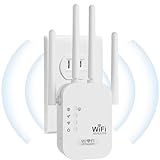


Our Top Picks
 TP-Link AC1200 WiFi Extender Dual Band 5GHz/2.4GHz1 Count (Pack of 1)3.5 x 2.05 x 4.89 inches0.4 PoundsCheck on Amazon
 TP-Link AC1900 WiFi Range Extender RE550WiFi 5, AC19006.4 x 3 x 2.6 inches0.51 poundsCheck on Amazon
 NETGEAR WiFi Extender EX50001.2 Gbps, 1000 sq.ft.2.55 x 2.85 x 2.85 inches0.34 poundsCheck on Amazon


Top 3 picks at a glance
Quick Picks
| Product | Best for | Price |
|---|---|---|
| TP-Link RE315 | Small homes with a few dead zones | Check on Amazon |
| TP-Link RE550 | Medium homes needing more coverage | Check on Amazon |
| WiFi Booster 1200Mbps | Budget dual-band coverage | Check on Amazon |
| 2026 New AC1200 Long Range | Upgraded hardware at a mid-range price | Check on Amazon |
| Milky White Repeater | Large open floor plans | Check on Amazon |
| 2026 Fastest WiFi Extender | High device count on a tight budget | Check on Amazon |
| NETGEAR EX5000 | Single-room dead zone with minimal hardware | Check on Amazon |
| 45X WiFi 6 AX3000 | Whole-home coverage with modern routing | Check on Amazon |
How We Compared
We filtered this list on four criteria: stated coverage area relative to price, device connection ceiling, Ethernet port availability for wired backhaul or fixed devices, and setup friction. Products that lack a Gigabit or even Fast Ethernet port lose points for households with a gaming console or smart TV that benefits from a wired drop. EasyMesh compatibility was treated as a tiebreaker rather than a requirement, since it matters primarily for users who plan to expand into a multi-node mesh later.
The 8 Best Wi Fi Extenders And Boosters in 2026
TP-Link AC1200 WiFi Extender RE315
This is the sensible entry point for a one-to-two-bedroom apartment or a small house where a single room falls off the Wi-Fi map. The RE315 covers up to 1600 square feet and handles 32 simultaneous devices, which is more than sufficient for most households that are not running a full smart-home ecosystem. The dual-band AC1200 rating means each radio shares the 1.2Gbps aggregate, so real 5GHz throughput after repeating will be modest but usable for streaming and casual play. One Ethernet port on the bottom lets you drop a wired connection to a console or desktop.
- Pro: EasyMesh compatible, so it can join a TP-Link Deco or Archer mesh network later without being replaced.
- Pro: Compact plug-in design keeps the wall outlet area clear.
- Con: Only one Ethernet port, and it is Fast Ethernet rather than Gigabit, limiting wired backhaul options.
Skip this if your home exceeds 1600 square feet or you need more than a single wired device connected to the extender itself.
TP-Link AC1900 WiFi Range Extender RE550
The RE550 steps up to 2200 square feet of coverage and a higher AC1900 aggregate rating, making it the better choice for a three-bedroom house with a router placed at one end. Owner feedback consistently highlights the app-based setup as quick, and the Gigabit Ethernet port is a genuine upgrade over the RE315 for anyone who wants to hardwire a desktop or media box through the extender. EasyMesh compatibility means it can also fold into a larger mesh deployment down the road. The tradeoff is physical size: this unit is noticeably bulkier and may block the lower half of a double outlet.
- Pro: Gigabit Ethernet port provides a full-speed wired drop for a gaming PC or console.
- Pro: Covers 2200 square feet and 32 devices, a meaningful jump over budget AC1200 options.
- Con: Large footprint risks covering a second wall outlet on crowded power strips.
Pass on it if you live in a small apartment where the RE315 already covers every room.
WiFi Extender Signal Booster 1200Mbps
A generic-branded AC1200 dual-band extender that lists at a slightly lower price than the TP-Link RE315. Published specs match the AC1200 tier: two radios sharing 1.2Gbps aggregate, and the form factor is a compact wall plug. Owner reviews praise the no-frills simplicity but note limited documentation and no mesh compatibility, which means it operates as a standalone repeater. If you want basic coverage expansion without brand-name software or ecosystem lock-in, this delivers the core function at the lowest cost among the known-brand equivalents.
- Pro: Undercuts the TP-Link RE315 by a dollar while offering the same AC1200 tier hardware.
- Pro: Plug-in design keeps setup location flexible.
- Con: No EasyMesh support, so it cannot integrate into a future mesh network.
Skip it if you plan to add multiple extenders or a mesh system within the next couple of years.
2026 New WiFi Extender Signal Booster AC1200 Long Range
Priced a full ten dollars above the RE315, this unit claims the same AC1200 tier but adds a “long range” descriptor that suggests improved antenna gain or power output relative to standard budget repeaters. Owner feedback mentions solid performance at mid-distance from the router, though the listing provides fewer detailed specifications than TP-Link’s product pages, which makes it harder to verify the actual coverage and device ceiling. The higher price demands confidence in the hardware, and the lack of a named brand means support options are limited if something goes wrong.
- Pro: Long-range antenna design claims better reach than standard AC1200 plug-ins.
- Pro: Positioned as a 2026 hardware refresh, likely with newer radio firmware.
- Con: Sparse published specs make it difficult to verify coverage area or device count.
Skip it if you want a proven spec sheet and brand support for warranty claims.
WiFi Extender Milky White Repeater
The Milky White extender is the bold claimant of this list, advertising coverage up to 9800 square feet with an Ethernet port and a quick-setup process. At around $23, it undercuts nearly every competitor while promising a massive footprint. The tradeoff is transparency: the listing provides no stated aggregate speed rating, no device ceiling, and no band configuration details. Owner reviews are mixed, with some users reporting strong performance and others noting the stated coverage only holds in ideal open-concept layouts. Treat the 9800-square-foot figure as a theoretical maximum rather than a reliable expectation.
- Pro: Lowest price among units with an Ethernet port in this roundup.
- Pro: Milky White finish is unobtrusive in modern home decor.
- Con: No published speed rating or device count, making it hard to plan around.
Choose this only if your home has an open layout with minimal obstructions between rooms.
2026 Fastest WiFi Extender
At around $16 this is the cheapest product on the list, yet it claims coverage up to 10000 square feet and support for 80 simultaneous devices. Those numbers place it in a completely different tier from the AC1200 plug-ins above, assuming the specs hold in real-world conditions. The Ethernet port and quick-setup language target households that want to expand Wi-Fi to multiple outbuildings or a large ranch-style home without wiring. Owner feedback generally confirms decent range but notes that the 80-device ceiling is only meaningful if the radio hardware can sustain throughput under that load, which is hard to verify from published materials alone.
- Pro: Lowest price in the roundup with the highest stated coverage and device count.
- Pro: Ethernet port allows a wired drop for a fixed device in a remote room.
- Con: Aggressive spec claims at the lowest price point may not translate to sustained performance under full device load.
Skip it if your priority is verified, consistent throughput for competitive online gaming rather than raw coverage area.
NETGEAR WiFi Mesh Range Extender EX5000
The EX5000 is NETGEAR’s compact answer to a single dead-zone problem. It covers up to 1000 square feet, supports 15 devices, and delivers AC1200 dual-band throughput up to 1200 Mbps. The wall-plug design is among the smallest in the list, which matters when outlets are scarce or positioned behind furniture. NETGEAR’s Nighthawk ecosystem provides a polished app for setup and firmware management, and the unit is compatible with NETGEAR mesh routers for seamless roaming. The 15-device ceiling is the lowest here, but for a home office or a single bedroom it is more than adequate.
- Pro: Smallest physical footprint in the list, ideal for tight spaces and shared wall outlets.
- Pro: Mature firmware and app support from NETGEAR’s Nighthawk platform.
- Con: Only 15-device and 1000-square-foot coverage, the lowest ceilings on the list.
Pass on it if your dead zone spans more than one room or your household exceeds 15 connected devices near that area.
WiFi Extender 45X WiFi 6 Booster AX3000
This is the premium option and the only WiFi 6 extender in the lineup. The AX3000 rating across 5.8GHz and 2.4GHz bands, combined with a claimed 26639 square feet of coverage and 165+ device support, targets large homes or small offices where multiple older extenders would be needed otherwise. The Ethernet port handles wired backhaul or fixed devices, and the matte black finish suits a modern setup. At around $99 it costs roughly three times what budget AC1200 plug-ins run, but the WiFi 6 radio hardware, OFDMA scheduling, and higher aggregate throughput justify the price if your router also supports WiFi 6 and your device count is genuinely high.
- Pro: WiFi 6 hardware provides better multi-device scheduling and higher sustained throughput than AC1200 competitors.
- Pro: Covers up to 26639 square feet and 165+ devices, the highest ceiling in the list by a wide margin.
- Con: At around $99, it costs three to five times more than budget options that suffice for smaller homes.
Skip it if your router only supports Wi-Fi 5 or your device count is under 20.
Buying Guide
Coverage Area vs. Real-World Obstruction
Stated square-footage numbers assume open air and zero interference. Walls, floors, appliances, and even a full bookshelf can cut effective range in half or worse. A unit claiming 1600 square feet will realistically serve one or two rooms beyond the router’s existing edge. If you are filling a dead zone at the far side of a multi-story home, plan for a coverage figure at least double the single-floor area you need to reach.
Device Count and Bandwidth Sharing
An extender rated for 32 devices does not give 32 devices equal bandwidth. The aggregate speed figure splits across all active connections simultaneously, so five people streaming 4K video will saturate an AC1200 unit long before 32 devices is a meaningful ceiling. For a household with smart-home sensors, phones, laptops, and consoles all connected, aim for at least twice your daily active count in the rated device ceiling.
Ethernet Port and Backhaul Considerations
A wired backhaul from the router to the extender, either through the Ethernet port or a powerline adapter, preserves the 5GHz radio for client traffic instead of splitting it between receiving and repeating. Even without a dedicated backhaul setup, an Ethernet port on the extender lets you hardwire a stationary device like a desktop gaming rig or a smart TV, removing one client from the wireless load and stabilizing latency-sensitive connections.
Our Verdict
The TP-Link RE550 is the top pick overall. It balances 2200 square feet of coverage, a Gigabit Ethernet port, 32-device support, and EasyMesh compatibility at around $34, a price that undercuts most competitors with comparable or lesser capability. For the tightest budget, the 2026 Fastest WiFi Extender at around $16 offers the highest stated coverage and device count in the roundup, making it the value play if aggressive spec claims are acceptable without brand-level verification. However, if your router supports Wi-Fi 6 and your household regularly connects more than fifty devices, the 45X AX3000 at around $99 becomes the only extender on this list that will not become a bottleneck within the next few years.
FAQ
Do Wi-Fi extenders reduce internet speed?
Yes, a single-band extender halves throughput because it uses the same radio to receive and retransmit. Dual-band units dedicate one radio to the router link and the other to clients, reducing the penalty to a moderate throughput drop rather than a 50% cut. WiFi 6 extenders further mitigate loss through better scheduling.
Can I use two extenders at the same time?
You can daisy-chain two extenders, but each hop adds latency and reduces available bandwidth for clients. A more effective approach is to connect both extenders to the main router independently or to upgrade to a mesh system that handles multiple nodes without the performance cascade.
Where should I place a Wi-Fi extender?
Position the extender halfway between the router and the dead zone, not inside the dead zone itself. The unit needs a strong signal from the router to repeat effectively, so if it is too far from the source it will amplify a weak connection and deliver poor results to your clients.
Is an extender better than a new router?
An extender is cheaper and simpler but adds a second network name or requires compatibility settings for seamless roaming. A new router with wider coverage eliminates the extra hop entirely. If your current router is more than five years old and lacks modern features, replacing it may deliver better overall performance than bolting on an extender.
Related guides
- Best Gaming PC for Overwatch 2: Ten Prebuilts Matched to Your Monitor (2026)
- Best Gaming PC for Baldur’s Gate 3: Matching CPU, VRAM and Storage to the Game (2026)
- Best Gaming PC for Apex Legends: Which Listings Fit a High-Refresh Setup (2026)
- Best RTX 3060 Gaming PCs: Eight Prebuilt Listings Compared by CPU, RAM and Cooling (2026)









