
Our Top Picks
 AOC 27" Gaming Monitor QHD 240Hz QD OLED27" 240Hz Height Adjustable9.45 x 23.99 x 21.17 InchesCheck on Amazon

The Short Answer
Yes, OLED monitors are worth it for gaming—provided your primary setup focus is visual immersion, HDR fidelity, and competitive motion clarity rather than daily 8-hour static office work. If you play games in a light-controlled environment and want zero motion blur paired with infinite contrast, the performance leap over traditional LED-backlit LCD panels justifies the cost. However, if your display double-duties as a daily productivity workstation for spreadsheets and coding, or if your desk sits directly across from uncurtained sunlit windows, traditional Fast IPS or Mini-LED monitors remain the smarter investment.
What You Actually Get
Upgrading to an organic light-emitting diode (OLED) display fundamentally changes how light and color reach your eyes. Traditional LCD monitors—whether IPS, VA, or TN—rely on a continuous backlight layer shining through liquid crystal shutter matrices. OLED panels eliminate the backlight entirely. Every pixel generates its own light and can shut off completely, yielding true black levels (0.00 nits) and absolute contrast control.
As an Amazon Associate we earn from qualifying purchases at no extra cost to you.
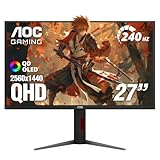
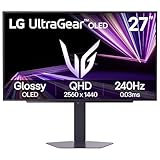
For gaming, this pixel-level illumination delivers two decisive physical performance advantages:
- Instantaneous Pixel Response Times: Standard Fast IPS panels achieve pixel response times around 1ms to 4ms Gray-to-Gray (GTG), which often introduces minor motion smearing or haloing behind fast-moving objects. OLED pixels transition state in roughly 0.03ms—more than 30 times faster. This produces pristine motion clarity where fast camera spins and twitch shooter targets remain crystal clear, even at standard frame rates.
- Per-Pixel HDR Precision: High Dynamic Range (HDR) on conventional monitors requires local dimming zones to approximate deep darks alongside bright highlights. Even advanced Mini-LED panels with 1,152 dimming zones show visible glow (“blooming”) around small light elements like crosshairs, stars, or subtitles. OLED provides over 3.6 million individual dimming zones on a 2560×1440 panel, allowing bright laser effects to sit adjacent to absolute black without a single pixel of light leakage.
As we evaluate display technology in 2026, entry-level 27-inch QHD (2560×1440) OLED monitors with 240Hz refresh rates have settled into an accessible price corridor between $300 and $380, while high-end 32-inch 4K panels scale from $800 to $1,200. Physically, a typical 27-inch OLED screen measures roughly 23.8 inches wide by 14.1 inches tall, featuring an ultra-slim glass profile under 0.25 inches thick at the top edge. With an ergonomic desktop stand included, overall system weight ranges from 12 to 17 pounds. Electrical power consumption typically sits between 35 watts during standard desktop tasks and spikes to 70–90 watts during dynamic, high-brightness HDR gaming scenes.
Pros
- Infinite Contrast Ratio: Self-emissive pixels deliver true pitch-black darks and bright specular highlights on the exact same frame without backlight bleed.
- Unmatched Motion Clarity: The 0.03ms response time virtually eliminates ghosting, trailing, and temporal motion blur during high-speed gameplay.
- Wide Color Coverage: Native support for 98.5% DCI-P3 and deep 10-bit color spaces produces rich, cinematic hues without banding.
- Flawless Viewing Angles: Colors and brightness levels stay uniform even when viewing the screen up to 178 degrees off-center.
- Low Input Lag: High refresh rate execution combined with instantaneous pixel transitions results in near-zero display latency for competitive play.
Cons
- Risk of Permanent Burn-in: Extended display of static UI elements—such as taskbars, browser headers, or game HUDs—can cause uneven pixel wear over time.
- Sub-optimal Text Clarity: Alternative subpixel arrangements (such as QD-OLED’s triangular structure or standard WOLED layouts) can cause subtle color fringing around small dark text on bright backgrounds.
- Aggressive Auto Brightness Limiting (ABL): To prevent thermal buildup and power spikes, the monitor will automatically dim the display when large areas of bright white are shown.
- Lower Full-Screen Daylight Brightness: While localized peak brightness can hit 1,000 nits in small HDR windows, full-screen white scenes are limited to roughly 200 to 250 nits.
- Maintenance Cycle Interruptions: Built-in panel refresh functions periodically run background optimization cycles that require short operational pauses or specific shutdown states.
Who Should Buy It
An OLED monitor is worth every dollar for two main gamer profiles: high-speed esports competitors and atmospheric campaign enthusiasts. If you play competitive titles like Valorant, Counter-Strike, or Apex Legends, the instantaneous 0.03ms response time delivers unmatched motion clarity that makes tracking enemy movement effortless. If you sink hundreds of hours into moody, lighting-heavy titles like Cyberpunk 2077, Alan Wake 2, or Dead Space, the true black rendition and blooming-free HDR highlights transform dark corridor environments into genuine cinematic experiences.
Who Should Skip It
You should skip an OLED screen if your desktop setup doubles as a daily 40-hour-a-week work desk spent primarily in Microsoft Excel, code editors, or browser text documents. Static software interfaces invite image retention and burn-in, while subpixel color fringing makes small fonts appear soft compared to standard IPS alternatives. Additionally, if your gaming setup is positioned directly opposite large, unshaded windows, OLED screens lack the sustained full-field brightness needed to combat heavy daytime glare, and ambient light can wash out dark regions on certain anti-reflective coatings.
Cheaper Alternatives
| Option | Cost | Trade-off |
|---|---|---|
| Fast IPS (27″ QHD 180Hz-240Hz) | $180 – $260 | Elevated black levels (dark scenes appear grayish); slower 1ms response time allows mild motion blur; limited HDR capability. |
| Mini-LED (27″ or 32″ QHD/4K) | $280 – $450 | Achieves much higher full-screen brightness (up to 1,000+ nits); immune to burn-in, but suffers from visible haloing/blooming around bright small objects on dark backgrounds. |
| Budget Ultrawide VA (34″ UWQHD 144Hz) | $250 – $350 | Delivers deep static contrast (3000:1) and expansive screen real estate, but suffers from slow dark-pixel response times resulting in dark-smearing during motion. |
FAQ
Are OLED monitors still prone to burn-in with modern panels?
Modern OLED gaming monitors incorporate sophisticated protection features including automatic pixel shifting, logo brightness detection, active thermal management, and scheduled background pixel refresh routines. While the underlying organic materials still wear down over thousands of cumulative hours, aggressive permanent burn-in is far less common under typical mixed-use gaming conditions than it was on earlier panel generations.
Do I need a top-tier graphics card to run a 240Hz OLED monitor?
You do not need a high-end graphics card to benefit from an OLED panel’s pixel speed and dynamic range. Even at lower frame rates (such as 60 to 90 FPS), the 0.03ms pixel response time eliminates motion blur completely, making gameplay feel smoother than it would on an equivalent IPS panel. However, reaching the full 240Hz cap in demanding QHD or 4K titles requires a mid-to-high-tier GPU.
Is a 240Hz OLED noticeably better for competitive play than a 240Hz IPS screen?
Yes. While both panels update the picture 240 times per second, individual liquid crystals on an IPS panel take several milliseconds to complete color transitions, resulting in residual motion blur. OLED pixels transition near-instantaneously, preserving motion sharpness and making fast-moving targets easier to acquire during rapid mouse flicks.
What room setup works best for an OLED monitor?
OLED screens perform best in dim to moderately lit environments where their infinite contrast ratio can fully shine. If operating in a bright room, position light sources to the side or behind the display rather than directly behind the user, as direct ambient light hitting the screen surface can elevate black levels or cause glare on high-gloss and anti-reflective panel coatings.
Related guides
- Best Gaming PC for Overwatch 2: Ten Prebuilts Matched to Your Monitor (2026)
- Best Gaming PC for Baldur’s Gate 3: Matching CPU, VRAM and Storage to the Game (2026)
- Best Gaming PC for Apex Legends: Which Listings Fit a High-Refresh Setup (2026)
- Best RTX 3060 Gaming PCs: Eight Prebuilt Listings Compared by CPU, RAM and Cooling (2026)









