
If your gaming PC struggles to hold 60 frames per second at 1080p, the graphics card—not the CPU, not the RAM—is almost always the bottleneck. The good news: 1080p is the sweet spot where budget GPUs shine. You don’t need a $1,000 flagship to max out a 24- to 27-inch monitor; you need the right card in the $80 to $530 range, chosen for the games you actually play and the resolution and refresh rate you actually run.
We compared eight cards across price, memory capacity, power draw, and physical fit—because a great deal means nothing if the card doesn’t fit your case or your power supply. Below you’ll find quick picks, detailed mini-reviews, and a buying guide covering the specs that matter most for 1080p performance in 2026.
As an Amazon Associate we earn from qualifying purchases at no extra cost to you.







Our Top Picks
 ASUS Dual Radeon RX 9060 XT 16GB GDDR6RX9060XT|16GB|Black8 x 4.7 x 1.9 inches1.3 PoundsCheck on Amazon



Top 3 picks at a glance
Quick Picks
| Product | Best for | Price |
|---|---|---|
| ASUS Dual GeForce RTX 3050 6GB GDDR6 OC Edition | Balanced entry-level 1080p gaming with modern features | Check on Amazon |
| ASRock Intel Arc B580 Challenger 12GB OC | Best overall value with 12GB VRAM and DisplayPort 2.1 | Check on Amazon |
| ASUS Dual Radeon RX 9060 XT 16GB GDDR6 | High-refresh 1080p and future-proofing | Check on Amazon |
| MSI Gaming GeForce RTX 3060 Ventus 2X 12G OC V1 | 12GB VRAM on a proven, efficient platform | Check on Amazon |
| ASRock AMD Radeon RX 6600 Challenger D 8GB | Best price-to-performance for pure 1080p gaming | Check on Amazon |
| MSI Gaming GeForce GT 1030 4GB DDR4 LP OC | Display upgrade for older systems without dedicated graphics | Check on Amazon |
| ARDIYES GT 740 4GB GDDR5 Low Profile | Quad-monitor productivity and home theater builds | Check on Amazon |
| GIGABYTE GeForce RTX 3050 WINDFORCE OC V2 6G | Compact dual-fan RTX option on a tight budget | Check on Amazon |
How We Compared
We focused on cards that can genuinely deliver a good 1080p experience rather than inflating the list with overpriced hardware. Every pick was evaluated on four criteria: real-world price (not inflated launch MSRP), video memory capacity relative to modern game demands, power requirements a typical prebuilt or budget PC can handle, and physical dimensions for small-form-factor cases. We prioritized cards with 8GB or more of VRAM for mainline gaming picks, since newer titles increasingly exceed 6GB at high settings, while reserving lower-VRAM and DDR4-based cards for display-upgrade and multi-monitor roles where that limitation doesn’t matter. We also noted cooling design—dual-fan versus single-fan versus low-profile—because noise and case airflow matter as much as frame rates in a bedroom or living room setup.
The 8 Best Picks
1. ASUS Dual GeForce RTX 3050 6GB GDDR6 OC Edition Gaming Graphics Card — around $260
This is the sensible entry point for gamers who want modern NVIDIA features—DLSS support, decent encoder quality for streaming—without overspending. The 6GB of GDDR6 handles esports titles and older AAA games comfortably at 1080p, and ASUS’s Dual OC cooling keeps the card quiet under load. It’s a strong match for a first gaming PC built around a mid-range CPU and a 500W-class power supply.
- Factory overclocked with a dual-fan cooler that stays reasonably quiet
- Supports DLSS, which stretches frame rates significantly at 1080p
- 6GB of VRAM is tight for newer AAA titles at high texture settings
Skip it if you play the latest graphically demanding releases and want headroom—step up to a 12GB option instead.
2. ASRock Intel Arc B580 Challenger 12GB OC — around $330
The Arc B580 Challenger is our value standout: 12GB of GDDR6, a 2740 MHz GPU clock, and modern connectivity including DisplayPort 2.1 and HDMI 2.1a, all at a mid-tier price. ASRock’s dual-fan design features 0dB silent operation, so the fans stop entirely during light use. This is the card to buy if you want to run demanding 1080p games at high settings today and keep the card for several years.
- 12GB VRAM and DP 2.1/HDMI 2.1a make it genuinely future-proof for 1080p and beyond
- 0dB silent operation keeps desktop use whisper-quiet
- Driver support for older titles has historically been less consistent than NVIDIA or AMD
Skip it if you rely on niche or legacy game compatibility above all else.
3. ASUS Dual Radeon RX 9060 XT 16GB GDDR6 — around $530
If your budget stretches past the mid-tier, the RX 9060 XT with 16GB of GDDR6 is the performance ceiling of this roundup. It’s built for high-refresh 1080p—think 144Hz and 165Hz monitors—where it can push esports titles well beyond what mid-range cards manage, while the enormous 16GB buffer means you’ll never worry about texture memory for years. It’s the pick for enthusiasts who game at 1080p but refuse to compromise settings.
- 16GB of VRAM is the most in this roundup by a wide margin
- Excellent choice for 144Hz+ high-refresh 1080p displays
- At around $530, it costs more than some entry-level complete gaming PCs
Skip it if your monitor is 60Hz—paying for frame rates your display can’t show is wasted money.
4. MSI Gaming GeForce RTX 3060 Ventus 2X 12G OC V1 — around $460
The RTX 3060 remains one of the most widely supported cards in PC gaming, and MSI’s Ventus 2X version pairs its 12GB of GDDR6 with a Torx Twin Fan cooler and PCIe 4.0 support. The boost clock of 1807 MHz and 192-bit memory interface at 15 Gbps give it solid 1080p credentials, and the large VRAM buffer helps in texture-heavy games. DLSS support keeps it relevant in newer releases.
- 12GB VRAM plus a 192-bit bus handles high-texture 1080p gaming well
- Broad game and driver ecosystem with reliable DLSS support
- At around $460, newer-generation competitors offer more performance per dollar
Skip it if price is your primary driver—the RX 6600 or B580 deliver better value.
5. ASRock AMD Radeon RX 6600 Challenger D 8GB — around $220
Pure 1080p gaming value doesn’t get much better than this. For around $220 you get 8GB of GDDR6 on a 128-bit bus, PCIe 4.0, a dual-fan cooler with 0dB silent operation, and support for up to 7680 x 4320 output. It draws modest power—typically handled by a single 8-pin connector—so even budget power supplies around 450–500W are sufficient. This is our top recommendation for a dedicated 1080p gaming card under $250.
- Best price-to-performance ratio in the roundup for actual gaming
- Low power draw with silent 0dB idle cooling
- PCIe 4.0 x8 interface can slightly limit performance in older PCIe 3.0 systems
Skip it if your motherboard and CPU only offer PCIe 3.0 and you want maximum throughput.
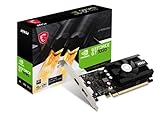
6. MSI Gaming GeForce GT 1030 4GB DDR4 LP OC — around $120
To be clear: this is not a gaming card for modern titles. The GT 1030 with 4GB of DDR4 on a 64-bit bus is a display-upgrade card—perfect for an office PC or older prebuilt with integrated graphics that stutters on video playback or light games like Minecraft, Rocket League, or older esports titles at low settings. Its low-profile, single-fan design fits compact cases, and the ~30W power draw means no extra power connector is needed at all.
- Low-profile design and roughly 30W draw—no power connector required
- Adds HDMI/DP output to systems without dedicated graphics for just around $120
- DDR4 memory and a 64-bit bus limit it to light or older games only
Skip it entirely if modern AAA gaming is the goal—buy the RX 6600 instead.
7. ARDIYES GT 740 4GB GDDR5 Low Profile — around $79
This card isn’t aimed at gamers at all, and it’s honest about that. The GT 740’s headline feature is four HDMI ports on a single low-profile card, enabling a quad-monitor setup from one PCIe 3.0 x16 slot—ideal for trading desks, streamers managing overlays, security-camera feeds, or a home theater PC driving multiple screens. Silent cooling and low power consumption make it a set-and-forget component for productivity builds.
- Four HDMI outputs enable quad-monitor setups from a single slot
- Low-profile, silently cooled, and the cheapest card here at around $79
- Not suitable for modern 3D gaming—treat it as a display-output upgrade
Skip it for any gaming purpose; choose it only for multi-monitor productivity or HTPC use.
8. GIGABYTE GeForce RTX 3050 WINDFORCE OC V2 6G — around $240
The WINDFORCE OC V2 is the value play within the RTX 3050 6GB family. You get the same core hardware—6GB of GDDR6 on a 96-bit bus, DLSS support, and an efficient Ampere-derived architecture—paired with GIGABYTE’s dual WINDFORCE fans, all for about $12 less than the ASUS version. Its compact dual-fan layout fits mid-tower and many smaller cases, and power requirements stay in the 450W-PSU territory.
- Cheapest RTX 3050 6GB option here at around $240 with a proven dual-fan cooler
- DLSS support and NVIDIA encoder quality for casual streaming
- 96-bit memory bus and 6GB VRAM cap texture quality in demanding titles
Skip it if you can stretch to the B580’s 12GB—VRAM headroom pays off quickly.
Buying Guide
VRAM: Why 8GB Is the New Minimum
Modern 1080p games increasingly consume 6–8GB of video memory at high texture settings. A 6GB card like the RTX 3050 is workable for esports and medium settings, but 8GB (RX 6600) or 12GB (B580, RTX 3060) gives you room to raise settings without stutter. If you plan to keep the card for three or more years, prioritize memory capacity over raw clock speed—it’s the spec most likely to age poorly.
Power Supply and Case Fit
Check two numbers before buying: your PSU wattage and your case’s GPU clearance. Cards in this roundup range from ~30W (GT 1030, no power connector needed) to cards needing a single 8-pin connector and a 450–550W PSU (RX 6600, RTX 3050, B580). Dual-fan cards are typically 8–9 inches long; low-profile cards like the GT 1030 and GT 740 fit slimline HTPC cases. Measure your case’s available clearance and confirm your PSU connectors before checkout.
Match the Card to Your Monitor
A 60Hz 1080p monitor tops out at 60 frames per second, so a $220 RX 6600 is genuinely all you need. If you game on a 144Hz or 165Hz panel, you need the extra horsepower of the RX 9060 XT or Arc B580 to actually feed those refresh rates. Also check your monitor’s inputs: newer cards with DisplayPort 2.1 and HDMI 2.1a support high-refresh 1080p and beyond, while GT 740’s four HDMI ports serve multi-monitor productivity setups instead.
Our Verdict
For most 1080p gamers, the ASRock Radeon RX 6600 Challenger at around $220 is the smartest purchase in this roundup—real gaming performance, 8GB of VRAM, and low power draw for the lowest mainline gaming price here. If you can spend more, the ASRock Arc B580 Challenger at around $330 is the better long-term investment thanks to 12GB of VRAM and modern DP 2.1/HDMI 2.1a connectivity. Enthusiasts with 144Hz+ monitors should step up to the ASUS RX 9060 XT 16GB at around $530, while the GT 1030 and GT 740 serve valuable but narrower display-upgrade and multi-monitor roles. Whatever you choose, matching the card to your monitor, PSU, and case will matter more than chasing the last few frames per second.
FAQ
How much VRAM do I really need for 1080p gaming?
For 2026 releases, treat 8GB as the practical floor for high settings. 6GB cards work well for esports titles and medium settings, while 12GB or 16GB gives you headroom for texture-heavy games and extends the card’s useful life.
Will these cards work with a 450W power supply?
Most will. The RX 6600, RTX 3050 variants, and GT 1030 are all designed for modest systems, with the GT 1030 drawing roughly 30W and needing no power connector at all. Confirm your PSU has the required 8-pin PCIe connector for the RX 6600, B580, RTX 3060, or RX 9060 XT, and check the card’s recommended PSU wattage on the spec sheet.
Is a budget GPU worth it if I only play esports titles?
Absolutely—esports games like Counter-Strike, Valorant, and League of Legends are light on hardware. A $220 RX 6600 will push these well past 100 fps at 1080p, and even cheaper cards handle them at competitive frame rates. Spending more only makes sense if you also play demanding AAA releases.
Can a low-profile card like the GT 740 handle gaming?
Only light or older games. Cards like the GT 740 and GT 1030 are designed for display output, multi-monitor productivity, and home theater use—not modern 3D gaming. If gaming is your goal, a full-height dual-fan card like the RX 6600 is the better investment.
Related guides
- Best Gaming PC for Overwatch 2: Ten Prebuilts Matched to Your Monitor (2026)
- Best Gaming PC for Baldur’s Gate 3: Matching CPU, VRAM and Storage to the Game (2026)
- Best Gaming PC for Apex Legends: Which Listings Fit a High-Refresh Setup (2026)
- Best RTX 3060 Gaming PCs: Eight Prebuilt Listings Compared by CPU, RAM and Cooling (2026)









