
As an Amazon Associate we earn from qualifying purchases at no extra cost to you.


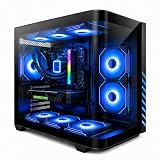

When you’re shopping for a gaming PC, the biggest spec-sheet divide isn’t the graphics card — it’s how the machine keeps itself cool. Walk into any setup and you’ll either see a chunky tower cooler with exposed heat pipes, or a sleek glass panel with tubes running to a radiator. That’s the air cooling vs liquid cooling for gaming pc decision in a nutshell, and it affects your noise levels, your wallet, your desk space, and how long the machine lasts.
Here’s the honest framing: neither option is “better.” A well-built air cooler and a well-built liquid cooler will both keep a Ryzen 7 or an RTX 4060 Ti-class GPU well within safe temperatures during long gaming sessions. What differs is the experience — noise, maintenance, aesthetics, and what happens three years from now when a fan bearing starts to whine.
This guide breaks down both approaches for a home buyer, not a competitive overclocker. If you want the shortest possible answer, jump to the Quick Verdict. If you want to know what a five-year ownership looks like, we’ve done that math too.
Our Top Picks



Top 3 picks at a glance
Quick Verdict
For most home gamers, a quality air-cooled system is the smarter default. It costs less upfront (typically $50–$150 less than the liquid-cooled equivalent), has fewer parts that can fail, and requires essentially zero maintenance beyond an occasional dust-out. Modern air coolers handle today’s CPUs — even 105–170W chips — without breaking a sweat.
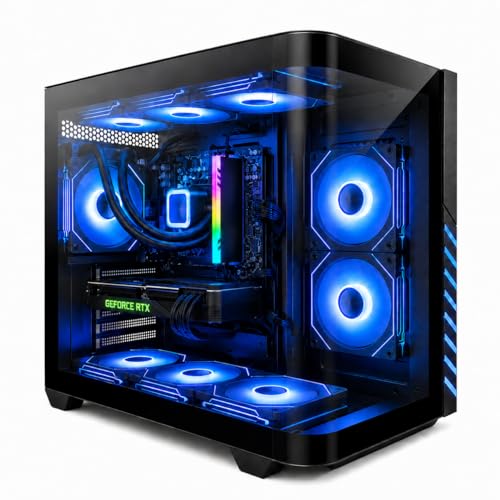
Choose liquid cooling if you care about aesthetics, you’re running a high-wattage CPU (150W+ under sustained load), you want the quietest possible load noise, or you’re building a compact case where a massive tower cooler won’t fit. Prebuilt liquid-cooled machines like the Gaming PC Desktop with Ryzen 7 8700F and RTX 4060 Ti (around $1,150) make sense when you want that look and thermals handled out of the box.
One thing worth noting: don’t confuse PC cooling with room cooling. A gaming PC dumps 300–600W of heat into your room either way. If your office runs hot in summer, a dedicated fan like the Levoit Tower Fan (around $54) or the DREO Tower Fan with 8 speeds (around $52) will do far more for your comfort than any upgrade inside the case.
Side by Side
| Category | Air Cooling | Liquid Cooling (AIO) |
|---|---|---|
| Upfront cost | $30–$100 for the cooler; often bundled in budget prebuilts | $80–$250 for a 240mm–360mm all-in-one; adds $100–$200 to prebuilt pricing |
| Noise | Quiet at idle, audible fan whoosh under load; large towers (160mm+) are very quiet | Quietest under sustained load since the radiator moves heat away from the CPU immediately |
| Comfort | Good; heat stays near the CPU socket | Good; heat is exhausted through the radiator, often at the top of the case |
| Reliability | Excellent — only failure point is a fan ($10–$20 to replace) | Pump is a moving part with a typical 5–6 year rated life; a failure means a full replacement |
| Maintenance | Compressed air dust-out every 3–6 months | Dust the radiator, monitor pump/fan health; no refills needed on sealed AIOs |
| Space needed | Tall tower coolers can reach 155–168mm; requires wide cases and may block RAM slots | Radiator needs 240–360mm of mounting space; tubes need clearance but the CPU socket area stays open |
| Weight on motherboard | Heavy — premium towers weigh 1.2–2kg and stress the board during moves | Light near the socket (~300–500g block); radiator mounts to the case instead |
| Look | Industrial, mechanical; visible heat pipes and fin stacks | Clean, minimalist; the showpiece build with glass panels and RGB |
| Resale value | Neutral — buyers care about the GPU and CPU first | Slight edge on the used market for visually striking builds; coolers are easy to swap either way |
| Best for | Budget builds, first PCs, set-and-forget owners, anyone wary of leaks | High-wattage CPUs, showcase builds, small cases, quiet home offices |
Where Air Cooling Wins
Price-to-performance. A $40–$90 tower cooler from a reputable brand cools nearly every mainstream CPU you’d pair with a midrange GPU. That money saved is better spent on storage or a better power supply. Budget-oriented prebuilts like the YAWYORE Gaming PC with a Ryzen 7 5700X and RTX 5060 (around $1,300) keep the whole system in range partly because air cooling doesn’t inflate the price.
Longevity and failure modes. An air cooler has one moving part per fan. If a fan dies, you replace a $15 unit in five minutes. A liquid cooler’s pump is integral — if it fails after the warranty (typically 3–6 years), the whole unit goes in the bin.
Zero-leak anxiety. Modern AIOs are sealed and leak rates are genuinely low, but the fear is real for buyers, and it’s not entirely irrational. Air can’t drip onto your graphics card.
Simple transport. Moving a heavy tower cooler in a shipping box risks cracking the socket. But removing it is a two-screw job, and many gamers just leave it installed with the motherboard’s backplate support doing the work. Either way, there’s no liquid to slosh, no tubes to kink.
No radiator real estate required. If your case is a modest mid-tower with limited top clearance, air cooling is simply the option that fits.
Where Liquid Cooling for Gaming Pc Wins
Sustained high-wattage loads. CPUs drawing 150W+ for hours — think video rendering after a gaming session, or heavily multi-threaded streaming — benefit from a 240mm or 360mm radiator’s heat capacity. Liquid moves heat away from the small CPU die faster than a tower of copper fins can soak it up.
Noise under load. Because the radiator gives fans more surface area to work with, they spin slower for the same heat load. A good 360mm AIO under full CPU load is often quieter than a dual-tower air cooler pushing the same watts.
Compact and small-form-factor builds. In cases where a 160mm tower cooler won’t physically fit, a 240mm radiator on the side or top panel is the only way to cool a hot chip properly.
Aesthetics. There’s a reason most showroom prebuilts — including the liquid-cooled Ryzen 7 8700F / RTX 4060 Ti machine mentioned above — use AIOs. The CPU area stays visually open, cable runs look tidy, and the pump block becomes an RGB focal point. If your PC lives in your living room on display, this matters more than spec sheets admit.
RAM clearance. Tall tower coolers can overhang the first RAM slot. Liquid cooling eliminates that, which matters if you’re using low-profile RAM or plan to add sticks later.
Cost Over 5 Years
Air cooling (DIY or prebuilt): $40–$100 cooler cost, plus maybe one replacement fan at $15, plus two cans of compressed air a year at ~$10 each. Five-year total: roughly $75–$165.
Liquid cooling (AIO): $100–$250 cooler cost, plus a radiator dust-out routine (same compressed air), plus a realistic probability you’ll replace the unit once in years five through seven as the pump ages. Budget one replacement: five-year total: roughly $120–$290, with a chance of a $100+ replacement bill landing right at the edge of that window.
Prebuilt context: The price gap between comparable air- and liquid-cooled prebuilts is typically $100–$200. The YAWYORE air-cooled system at around $1,300 and the liquid-cooled 8700F/4060 Ti at around $1,150 show how the GPU and CPU tier move the total far more than the cooling method does — cooler choice is a rounding error next to silicon.
For room comfort over those five years, a quiet tower fan is a one-time spend: the Levoit at around $54 or the DREO at around $52, both rated around 28dB — quieter than most PC fans under load.
Which One for Your Home
Small Apartment or Studio
Space and noise dominate here. A compact case with a liquid cooler keeps the machine small, but honestly, a well-chosen low-profile air cooler in a small case is cheaper and silent enough. If your apartment runs warm, put your money toward a DREO or Levoit tower fan rather than a cooling upgrade — it helps you and everything in the room. Either way, position the PC where it can exhaust freely; cramming it into an enclosed desk cubby hurts both cooling types.
Family with Kids or Pets
Air cooling is the lower-stress choice. No tubes means nothing curious to tug, and a failed $15 fan beats a failed pump. That said, the real issue is dust and pet hair: with either cooler, vacuum around the intake filters monthly and give the case a compressed-air blast each season. If you do go liquid for the looks, mount the radiator fans as intakes so hair gets caught on filters rather than inside the radiator fins.
Rental or Temporary Home
If you move frequently, favor air cooling and a standard mid-tower case — they survive transport best, and replacement parts are available everywhere. If your prebuilt ships with an AIO, keep the original box and consider removing and boxing the cooler separately for long-distance moves to spare the motherboard. Skip exotic custom loops entirely until you’re settled.
Long-Term Home Base
This is where liquid cooling makes the most sense. You’re not moving the machine, you’re invested in the setup, and the cleaner look plus quieter load behavior pays off daily. A 5-year pump warranty from a major brand covers most of the ownership window. Pair it with a dedicated room fan for summer sessions and you’ve covered both the PC’s thermals and yours.
FAQ
Do liquid-cooled PCs need coolant refills?
No — sealed all-in-one coolers are factory-filled and never need topping up. Only custom loops (rare in prebuilts) require periodic coolant maintenance. If an AIO pump starts rattling or temperatures climb over months, the unit is likely failing and should be replaced under warranty.
Is liquid cooling risky? Can it leak onto my parts?
Leak rates on modern AIOs are very low, and most major brands include leak-damage coverage on their warranties. The risk is small but not zero, which is why cautious buyers and frequent movers lean air cooling.
Will better cooling make my games run faster?
Only indirectly. Both good air and good liquid cooling prevent thermal throttling, so a properly cooled chip performs the same either way. The difference shows up in noise, temperatures, and headroom for heavy multi-hour sessions.
How often should I clean my gaming PC?
Every 3–6 months with compressed air: fans, filters, heatsink fins, and (on liquid coolers) radiator fins. Homes with pets or carpet should lean toward the 3-month end. Five minutes of dusting does more for temperatures than any cooler upgrade.
Related guides
- Best Gaming PC for Overwatch 2: Ten Prebuilts Matched to Your Monitor (2026)
- Best Gaming PC for Baldur’s Gate 3: Matching CPU, VRAM and Storage to the Game (2026)
- Best Gaming PC for Apex Legends: Which Listings Fit a High-Refresh Setup (2026)
- Best RTX 3060 Gaming PCs: Eight Prebuilt Listings Compared by CPU, RAM and Cooling (2026)









