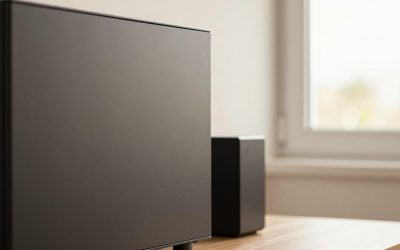
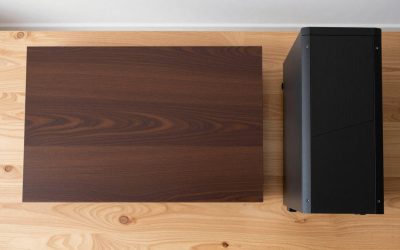
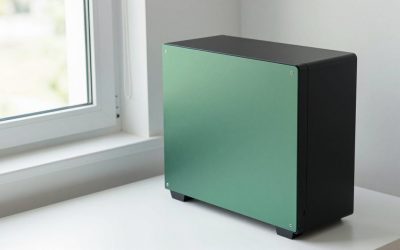
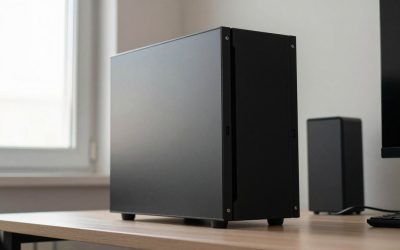
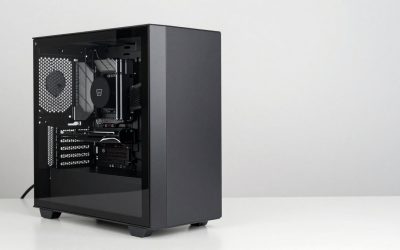
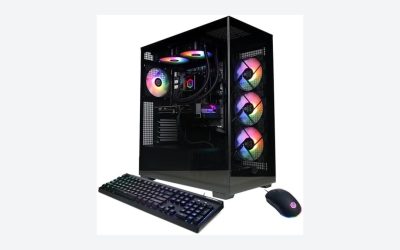
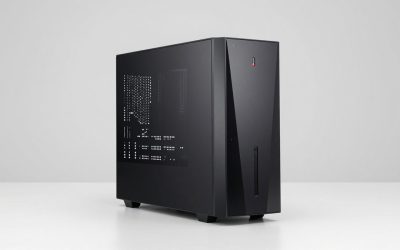
Designing a home office or gaming space requires balancing aesthetic harmony with practical performance. When selecting a computer enclosure, the primary structural decision comes down to an airflow case vs glass front case. While both options house your hardware, they interact with your living environment in fundamentally different ways. A PC case is no longer just a functional box hidden beneath a desk; it is a visible piece of home furniture that impacts room acoustics, dust accumulation, ambient thermal levels, and overall room styling.
The front panel of a chassis dictates how air enters the system. Mesh front panels prioritize unrestricted intake, allowing cooling fans to move volume with minimal resistance. Glass front panels prioritize visual clarity, creating a seamless display cabinet look for internal lighting and components, but forcing fans to draw air through narrower side or bottom vents. Deciding which design belongs in your home involves evaluating your room’s ambient temperature, your tolerance for fan noise, your maintenance habits, and the physical safety of the placement area.
As an Amazon Associate we earn from qualifying purchases at no extra cost to you.




Our Top Picks


Top 3 picks at a glance
Quick Verdict
An airflow case is the superior choice for high-performance builds, warm living spaces, and homeowners who prioritize acoustic comfort under heavy workloads. By allowing direct ventilation, airflow cases keep internal thermal levels lower, allowing fans to run at reduced speeds. A glass front case is ideal for climate-controlled rooms, low-to-moderate wattage systems, and decor-focused setups where the computer serves as a polished visual focal point. For most modern residential setups in 2026, an airflow case delivers the best balance of system longevity and lower long-term operating noise.
Side by Side
| Feature | Airflow Case | Glass Front Case |
|---|---|---|
| Comfort (Acoustics & Heat) | Lower fan noise under load; exhausts ambient heat rapidly. | Quieter at idle; fan noise ramps up significantly under high thermal load. |
| Durability | High impact resistance; metal mesh front panels withstand accidental bumps. | Tempered glass can shatter under direct impacts or sudden thermal stress. |
| Price Range | $60 – $180 | $70 – $250 |
| Maintenance | Requires regular exterior vacuuming/dusting of mesh filters every 1–2 months. | Requires frequent glass wiping to remove smudges; internal deep cleaning every 3–4 months. |
| Space Needed | Standard mid-tower footprint (~18 x 8.5 x 18 inches); requires 3–4 inches rear clearance. | Standard footprint; requires additional side intake clearance (~4 inches) if side-vented. |
| Look & Aesthetic | Industrial, clean, textured matte appearance; subtle interior visibility. | Showcase style, high reflection, premium display-cabinet visual appeal. |
| Resale Value | Stable demand among practical builders and second-hand markets. | Moderate; dependent on scratch-free glass condition and trend preferences. |
| Best For | Heavy gaming, workstation tasks, warmer rooms, pet-heavy households. | Minimalist desks, showroom-style setups, moderate power usage, quiet office work. |
Where Airflow Case Wins
Thermal efficiency is the primary advantage of an airflow-oriented design. Under heavy processing loads drawing 350 to 600 watts of system power, graphics cards and processors output significant thermal energy. A fine mesh front panel allows intake fans to draw ambient room air directly into the cabinet without directional obstruction. This unrestricted intake keeps internal temperatures roughly 5°C to 12°C cooler compared to a solid glass barrier.
Lower operating temperatures directly improve home living comfort. When internal components remain cool, thermal control curves keep cooling fans spinning at lower revolutions per minute (RPM). A fan running at 1,000 RPM behind a mesh panel operates at roughly 28 to 32 dBA, producing a soft, unobtrusive hum. The same fan forced to pull air around a glass panel may need to spin at 1,700 RPM to maintain safe component temperatures, pushing noise levels past 40 dBA—a noticeable acoustic distraction in a quiet room.
Modern entry-level and mid-range options make high-airflow designs accessible without sacrificing interior space. The NZXT H5 Flow (around $69) features a dedicated angled bottom fan alongside a perforated front panel to ensure consistent air delivery across power supplies and GPU heat sinks within a compact mid-tower footprint. For higher-wattage builds requiring expansive cooling configurations, enclosures like the CORSAIR 4000D RS ARGB Frame Modular Mid-Tower ATX PC Case (around $89) incorporate high-airflow mesh fronts with flexible fan bracket geometry, allowing users to run large radiator setups while keeping total desk heat down.
Additionally, metal mesh fronts offer superior physical durability in busy living areas. They cannot shatter, do not show fingerprints easily, and act as an effective first-stage physical barrier against large dust particles, lint, and pet hair.
Where Glass Front Case Wins
Glass front cases offer unmatched visual elegance for home workspaces designed around clean, sleek aesthetics. A tempered glass front panel turns the interior hardware into a focal display piece, complementing modern glass, steel, or engineered hardwood desks. In living rooms where a desktop setup sits in full view of guests, a glass front enclosure presents a smooth, unified silhouette that blends smoothly with modern interior design trends.
A solid front panel also serves as a direct acoustic barrier for front-facing mechanical sounds. At idle or low-wattage operation (under 150 watts), such as web browsing or document editing, fan noise generated behind a glass panel is dampened before it reaches the listener. Furthermore, a glass front panel eliminates dust ingress through the front surface entirely, directing air intake to filtered side channels or bottom grates that are easier to hide from direct view.
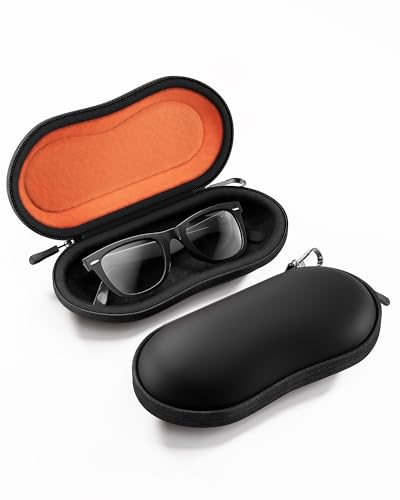
To maintain the striking visual standard of a glass front setup, managing desk clutter becomes essential. Keeping the surrounding desk clean with dedicated protective gear—such as storing reading glasses or blue-light blocking lenses in a compact accessory cover like the RayLove Unisex Hard Shell Eyeglasses Cases (around $4) or using a structured ProCase Sunglasses Case (around $8)—complements the clean lines of a tempered glass chassis. When every item on the desk shares a sleek, protective outer shell, the entire workstation feels purposeful and organized.
Cost Over 5 Years
Evaluating an airflow case vs glass front case over a five-year lifespan involves looking beyond the initial retail price. Long-term costs stem from power consumption, replacement fans, and cleaning upkeep.
- Initial Purchase Price: Quality mesh airflow cases range from $60 to $180. Glass front cases generally range from $70 to $250 due to the higher manufacturing cost of tempered glass panels and specialized mounting hardware.
- Cooling Accessories & Fan Replacement: Glass front cases often require high-static pressure fans (priced at $15 to $30 each) to pull air effectively through restricted side vents. An airflow case operates efficiently with standard airflow-focused fans. Over five years, replacing or upgrading fans on a restricted glass case can add $40 to $80 in total costs.
- Power Draw: Lower operating temperatures in airflow cases reduce system resistance and thermal throttling, keeping total system power efficiency optimal. While fan wattage differences are minimal (roughly 3 to 5 watts total), keeping components 10°C cooler extends the functional life of power supplies and graphics cards, delaying expensive hardware replacements.
- Maintenance Products: Glass panels require ongoing cleaning with microfiber cloths and glass-safe sprays to eliminate smudges and dust cling, adding a small recurring expense over time.
Which One for Your Home
Small Apartment or Studio
In a small apartment or studio where your desk shares space with your living or sleeping quarters, room thermal management is critical. A high-wattage PC acting as a heat trap will noticeably warm up a small room. An airflow case exhausts internal heat efficiently, preventing localized hot spots around your sitting area. Its ability to keep fan noise down is also vital when working or gaming in shared living spaces.
Family Home with Kids or Pets
In households with active children or pets, durability and dust filtration are top priorities. Metal mesh airflow front panels offer high structural resilience against stray toys or accidental kicks. While pet hair will cling to the front mesh, it remains on the exterior surface where it can be quickly wiped away or vacuumed. Glass front cases pose a minor risk of cracking or shattering if struck by hard objects and require constant cleaning to remove greasy handprints.
Rental or Shared Living Space
Renters often face inconsistent room heating and cooling controls. If your room gets warm during summer months, an airflow case provides the thermal safety margin necessary to protect your hardware without needing extra room air conditioning. Additionally, airflow cases are lighter (typically weighing 15 to 18 lbs empty, compared to 20 to 25 lbs for dual-glass cases), making them easier to pack and transport during moves.
Long-Term Dedicated Home Office or Gaming Room
If you have a dedicated, climate-controlled room with low ambient dust and a carefully curated lighting palette, a glass front case offers outstanding design potential. When positioned on a large, stable desk away from high-traffic zones, a glass front chassis functions like a high-end showcase, displaying custom liquid cooling loops, ambient RGB lighting, and neatly managed cables.
FAQ
Does a glass front case cause component thermal throttling?
A glass front case will not automatically cause thermal throttling if it features properly designed side intake vents, bottom air paths, and adequate fan support. However, in high-wattage builds (drawing over 450W), the restricted intake can cause internal temperatures to run 5°C to 12°C higher than in a mesh airflow case, forcing fans to operate at maximum speed to maintain safe performance levels.
How often do you need to clean an airflow case versus a glass front case?
An airflow case requires quick external cleaning of the front mesh filter every 4 to 6 weeks using a vacuum brush or dry microfiber cloth to maintain unrestricted intake. A glass front case requires less frequent internal dust removal, but the exterior glass usually needs weekly cleaning to wipe away fingerprints, smudges, and static-bound dust.
Are glass front cases quieter than airflow cases?
At idle or light usage, glass front cases can be slightly quieter because the solid glass panel blocks direct front-facing fan sound. However, under heavy loads, airflow cases are usually quieter overall because superior ventilation allows fans to spin at much lower RPMs to achieve the same cooling result.
Can I swap a glass front panel for a mesh front panel later?
This depends entirely on the case manufacturer. Certain modular frame designs allow users to purchase standalone mesh or glass front panels to swap as their needs change. However, many budget-to-mid-range cases feature fixed front panel structures, so it is important to check panel compatibility before making your initial purchase.
Related guides
- Best Gaming PC for Overwatch 2: Ten Prebuilts Matched to Your Monitor (2026)
- Best Gaming PC for Baldur’s Gate 3: Matching CPU, VRAM and Storage to the Game (2026)
- Best Gaming PC for Apex Legends: Which Listings Fit a High-Refresh Setup (2026)
- Best RTX 3060 Gaming PCs: Eight Prebuilt Listings Compared by CPU, RAM and Cooling (2026)