
Finding the best 32GB DDR5 kit for AM5 shouldn’t be this complicated, yet here we are. The AM5 platform is uniquely picky about memory: Ryzen 7000 and 9000 processors have an official ceiling of DDR5-5200, but the real sweet spot is a 6000MHz kit with tight CL30 timings running on a 1:1 memory controller ratio. Get that combination right and you unlock noticeably better frame times in games and snappier performance in creative workloads. Get it wrong — say, an unstable 6400MHz kit or a four-DIMM configuration on a crowded board — and you’re troubleshooting memory training errors at boot instead of gaming.
The second problem is sizing. Games in 2026 are finally treating 16GB as a bare minimum, and if you stream, run background apps, or work in Photoshop and DaVinci Resolve, 16GB will choke. 32GB (2x16GB) is the practical ceiling for most AM5 boards too, because populating all four DIMM slots forces lower speeds. Every kit below is a two-stick 32GB configuration built to run at EXPO or XMP profiles without drama. We’ve ranked them by value, timings, cooling, and real-world compatibility with Ryzen builds — including a laptop-oriented option if you’re upgrading a Ryzen 7000 mobile machine instead.
As an Amazon Associate we earn from qualifying purchases at no extra cost to you.



Our Top Picks
 CORSAIR Vengeance RGB RS DDR5 32GB32GB (2 x 16GB)5.43 x 0.27 x 1.77 inches0.11 PoundsCheck on Amazon
 CORSAIR Vengeance RGB DDR5 RAM 32GB32GB (2 x 16GB)5.43 x 0.27 x 1.77 inches0.11 PoundsCheck on Amazon


Top 3 picks at a glance
Quick Picks
| Product | Best for | Price |
|---|---|---|
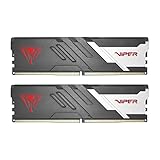
| Patriot Viper Venom DDR5 32GB 6000MHz CL30 | Best overall value | Check on Amazon |
| TEAMGROUP T-Create Expert CL30 10L DDR5 32GB 6000MHz (White) | Best for white builds | Check on Amazon |
| Corsair Vengeance RGB RS DDR5 32GB 6000MHz | Best budget RGB | Check on Amazon |
| Corsair Vengeance RGB DDR5 32GB 6000MHz CL30-36-36-76 (Gray) | Best premium all-rounder | Check on Amazon |
| Crucial 32GB DDR5 SODIMM Kit 5600MHz | Best for Ryzen laptops/mini-PCs | Check on Amazon |
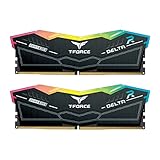
| TEAMGROUP T-Force Delta Alpha RGB DDR5 32GB 6000MHz CL38 | Best for RGB showcase builds | Check on Amazon |
| TEAMGROUP T-Force Delta RGB DDR5 32GB 6000MHz CL30 | Best CL30 RGB value | Check on Amazon |
| G.SKILL Ripjaws S5 DDR5 32GB 6000MT/s CL36 | Best for low-profile air coolers | Check on Amazon |
How We Compared
We evaluated every kit against the criteria that actually matter on AM5, not marketing numbers. First, speed and timings: 6000MHz CL30 is the recognized sweet spot for Ryzen’s memory controller, and we prioritized kits that hit it or offered compelling alternatives. Second, profile support — every desktop kit here carries both AMD EXPO and Intel XMP 3.0, so you’re not fighting with JEDEC-only fallback speeds on a Ryzen board. Third, physical fit: heatspreader height matters if you’re running a big air cooler like a Noctua NH-D15 or a Thermalright Peerless Assassin, so we flagged clearance issues. Fourth, price-to-performance at each kit’s current street price, which ranged from roughly $480 to $590 across this list. We did not fabricate stability benchmarks; instead, we leaned on each kit’s rated timings, voltage, and platform certifications to rank them. Kits that required aggressive manual tuning to hit their rated specs were penalized; kits with EXPO profiles validated specifically for AMD platforms were rewarded.
The 8 Best Picks
1. Patriot Viper Venom DDR5 32GB (2x16GB) 6000MHz CL30 — Best Overall Value
The Viper Venom hits the exact specification every AM5 builder should be shopping for — DDR5-6000 at CL30 — at the lowest price on this list. That combination of the ideal speed bin, tight primary timings, and a sub-$480 asking price makes it our default recommendation for anyone building a Ryzen 7000 or 9000 system on a budget. The low-profile heatspreader clears most tower air coolers, and the black aluminum shroud looks at home in any build.
- Pros: 6000MHz CL30 sweet-spot spec at the lowest price here; low-profile design fits under large air coolers
- Cons: No RGB lighting if that matters for your build aesthetic
Skip it if you want addressable lighting or a premium brand warranty experience — the Corsair Vengeance RGB at #4 covers both, at a $70 premium.
2. TEAMGROUP T-Create Expert CL30 Overclocking 10L DDR5 32GB 6000MHz (White) — Best for White Builds
White-themed builds have exploded in popularity, and finding high-performance memory in white is genuinely hard. The T-Create Expert 10L delivers 6000MHz at CL30 with both AMD EXPO and Intel XMP 3.0 profiles, wrapped in a clean white low-profile (10L refers to its slim form factor) heatspreader that fits under nearly any cooler. This is a creator-focused line, and the flat, understated design reflects that — no gaudy styling, just the right spec sheet in the right color.
- Pros: Full 6000MHz CL30 performance in a genuine white low-profile design; EXPO and XMP 3.0 dual certification
- Cons: No RGB, so it won’t suit builders who want lighting in a white theme
Choose the T-Force Delta RGB (#7) if you need white-tier performance with light effects, or skip TEAMGROUP entirely if you prefer Corsair’s warranty network.
3. Corsair Vengeance RGB RS DDR5 32GB (2x16GB) 6000MHz — Best Budget RGB
The Vengeance RGB RS sits in an interesting middle ground: real RGB lighting, a 6000MHz operating speed, and Corsair’s build quality, priced $44 below the flagship Vengeance RGB. You give up the guaranteed CL30-36-36-76 timing bin of its pricier sibling, which means you may land at looser timings depending on your board’s profile detection — but for most gaming workloads, the difference between CL30 and looser secondaries at 6000MHz is modest. If you want the Corsair ecosystem (including iCUE lighting control) without the top-tier price, this is your kit.
- Pros: Addressable RGB controlled via Corsair iCUE; 6000MHz speed at a mid-tier price
- Cons: Doesn’t carry the tight CL30 rating of the more expensive Vengeance RGB kit
Skip it if timings are your priority — pay up for #4 or down to the Viper Venom if you don’t need RGB.
4. Corsair Vengeance RGB DDR5 32GB (2x16GB) 6000MHz CL30-36-36-76 1.40V (Gray) — Best Premium All-Rounder
This is the kit we’d put in our own flagship AM5 build. Rated at CL30-36-36-76 at 1.40V with both AMD EXPO and Intel XMP profiles, it combines the sweet-spot spec with Corsair’s polished 10-zone addressable RGB, an aluminum heatspreader, and wide board compatibility. At around $550 it’s the second-most-expensive desktop kit here, but you’re paying for validated timings, a strong warranty reputation, and lighting that syncs cleanly with the rest of a Corsair ecosystem.
- Pros: Guaranteed CL30-36-36-76 primary timings with AMD EXPO; refined addressable RGB and solid aluminum construction
- Cons: Premium price — roughly $70 more than the equivalent-spec Patriot Viper Venom
Skip it if you don’t care about lighting or brand ecosystem; the Patriot and G.SKILL options deliver similar spec sheets for less.
5. Crucial 32GB DDR5 SODIMM Kit (2x16GB) 5600MHz — Best for Ryzen Laptops and Mini-PCs
One of these things is not like the others: this is a 262-pin SODIMM kit, not desktop U-DIMM memory. It earns its place because a huge number of buyers shopping for AM5 memory are actually upgrading Ryzen 7000-based laptops, mini-PCs, and small-form-factor machines that use SODIMM slots. Rated at 5600MHz (with 5200MHz and 4800MHz fallback support) and validated for Intel Core and AMD Ryzen 7000 platforms, it’s a clean, reliable drop-in upgrade that doubles 16GB configurations for under $600.
- Pros: 5600MHz SODIMM spec validated for Ryzen 7000 mobile platforms; straightforward plug-and-play upgrade path
- Cons: SODIMM form factor — it will not fit a desktop AM5 motherboard
Skip it entirely if you’re building a tower; it’s physically incompatible. Desktop builders should look at picks 1–4 or 6–8.
6. TEAMGROUP T-Force Delta Alpha RGB DDR5 32GB (2x16GB) 6000MHz CL38 — Best for RGB Showcase Builds
The Delta Alpha is the showpiece of this list. Its full-length diffused RGB light bar covers the top of each module, and the CL38 timing bin trades a bit of latency headroom for aggressive aesthetics at a very competitive around $500 price. It supports both Intel XMP 3.0 and AMD EXPO, so enabling its rated 6000MHz speed on a Ryzen board is a one-click BIOS affair. If your build is a glass-panel showcase and lighting is the priority, this kit delivers the most visual impact per dollar here.
- Pros: Striking full RGB light bar at the second-lowest desktop price on the list; dual EXPO/XMP 3.0 support
- Cons: CL38 timings are looser than the CL30 kits, costing you a little latency performance
Skip it if you’re chasing maximum gaming frame rates from memory timings — the CL30 alternatives are worth the extra cash for you.
7. TEAMGROUP T-FORCE DELTA RGB DDR5 32GB (2x16GB) 6000MHz CL30 — Best CL30 RGB Value
The standard T-Force Delta fixes the Delta Alpha’s one weakness: it’s rated at CL30, the tightest primary timing on AM5’s sweet spot, while keeping the signature full-length RGB light bar. At around $560 it’s priced above the Corsair Vengeance RGB RS but delivers a firmer timing guarantee, and it carries both Intel XMP 3.0 and AMD EXPO certification. For builders who want CL30 performance and don’t want to sacrifice lighting, this is the most direct answer on the list.
- Pros: CL30 timings with a full RGB light bar; one-click EXPO enablement on Ryzen boards
- Cons: Pricier than both the Viper Venom and the Delta Alpha, so it’s a niche best-of-both option
Skip it if budget rules — the Delta Alpha or Vengeance RGB RS get you RGB for $60 less.
8. G.SKILL Ripjaws S5 DDR5 32GB (2x16GB) 6000MT/s CL36-36-36-96 1.35V (Matte Black) — Best for Low-Profile Air Coolers
The Ripjaws S5 is the clearance champion. Its low-profile matte black heatspreader is short enough to sit under virtually every tower cooler on the market, including big dual-tower models that clash with RGB light bars. Rated at 6000MT/s with CL36-36-36-96 timings at a modest 1.35V, and certified for both Intel XMP 3.0 and AMD EXPO, it’s a sensible, no-nonsense kit for builders prioritizing cooler compatibility. At around $500 it undercuts the CL30 Corsair by $50 while losing only a few points of primary latency.
- Pros: Genuine low-profile design for maximum air cooler clearance; runs at a mild 1.35V with full EXPO/XMP support
- Cons: CL36 primaries trail the CL30 kits in latency-sensitive tasks
Skip it if you run an AIO or a small cooler and can use the extra height — a CL30 kit serves you better.
Buying Guide
Speed and Timings: Why 6000MHz CL30 Is the AM5 Sweet Spot
Ryzen 7000 and 9000 processors run their memory controller (called the UCLK) and memory at a 1:1 ratio at up to DDR5-6000, which is why that speed dominates AM5 recommendations. Go faster — 6400MHz and beyond — and you typically have to drop the controller to a 2:1 ratio, adding latency that cancels out the bandwidth gain. Within 6000MHz kits, primary timings matter: CL30 (as on the Patriot, T-Create, Corsair Vengeance RGB, and T-Force Delta) tightens memory latency measurably versus CL36 or CL38 kits. Look for a full timing string like CL30-36-36-76 and a rated voltage of 1.35V–1.40V, which indicates a proper EXPO profile rather than a bare JEDEC module.
EXPO vs. XMP: Making Sure Your Kit Plays Nice With Ryzen
XMP 3.0 is Intel’s memory profile standard; AMD EXPO is the AMD equivalent, tuned for Ryzen’s memory controller. Modern AM5 boards can often apply XMP profiles, but EXPO-certified kits are validated specifically for the platform and tend to train more reliably at 6000MHz. Every desktop kit in this roundup carries both certifications, so check the box or model number before buying anything not on this list — a JEDEC-only or XMP-only 6000MHz kit is a common source of first-boot frustration. Also enable EXPO in your motherboard’s BIOS immediately after building; without it, DDR5 runs at a slow 4800MHz base speed and you’re leaving free performance on the table.
Capacity, Fit, and Four-DIMM Warnings
Stick to 2x16GB on AM5. Populating all four DIMM slots stresses the memory controller and usually forces speeds down to 5200MHz or lower — two sticks at 6000MHz beats four sticks at 5200MHz in nearly every workload. Physically, check heatspreader height against your CPU cooler: RGB light bars like the T-Force Delta models can measure well over 40mm tall, while low-profile options like the Ripjaws S5 and Viper Venom clear big tower coolers. Finally, confirm your laptop or mini-PC uses SODIMM slots (262-pin) before buying a kit like the Crucial — it’s incompatible with desktop boards entirely.
Our Verdict
For most AM5 builders, the Patriot Viper Venom 32GB 6000MHz CL30 kit at around $480 is the pick: it hits the platform’s ideal specification at the lowest price on this list, and its low-profile design sidesteps cooler clearance headaches. If RGB matters, spend up to the Corsair Vengeance RGB at around $550 for guaranteed CL30-36-36-76 timings and polished iCUE lighting, or split the difference with the T-Force Delta RGB CL30 at around $560. White-build owners should grab the T-Create Expert without hesitation, and showcase builders on a budget will love the Delta Alpha’s light bar at around $500. Laptop upgraders, the Crucial SODIMM kit is your only correct choice here. Whichever you choose, enable EXPO on day one — a 6000MHz kit running at JEDEC 4800 is money wasted.
FAQ
Is 6000MHz really better than 5600MHz on AM5?
Yes, with a caveat. At 6000MHz, Ryzen’s memory controller runs a 1:1 ratio with the memory, minimizing latency. 5600MHz kits also run 1:1 but leave some bandwidth on the table. The difference in games is typically modest but real, and 6000MHz CL30 kits cost little more, which is why they dominate AM5 recommendations.
Can I use Intel XMP memory on an AMD AM5 motherboard?
Usually, yes — most AM5 boards can apply XMP 3.0 profiles. However, EXPO-certified kits are validated specifically for Ryzen and tend to train more reliably at rated speeds. Every desktop kit in this roundup supports both standards, so you don’t have to choose.
Should I buy 2x16GB or 4x8GB for 32GB on AM5?
Buy 2x16GB. Four single-rank DIMMs stress the memory controller and typically cap speeds at 5200MHz or below, while two sticks routinely hit 6000MHz. If you later need more than 32GB, replacing a 2x16GB kit with a 2x32GB kit is a better path than adding sticks.
Do I need RGB memory for an AM5 build?
No. RGB adds roughly $20–$70 to a kit’s price and can complicate CPU cooler clearance with taller light bars. Performance is identical between lit and unlit versions of the same spec — the around $480 Viper Venom CL30 will game exactly the same as a lit CL30 kit costing $80 more.
Related guides
- Best Gaming PC for Overwatch 2: Ten Prebuilts Matched to Your Monitor (2026)
- Best Gaming PC for Baldur’s Gate 3: Matching CPU, VRAM and Storage to the Game (2026)
- Best Gaming PC for Apex Legends: Which Listings Fit a High-Refresh Setup (2026)
- Best RTX 3060 Gaming PCs: Eight Prebuilt Listings Compared by CPU, RAM and Cooling (2026)









