
Setting up a custom PC building workstation requires more than just picking out high-performance graphics cards, liquid coolers, and processors. A critical, often overlooked element of a successful build station is a dedicated ESD-safe work surface. Microprocessors, memory modules, and motherboard traces carry tiny tolerances that electrostatic discharge can permanently degrade before you even press the power button. Unprotected wooden, laminate, or carpeted surfaces invite static accumulation that endangers hundreds or thousands of dollars in hardware components.
Investing in the best anti static mats for custom pc building creates a safe, grounded barrier that dissipates static charges instantly. Beyond static protection, these mats provide a cushioned, non-abrasive workspace that shields delicate tempered glass side panels and painted aluminum cases from scratches during assembly. Whether you work on a dedicated workshop bench or temporarily transform your home office desk, having a properly grounded mat ensures every component remains safe throughout your build.
As an Amazon Associate we earn from qualifying purchases at no extra cost to you.
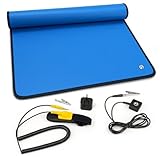



Our Top Picks
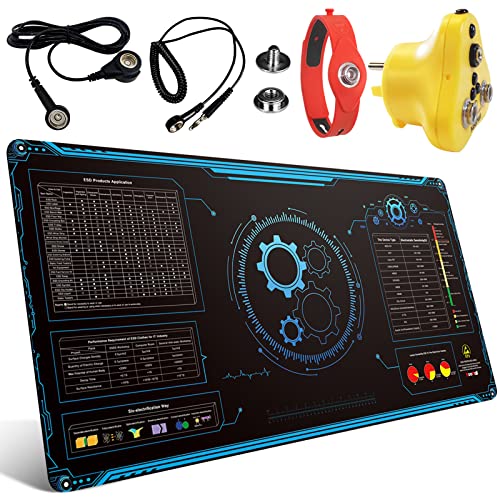 KooMall Large 48x24 Inch Anti Static MatBlack 48x24 inch48 x 24 x 0.08 inches4.2 PoundsCheck on Amazon
 ModRight Xtreme Super Large Anti-Static Mod-Mat Work and47 inches x 59 centimeters47 x 3 x 3 inchesCheck on Amazon
 KooMall 36x24 Inch Anti Static Rubber Mat KitBlack 36x24 inch36 x 24 x 0.08 Inches2.2 PoundsCheck on Amazon
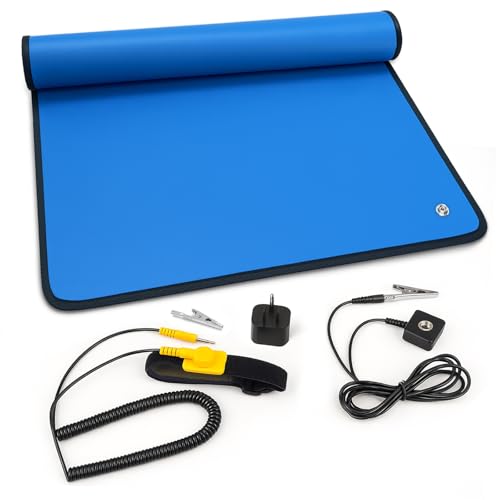

Top 3 picks at a glance
Quick Picks
| Product | Best For | Price |
|---|---|---|
| Portable Anti Static ESD Mat Kit, 24″X24″ | Best Compact Square Mat | Check on Amazon |
| KooMall Large 48×24 Inch Anti Static Mat | Best Full Workstation Surface | Check on Amazon |
| ModRight Xtreme Super Large Anti-Static Mod-Mat | Best Dedicated PC Builder Surface | Check on Amazon |
| Anti Static ESD Mat, 17″X25″ | Best Budget Entry Mat | Check on Amazon |
| KooMall 36×24 Inch Anti Static Rubber Mat Kit | Best Mid-Size Heavy Duty Option | Check on Amazon |
| Anti Static ESD Mat, 24″X48″ | Best Value Large Desk Mat | Check on Amazon |
| Kaisi Large Anti Static Mat with Grounding Accessories | Best Budget Grounding Surface | Check on Amazon |
| KooMall 24×16 Inch Anti Static Rubber Mat Kit | Best Small Heavy-Duty Station | Check on Amazon |
How We Compared
Selecting the ideal anti-static work surface involves evaluating physical footprint, material durability, ESD grounding capabilities, and thermal tolerance. For builders assembling hardware in 2026, a mat must provide reliable conductivity ratings to safely divert voltage spikes away from sensitive silicon. We prioritized options featuring heavy-duty rubber or static-dissipative vinyl materials, secure ground connections, and functional dimensions ranging from compact 17×25-inch pads up to full 48×24-inch desk covers. We also examined heat resistance for custom soldering tasks, surface texture to prevent component slippage, and inclusion of essential accessories like grounded wrist straps and outlet adapters.
The 8 Best Picks
Portable Anti Static ESD Mat Kit, 24″X24″, PC Building & Electronics Repair
Designed for technicians and hobbyists needing an easily transportable work surface, this 24×24-inch square ESD kit offers balanced protection for standard ATX motherboard prep and part assembly. The square format sits comfortably on standard office desks without taking over the entire surface, making it ideal for occasional builders or home repair projects.
- Pros: Balanced 24×24-inch square footprint fits standard desk depths perfectly; flexible construction allows easy rolling for compact storage.
- Con: May feel restrictive if you prefer resting a full-tower computer chassis on the mat simultaneously with loose parts.
Skip this option if you require a full-bench 48-inch mat to cover an entire oversized workstation.
KooMall Large 48×24 Inch Anti Static Mat, Soldering Rubber Mat for PC Building, ESD Sensitive Device Repair, Assembly Work, with ESD Grounding Plug,Cord,Wrist Strap Bracelets Wristband,Heat Resistant
This heavy-duty 48×24-inch rubber mat caters to dedicated builders who want full workbench coverage. Featuring industrial heat resistance and an all-in-one grounding kit—complete with an outlet grounding plug, connecting cord, and wristband—it creates an end-to-end static-safe zone capable of handling heavy chassis and high-temperature soldering tools.
- Pros: Massive 48×24-inch rubber layout shields entire desks; complete accessory bundle including grounding plug and wrist strap.
- Con: Higher price tag of around $110 represents a significant investment for casual builders.
Skip this mat if you have limited desk space that cannot accommodate a continuous 4-foot surface.
ModRight Xtreme Super Large Anti-Static Mod-Mat Work and Assembly Surface (Over 47″ x 23″ in Size)
Tailor-made for custom PC modders, the ModRight Xtreme covers over 47 by 23 inches of workspace. Its cushioned, anti-static surface protects painted chassis, tempered glass panels, and sensitive PCBs from surface scratches while grounding static charges during complex water-cooling loops or custom case modifications.
- Pros: Expansive 47×23-inch surface tailored specifically for large PC chassis; soft material prevents cosmetic scratches on case finishes.
- Con: Lacks the heavy dual-layer heat resistance required for heavy soldering tasks.
Skip this model if high-temperature wire soldering or heat gun modding is a core part of your workflow.
Anti Static ESD Mat for Electronics Repair, 17″X25″, Grounding Kit
This compact 17×25-inch mat provides an affordable static-free area for basic PC maintenance, RAM upgrades, or Small Form Factor (SFF) computer builds. The included grounding kit ensures complete electrical grounding without occupying excess desk space in compact room setups.
- Pros: Very affordable around $22 price point; small 17×25-inch size stores easily in standard desk drawers.
- Con: Surface is too narrow for large E-ATX motherboards paired alongside tools and chassis.
Skip this option if you regularly build full-tower desktop computers or need space for multiple components side-by-side.
KooMall 36×24 Inch Anti Static Rubber Mat Kit for ESD Sensitive Electronic Device Repair, Soldering, PC Building, Assembly, Table Work, With Grounding Plug Cord, Antistatic Wrist Strap, Heat Resistant
Offering a versatile balance between compact mats and massive full-bench covers, this 36×24-inch rubber mat kit provides substantial surface area for mid-tower builds. Built with heat-resistant rubber, it withstands soldering iron tips while keeping motherboards and GPUs safe from static build-up.
- Pros: Excellent 36×24-inch medium-large size hits the sweet spot for mid-tower PC projects; heavy-duty heat-resistant rubber construction.
- Con: Weight makes it less portable than thin vinyl alternatives.
Skip this pick if you require a lightweight, roll-and-go mat for remote field repairs.
Anti Static ESD Mat for Electronics Repair, 24″X48″, Grounding Kit
Providing 8 square feet of anti-static protection, this 24×48-inch mat offers full-desk coverage at a budget-friendly around $49 price point. The included grounding kit secures connection to a ground point, allowing builders to spread out motherboards, power supplies, and drive bays across a single protected workspace.
- Pros: Outstanding price-to-size value for an expansive 24×48-inch footprint; includes grounding hardware needed for setup.
- Con: Thinner material profile compared to premium heavy rubber workstation mats.
Skip this mat if you need thick rubber cushioning for heavy power tools or intense high-heat soldering.
Kaisi Large Anti Static Mat with Grounding Accessories,Soldering Mat
The Kaisi Large Anti Static Mat delivers entry-level bench protection complete with grounding accessories for around $28. It serves as an accessible solution for hobbyists assembling their first system or doing basic repairs on static-sensitive hardware.
- Pros: Low cost of around $28 includes necessary grounding accessories; flexible material easy to wipe clean after repairs.
- Con: Surface area is smaller than full-size 48-inch bench mats.
Skip this surface if you want to place full computer chassis directly onto the mat alongside your tools.
KooMall 24×16 Inch Anti Static Rubber Mat Kit for ESD Sensitive Electronic Device Repair, Soldering, PC Building, Assembly, Table Work, With Grounding Plug Cord, Antistatic Wrist Strap, Heat Resistant
Engineered for tight workspaces and precision repair tasks, this compact 24×16-inch rubber mat features high-grade heat resistance and a complete ESD hardware bundle. It provides robust protection for micro-ATX builds, GPU repasting, or laptop motherboard maintenance where space is at a premium.
- Pros: High-quality heat-resistant rubber construction in a space-saving 24×16-inch size; complete with grounding plug and wristband.
- Con: Higher price per square inch than budget vinyl mats.
Skip this model if you need ample space to spread out large desktop components during assembly.
Buying Guide
Mat Material and Heat Resistance
Anti-static mats generally come in two primary material types: static-dissipative rubber and vinyl/PVC. Rubber mats, such as those from KooMall, offer high durability and superior heat resistance, making them capable of withstanding direct contact with hot soldering irons or heat guns without melting. Vinyl mats are lighter and often more affordable, providing excellent static neutralization for standard PC assembly without thermal protection.
Dimensions and Workbench Layout
Selecting the right size depends directly on your workspace and build scale. Compact sizes like 17×25 inches or 24×16 inches work well for upgrading RAM, replacing GPU thermal pads, or working with Mini-ITX cases. Mid-range mats (24×24 inches to 36×24 inches) fit comfortably on standard home desks while holding an ATX motherboard and tools. Full-size 24×48-inch mats cover entire workbenches, allowing you to place the computer case directly on the mat alongside all unboxed parts.
Grounding Hardware and ESD Safety
An anti-static mat is only as effective as its ground source. Look for kits that include snap connectors, ground cords with alligator clips, or dedicated 3-prong ESD wall outlet grounding plugs. Pair your mat with an anti-static wrist strap attached to the mat’s grounding point to ensure your body and the work surface remain at the same zero-volt electrical potential throughout the build process.
Our Verdict
For most custom PC builders seeking maximum workspace, the Anti Static ESD Mat for Electronics Repair, 24″X48″ (around $49) delivers the ultimate combination of coverage and value. If you need maximum durability, heat resistance, and a complete professional accessory bundle, the premium KooMall Large 48×24 Inch Anti Static Mat (around $110) represents the top-tier workbench investment. Builders operating in compact spaces should look to the Portable Anti Static ESD Mat Kit, 24″X24″ (around $36) for a perfectly balanced square setup.
FAQ
Why do I need an anti static mat for PC building?
Static electricity can discharge from your body or work surface into delicate PC components like CPU pins, memory ICs, and GPU circuitry. This discharge can cause immediate component failure or hidden damage that shortens hardware lifespan. An ESD mat safely dissipates this charge to a ground point.
How do I properly ground my ESD mat?
Attach the provided grounding cord to the snap button on the mat. Connect the other end of the cord—either via an alligator clip to a grounded metal surface or via a dedicated ESD grounding plug inserted into a properly wired wall outlet ground socket.
Can I use an ESD mat on a wooden desk?
Yes. Placing an ESD mat on a wooden, glass, or laminate desk isolates your components from the underlying surface and provides a controlled, static-dissipative barrier when properly connected to an electrical ground.
What size ESD mat is ideal for custom PC building?
A mat measuring at least 24×24 inches is ideal for preparing ATX motherboards and components. For resting full-tower computer cases directly on the padded surface alongside loose components, a 24×48-inch mat is recommended.
Related guides
- Best Gaming PC for Overwatch 2: Ten Prebuilts Matched to Your Monitor (2026)
- Best Gaming PC for Baldur’s Gate 3: Matching CPU, VRAM and Storage to the Game (2026)
- Best Gaming PC for Apex Legends: Which Listings Fit a High-Refresh Setup (2026)
- Best RTX 3060 Gaming PCs: Eight Prebuilt Listings Compared by CPU, RAM and Cooling (2026)









