
The best Fire TV experience has split into two very different conversations. One is about sticks and soundbars and whether you need another $40 dongle when your smart TV already runs Netflix. The other is about whether a budget LED panel with Fire TV built in can honestly compete with midrange sets from Samsung or TCL. After comparing both sides of that divide, the answer depends entirely on what you already own and what you refuse to pay extra for.
Here is what separates a worthwhile pick from a mediocre one in this category. Panel quality matters first: a Fire TV stick plugged into a washed-out 1080p screen still looks like a washed-out 1080p screen. Software responsiveness matters second: Amazon’s interface has improved in 2026, but older or cheaper hardware still chugs through app launches. And price-to-performance matters third: the value gap between a $18 stick and a $260 integrated set is enormous, but neither one is automatically the better buy for every viewer.
As an Amazon Associate we earn from qualifying purchases at no extra cost to you.


Our Top Picks



Top 3 picks at a glance
Quick Picks
| Product | Best for | Price |
|---|---|---|
| INSIGNIA 50″ F50 Series | Guest rooms and bedrooms where size and price must align | Check on Amazon |
| INSIGNIA 43″ F50 Series | Kitchen or office streaming without cable | Check on Amazon |
| INSIGNIA 32″ FE Series | Small rooms, dorms, or second bathroom setups | Check on Amazon |
| Amazon Fire TV Stick HD | Upgrading a non-smart TV on the absolute cheapest path | Check on Amazon |
| Amazon Fire TV 50″ Omni QLED | Viewers who want Dolby Vision IQ and local dimming without a separate stick | Check on Amazon |
| INSIGNIA 70″ F50 Series | Living rooms that need big-screen impact on a tight budget | Check on Amazon |
| Amazon Fire TV Stick 4K Plus | Upgrading an existing 4K TV with AI search and Wi-Fi 6 | Check on Amazon |
| INSIGNIA 32″ F20 Series | Basic HD streaming where Full HD resolution is unnecessary | Check on Amazon |
How We Compared
We filtered this list on four criteria: whether the Fire TV platform feels current and responsive on the specific hardware, whether the panel (for integrated TVs) delivers acceptable contrast and color for the asking price, whether the included remote and voice experience actually saves time day to day, and whether total cost of ownership stays low over multiple years of software updates and streaming subscriptions. Products that fail any one of those thresholds get cut regardless of headline specs.
The 8 Best Fire Tv in 2026
INSIGNIA 50″ Class F50 Series LED 4K UHD Smart Fire TV
This is the set you buy when you want a proper 50-inch 4K panel for a spare bedroom or basement without spending over $160. The F50 line runs the full Fire TV interface natively, so there is no dongle cluttering your HDMI port. Panel uniformity is acceptable for a budget LED, though viewing angles narrow off-center.
- Pro: True 4K UHD at a price that undercuts most 1080p competitors from name-brand manufacturers
- Pro: Alexa Voice Remote included, with dedicated shortcuts for popular streaming apps
- Con: HDR brightness peaks well below what midrange sets achieve, so HDR content looks flatter than advertised
Skip it if your primary viewing happens in a bright living room where you need more nits of output.
INSIGNIA 43″ Class F50 Series LED 4K UHD Smart Fire TV
Forty-three inches is the sweet spot for spaces where a 50-inch feels oversized: kitchens, home offices, kids’ rooms. The F50 at this size delivers the same 4K UHD panel technology and full Fire TV software at a lower price. It pairs well with a compact bookshelf speaker set for evening background viewing.
- Pro: Compact footprint without sacrificing 4K resolution or the smart-TV experience
- Pro: Stream live TV without cable via the Fire TV guide, pulling from free ad-supported channels
- Con: Built-in speakers are thin and tinny, requiring external audio for comfortable dialogue
Skip it if you want Dolby Vision or HDR10+ mastering for cinematic content.
INSIGNIA 32″ Class FE Series LED Full HD Smart Fire TV
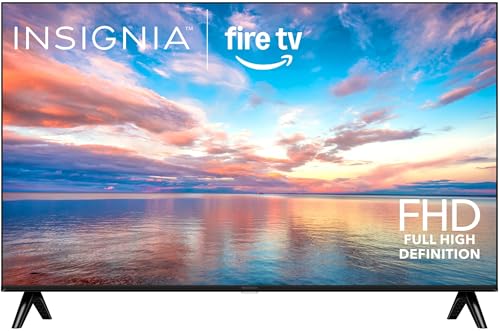
The FE Series trades 4K for Full HD at 32 inches, which at that diagonal is a reasonable compromise. It runs the same Fire TV platform, gets the same Alexa remote, and costs $80. For a bathroom, a dorm, or a utility room where you primarily watch news and casual streams, this delivers everything you need.
- Pro: Lowest price on the list that still includes a smart streaming platform and voice remote
- Pro: 1080p is sharp enough at 32 inches for typical viewing distances
- Con: No 4K support means it will feel dated sooner than the F50-series siblings
Skip it if you plan to mount this as your primary TV in a shared living space.
Amazon Fire TV Stick HD (newest model)
At just under $18, this is the cheapest meaningful upgrade to any TV with an open HDMI port and a USB power source. The “powered by the TV” setup eliminates the wall adapter, and the Alexa+ search is genuinely faster for finding content across apps. It handles live TV guides and free ad-supported streams without requiring a cable subscription.
- Pro: Effortless setup that takes under five minutes from box to first stream
- Pro: Free and live TV built into the interface with no extra subscription
- Con: Limited to 1080p output, so it is wasted on a 4K panel
Skip it if your display already supports 4K; the Stick 4K Plus costs only $22 more.
Amazon Fire TV 50″ Omni QLED Series 4K UHD Smart TV
This is the premium pick among integrated Fire TVs. The Omni QLED panel adds local dimming for deeper blacks and Dolby Vision IQ for adaptive HDR that adjusts to your room’s ambient light. It runs the same Fire TV software as the budget Insignia sets but on hardware that finally does the content justice. Hands-free Alexa works without pressing the remote button.
- Pro: Local dimming and QLED color produce noticeably better contrast than any LED-only set here
- Pro: Dolby Vision IQ and Ambient Experience elevate it beyond a basic streaming display
- Con: At $260 it is nearly double the F50 50-inch, and that gap is visible in panel quality
Skip it if you already own a midrange 4K TV and just need a streaming platform; a $40 stick covers that.
INSIGNIA 70-inch Class F50 Series LED 4K UHD Smart Fire TV
Seventy inches for under $350 is the headline, and that value is hard to ignore for a family room where screen size trumps every other spec. The panel uses the same LED architecture as the smaller F50 models, so brightness and color consistency follow the same budget limitations, but immersion from across a couch compensates.
- Pro: Largest screen on this list at a price that still undercuts most 55-inch name-brand alternatives
- Pro: Full Fire TV with Alexa Voice Remote eliminates the need for any external streaming device
- Con: Panel quality does not scale with size, so banding and backlight bleed are more visible on a bigger canvas
Skip it if you sit closer than eight feet, where the budget LED panel’s shortcomings become obvious.
Amazon Fire TV Stick 4K Plus (newest model)
The 4K Plus is the best value upgrade for anyone with an existing 4K TV that lacks a smart platform you trust. AI-powered Fire TV Search surfaces results across apps faster than navigating them individually, and Wi-Fi 6 support means fewer buffering events on congested home networks. The Alexa+ integration continues to improve with each firmware update.
- Pro: Supports 4K HDR output and Dolby Atmos passthrough for a complete home-theater signal chain
- Pro: AI-powered search and Wi-Fi 6 put it ahead of similarly priced competitors in responsiveness
- Con: Requires an HDMI port and a USB power source on or near the TV
Skip it if your TV already runs a smart platform you enjoy; there is little reason to duplicate the interface.
INSIGNIA 32″ Class F20 Series LED HD Smart Fire TV
The F20 is the most basic entry point in the entire lineup: a 32-inch HD panel running Fire TV for $80. Resolution is 720p, not 1080p, which makes it strictly a utility screen. News, weather, casual YouTube, and guest-room background noise are its natural habitat.
- Pro: Cheapest integrated Fire TV option that still provides a complete smart-streaming experience
- Pro: Free and live TV included without any additional hardware purchase
- Con: 720p resolution looks noticeably soft on even modest content when viewed up close
Skip it unless you specifically need the absolute minimum and will never sit closer than four feet.
Buying Guide
Panel Type and Resolution
Budget LED panels in the F50 and FE lines deliver solid 4K and Full HD output but lack the backlight control needed for true HDR performance. If your room has controlled lighting and you watch mostly SDR content, the F50 line is a fair trade at its price. If you want Dolby Vision, local dimming, or QLED color, only the Omni QLED set on this list provides that experience in an integrated Fire TV package.
Integrated vs. Stick: When Each Makes Sense
Buying a Fire TV stick makes sense when your existing display is high-quality but lacks a smart platform you enjoy, or when you want to upgrade the interface without replacing the panel. An integrated Fire TV makes sense when the total cost of TV plus stick exceeds the integrated price, or when you want to avoid HDMI port clutter. At $18, the Stick HD is almost always the better deal if you already own a decent TV.
Alexa and the Voice Experience
Amazon’s voice integration is the connective tissue across every product here. Alexa+ with the newer sticks and the Omni set supports conversational search that pulls results across multiple apps in a single query. Older Insignia remotes offer one-shot commands that work but lack the AI-driven context awareness. If hands-free operation matters to you, the Omni QLED and the newest sticks are the only picks where the voice experience is fully current.
Our Verdict
Top pick: Amazon Fire TV 50″ Omni QLED Series. It is the only integrated option on this list where the hardware does the Fire TV software justice, and at $260 it still undercuts most name-brand alternatives with similar panel specs.
Budget pick: Amazon Fire TV Stick HD at around $17. It transforms any HDMI-equipped display into a modern streaming hub for less than the cost of a single streaming subscription month.
If you need a big screen in a dedicated home theater with controlled lighting and no existing TV, the INSIGNIA 70-inch F50 wins by sheer size-to-price dominance, provided you accept its panel limitations from a distance.
FAQ
Do I still need a Fire TV stick if my TV already has Fire TV built in?
No. An integrated Fire TV includes the full streaming platform and Alexa remote in the display itself. A separate stick would duplicate the interface and consume an HDMI port for no added benefit unless you specifically want the AI-powered search or Wi-Fi 6 features from the newest stick models.
Can Fire TVs stream live TV without a cable subscription?
Yes. The Fire TV guide aggregates free ad-supported live channels and some network apps directly into the home screen. You can watch news, sports highlights, and classic channels without paying a cable bill, though premium live sports and local network streams still require their respective subscriptions.
Is 720p resolution ever acceptable in 2026?
Only at small screen sizes viewed from a distance of four feet or more, such as a bathroom or a utility closet monitor. For any shared living space or any content you actually care about, 1080p is the realistic floor and 4K is the standard.
How long will a budget Fire TV receive software updates?
Amazon typically supports Fire TV devices with security patches and feature updates for several years, but the newest AI-driven interface improvements tend to roll out first to higher-end hardware. Budget panels like the F20 may stop receiving major feature updates while older sticks with more headroom continue to benefit.
Related guides
- Best Gaming PC for Overwatch 2: Ten Prebuilts Matched to Your Monitor (2026)
- Best Gaming PC for Baldur’s Gate 3: Matching CPU, VRAM and Storage to the Game (2026)
- Best Gaming PC for Apex Legends: Which Listings Fit a High-Refresh Setup (2026)
- Best RTX 3060 Gaming PCs: Eight Prebuilt Listings Compared by CPU, RAM and Cooling (2026)









