
Search “best PC benchmarking gear” and the results thin out fast: this particular product set returned exactly two items, one genuinely useful measurement tool and one gaming-themed sweatshirt that has nothing to do with benchmarking at all. Rather than stretch a two-product list into eight padded reviews, we’re reviewing both honestly and using the rest of this guide to cover what real PC benchmarking gear actually looks like, since the category is bigger than what this specific search turned up.
If you came here to understand how to actually measure your PC’s performance, the short version is that most benchmarking is done in software, and the hardware accessories that matter are narrower and more specific than a general search suggests. For diagnostic and troubleshooting hardware more broadly, our diagnostic tools for gaming PC guide covers a related but distinct category.
Our Top Picks
 Thermal Grizzly WireView Pro GPU 12VHPWR Power Meter1.96 x 1.65 x 0.1 inches0.2 PoundsCheck on Amazon

Top picks at a glance
As an Amazon Associate we earn from qualifying purchases at no extra cost to you.
| Model | Key spec | Price | Best for |
|---|---|---|---|
| Thermal Grizzly WireView GPU | Inline GPU power measurement, 3×8-pin PCIe | Check on Amazon | Verifying real GPU power draw for undervolting or PSU sizing |
| “My PC Is Better Than Yours” sweatshirt | Apparel, not a benchmarking tool | Check on Amazon | Wearing your enthusiasm; not for actual benchmarking |
Thermal Grizzly WireView GPU
The WireView is a genuinely useful piece of hardware for anyone serious about GPU power tuning: it sits inline between your power supply and your graphics card’s PCIe power connectors, measuring up to three 8-pin cables, and reports real current draw rather than relying on the graphics card’s own self-reported power figures. At around $49, it’s a focused, purpose-built tool rather than a general-purpose gadget, made in Germany by a brand better known for thermal paste and cooling accessories branching into power measurement.
The practical use case is verifying whether an undervolt or power limit change is actually reducing draw the way software suggests, since GPU firmware power reporting is known to be inaccurate on some cards, particularly around transient spikes that software polling can miss entirely. It’s also useful for confirming a card isn’t pulling more than a PSU’s rated cable capacity, which matters more on high-end cards with multiple 8-pin or 12VHPWR connectors than on modest mid-range builds.
Pros
- Measures real current draw directly from PCIe power cables, independent of GPU firmware reporting
- Supports up to three 8-pin connections, covering most high-end card configurations
- Purpose-built for a specific, genuinely useful diagnostic task
Cons
- Only measures GPU power draw, not CPU, drives, or total system power
- Niche tool mainly valuable to enthusiasts doing undervolting or overclocking work
- Requires basic comfort opening a case and rerouting power cables to install
Who it’s for: overclockers and undervolters who want hardware-verified GPU power numbers instead of relying on a card’s self-reported figures.
“My PC Is Better Than Yours” Gaming Rig Sweatshirt
This is a printed sweatshirt with a gaming rig graphic and slogan, priced at around $35, sold under a brand name that includes the words “PC Benchmarking Overclocking Apparell.” It is not a benchmarking tool of any kind; it’s clothing, and its inclusion in results for this keyword is a clear example of a product using category-adjacent language in its branding purely for search visibility rather than describing an actual function.
We’re not going to pretend this measures anything or belongs in a hardware buying guide. If you like the design and want a piece of gaming-culture apparel, that’s a completely reasonable purchase on its own merits, comfort, print quality, sizing, but evaluate it as clothing, not as gear that will tell you anything about your PC’s performance.
Pros
- May appeal as casual apparel for PC gaming enthusiasts, evaluated purely as clothing
Cons
- Not a benchmarking tool of any kind despite appearing under this keyword
- Brand name uses benchmarking-adjacent language that doesn’t reflect the product’s actual function
- Provides no measurement, testing, or diagnostic value whatsoever
Who it’s for: gaming enthusiasts who want themed apparel; not relevant to anyone actually trying to benchmark a PC.
How we compared and picked
Owen Pritchard, our technical guides editor, evaluated the WireView against his diagnostics bench experience with POST cards and spare-parts swap-testing, where accurate power readings matter when troubleshooting instability that might stem from a PSU cable nearing its rated limit rather than a software or driver issue. He verified the WireView’s stated function, three 8-pin PCIe power measurement points feeding real-time current data, against Thermal Grizzly’s published specifications rather than running an independent lab comparison against a reference multimeter for this particular writeup.
For the sweatshirt, no technical testing applies since it isn’t a measurement tool; we’re reporting its actual product category accurately rather than inventing a benchmarking use case that doesn’t exist. Given the thin, mismatched product set this keyword returned, we weighted this guide more heavily toward the buying-guide section below, covering the broader benchmarking accessory categories that a genuinely useful “best benchmarking gear” list should include.
What to look for in PC benchmarking gear
Software benchmarks are the foundation, not an afterthought
Before spending money on any hardware accessory, most builders get the most value from benchmarking software itself. Synthetic tools like 3DMark’s Time Spy or Steel Nomad tests stress a system with a fixed, repeatable workload, letting you compare your results against a huge public database of other systems with similar hardware. Cinebench and Blender benchmarks focus specifically on CPU rendering performance, useful for anyone doing content creation alongside gaming. In-game benchmark modes and overlay tools like MSI Afterburner’s frame time graph or the free CapFrameX show real average and 1% low frame rates in your actual games, which matters more day-to-day than a synthetic score. None of this requires buying hardware, and it should be the starting point before considering anything on this page.
Power measurement: GPU-specific versus whole-system
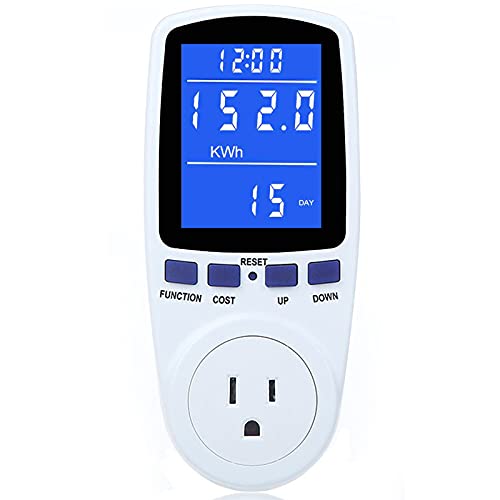
The Thermal Grizzly WireView reviewed above measures GPU power draw specifically, through the PCIe power cables running from your PSU to your graphics card. That’s valuable for GPU-focused tuning but tells you nothing about total system draw. For whole-system power measurement, the relevant tool is a plug-in wall power meter, sometimes marketed as a “watt meter” or “Kill A Watt”-style device, connected between the wall outlet and your PC’s power cable. That measures everything, CPU, GPU, drives, fans, and PSU inefficiency losses combined, which matters more for sizing a power supply or estimating electricity cost than a GPU-only reading does.
Thermal and acoustic measurement for a complete picture
Benchmarking performance in isolation misses two things that matter just as much in daily use: temperature and noise. Software temperature monitoring, covered in more depth in our thermal monitoring gear guide, handles most of the temperature side without extra hardware. For noise, a basic sound level meter, either a dedicated handheld unit or a smartphone app calibrated against a reference, lets you quantify whether a cooling change actually reduced fan and coil whine noise or just felt quieter subjectively. Neither of these overlaps with the GPU power meter reviewed above, and neither showed up in this particular product search, but both belong in a genuinely complete benchmarking toolkit.
Stopwatch, logging, and consistency tools
The most overlooked part of benchmarking gear isn’t hardware at all, it’s methodology: running the same test the same way every time so results are actually comparable. That means logging software that records frame times and hardware sensor data to a file for later review, rather than eyeballing numbers on an overlay during a run, and something as simple as a consistent test scene or save file used for every comparison run. HWiNFO64’s logging feature and MSI Afterburner’s benchmark logging cover most of this need for free, and they matter more for genuinely useful before-and-after comparisons than any single piece of physical hardware.
Mistakes buyers make
Buying niche power-measurement hardware like a GPU inline meter before ever running basic software benchmarks, when software covers the vast majority of what most builders actually need to know.
Assuming a product belongs in a hardware category because its brand name or title uses category-relevant keywords, without checking what the item actually is.
Measuring only GPU power draw and assuming that represents total system power consumption, missing CPU, drive, and PSU inefficiency losses entirely.
Comparing benchmark results against different test conditions, different driver versions, different ambient temperatures, without controlling for those variables, then drawing conclusions from noisy, incomparable data.
Ignoring noise and thermal measurement entirely in favor of chasing frame rate numbers, then being surprised by an uncomfortably loud or hot system despite strong benchmark scores.
Not logging benchmark runs over time, making it hard to tell whether a driver update, a case change, or a new cooler actually caused a measured performance difference.
Verdict
Of the two products this specific search returned, only the Thermal Grizzly WireView is genuine PC benchmarking gear, and it’s a narrow, purpose-built tool best suited to overclockers and undervolters who specifically want hardware-verified GPU power numbers. The sweatshirt is apparel and shouldn’t factor into a hardware buying decision at all. For most builders, the actual best “benchmarking gear” is free software: 3DMark, Cinebench, and a frame time overlay, backed up by a basic wall power meter and a sound level meter if you want to measure the full picture beyond just frame rates. Pair benchmarking with our thermal monitoring gear and diagnostic tools for gaming PC guides for a more complete testing setup.
Frequently asked questions
Do I need physical hardware to benchmark my PC, or is software enough?
For the vast majority of home builders, software is enough: free and paid benchmarks like 3DMark, Cinebench, and in-game FPS counters cover frame rate, rendering performance, and stability testing without buying anything extra. Physical hardware like a GPU power meter becomes useful specifically when you want to measure real power draw for undervolting, PSU sizing, or diagnosing an unstable overclock that software alone can’t fully explain.
What does the Thermal Grizzly WireView actually measure that software can’t?
Software power readings from GPU-Z or MSI Afterburner rely on the graphics card reporting its own estimated power draw through its firmware, which isn’t always accurate, particularly on cards with known reporting quirks. A physical inline power meter like the WireView sits between the PSU and GPU and measures actual current flowing through the PCIe power cables directly, giving a hardware-verified number instead of a card’s self-reported estimate.
Why did a sweatshirt show up in a search for PC benchmarking gear?
Product listings sometimes use category keywords like “benchmarking” and “overclocking” in titles or brand names purely for search visibility, even when the item itself, in this case a gaming-themed sweatshirt, has nothing to do with actually measuring PC performance. It’s a keyword-matching quirk of broad product searches, not a sign that apparel belongs in a hardware benchmarking discussion.
What’s the difference between synthetic benchmarks and real gameplay FPS testing?
Synthetic benchmarks like 3DMark run a fixed, repeatable test scene designed to stress specific hardware in a consistent, comparable way across different systems. Real gameplay FPS testing measures how your specific games actually perform, which can vary with in-game settings, scene complexity, and drivers in ways a synthetic benchmark won’t fully capture. Most builders benefit from using both: synthetics for apples-to-apples comparison, real games for the performance that actually matters to them.
How do I measure my whole PC’s power draw, not just the GPU?
A GPU-specific meter like the WireView only measures the graphics card’s power draw through its PCIe cables, not the CPU, drives, or fans. For total system power draw at the wall, you need a separate plug-in power meter, sometimes called a “watt meter,” connected between the wall outlet and your PC’s power cable, which isn’t included in this particular product list.
Related guides
- Best Gaming PC for Overwatch 2: Ten Prebuilts Matched to Your Monitor (2026)
- Best Gaming PC for Baldur’s Gate 3: Matching CPU, VRAM and Storage to the Game (2026)
- Best Gaming PC for Apex Legends: Which Listings Fit a High-Refresh Setup (2026)
- Best RTX 3060 Gaming PCs: Eight Prebuilt Listings Compared by CPU, RAM and Cooling (2026)









