
A quiet PC is especially valuable in a bedroom, home office, or shared living space where a steady fan hum can become more noticeable than the computer itself. The challenge is that case fans have to move enough air to keep component heat from building up without turning routine work, gaming, or streaming into a background-noise problem.
This roundup focuses on 120mm options, the most common case-fan size, with choices for a single premium replacement, budget-minded multi-fan builds, and ARGB-equipped systems. For 2026 buyers, the best choice depends less on chasing a single “quietest” label and more on matching PWM control, lighting preferences, pack size, and budget to the case and motherboard you already own.
As an Amazon Associate we earn from qualifying purchases at no extra cost to you.



Our Top Picks


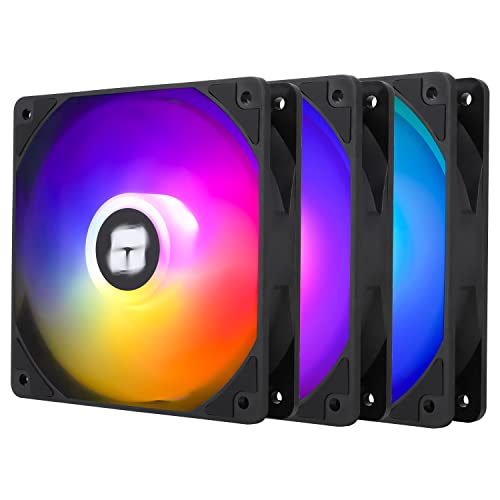
Top 3 picks at a glance
Quick Picks
| Product | Best for | Price |
|---|---|---|
| Noctua NF-P12 redux-1700 PWM | Affordable single-fan PWM upgrade | Check on Amazon |
| Thermalright TL-C12C-S X3 ARGB | Low-cost three-fan ARGB build | Check on Amazon |
| be quiet! Pure Wings 3 120mm Silent PWM | Simple quiet-oriented PWM replacement | Check on Amazon |
| DARKROCK 3-Pack 120mm Black Case Fans | Basic budget multi-fan refresh | Check on Amazon |
| Thermalright TL-C12C X3 | Value-focused three-fan cooling | Check on Amazon |
| Thermalright TL-C12C-S X3 ARGB | Alternate low-cost ARGB three-pack | Check on Amazon |
| ARCTIC P12 Pro LN 5 Pack | Large PWM fan upgrade | Check on Amazon |
| Noctua NF-A12x25 PWM | Premium single-fan replacement | Check on Amazon |
How We Compared
We prioritized 120mm fans that suit quiet-PC shoppers while covering the main ways people actually buy case cooling: one-fan replacements, three-fan upgrades, lighting-focused builds, and larger multi-fan projects. PWM support received special attention because it gives a compatible motherboard or controller the ability to vary fan speed instead of leaving a fan at one fixed operating point.
We also considered clearly stated features, including the listed 450–2000 RPM range and low-PWM stop behavior on the ARCTIC P12 Pro LN, the up-to-1550 RPM specification on the Thermalright models, bearing descriptions, and whether ARGB lighting is included. Rankings reflect the listed configuration and price, not invented noise measurements or thermal test results. A fan’s final sound level will still depend on its mounting position, case panels, dust filters, airflow path, and the speed curve set in the system.
The 8 Best Picks
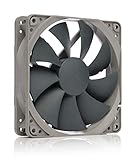
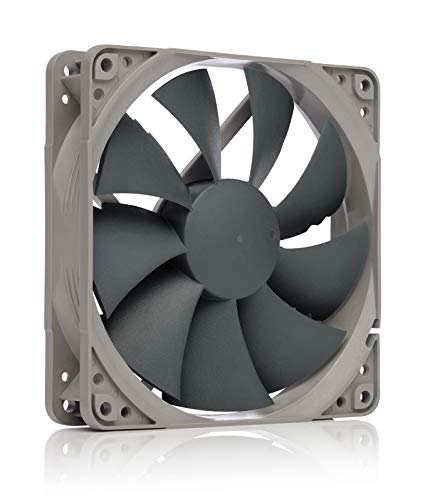
1. Noctua NF-P12 redux-1700 PWM, Quiet Fan 120mm
The Noctua NF-P12 redux-1700 PWM is a strong fit for someone replacing one aging or overly loud 120mm fan and wanting PWM control from a compatible header. At around $16, it costs more than the lowest-priced multi-packs here, but it is a straightforward single-fan option from a quiet-fan-focused line. Its 120mm format makes it relevant for common case mounting locations, while the “1700” model designation helps distinguish it from slower or differently tuned variants.
- Pro: PWM support can help tailor fan behavior to system temperature.
- Pro: A practical choice when only one fan needs replacing.
- Con: around $16 is not the lowest-cost route for filling several mounts.
Skip it if your case needs three or more fans at once and pack value matters more than selecting an individual replacement.
2. Thermalright TL-C12C-S X3 ARGB Case Cooler Fan
For a builder who wants coordinated lighting without spending much, the Thermalright TL-C12C-S X3 puts three 120mm ARGB fans into one around $11 package. Each is listed with a 4-pin PWM connection, an S-FDB bearing, and speeds up to 1550 RPM. That combination makes it particularly appealing for a case with several empty mounts and a motherboard or controller ready to manage both fan speed and lighting. It is one of the most value-oriented entries for an illuminated build.
- Pro: Three 120mm ARGB fans are included.
- Pro: 4-pin PWM control and an S-FDB bearing are specified.
- Con: ARGB is unnecessary for a no-lighting build.
Skip it if you only need a single fan or prefer an all-black system with no lighting setup to manage.
3. be quiet! Pure Wings 3 120mm Silent PWM Computer Case Fan
The be quiet! Pure Wings 3 120mm Silent PWM is aimed at the buyer who wants a conventional, quiet-oriented case fan with PWM capability and no stated need for lighting. At around $11, it lands near the budget end of the single-fan options, which makes it sensible for targeted replacements in a home office PC or an understated black build. The product is positioned around maximum airflow while retaining its silent-oriented identity, so it suits shoppers balancing cooling needs with a preference for simple controls.
- Pro: PWM support offers motherboard-based speed management.
- Pro: Its around $11 price is approachable for a single-fan upgrade.
- Con: It is sold as one fan rather than a multi-fan bundle.
Skip it if your project requires a three-pack or five-pack to populate most of the case at once.
4. DARKROCK 3-Pack 120mm Black Computer Case Fans
The DARKROCK 3-Pack is the pick for the shopper whose first priority is getting three black 120mm case fans at the lowest listed price in this group. At around $8 for the pack, it is a compelling starting point for a basic case refresh, especially when visual simplicity matters more than RGB effects. The black finish also makes it an easy stylistic match for many standard cases. Because the listing name provides fewer control and bearing details than several competitors, this is best treated as a straightforward value choice.
- Pro: Three 120mm fans are included for around $8.
- Pro: The black appearance suits low-key builds.
- Con: The supplied listing details are less specific about technical features.
Skip it if PWM control, a named bearing type, or ARGB lighting is a must-have rather than a nice-to-have.
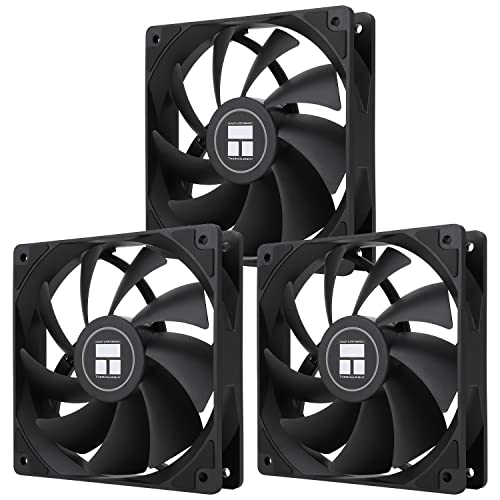
5. Thermalright TL-C12C X3 Case Cooler Fan
The non-ARGB Thermalright TL-C12C X3 is a practical three-fan option for builders who want the core cooling setup without paying for lighting. The around $11 package includes three 120mm fans, 4-pin PWM connections, S-FDB bearings, and a listed maximum speed of up to 1550 RPM. It is well suited to a restrained black build, a workstation, or any PC where the goal is to add several controllable fans while keeping the parts list economical. Compared with the ARGB version, it favors simplicity.
- Pro: Three PWM-capable 120mm fans come in one package.
- Pro: The listing specifies S-FDB bearings and up to 1550 RPM.
- Con: It does not include ARGB lighting.
Skip it if lighting is central to your build’s look or if a single premium fan is all you need.
6. Thermalright TL-C12C-S X3 ARGB Case Cooler Fan
This Thermalright TL-C12C-S X3 ARGB listing is another inexpensive route to a three-fan illuminated setup, priced at around $11. Like the other TL-C12C-S ARGB option, it is described as a 120mm, 4-pin PWM fan package with S-FDB bearings and speeds up to 1550 RPM. It makes sense for buyers comparing current listings and looking for the lower listed price among very similar ARGB configurations. The key attraction is a complete set of three rather than mixing individual fans with different lighting designs.
- Pro: Includes three 120mm ARGB fans for around $11.
- Pro: PWM control and S-FDB bearings are listed.
- Con: Its feature set overlaps heavily with the other TL-C12C-S X3 entry.
Skip it if you already have sufficient ARGB fans or want to avoid coordinating lighting connections.
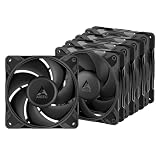
7. ARCTIC P12 Pro LN 5 Pack
The ARCTIC P12 Pro LN 5 Pack is the best fit for a larger airflow project: a roomy case, a full fan replacement, or a build with multiple intake and exhaust positions. For around $19, the package includes five 120mm PWM fans with fluid dynamic bearings. Its listed 450–2000 RPM range gives it a broad stated operating range, and it can reach 0 RPM below 5% PWM according to the product description. That stop behavior may appeal to buyers building a system designed to idle quietly.
- Pro: Five fans provide broad coverage for around $19.
- Pro: The listing specifies 450–2000 RPM, PWM, 0 RPM below 5% PWM, and fluid dynamic bearings.
- Con: A five-pack can be excessive for a case with only one or two open mounts.
Skip it if you need ARGB lighting or are only replacing a single problematic fan.
8. Noctua NF-A12x25 PWM, High-Performance Quiet Fan 120mm
The Noctua NF-A12x25 PWM is the premium single-fan option in this lineup. At around $34, it is aimed at buyers willing to spend more on one 120mm high-performance, quiet-oriented fan rather than maximizing the number of fans per dollar. PWM support makes it appropriate for a carefully tuned build where the motherboard manages fan speed according to system demand. It is a sensible candidate for a prominent single location, such as replacing a fan that is especially audible from a desk or bed.
- Pro: A premium 120mm PWM option for a focused upgrade.
- Pro: Designed around high performance and quiet operation.
- Con: At around $34, it is the most expensive fan listed.
Skip it if you need several fans on a tight budget; a three-pack or five-pack will stretch much further.
Buying Guide
Choose the Right Quantity First
Count the 120mm mounting positions you actually plan to fill before buying. A single fan is ideal for a noisy replacement or one open rear exhaust position. A three-pack makes more sense for a basic front-and-rear airflow layout, while a five-pack is better suited to larger cases or complete fan refreshes. Buying more fans than the case can mount is wasted budget; buying too few may leave the airflow plan unfinished.
Prioritize PWM for Adjustable Noise
A 4-pin PWM fan can work with a compatible motherboard header or fan controller to adjust speed. That matters in quiet spaces because a fan does not need to run at the same speed during idle work as it might during heavier tasks. The ARCTIC P12 Pro LN lists 0 RPM below 5% PWM, while the Thermalright models list 4-pin PWM support and speeds up to 1550 RPM. Confirm your available headers and controller capacity before ordering a multi-pack.
Decide Whether Lighting Helps or Complicates the Build
ARGB fans can add a coordinated look through a windowed side panel, but lighting is not automatically useful in a quiet home-office machine. If you want a clean, dark setup, the non-ARGB Thermalright TL-C12C X3, DARKROCK pack, be quiet! option, or Noctua choices may be more appropriate. If you do want lighting, make sure the case and motherboard can accommodate the required fan and lighting connections before choosing a three-pack.
Our Verdict
For most full-case upgrades, the ARCTIC P12 Pro LN 5 Pack offers the broadest package: five 120mm PWM fans, a stated 450–2000 RPM range, fluid dynamic bearings, and listed 0 RPM behavior below 5% PWM for around $19. For a low-cost three-fan setup with lighting, the Thermalright TL-C12C-S X3 at around $11 is the standout value. If you are replacing just one fan and want a premium option, the Noctua NF-A12x25 PWM is the high-end choice, while the be quiet! Pure Wings 3 is the more affordable single-fan alternative.
FAQ
Are 120mm case fans compatible with every PC case?
No. A fan must match the mounting size supported by the specific case location. These are 120mm fans, so check whether each intended front, top, rear, or bottom mount accepts 120mm hardware before buying.
What does PWM mean on a case fan?
PWM stands for pulse-width modulation. In practical terms, a compatible 4-pin motherboard header or controller can use PWM to vary fan speed, making it easier to balance cooling and sound as system temperatures change.
Is a three-pack better than buying one premium fan?
Neither is automatically better. A three-pack is usually more practical when several case mounts need fans. One premium fan is more sensible when only one location needs attention, such as a particularly noisy exhaust position.
Do ARGB fans make a PC louder?
ARGB refers to lighting, not a direct noise rating. Fan noise depends on factors such as speed settings, airflow resistance, mounting, case design, and the fan itself. Choose ARGB when you want lighting, not because you expect it to determine noise levels.
Related guides
- Best Gaming PC for Overwatch 2: Ten Prebuilts Matched to Your Monitor (2026)
- Best Gaming PC for Baldur’s Gate 3: Matching CPU, VRAM and Storage to the Game (2026)
- Best Gaming PC for Apex Legends: Which Listings Fit a High-Refresh Setup (2026)
- Best RTX 3060 Gaming PCs: Eight Prebuilt Listings Compared by CPU, RAM and Cooling (2026)









