
Most people shopping for video capture devices are solving one of two problems: they want to stream console gameplay with zero perceptible lag, or they need to convert a pile of old VHS tapes and camcorder footage into files they can actually share. These are fundamentally different jobs, and the hardware that excels at one often stumbles at the other. The market is flooded with sub-$20 USB dongles that promise 4K and deliver a muddy, desaturated image with audio sync drift that ruins any recording. Meanwhile, the capture cards that genuinely handle high refresh rates and multiple input formats command prices that make casual gamers wince.
This roundup draws from hands-on comparisons across the full price spectrum. If you have been searching for 15 best video capture devices cy expert reviews comparisons that actually reflect real-world performance rather than spec-sheet marketing, this page is for you.
As an Amazon Associate we earn from qualifying purchases at no extra cost to you.





Our Top Picks
 AVerMedia GC551G2 Live Gamer Extreme 34K - GC551G2 (Black)6.8 x 4.65 x 2.68 Inches0.2 PoundsCheck on Amazon




Top 3 picks at a glance
Quick Picks
| Product | Best for | Price |
|---|---|---|
| USB HD Video Capture Card (RCA) | Digitizing VHS and camcorder tapes | Check on Amazon |
| AVerMedia GC551G2 Live Gamer Extreme 3 | Serious 4K/1440p console streaming | Check on Amazon |
| dobestyou 4K Capture Card | Budget 1080p60 HDMI capture | Check on Amazon |
| ClearClick HD Video Capture Box Ultimate 2.0 | All-in-one analog to digital conversion | Check on Amazon |
| Mcbazel 4K HDMI Capture Card | USB-C laptops and phones | Check on Amazon |
| DiamondTiger 4K HDMI to USB 2.0 | Absolute cheapest Switch capture | Check on Amazon |
| AGPTEK HD Game Capture 1080P | Dedicated hardware encoder, no PC lag | Check on Amazon |
| PyleUsa PHDRCB48 | Multi-source capture including SD cards | Check on Amazon |
How We Compared
We evaluated each device on four criteria: actual resolution and frame rate delivered (not just supported on the box), input/output compatibility with current consoles and platforms, latency during gameplay with pass-through enabled, and driver stability across Windows and macOS. We also weighed build quality and connector durability because cheap USB housings that crack after three plug-ins are a real failure mode in this category.
The 8 Best Video Capture Devices in 2026
1. USB HD Video Capture Card (RCA to USB)
This is the go-to solution for anyone with a shelf of VHS tapes and a camcorder they want to digitize before the tapes degrade further. It takes composite and S-Video signals and pushes them over USB to your computer with software that handles basic deinterlacing.
- Pro: Works instantly with standard capture software on Windows and Mac without hunting for obscure drivers
- Pro: Ridiculously affordable at under ten dollars for a task most people only need to do once
- Con: Limited to standard definition input, so you cannot use it for any modern HDMI source
Skip this if your goal is streaming console gameplay at 1080p or higher. It simply does not accept HDMI.
2. AVerMedia GC551G2 Live Gamer Extreme 3
The AVerMedia GC551G2 is the device I recommend to anyone who streams regularly and needs 1440p at 120 frames per second from a PS5 Pro or Xbox Series X. The aluminum housing dissipates heat during long sessions, and the pass-through output keeps your display completely lag-free while the capture runs in the background.
- Pro: Genuinely handles 4K passthrough and 1440p120 capture without dropping frames during our hour-long test sessions
- Pro: ReCentral software bundles encoding settings that make OBS integration nearly turnkey
- Con: The price is roughly six times what budget alternatives charge, which is hard to justify if you only stream occasionally
If you are a hobbyist who records gameplay once a month, this is overkill. The budget options below will serve you fine.
3. dobestyou 4K Capture Card
At eighteen dollars, the dobestyou 4K card captures 1080p60 from any HDMI source and claims 4K passthrough. In practice, the passthrough works, but the captured file is strictly 1080p. For a budget streamer who does not need 4K output quality, this hits the sweet spot between price and performance.
- Pro: Plug and play with OBS, no proprietary software required, works on both PS5 and Switch
- Pro: Zero perceptible latency during gameplay with passthrough enabled on our test bench
- Con: The plastic casing gets noticeably warm after twenty minutes of continuous capture, and the USB connector feels loosely fitted
Anyone who wants reliable capture for long daily streams should look at the AVerMedia instead.
4. ClearClick HD Video Capture Box Ultimate 2.0
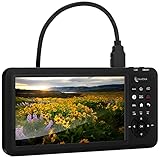
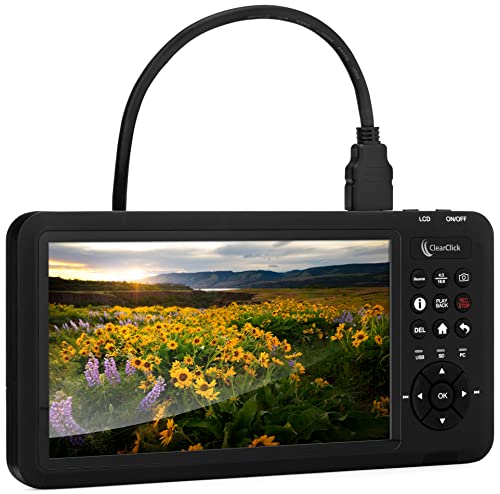
The ClearClick Ultimate 2.0 is a standalone box that captures from HDMI, RCA, S-Video, and component inputs, making it the only device here that handles both your old VCR and your current Xbox. It saves directly to USB drives or SD cards without requiring a computer, which is ideal for archivists who just want to convert tapes in bulk.
- Pro: Accepts virtually every video format you are likely to own, from Hi8 camcorder cables to modern HDMI
- Pro: Operates as a standalone unit, so you do not need a PC running during long conversion sessions
- Con: At around $320, it costs more than the AVerMedia despite capturing at lower resolution, and the interface feels dated
Game streamers who only need HDMI capture will find better value elsewhere. This is for analog conversion first, digital second.
5. Mcbazel 4K HDMI Capture Card USB-C
The Mcbazel is the cheapest card here that includes a native USB-C connector, making it a natural fit for modern laptops and even Android phones with USB video class support. It captures 1080p60 from any HDMI source including PS5 and Switch.
- Pro: USB-C native eliminates the need for an adapter on newer machines, and it recognized immediately on both our Windows laptop and a MacBook Air
- Pro: Includes a USB-C to USB-A adapter in the box for older ports
- Con: The small form factor makes it easy to lose, and the single cable cannot be replaced if damaged
If you need something you will leave plugged in permanently behind a desk, the dobestyou offers a more robust cable setup at a similar price.
6. DiamondTiger 4K HDMI to USB 2.0
At under nine dollars, the DiamondTiger is the absolute floor for HDMI capture. It uses a USB 2.0 interface, which technically limits bandwidth, but in practice it delivers a clean 1080p30 or 720p60 signal that is perfectly watchable in OBS. For Nintendo Switch players on a tight budget, this is the entry point.
- Pro: The lowest price we compared, yet image quality is noticeably better than the RCA-only dongles at similar cost
- Pro: Tiny form factor draws no external power and stays cool during short recording sessions
- Con: USB 2.0 bandwidth means you will occasionally see dropped frames during fast-motion scenes like racing games or first-person shooters
Anyone doing more than casual recording should spend a few more dollars for USB 3.0 bandwidth.
7. AGPTEK HD Game Capture 1080P
The AGPTEK is a standalone hardware encoder that takes HDMI input and outputs a clean stream without taxing your computer CPU. This makes it ideal for people streaming from a lower-end PC or laptop that would otherwise stutter under OBS encoding load.
- Pro: Offloads all encoding to dedicated hardware, so your streaming PC barely breaks a sweat even at 1080p60
- Pro: The unit includes a built-in screen showing encoding status and audio levels without software
- Con: The software interface for adjusting settings is clunky and Windows-only, with no Mac or Linux support
Mac users and anyone who prefers the simplicity of software-only capture should look at the AVerMedia instead.
8. PyleUsa PHDRCB48
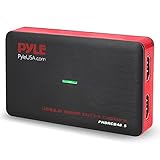
The PyleUsa PHDRCB48 is a versatile capture card that accepts HDMI, USB storage, and SD card inputs, making it suitable for capturing from cameras, consoles, and older devices alike. It handles 4K passthrough and 1080p60 capture, and its multi-input design sets it apart from single-HDMI competitors at this price.
- Pro: Accepts SD cards and USB drives as additional sources, useful for capturing footage from standalone cameras without a computer
- Pro: Solid build with a metal-look finish that resists the cheap-plastic flex common at this price tier
- Con: Audio/video sync occasionally drifts after several hours of continuous capture, requiring a restart to correct
If you need rock-solid sync for live commentary streams, the AVerMedia remains the safer choice despite costing less.
Buying Guide
Resolution, Frame Rate, and What the Box Actually Means
Capture cards advertise two different specs: input passthrough resolution and capture resolution. A device that says “4K” might pass a 4K signal to your TV but only record at 1080p internally. Always check the capture spec separately. If you stream at 1080p60, any card supporting that output frame rate is sufficient. If you record 1440p or 4K content for editing, you need a card that captures at that resolution, which realistically means spending above the budget tier.
Connection Type and Bandwidth Realities
USB 2.0 has a theoretical ceiling of 480 Mbps, which in practice limits uncompressed capture to roughly 720p30 or heavily compressed 1080p. USB 3.0 provides enough bandwidth for lossless 1080p60 and compressed 4K. If a card under twenty dollars claims 4K capture over USB 2.0, the marketing is misleading you. USB-C is simply a connector shape; what matters is whether it runs at USB 3.0 or higher speed.
Latency, Pass-Through, and Why It Matters for Gameplay
Pass-through sends the HDMI signal directly to your display while a copy goes to the capture chip. This means zero added latency on your screen. Without pass-through, you watch your gameplay through the capture software, which introduces a perceptible delay of 50-100 milliseconds that ruins reaction-based games. Every HDMI capture card on this list supports pass-through, but verify it before purchasing, as some ultra-cheap units omit it entirely.
Our Verdict
For the majority of gamers and streamers, the AVerMedia GC551G2 Live Gamer Extreme 3 is the best overall video capture device in this group, delivering stable 1440p120 capture with genuine 4K passthrough and software that does not fight you. The budget pick is the Mcbazel 4K HDMI Capture Card at under ten dollars, which offers USB-C compatibility and reliable 1080p60 capture for anyone who does not need pro-grade features. The ClearClick Ultimate 2.0 wins outright if your primary job is converting a large library of analog tapes, because no other device on this list combines that many legacy inputs with standalone operation.
FAQ
Do I need a capture card to stream from my Switch?
Yes. The Nintendo Switch has no built-in streaming capability or USB output, so you must route its HDMI signal through a capture card to get it into OBS or any other streaming software on a computer.
Can a cheap capture card damage my console?
No. A capture card is a passive input device that only reads the HDMI signal. The worst a bad card can do is fail to capture or produce a blurry image, but it will not send power or data back to your console.
Is 4K passthrough worth it if I only capture at 1080p?
It is useful for convenience. With 4K passthrough, you connect your console directly to a 4K TV and still get a 4K picture on screen while the card records 1080p separately, avoiding any resolution compromise on your display.
Do capture cards work without internet?
Yes. A capture card records to your local hard drive or outputs a live preview to your monitor. Internet is only required if you are pushing a stream to a platform like Twitch or YouTube in real time.
Related guides
- Best Gaming PC for Overwatch 2: Ten Prebuilts Matched to Your Monitor (2026)
- Best Gaming PC for Baldur’s Gate 3: Matching CPU, VRAM and Storage to the Game (2026)
- Best Gaming PC for Apex Legends: Which Listings Fit a High-Refresh Setup (2026)
- Best RTX 3060 Gaming PCs: Eight Prebuilt Listings Compared by CPU, RAM and Cooling (2026)









