
When designing a refined home setup, choosing between a curved vs flat monitor for gaming is far more than an exercise in technical specifications. It is a spatial, aesthetic, and lifestyle decision that alters how your workspace integrates into your living area. A monitor rarely exists in isolation; it sits atop an oak writing desk in a sunlit den, shares wall space in a multi-purpose guest room, or accents a sleek glass surface in a minimalist bedroom. The physical silhouette of your screen dictates how deeply your desk must sit from the wall, how light spills across the panel from nearby windows, and how comfortably your eyes adjust during long evening sessions.
While high-speed refresh rates and crisp resolutions dominate technical specs, the physical contour of the display directly governs your room’s ergonomics and visual clutter. Balancing desktop footprint, viewing angles, glare control, and furniture styling will reveal whether a sweeping panoramic curve or a classic flush-mounted flat panel is the right fit for your home.
As an Amazon Associate we earn from qualifying purchases at no extra cost to you.


Our Top Picks
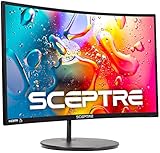
 Sceptre Curved 24-inch Gaming Monitor 1080p R1500 98%24-Inches16.04 x 21.61 x 9.06 inches6 PoundsCheck on Amazon
 AOC 27" Gaming Monitor FHD 260Hz OC NVIDIA27" FHD 240Hz7.63 x 24.25 x 18.11 inches7 PoundsCheck on Amazon


Top 3 picks at a glance
Quick Verdict
Choose a curved monitor if you have a deep desk (at least 28 inches), sit directly in front of your display, prioritize immersive solo gaming, and want to reduce peripheral eye strain on larger screens (27 inches and above). The subtle arc wraps around your field of view, creating an intimate focal zone that feels custom-built for personal nook setups.
Choose a flat monitor if your setup sits on a narrow desk, needs to be mounted flush against a wall, hosts dual-monitor configurations, or doubles as a shared screen for family movie nights. Flat panels offer unmatched placement flexibility, predictable geometry for daily productivity, and wide off-angle viewing across open-concept spaces.
Side by Side
| Factor | Curved Monitor | Flat Monitor |
|---|---|---|
| Eye Comfort | Superior edge-to-edge focal uniformity at close distance (2–3 feet). | Excellent for static gaze; requires more focal readjustment at edges on 30″+ screens. |
| Visual Immersion | High; gentle arc creates a wrapped, wrapped-in field of view. | Standard; crisp visual presentation without spatial depth distortion. |
| Desk Depth Required | 28 to 32 inches minimum to allow proper focal distance. | 20 to 24 inches is sufficient due to a slim physical depth. |
| Wall Mounting Fit | Extends 4 to 7 inches out from drywall; creates open side gaps. | Sits nearly flush (2 to 3.5 inches depth including slim VESA mounts). |
| Multi-Viewer Angles | Best viewed dead-center; image distortion for side viewers. | Consistent color and clarity across wide 178-degree viewing angles. |
| Durability & Safety | Exposed side corners are slightly more prone to accidental bumps. | Flat profile makes screen edges easier to protect near walkways. |
| Typical Price Range | $80 to $250+ for entry-to-mid range desktop sizes. | $70 to $200+ for entry-to-mid range desktop sizes. |
| Maintenance | Requires gentle micro-fiber wiping into concave corners. | Simple, quick straight-line cleaning across the screen face. |
| Best For | Dedicated solo gaming nooks and deep executive desks. | Multi-use home offices, multi-monitor setups, and shallow desks. |
Where Curved Wins
The primary architectural advantage of a curved panel is how it brings the outer edges of the display closer to your natural focal arc. Human eyes perceive the world on a rounded field, so when you sit 24 to 36 inches away from a screen, a curved panel keeps the corners at approximately the same physical distance from your eyes as the center. This design significantly reduces the micro-adjustments your eyes make when scanning from corner to corner during extended gameplay or intense work sessions.
For compact or tight gaming corners, small-footprint curved displays like the Sceptre Curved 24-inch Gaming Monitor 1080p R1500 (C248W-1920RN Series) offer a aggressive 1500R curvature radius (meaning it forms a circle with a 1,500mm radius). This tight curve pulls your peripheral vision into the game without requiring a massive desk footprint, making it ideal for bedroom alcoves or floating corner desks under 24 inches deep. The built-in speakers and thin frame keep tabletop wire clutter to a minimum.
On larger desks, a gentler curve creates an elegant, sculpting effect that softens the rigid lines of square furniture. A display like the Samsung 27″ Essential S3 (S36GD) Series FHD 1800R Curved Computer Monitor provides a subtle 1800R contour that complements modern organic wood desks and matte-black hardware. Beyond aesthetics, the curve actively traps indirect ambient light, directing window reflections away from your eyes rather than scattering glare straight across a wide panel. When positioned properly in a sunlit room, a curved display provides a surprisingly comfortable, flare-free viewing experience.
Where Flat Monitor for Gaming Wins
While curved screens capture attention with dramatic lines, flat monitors remain the undisputed champion of spatial versatility, wall integration, and multi-display alignment. A flat monitor mounts flush against drywall or floating shelving units, leaving your desk surface entirely clear for key-boards, desk pads, and writing materials. If your gaming setup resides in a high-traffic area, such as a living room corner or a shared hallway nook, a flat screen keeps a low profile that blends seamlessly with surrounding wall art and decorative shelving.
When high-speed performance and wide viewing real estate are essential, displays like the AOC 27″ Gaming Monitor FHD 260Hz Overclocked (27G51Z) demonstrate why flat panels excel. Because there is no optical arc to align, flat screens are effortlessly stacked side-by-side in dual or triple monitor arms. A dual-flat-monitor arm sits flush against the rear of your desk, eliminating the awkward center gap that often occurs when attempting to stitch two curved displays together.
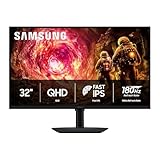
Flat displays also shine in larger screen formats used for multi-purpose room setups. The Samsung 32” Odyssey G5 (G50F) Series QHD Gaming Monitor provides an expansive QHD screen area that works brilliantly for solo gaming, dual-window document editing, or watching video content from a bed or sofa several feet away. Unlike curved screens, which suffer from visual distortion when viewed from severe off-angles, flat panels maintain consistent geometric proportions and color integrity regardless of where someone is sitting in the room.
Cost Over 5 Years
Evaluating the true cost of a monitor involves looking beyond the initial checkout price to consider energy consumption, mounting hardware requirements, and overall long-term usability. As home office and entertainment tech standards settle into 2026, energy efficiency and mounting versatility drive overall lifetime value.
In terms of power consumption, modern LED-backlit monitors—whether flat or curved—are remarkably efficient. A typical 24-inch to 32-inch panel draws between 20 and 45 watts during active gaming. Operating a monitor for 4 hours a day at an average rate of around $0 per kilowatt-hour translates to roughly $4 to around $10 per year in electricity, making power costs virtually negligible over a 5-year period.
The true cost difference shows up in accessory mounting and room adaptability:
- Initial Purchase: Entry-level flat monitors start around $80 to $110 (such as the AOC 27G51Z at around $110), whereas curved monitors carrying similar refresh rates often carry a slight $10 to $30 premium due to specialized panel manufacturing.
- Mounting Hardware: Mounting a flat screen requires a basic $25 VESA wall bracket. Curved displays, due to their forward-shifted center of gravity, require heavier-duty monitor arms rated for higher torque, which typically cost between $45 and $80.
- Resale Value: Flat panels maintain broader secondary-market appeal because they suit generic office environments, multi-monitor setups, and public workstations far better than curved panels.
Which One for Your Home
Small Apartment or Studio
In compact living spaces where your desk may sit just feet from your bed or dining table, a flat monitor is generally the smarter choice. Its ability to mount close to the wall reclaims valuable depth on desks under 24 inches wide. Furthermore, when you aren’t gaming, a flat display presents a clean, non-intrusive profile that doesn’t dominate the visual flow of a small room.
Family Home with Kids or Pets
If your home desk sits in an open family area subject to playful dogs or curious toddlers, stability and durability are paramount. Flat screens mounted flush to a heavy wall arm or secured on wide-base stands are harder to tip over. Curved screens feature protruding edges that are slightly more vulnerable to accidental knocks when people brush past the desk in tight walkways.
Rental Unit with Spatial Constraints
Renters who cannot drill holes into walls for VESA mounts often rely on default desktop stands. A compact curved screen with a tight radius—like a 24-inch 1500R display—provides an immersive focal zone while sitting comfortably on standard free-standing furniture, turning any temporary rental desk into a cozy, dedicated gaming sanctuary.
Long-Term Home Office and Gaming Suite
For homeowners with a dedicated, deep desk (30 inches or more) and controlled warm lighting, a mid-to-large curved screen (27 to 32 inches) delivers an unbeatable balance of luxury aesthetics and immersive gameplay. The natural wrap of the display transforms the desk into a focused command center, elevating both your room’s interior design and your daily computing experience.
FAQ
Does a curved monitor take up more desk space than a flat monitor?
Yes. Because the sides of a curved panel bow forward toward the user, the monitor stand and panel depth usually require 6 to 9 inches of desk depth, compared to 3 to 5 inches for a flat monitor. You will need a desk depth of at least 28 inches to maintain a comfortable seating distance from a curved screen.
Are curved monitors bad for spreadsheets or home office productivity?
Curved monitors are great for gaming and immersive viewing, but extreme curves (1000R or 1500R) can cause straight lines in spreadsheets, CAD drawings, or photo editing applications to appear slightly bent. If your daily work relies heavily on straight-line grid accuracy, a flat monitor or a very gentle curve (1800R) is recommended.
Can you mount a curved monitor on a standard VESA monitor arm?
Yes, most curved monitors feature standard 75x75mm or 100x100mm VESA bolt patterns. However, because a curved screen shifts its center of mass forward, you must check that your monitor arm supports the display’s weight rating and offset torque to prevent the head of the arm from tilting downward unexpectedly.
Is a curved or flat monitor better for reducing room light reflections?
Curved monitors handle direct side reflections (like sunlight coming from a side window) better because the curved glass angles light away from your eyes. However, if an open light source or bright lamp sits directly behind your chair, a curved panel will catch and stretch that reflection across its concave surface. Flat monitors reflect light uniformly, making glare easier to block using simple desk lamp adjustments.
Related guides
- Best Gaming PC for Overwatch 2: Ten Prebuilts Matched to Your Monitor (2026)
- Best Gaming PC for Baldur’s Gate 3: Matching CPU, VRAM and Storage to the Game (2026)
- Best Gaming PC for Apex Legends: Which Listings Fit a High-Refresh Setup (2026)
- Best RTX 3060 Gaming PCs: Eight Prebuilt Listings Compared by CPU, RAM and Cooling (2026)









