
When designing a sleek, efficient home office or custom workstation, every detail matters—from the ergonomics of your desk to the clean lines of your cable management. Inside your computer chassis, a similar debate plays out that directly impacts performance, noise levels, and long-term electrical safety: daisy chain pcie cable vs individual power cables. Whether you are assembling a quiet compact PC for a multi-purpose living room, setting up a heavy-duty rendering rig for remote work, or trying to eliminate visual clutter on an open-backed standing desk, deciding how to power your graphics card (GPU) is a fundamental choice.
At its core, the debate comes down to how electrical current is delivered from your power supply unit (PSU) to high-draw internal hardware. A daisy chain cable (often called a pigtail cable) uses a single main cable coming from the PSU that splits near the end into two separate 6+2 or 8-pin connectors. Individual power cables, on the other hand, run completely independent, dedicated wires from the PSU for each power socket on the graphics card. While daisy chaining reduces the total volume of wiring inside your computer case, using independent runs guarantees maximum current headroom and prevents cable overheating under heavy workloads.
As an Amazon Associate we earn from qualifying purchases at no extra cost to you.


Our Top Picks


Top 3 picks at a glance
Quick Verdict
If you are running a low-to-mid-range graphics card that draws under 200 watts, a daisy chain PCIe cable offers a clean, budget-friendly solution that minimizes cable bulk inside small PC cases. It simplifies routing and reduces clutter behind the side glass panel of modern home office setups.
However, for medium-to-high-power graphics cards drawing over 225 watts, individual power cables are overwhelmingly the better choice. Dedicated lines ensure balanced voltage delivery across all 12V rails, drastically lower the thermal burden on individual wire strands, and eliminate sudden system shutdowns during intensive creative or gaming sessions. For a long-term home build prioritizing system stability and component longevity, running individual cables is always the safer, more durable installation strategy.
Side by Side
| Feature / Attribute | Daisy Chain PCIe Cable | Individual Power Cables |
|---|---|---|
| Power Delivery Safety Margin | Lower (150W–225W rating stretched across one main wire run) | Higher (150W per dedicated cable, up to 300W–450W total) |
| Cable Management & Space | Takes up less space; easier to zip-tie in small chassis | Requires routing multiple thick cables through back grommets |
| Aesthetics & Visual Look | Leaves dangling extra “pigtail” headers inside the case | Clean, parallel runs; pairs exceptionally well with custom comb sleeves |
| Thermal Management | Higher wire temperature under sustained 250W+ loads | Lower overall wire temperature due to load distribution |
| Installation Effort | Fast and simple; plugs into a single PSU port | Requires opening PSU shroud and managing multiple cable paths |
| Price Range | Included with most PSUs ($0 extra); splitters cost $8–$12 | Included with modular PSUs ($0 extra); custom sets run $20–$50 |
| Maintenance & Flexibility | Easy to swap; ideal for temporary or compact builds | Requires organized bundling, but safer for heavy multi-year use |
| System Stability | Prone to transient voltage drops on high-wattage GPUs | Maximum voltage stability under heavy continuous rendering/gaming |
| Best For | Entry-level PCs, SFF (Small Form Factor) cases, low-wattage cards | High-performance home workstations, open-frame desks, 4K setups |
Where Daisy Chain Pcie Cable Wins
The most compelling advantage of a daisy chain PCIe cable is spatial efficiency. In modern home design, minimalist desks and compact computer enclosures are increasingly popular. Small Form Factor (SFF) cases—often measuring under 15 liters in total volume—have extremely tight clearance between the power supply shroud and the side panel. Running a single cable trunk that branches into two connectors saves crucial cubic inches of air space, which directly improves ambient intake airflow inside tiny desktop setups.
Daisy chain configurations are also far less messy if you are trying to minimize setup time. Because you only have to thread a single main harness through the cutouts of your computer chassis, cable tie-down points behind the motherboard tray remain uncluttered. If you are extending existing non-modular cables or working with compact build dimensions, short adapters like a COMeap 8 Pin PCIe Splitter Cable (a 9-inch 18 AWG braided extension priced around $9) allow builders to complete quick connections without stuffing feet of excess copper wire into tiny spaces.
For budget-conscious home office upgrades, pigtail setups utilize the stock wires bundled with entry-level power supplies. When paired with energy-efficient graphics cards drawing 150 to 180 watts, a daisy chain cable operates well within its official safety envelope while keeping the interior of your PC tidy and simple to maintain.
Where Individual Power Cables Wins
While daisy chaining saves physical space, individual power cables win decisively when it comes to electrical integrity, thermal safety, and aesthetic symmetry. Modern PCI Express high-performance graphics cards consume anywhere from 250 to over 450 watts under peak workloads. The standard PCIe slot on your motherboard supplies up to 75 watts; each standard 8-pin PCIe cable connector is rated by the PCI-SIG spec for 150 watts. When you run two separate, dedicated cables from your PSU, you provide up to 375 watts of clean power capacity (75W slot + 150W cable 1 + 150W cable 2), offering a massive safety cushion.
Running individual cables eliminates electrical bottlenecks. When a single cable carries current for two high-draw ports, the 18 AWG copper wires inside that single trunk experience increased resistance and localized heat buildup. Under prolonged rendering tasks or intensive video editing, this extra thermal load can soften insulation over time or trigger transient power surges that cause sudden black-screen reboots. Products designed for dedicated runs, such as a standalone Cable Matters 8-Pin GPU Power Cable (a 2-foot 6+2 pin cable priced around $9), ensure that each 8-pin port draws from its own independent circuit back at the power supply terminal.
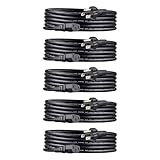
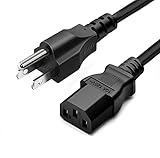
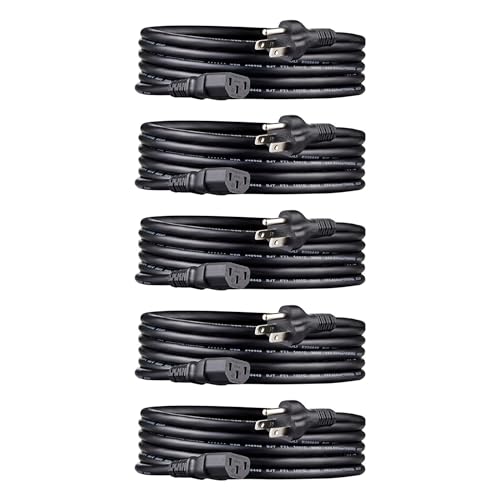
From an interior design standpoint, dedicated cables look vastly superior through tempered glass PC side panels. Instead of leaving an unsightly, looping pigtail wire hanging loose in the middle of your custom home workstation, individual cables can be aligned side-by-side using acrylic cable combs. This creates clean, parallel lines that match structured home office furniture aesthetic standards. Outside the PC chassis, completing your setup with neat external wiring—such as an Amazon Basics PC Power Cord 5-Pack (around $22 for 10-foot 18 AWG cords) or a standard 5ft 10 Amp AC Power Cord (around $6)—ensures reliable wall power distribution from your surge protector to your monitor and workstation towers.
Cost Over 5 Years
Evaluating the financial impact of your cable strategy requires looking beyond the initial hardware purchase price to consider long-term reliability and component protection:
- Initial Hardware Cost ($0 to $30): Most modular power supplies ($80–$180) include enough individual PCIe cables in the box at no additional cost. If you opt for custom-sleeved individual cables for enhanced living room aesthetics, expect an upfront investment of $20 to $45.
- Energy & Wire Efficiency ($5 to $15 over 5 years): Individual cables run cooler because electrical current is split across double the copper volume. Lower resistance slightly reduces power loss through heat waste, saving a minor but measurable amount of electricity over thousands of operational hours.
- Hardware Protection & Risk Mitigation ($200 to $800 potential savings): Overloading a single daisy-chained cable can degrade wire pins or melt plastic housing during intense gaming or render spikes. Preventing cable degradation or unstable power spikes protects expensive graphics cards from premature hardware failure over a 5-year lifecycle.
Ultimately, using individual cables adds virtually zero cost if your power supply already includes them, while serving as cheap insurance for expensive desktop components.
Which One for Your Home
Small Apartment or Compact Workspace
If your home setup revolves around a ultra-compact desk in a small apartment living room, space saving is paramount. Small Form Factor (SFF) cases often use tight internal layouts where every millimeter counts. If your graphics card draws under 200W, a single daisy chain PCIe cable keeps wire mass minimal, prevents cables from pressing against case fans, and leaves room for adequate airflow in tight quarters.
Family Home with Kids or Pets
In a busy household where desktops are subjected to long hours of shared use—from remote work during the day to family entertainment at night—maximum thermal safety and uptime are critical. Use individual power cables for high-wattage components. Dedicated runs keep cable operating temperatures low, preventing hardware instability or unexpected shutdowns while kids are gaming or adults are completing tight work deadlines.
Rental Property Workspace
If you live in a rental unit where you frequently pack up, reconfigure, or move your workspace between bedrooms or living areas, flexibility is key. Standardizing on individual cables connected to a fully modular power supply makes upgrading or servicing your rig quick and reliable. Individual runs can easily be unclipped, re-routed, or reorganized without stressing fragile power supply ports during moves.
Long-Term Home Office Setup
For high-end home offices featuring custom solid wood desks, integrated cable raceways, and display-worthy PC builds, individual power cables are the gold standard. As power demands for professional creation software continue to evolve in 2026, dedicated cable runs offer maximum future-proofing. Combined with structured external power management, individual internal cables deliver peak electrical performance, quiet system operation, and a pristine visual aesthetic that elevates any home workspace.
FAQ
Can a daisy chain PCIe cable damage my graphics card?
On low-power graphics cards (under 200W), a daisy chain cable is safe. However, on high-power cards drawing over 225W–250W, relying on a single daisy-chained cable can cause excessive heat buildup in the wire connectors, voltage drops, and potential melting of plastic connector housing, which can damage the GPU or power supply over time.
How much power can a single 8-pin PCIe cable safely handle?
According to official PCI-SIG specifications, a single standard 8-pin PCIe connector is rated for up to 150 watts of power delivery (plus 75 watts supplied directly by the motherboard slot). While high-quality 18 AWG wires can technically carry slightly more current, keeping loads under 150W per individual cable run ensures optimal safety and cool operation.
Why do power supply manufacturers include daisy chain cables if they can overheat?
Power supply manufacturers include pigtail cables to provide flexibility for multi-card setups, legacy components, or mid-range graphics cards with secondary low-draw sockets. They are safe when total power draw across both split connectors remains within the single cable trunk’s overall safe thermal limits.
What is the difference between internal PCIe power cables and external AC power cords?
Internal PCIe cables carry Direct Current (DC) at low voltage (12V) directly from your computer’s power supply to internal components like the graphics card. External AC power cords (like standard 3-prong 125V cables) connect your power supply unit, monitors, or printers directly to your home wall outlet or surge protector to deliver Alternating Current (AC).
Related guides
- Best Gaming PC for Overwatch 2: Ten Prebuilts Matched to Your Monitor (2026)
- Best Gaming PC for Baldur’s Gate 3: Matching CPU, VRAM and Storage to the Game (2026)
- Best Gaming PC for Apex Legends: Which Listings Fit a High-Refresh Setup (2026)
- Best RTX 3060 Gaming PCs: Eight Prebuilt Listings Compared by CPU, RAM and Cooling (2026)









