
As an Amazon Associate we earn from qualifying purchases at no extra cost to you.

Our Top Picks
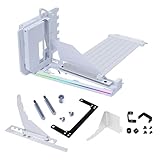
 LIAN LI 4 Slots Vertical GPU Kit6.61 x 5.81 x 9.25 inches6.61 x 5.81 x 9.25 inches2.36 poundsCheck on Amazon

The Short Answer
For most gamers, no — a PCIe 5.0 GPU is not worth the premium on its own merits. Today’s graphics cards lose only a percent or two of performance moving from PCIe 5.0 to PCIe 4.0, and often nothing at all. The one condition that changes the answer: if you’re building a new system around a current-generation platform that already supports PCIe 5.0 on the primary x16 slot, then paying the (often zero to $50) premium for a 5.0 card is simply future-proofing at little cost. You’re not buying performance today — you’re buying headroom for the card’s second owner, and for yourself if you ever drop it into a newer board down the road.
What You Actually Get
PCIe is a lane-based interface, and each generation roughly doubles the bandwidth per lane. A PCIe 5.0 x16 slot moves about 63 GB/s in each direction versus roughly 31.5 GB/s for PCIe 4.0. That sounds dramatic, but modern games rarely saturate even PCIe 4.0 bandwidth. The exceptions tend to be:
– DirectStorage-heavy titles that stream assets straight from an NVMe drive to VRAM
– Games with massive texture streaming on 12GB+ cards
– Some professional workloads — AI inference, large dataset transfers, GPU rendering with scene swapping
In pure frame-rate terms across a typical game library, the measured difference between a card running at 5.0 speeds and 4.0 speeds is usually between 0% and 3%. Where you’ll genuinely notice a difference is in load times for certain streaming-heavy titles and in workstation tasks that shuttle large buffers to the GPU constantly.
There’s also a hardware angle: PCIe 5.0 GPUs use the newer 12V-2×6 (16-pin) power connector standard, which replaced the original 12VHPWR on 4.0-era cards. The revised connector has shorter sensing pins and better protection against the partial-insertion meltdowns that plagued early adopters. If you buy a 5.0-generation card, you’re getting the corrected connector — a real, if unglamorous, benefit.
Physically, not much else changes. The cards are still typically two to four slots wide, 240mm to 360mm long, and pull anywhere from 200W (mid-range models) to 450W or more (flagships). The premium you pay depends on the card: some 5.0 SKUs cost the same as their hypothetical 4.0 equivalents, while in the used market a 4.0 card can save you $100–$300 at the same performance tier.
Pros
- Doubles available bandwidth to roughly 63 GB/s over x16, which matters for asset-streaming games and professional workloads
- Ships with the improved 12V-2×6 power connector, reducing the risk of partial-insertion connection failures
- Better resale value later, since buyers of used cards increasingly look for 5.0 support
- Fully backward compatible — it runs in any PCIe 4.0 or 3.0 board without issue
- Effectively free premium if you’re buying a new card on a new platform anyway
- Ready for DirectStorage titles and engine features that lean harder on bandwidth over the card’s lifespan
Cons
- Near-zero frame-rate gain in the overwhelming majority of today’s games — often 1–2% or less
- Premium pricing on some models, typically $30–$100 over comparable 4.0 hardware
- Requires a compatible motherboard and CPU (current Intel 700/800-series chipsets, AMD X670E/X870E with the right CPU) to run at 5.0 speeds at all
- Many boards only offer PCIe 5.0 on the top x16 slot; second slots and M.2 banks may drop lanes or generation when populated
- Buying a 5.0 card for an older PCIe 3.0 or 4.0 system means paying for bandwidth the slot can’t deliver
- The 16-pin connector still requires careful, fully-seated installation regardless of revision
Who Should Buy It
Buy a PCIe 5.0 GPU if you’re building or rebuilding a system right now on a platform with 5.0 support on the primary slot, the price difference over an equivalent 4.0 card is under about $50, and you plan to keep the card for four or more years. Also reasonable: content creators and AI hobbyists who regularly move multi-gigabyte datasets to and from VRAM, where the bandwidth translates into real time savings. And if you’re mounting the card vertically — the price range for a proper PCIe 5.0 riser cable runs roughly $75 to $100, like the Corsair Premium x16 175mm cable at around $99 or the Lian Li 4-slot vertical kit at around $74 — you’ll want a 5.0-rated riser anyway so a future card upgrade isn’t bottlenecked by the cable.
Who Should Skip It
Skip it if you’re upgrading the GPU in an existing PCIe 4.0 or 3.0 system — the card will simply downclock to what the slot supports, and you’ll have paid extra for nothing you can use. Skip it if a 4.0 card at the same performance tier is $100+ cheaper; put that money toward a better cooler, more VRAM, or a higher SKU entirely. And skip it if you game at 1440p or lower with a mid-range card — at those resolutions you’re CPU- and GPU-bound long before the PCIe link becomes a factor.
Cheaper Alternatives
| Option | Cost | Trade-off |
|---|---|---|
| Previous-generation PCIe 4.0 GPU, same performance tier | $100–$300 less, depending on market | Loses 0–3% in most games; misses the improved 12V-2×6 connector; weaker resale in a few years |
| PCIe 4.0 card paired with a used or last-gen B650/B760 board | Saves $40–$120 versus a 5.0-slot board | No upgrade path to 5.0 without a full platform swap later |
| Mid-tier 5.0 card instead of a flagship 4.0 card at the same price | Roughly price-neutral | Lower raw performance now, but native 5.0 bandwidth and newer connector |
| Keep your current card, wait one more GPU cycle | $0 | 5.0 adoption and pricing will only improve; bandwidth-demanding games remain rare |
FAQ
Does a PCIe 5.0 GPU work in a PCIe 4.0 motherboard?
Yes. PCIe is fully backward and forward compatible. A 5.0 card in a 4.0 slot runs at 4.0 speeds with no stability issues — you just don’t get the extra bandwidth you paid for.
How much FPS do I lose running a 5.0 GPU at 4.0 speeds?
In most game libraries, between 0% and 3%, and often statistically nothing. The gap widens slightly in asset-streaming-heavy titles and on cards with 16GB or more of VRAM, but it’s rarely large enough to change a buying decision on its own.
Do I need a PCIe 5.0 riser cable for a vertical GPU mount?
If you’re mounting a 5.0-generation card vertically, yes — and you want one that’s specifically 5.0-certified, not an older 4.0 cable. Budget $75 to $100: the Lian Li 4-slot vertical kit with its included 5.0 riser runs around $74, while the Corsair Premium x16 175mm cable is around $99. An uncertified cable can cause instability at 5.0 signaling speeds.
Is PCIe 5.0 worth it for gaming in 2026?
Only at the margins. Bandwidth-hungry titles are still the exception rather than the rule, so 5.0 remains a future-proofing feature rather than a performance feature. If the premium is small and your platform supports it, take it — but don’t pay a large premium, and don’t replace a perfectly good 4.0 card just for the interface.
Related guides
- Best Gaming PC for Overwatch 2: Ten Prebuilts Matched to Your Monitor (2026)
- Best Gaming PC for Baldur’s Gate 3: Matching CPU, VRAM and Storage to the Game (2026)
- Best Gaming PC for Apex Legends: Which Listings Fit a High-Refresh Setup (2026)
- Best RTX 3060 Gaming PCs: Eight Prebuilt Listings Compared by CPU, RAM and Cooling (2026)









