
When setting up a high-performance gaming station or an ergonomic home office, the desk layout is often treated as an afterthought. However, if you are a competitive gamer or a digital designer who prefers a low DPI (Dots Per Inch) setting, your physical mouse movement dictates your entire desk architecture. Low DPI settings offer unmatched precision, but they demand a massive physical runway. If your mouse pad is too small, you will find yourself constantly lifting and repositioning your mouse, which ruins your muscle memory and slows down your reaction times.
As we look at the evolving landscape of ergonomic desk setups in 2026, choosing the right surface area has become just as critical as choosing the mouse sensor itself. To help you optimize your workspace, this guide breaks down the physical dimensions, use cases, and measuring techniques required to find the absolute best mouse pad size for low-sensitivity tracking.
As an Amazon Associate we earn from qualifying purchases at no extra cost to you.
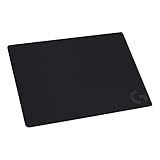

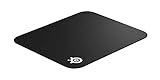
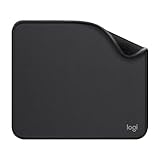
Our Top Picks
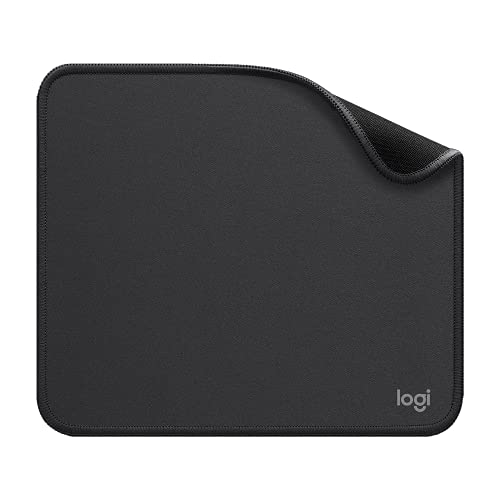 Logitech Studio Series Small Mouse Pad9.1L x 7.9W inches9.1 x 7.9 x 0.08 Inches0.2 poundsCheck on Amazon
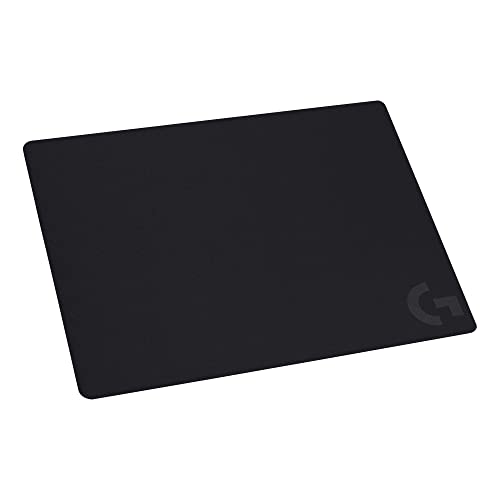


Top 3 picks at a glance
The Short Answer
For low DPI settings (typically 400 to 800 DPI), the best mouse pad size is a Large or Extra Large (Extended) pad. Specifically, you should look for a minimum dimension of 17 x 15 inches (45 x 40 cm). If you have the desk real estate, an Extended Desk Mat (36 x 11 inches or larger) is even better.
Because low DPI requires you to move your entire arm rather than just pivoting your wrist, a standard small mouse pad—like a 9 x 8-inch office pad—will cause you to repeatedly run off the edges. A large surface ensures you can execute a full 180-degree or 360-degree turn in a game, or swipe across a dual-monitor editing setup, in a single, uninterrupted sweeping motion.
Standard Sizes
Mouse pads are categorized into four primary size brackets. While manufacturers may vary these dimensions by a fraction of an inch, the standard footprints remain relatively consistent across the industry. Below is a breakdown of standard mouse pad sizes, their physical dimensions, and their compatibility with low DPI tracking.
| Size Category | Dimensions (Inches) | Dimensions (Metric) | Low DPI Compatibility | Best For |
|---|---|---|---|---|
| Small | 9″ x 8″ to 10″ x 9″ | 23 x 20 cm to 25 x 23 cm | Poor (Not Recommended) | High DPI, casual office work, tight desk spaces |
| Medium | 13.4″ x 11″ to 14″ x 12″ | 34 x 28 cm to 35 x 30 cm | Marginal (Casual Gaming) | Medium DPI (800-1200), hybrid office/gaming setups |
| Large | 17.7″ x 15.7″ to 18″ x 16″ | 45 x 40 cm to 46 x 41 cm | Excellent (Recommended) | Low DPI competitive shooters, arm-aiming techniques |
| Extended / XL | 35.4″ x 11.8″ to 48″ x 24″ | 90 x 30 cm to 120 x 60 cm | Excellent (Best Coverage) | Low DPI gaming, full desk protection, holding keyboard + mouse |
How to Measure Your Space
Before purchasing a massive gaming surface, you must verify that your physical desk can accommodate it without creating an uneven resting surface or crowding your other peripherals. Follow these steps to measure your space accurately:
- Clear Your Primary Work Area: Remove your current mouse pad, keyboard, and any desktop accessories from the zone where your hands rest.
- Measure Your Keyboard Footprint: If you are considering an Extended or XL desk mat, measure the width of your keyboard. A standard full-sized keyboard is about 17.5 inches (44 cm) wide, while a tenkeyless (TKL) keyboard is roughly 14 inches (36 cm) wide. Subtract this from your desk’s total width to see how much room is left for mouse sweeps.
- Determine Your Swipe Radius: Sit in your normal gaming or working posture. Hold your mouse and perform your widest comfortable arm sweep from left to right. Use a tape measure to record the start and end points of this natural arc. If your sweep is 16 inches wide, any mouse pad under 17 inches wide will severely restrict your movement.
- Check the Depth Clearance: Measure from the edge of your desk closest to your body up to the base of your monitor stand or monitor arm. Ensure the depth of the mouse pad (typically 11 to 16 inches) does not overlap with your monitor base, which can cause the pad to sit at an angle.
- Account for Cable Routing: If you use a wired mouse, leave at least 2 to 3 inches of clearance at the top of the pad for cable slack or a mouse bungee to prevent dragging.
By Room or Use Case
Competitive FPS Gaming (Low DPI)
In competitive first-person shooters (FPS) like Counter-Strike, Valorant, or Apex Legends, players frequently configure their mice to 400 or 800 DPI with low in-game sensitivity. This setup demands massive, sweeping arm movements to aim. For this use case, a Large Cloth Mouse Pad is the gold standard.
A classic option like the SteelSeries QcK Gaming Mouse Pad – Small Cloth (priced around $13) is excellent for space-constrained desks, but competitive low-DPI players will need to step up to the Large version of the QcK line (measuring 17.7 x 15.7 inches). Alternatively, the thin profile of the Logitech G240 Cloth Gaming Mouse Pad (340x280x1 mm, priced around $9) offers a medium-sized footprint that works well if you play at a moderate-to-low DPI and have slightly tighter desk constraints. The cloth texture of these pads provides the essential dynamic friction (stopping power) required to halt a fast arm sweep precisely on a target’s head.
Home Office and General Productivity
If your daily routine involves managing spreadsheets, editing video, or general browsing, you likely do not need to sweep your arm 18 inches to move your cursor across the screen. For these environments, a compact pad like the Logitech Studio Series Small Mouse Pad (9×8 inches, priced around $9) is highly efficient. Its anti-slip rubber base and spill-resistant surface protect your desk while providing plenty of space for high-to-medium DPI navigation. It keeps your home office looking clean, organized, and free of bulky gaming gear.
The Hybrid Setup (Gaming & Writing)
For those who use the same desk for daytime remote work and nighttime gaming, an Extended Desk Mat is the ultimate compromise. By placing your keyboard directly on top of a 36 x 12-inch or 36 x 18-inch mat, you anchor the keyboard in place, reduce typing vibrations, and leave a massive, seamless canvas on the right side for low DPI arm aiming. This eliminates the awkward “edge drop” where your mouse transitions from a traditional pad onto the bare wooden desk surface during intense gaming sessions.
Hard Surface Enthusiasts
While cloth is favored for control, some low DPI players prefer a frictionless glide to reduce arm fatigue during long sessions. A pad like the Logitech G440 Hard Gaming Mouse Pad (340x280x5 mm, priced around $15) features a rigid polymer surface. While its medium size (roughly 13.4 x 11 inches) is on the threshold of what is comfortable for ultra-low DPI, its incredibly low surface friction allows your mouse to glide effortlessly, making micro-adjustments highly responsive without requiring heavy physical effort.
Common Sizing Mistakes
- Choosing Thickness Over Surface Area: Buyers often focus on how plush a mouse pad feels rather than its length and width. A 5mm thick pad feels luxurious, but if it is only 9 inches wide, it will not accommodate low DPI sweeps. Prioritize width and depth first, then select thickness (typically 1mm to 3mm for speed, 4mm to 6mm for comfort and desk-leveling).
- Ignoring Keyboard Interference: Buying a large 18 x 16-inch mouse pad without realizing it will force your full-sized keyboard way to the left can ruin your shoulder ergonomics. If you use a large mouse pad, consider switching to a TKL (tenkeyless) or 60% keyboard layout to reclaim desk space.
- Overlooking the Monitor Stand Footprint: Modern monitors often feature wide, V-shaped legs that protrude forward. If you buy a deep mouse pad (15 to 18 inches deep), the top edge of the pad may sit on top of the monitor foot, creating an annoying bump right in your tracking zone.
FAQ
Why do low DPI gamers need a larger mouse pad?
Low DPI means the mouse sensor registers fewer “dots” per inch of physical movement. To move your crosshair or cursor a specific distance on your screen, you must physically slide your mouse much further across your desk. A large mouse pad ensures you do not run out of tracking surface mid-sweep, preventing missed shots and erratic tracking.
Is a hard or cloth mouse pad better for low DPI?
Generally, cloth is preferred for low DPI. Because low DPI requires fast, sweeping arm movements, you need a surface that offers “stopping power” to help you decelerate and control the mouse at the end of a swipe. Hard pads glide faster but offer very little stopping friction, which can lead to overshooting your targets.
What is the absolute minimum size for 400 DPI?
For 400 DPI, the absolute minimum recommended width is 16 inches (approx. 40 cm). Anything smaller will require you to constantly lift your mouse and recenter it, which disrupts your tracking consistency and can cause physical wrist and shoulder fatigue over time.
How does desk height affect my mouse pad sizing choice?
If your desk is too high, your elbow will hang low, forcing you to pivot from your wrist (making a large pad less useful because your range of motion is restricted). If your desk is at the correct ergonomic height (where your elbows rest at a 90-degree angle), you can easily pivot from your elbow and shoulder, allowing you to fully utilize the massive surface area of a Large or Extended mouse pad.
Related guides
- Best Gaming PC for Overwatch 2: Ten Prebuilts Matched to Your Monitor (2026)
- Best Gaming PC for Baldur’s Gate 3: Matching CPU, VRAM and Storage to the Game (2026)
- Best Gaming PC for Apex Legends: Which Listings Fit a High-Refresh Setup (2026)
- Best RTX 3060 Gaming PCs: Eight Prebuilt Listings Compared by CPU, RAM and Cooling (2026)









