
Dead Wi-Fi zones remain one of the most frustrating problems in a modern home. A router that performs admirably in the living room can leave a bedroom, basement, or backyard patio barely connected—especially in houses with plaster walls, multiple floors, or simply awkward geometry. A wifi range extender solves this by catching the existing signal and rebroadcasting it, but the category is notoriously uneven. Cheap units often create a separate network name, halve your throughput through a single radio, or drop devices under load.
The difference between a mediocre extender and a genuinely useful one comes down to three things: radio design (dual-band and tri-band matters far more than advertised speed numbers suggest), device capacity for homes packed with phones, tablets, smart speakers, and gaming consoles, and mesh compatibility that lets the extender merge seamlessly with a compatible router. The eight models below span every budget tier, from under ten dollars to just under eighty, and we compared published specifications and aggregate owner feedback to sort the signal-boosting winners from the noise.
As an Amazon Associate we earn from qualifying purchases at no extra cost to you.


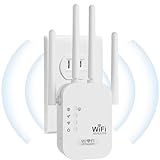


Our Top Picks
 TP-Link AC1900 WiFi Range Extender RE550WiFi 5, AC19006.4 x 3 x 2.6 inches0.51 poundsCheck on Amazon
 TP-Link AC1200 WiFi Extender Dual Band 5GHz/2.4GHz1 Count (Pack of 1)3.5 x 2.05 x 4.89 inches0.4 PoundsCheck on Amazon
 TP-Link AX3000 WiFi 6 Dual-Band Range Extender PCMag4.21 x 1.58 x 6.3 Inches0.84 PoundsCheck on Amazon



Top 3 picks at a glance
Quick Picks
| Product | Best for | Price |
|---|---|---|
| TP-Link RE550 | Mid-size homes wanting reliable dual-band coverage | Check on Amazon |
| TP-Link RE315 | Value-focused dual-band with Ethernet port | Check on Amazon |
| TP-Link RE715X | Wi-Fi 6 households with many connected devices | Check on Amazon |
| Milky White WiFi Extender | Large open layouts and aggressive pricing | Check on Amazon |
| TP-Link RE220 | Tight budgets needing dual-band basics | Check on Amazon |
| Jancane WiFi Extender | Extreme low-cost single-room coverage | Check on Amazon |
| NETGEAR EX5000 | Small spaces where compact design matters | Check on Amazon |
| TP-Link RE615X | Wi-Fi 6 on a moderate budget | Check on Amazon |
How We Compared
We narrowed the field using four criteria. First, coverage area and device capacity as stated by the manufacturer, cross-referenced against owner-reported experiences in similar home sizes. Second, radio architecture: genuine dual-band or Wi-Fi 6 units that dedicate a band to the backhaul connection dramatically outperform single-band or pseudo-dual-band designs. Third, mesh compatibility—EasyMesh, OneMesh, or proprietary mesh systems that let the extender act as a seamless node rather than a second network. Fourth, price-to-spec ratio relative to direct competitors, since this category punishes overpaying for marginal gains and equally punishes underbuying into unreliable hardware.
The 8 Best Wifi Range Extender in 2026
TP-Link RE550
The RE550 targets households that need straightforward dual-band amplification without paying Wi-Fi 6 premiums. Its AC1900 throughput and coverage up to 2,200 square feet make it a comfortable fit for single-story homes or apartments where one dead zone is the main complaint.
- Pro: Gigabit Ethernet port lets you hardwire a console or desktop for low-latency gaming without a separate run.
- Pro: EasyMesh compatibility with TP-Link Archer routers for a unified network name.
- Con: Only 32 device capacity may strain homes loaded with smart plugs and streaming boxes.
Skip it if your router already supports Wi-Fi 6 and you want to future-proof the whole network at once.
TP-Link RE315
The RE315 sits in the sweet spot between bargain and midrange. At 1.2 Gbps and up to 1,600 square feet of coverage, it handles a one-room extension well—think a master bedroom on the opposite side of the house from the router.
- Pro: Dual-band design means the 5 GHz band can handle backhaul while 2.4 GHz serves legacy devices.
- Pro: OneMesh and EasyMesh support keeps the network seamless with compatible TP-Link routers.
- Con: AC1200 ceiling limits performance if your router already pushes multi-gig speeds.
Skip it if you need to cover more than 1,600 square feet from a single unit.
TP-Link RE715X
The RE715X is the premium pick in this lineup, earning a PCMag Editor’s Choice designation. Wi-Fi 6 and AX3000 throughput support up to 64 devices across 2,400 square feet, making it the clear choice for large, device-dense homes.
- Pro: Sixty-four device capacity comfortably handles smart-home-heavy households without congestion.
- Pro: Wi-Fi 6 OFDMA and Target Wake Time reduce latency for gaming and video calls.
- Con: around $79 price tag puts it within reach of mesh router systems that solve the problem more elegantly.
Skip it if you already own a Wi-Fi 5 router—the extender cannot add Wi-Fi 6 benefits at the device level without a matching router.
Milky White WiFi Extender
At around $23 this unbranded-looking unit claims a remarkable 9,800 square feet of coverage, which almost certainly represents an optimistic open-air figure rather than a realistic in-home range. For smaller budgets and larger physical spaces, it earns consideration on price-per-claimed-sq-ft alone.
- Pro: Ethernet port included for wired device connections.
- Pro: Quick-setup process appeals to non-technical users who dislike app-driven configuration.
- Con: No mesh compatibility means a separate network name and manual switching.
Skip it if seamless roaming matters—phones and laptops will need to reconnect between networks.
TP-Link RE220
At around $17 the RE220 is the cheapest branded option here, and TP-Link’s claim of up to 44 percent more bandwidth than single-band competitors reflects its true dual-band architecture. Coverage up to 1,200 square feet suits a focused extension—perhaps a home office or nursery.
- Pro: OneMesh support pairs with budget TP-Link routers for a unified network.
- Pro: Gigabit Ethernet port at this price is uncommon and useful for consoles.
- Con: Only 30 devices and 1,200 sq ft limits it to single-room duty.
Skip it if you need coverage beyond one adjacent room or more than 30 connected gadgets.
Jancane WiFi Extender
At around $8 the Jancane is essentially a lottery ticket among wifi range extender options. It claims 5,800 square feet and 55 devices, figures that seem inflated for the price, yet some owners report it works adequately for a single dead spot in a small apartment.
- Pro: Lowest price in this roundup by a wide margin.
- Pro: Handles a reasonable device count for the cost.
- Con: No mesh support, no app ecosystem, and minimal long-term firmware support from an unknown brand.
Skip it unless you are genuinely price-capped and only need one room back online temporarily.
NETGEAR EX5000
The EX5000 occupies a narrow niche: small apartments, hotel rooms, or dorms where a bulky extender simply does not fit. Its compact wall-plug design covers up to 1,000 square feet—modest, but adequate for its intended use case.
- Pro: Truly compact; extends without protruding from the outlet or blocking adjacent plugs.
- Pro: AC1200 dual-band with 15 device capacity handles a minimal setup reliably.
- Con: No Ethernet port means every connected device must be wireless.
Skip it if you need to hardwire a gaming PC or have more than 15 devices near the coverage area.
TP-Link RE615X
The RE615X bridges the gap between the RE715X’s Wi-Fi 6 performance and a sub-$60 price. AX1800 throughput, 64 device support, and 2,100 square feet of coverage make it the most balanced Wi-Fi 6 option here for mid-size homes.
- Pro: Sixty-four device capacity matches the pricier RE715X at 75 percent of its cost.
- Pro: EasyMesh compatible and works with existing TP-Link Wi-Fi 6 routers.
- Con: AX1800 throughput is a tier below AX3000, capping peak speed on newer routers.
Skip it if your router supports AX3000 or higher and you want the extender to match that ceiling.
Buying Guide
Dual-Band vs. Single-Band
A single-band extender uses the same radio for both receiving the router signal and rebroadcasting it, which effectively halves your available bandwidth. Dual-band units dedicate one band to the backhaul connection and another to client devices, preserving speed. If a spec sheet only advertises total combined throughput without specifying separate radio bands, assume the worst. Every product above except the Jancane and Milky White explicitly identifies as dual-band or Wi-Fi 6 dual-band.
Device Capacity and Congestion
Manufacturers list maximum device counts under ideal conditions. Real-world usable capacity is lower, especially when devices are active simultaneously. For a household with four streaming devices, a game console, two laptops, and ten-plus smart-home endpoints, look for 40 or more device support. The 64-device figures on the RE715X and RE615X provide genuine headroom; 15-device limits like the EX5000 serve only the smallest setups.
Mesh Compatibility
EasyMesh is a cross-vendor standard; OneMesh is TP-Link’s proprietary alternative. Either lets your extender and router share one network name and hand devices between nodes automatically. Without mesh support, you get two separate SSIDs and devices stubbornly cling to whichever signal they first connected to. If you already own a router that supports mesh, buy only an extender with matching compatibility.
Our Verdict
The TP-Link RE715X is the top pick for most households in 2026: Wi-Fi 6, 64-device capacity, and EasyMesh support justify its price when you need coverage beyond a single room. The TP-Link RE220 is the budget pick, delivering genuine dual-band and an Ethernet port under $18. However, if your home is small and aesthetics matter—the extender sits behind a couch or in a shared wall outlet—the NETGEAR EX5000 wins on form factor alone, since nothing else in this list is genuinely compact.
FAQ
Does a wifi range extender slow down my internet?
A dual-band extender with a dedicated backhaul band slows speeds far less than a single-band unit, which splits one radio between receiving and transmitting. Expect roughly 30 to 50 percent of your original speed through a well-placed dual-band extender, compared to 60 to 80 percent loss with a single-band one.
Can I use multiple wifi range extenders together?
Yes, though chaining extenders compounds bandwidth loss with each hop. If EasyMesh or OneMesh is supported by both your router and all extenders, the mesh system manages connections more intelligently than independent devices, reducing handoff delays and maintaining a single network name throughout.
Do I need a Wi-Fi 6 router to use a Wi-Fi 6 extender?
No, a Wi-Fi 6 extender works with Wi-Fi 5 routers and will still improve coverage. However, the advanced Wi-Fi 6 features like OFDMA and Target Wake Time require both the router and the client device to support them, so the extender alone cannot add those benefits to an older network.
Where should I place a wifi range extender?
Halfway between your router and the dead zone is the standard recommendation, though the ideal spot balances signal strength from the router with distance to the target area. Placing the extender too close to the dead zone means it receives a weak signal to repeat; too close to the router and it barely extends the range at all.
Related guides
- Best Gaming PC for Overwatch 2: Ten Prebuilts Matched to Your Monitor (2026)
- Best Gaming PC for Baldur’s Gate 3: Matching CPU, VRAM and Storage to the Game (2026)
- Best Gaming PC for Apex Legends: Which Listings Fit a High-Refresh Setup (2026)
- Best RTX 3060 Gaming PCs: Eight Prebuilt Listings Compared by CPU, RAM and Cooling (2026)









