
As an Amazon Associate we earn from qualifying purchases at no extra cost to you.


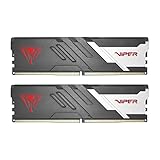
When you’re building a gaming PC, the decision that trips up more buyers than any other isn’t the graphics card or the CPU — it’s memory. You’ve picked your RAM kit, you’re ready to install it, and then you see two acronyms on the box: XMP and EXPO. These are one-click overclocking profiles that let your memory run faster than its default speed, but they’re built for different platforms, and choosing wrong can mean the difference between a system that boots flawlessly for years and one that crashes mid-raid.
Here’s the real decision: XMP (Extreme Memory Profile) is Intel’s certification program, developed with Kingston originally and now in its third generation, while EXPO (Extended Profiles for Overclocking) is AMD’s standard launched specifically for DDR5 on AM5 Ryzen systems. Both push your RAM beyond the conservative default speed of DDR5 (4800MT/s) or DDR4 (2133-2666MHz), but the profiles are tuned differently, validated on different motherboards, and in some cases run at different voltages. Getting this right matters for gaming stability more than raw performance numbers suggest.
## Quick Verdict
If you run an AMD Ryzen 7000, 8000, or 9000 series CPU on an AM5 motherboard, EXPO profiles are your best path to stable, fast memory — they’re validated specifically for your platform and typically run at lower voltages for the same speeds. If you’re on an Intel 12th through 15th generation Core CPU, XMP 3.0 is the only game in town, and it’s excellent. On DDR4 systems, the distinction matters far less: most DDR4 kits carry dual certification, so either profile works. For pure gaming stability, the platform determines the answer more than the technology does — pick the profile made for your CPU, and you’ll avoid 90 percent of the troubleshooting headaches buyers report.
## Side by Side
| Factor | XMP | EXPO |
|---|---|---|
| Compatibility | Intel Core (all generations), many AMD boards via fallback | AMD Ryzen AM5 (7000/8000/9000 series) |
| Typical DDR5 voltage | 1.35V–1.40V at 6000–7200MT/s | 1.25V–1.40V, often lower at 6000MT/s |
| DDR4 support | Universal on DDR4 boards | Available on some kits, less common |
| Typical speed sweet spot | 6000–7200MT/s DDR5 | 6000MT/s DDR5 (Ryzen 1:1 FCLK) |
| Gaming stability | Very good when platform-matched | Excellent when platform-matched |
| Setup effort | One BIOS toggle, first boot may take 1–3 minutes | One BIOS toggle, same memory training delay |
| Heat and cooling | May benefit from case airflow near DIMM slots | Similar; lower-voltage kits run slightly cooler |
| Price range (32GB DDR5) | $120–$220 for CL30–CL36 kits | $120–$230; CL30 6000MT/s kits at the higher end |
| Resale value | Sells to both Intel and AMD buyers | Primarily appeals to AM5 owners |
| Best for | Intel builds, DDR4 upgrades, broad compatibility | AM5 Ryzen gaming rigs tuned for stability |
## Where XMP Wins
XMP’s biggest advantage is sheer ubiquity. Intel’s platform has carried the standard since 2007, and virtually every memory module sold today — including DDR4 and DDR5 kits — includes an XMP profile. That matters in two ways.
First, cross-platform flexibility. Many dual-certified kits, like the G.SKILL Flare X5 Series DDR5, carry both EXPO and XMP 3.0 profiles on the same module. If you build an Intel machine today and move the RAM into an AMD system later (or vice versa), the kit has a validated profile waiting for you. That flexibility protects your investment and improves resale appeal, since a used XMP-capable kit sells to a much wider pool of buyers.
Second, XMP 3.0 added user-programmable profiles — two writable slots alongside the two factory profiles — which lets enthusiasts save their own tuned settings directly on the module. For gamers who like to push memory timings manually, this is a genuinely useful feature EXPO doesn’t match yet.
XMP is also the safer choice for DDR4 systems. A kit like the CORSAIR Vengeance LPX 32GB (2x16GB) at 3200MHz CL16 runs on effectively every DDR4 board made in the last decade, Intel or AMD, and at 1.35V it stays within the thermal comfort zone of any case with even modest airflow. For a living-room console-killer build or a compact ITX box where you can’t add cooling fans, DDR4 with XMP at 3200MHz is nearly impossible to get wrong.
## Where Expo Ram Overclocking for Gaming Stability Wins
EXPO was designed specifically to fix a real problem: on launch, early AM5 boards running XMP profiles on Ryzen saw noticeably higher failure-to-boot rates and memory training issues. AMD built EXPO to give motherboard vendors and memory makers a validated, Ryzen-specific target — and in practice, that means fewer headaches.
The concrete benefits:
– **Lower voltage at the same speed.** Many EXPO profiles run 6000MT/s at 1.25V–1.35V, slightly under comparable XMP profiles. Lower voltage means less heat in the memory controller and DIMMs, and less heat is a stability margin you’ll appreciate in a warm room or a poorly ventilated small-form-factor case.
– **The 6000MT/s sweet spot.** AMD’s Ryzen architecture runs its memory controller most efficiently when DRAM speed matches the fabric clock at a 1:1 ratio — and on Ryzen 7000/9000, that’s 6000MT/s. An EXPO profile at 6000MT/s CL30 hits this perfectly, which is why kits like the Patriot Viper Venom DDR5 6000MHz CL30 are so frequently recommended for AM5 gaming builds. Faster kits can actually perform worse if they force the controller into a divided mode.
– **Tighter validation for gaming stability.** Because EXPO profiles are tuned on AM5 boards specifically, the settings are more likely to be stable out of the box on Ryzen — fewer cold-boot retries, fewer random app crashes, fewer evenings in BIOS menus.
If gaming stability is the goal and you’re on AM5, EXPO at 6000MT/s with CL30–CL36 timings is the most reliable configuration you can buy without manual tuning.
## Cost Over 5 Years
Memory is one of the rare PC components with almost no running cost — there’s no subscription, no wattage worth measuring (a full RAM kit draws roughly 5–12W under load), and no maintenance beyond an occasional dusting. So the five-year cost picture comes down to purchase price and failure risk.
A quality 32GB DDR5 kit runs $120–$230 depending on speed and timing. The premium kits in this comparison sit at the top of that band — expect $480–$500 retail for flagship-speed 32GB DDR5 kits and around $250 for proven DDR4 3200MHz kits — though street prices fluctuate, and DDR5 pricing has been volatile through early 2026, so timing your purchase matters more than the brand you pick.
The hidden cost is a mismatched profile. If you enable an XMP profile on AM5 and it isn’t stable, you’ll lose hours to crashes, possible file corruption, and potentially a warranty return with shipping costs. One bad kit swap can effectively add $15–$30 in hassle. Choose the platform-correct profile and a kit from a manufacturer with a lifetime warranty (G.SKILL, CORSAIR, and Patriot all offer limited lifetime warranties on these lines), and your five-year cost is simply the purchase price. Memory that’s stable at its rated profile essentially never needs replacing.
## Which One for Your Home
Small Apartment or Dorm
Space and noise are at a premium, so heat output matters. A lower-voltage EXPO kit (1.25V–1.35V) on an AM5 build generates less DIMM heat, letting you run a compact case with fewer fans. If you’re on Intel, a low-profile XMP kit like the Vengeance LPX (roughly 34mm tall, no tall heat spreaders) fits under any cooler clearance.
Family with Kids or Pets
Stability is king when the family PC doubles as a homework station. Prioritize a dual-certified kit with lifetime warranty so a move or upgrade doesn’t strand you. DDR4 XMP kits at 3200MHz are the forgiving choice for older systems; for new AM5 builds, EXPO at 6000MT/s CL30 gives the widest stability margin under all-day mixed use.
Rental or Frequently Moved Setup
If your PC travels between rooms or residences, repeated power cycles mean repeated memory training. Kits with strong XMP/EXPO dual profiles train faster and boot more reliably after being unplugged. Keep the box — a lifetime warranty is only useful if you can find the serial number.
Long-Term Home Build
Buying once for five-plus years? AM5 users should pick an EXPO 6000MT/s CL30 kit now and enjoy its resale value within the AMD ecosystem. Intel users should grab a well-reviewed XMP 3.0 kit at 6000–6400MT/s. Either way, buy 32GB (2x16GB), not 16GB — modern games regularly exceed 16GB, and adding sticks later can destabilize a tuned profile.
## FAQ
Can I use XMP on an AMD system?
Yes, in most cases. AM5 motherboards will apply XMP profiles, and many run perfectly well. However, EXPO profiles are validated specifically for Ryzen’s memory controller, so they tend to boot and stabilize more reliably. If your kit has both profiles and you’re on AM5, choose EXPO first.
Does enabling XMP or EXPO void my warranty?
No. Both Intel and AMD support these profiles officially, and memory manufacturers warrant their kits at the rated XMP/EXPO speeds. Enabling the profile is within spec. Manually pushing voltages beyond roughly 1.40V on DDR5 is where warranty and longevity risks begin.
Is 6000MT/s really the best speed for gaming?
On AMD Ryzen AM5, yes — 6000MT/s maintains the efficient 1:1 ratio with the memory controller, delivering the best real-world gaming performance per dollar. Intel chips scale more flexibly, so 6400–7200MT/s kits can extract a few more percent on Intel platforms.
What if my PC won’t boot after enabling the profile?
Don’t panic — this is common and fixable. The first boot after enabling a profile can take 1–3 minutes of black screen while memory training runs. If it truly fails, clear the CMOS (or use the motherboard’s MemOK button), boot at default speeds, and either update your BIOS or try the kit’s alternate profile. Updating BIOS before enabling any profile prevents most of these issues.
Our Top Picks
 CORSAIR Vengeance LPX DDR4 RAM 32GB2 count (pack of 1)5.32 x 0.28 x 1.32 Inches0 PoundsCheck on Amazon


Top 3 picks at a glance
Related guides
- Best Gaming PC for Overwatch 2: Ten Prebuilts Matched to Your Monitor (2026)
- Best Gaming PC for Baldur’s Gate 3: Matching CPU, VRAM and Storage to the Game (2026)
- Best Gaming PC for Apex Legends: Which Listings Fit a High-Refresh Setup (2026)
- Best RTX 3060 Gaming PCs: Eight Prebuilt Listings Compared by CPU, RAM and Cooling (2026)









