
If you’ve ever bought a gaming monitor based on a single flashy number on the product listing—usually “1ms” printed in giant type—you’ve probably discovered that real-world motion clarity doesn’t always match the marketing. Response time is one of the most misunderstood specs in gaming, and the mistakes people make are predictable: they trust the headline millisecond figure without checking how it was measured, they overspend on speed their GPU can’t feed, or they ignore the panel type entirely and end up with smearing that no spec sheet predicted. This guide walks through what actually matters when you’re evaluating response time, so you can match the spec to your setup instead of the ad copy.
Our Top Picks
 AOC 27" Gaming Monitor QHD 260Hz Overclocked IPS27" 240Hz IPS7.46 x 24.17 x 17.7 InchesCheck on Amazon
 SANSUI 24 Inch 180Hz Gaming Computer Monitor23.8121.2 x 7.95 x 16.28 inches8.7 poundsCheck on Amazon


Top 3 picks at a glance
Decide These 3 Things First
Before you compare response time numbers, lock in three decisions, because they’ll determine which spec tier is worth your money.
As an Amazon Associate we earn from qualifying purchases at no extra cost to you.


1. What resolution and frame rate do you actually play at? A 1080p monitor at 180Hz is a very different purchase than a 1440p panel at 240Hz or higher. Your graphics card has to render a frame for every hertz you want to use. If your rig delivers 100–140 fps in your main game, paying extra for a 360Hz panel buys you nothing.
2. What games do you play? Competitive shooters, fighting games, and MOBAs benefit most from fast response times and high refresh rates. Story-driven single-player games, sims, and strategy titles are far more forgiving—color quality and resolution matter more there than shaving three milliseconds off pixel transitions.
3. What’s your total budget, including the GPU? A common trap is spending $400 on a monitor whose frame rates your $200 GPU can’t touch. Set the monitor budget after confirming what frame rates your hardware sustains at your target resolution.
Panel Type: The Foundation Response Time Sits On
Response time measures how fast a pixel changes from one color to another. The headline “1ms” on a listing usually refers to gray-to-gray (GtG) transitions, but panel technology determines whether that number holds up across all transitions—or just the easiest ones.
- Fast IPS: The current sweet spot for most gamers. Modern fast IPS panels achieve 1–2ms GtG with strong viewing angles and color accuracy. A 27-inch QHD fast IPS running 180–260Hz, like the AOC Q27G41ZE at around $160, shows how affordable this tier has become.
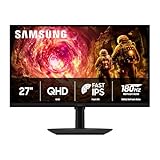
- VA: Deeper contrast (often 3000:1 to 5000:1 static) but historically slower dark-to-light transitions, which produce “black smearing” in dark scenes. Curved VA panels like those in the Samsung Odyssey G5 line prioritize contrast; some newer VA panels have improved to the 4–5ms range in dark transitions, which is fine for slower games but visible in fast ones.
- TN: Still the fastest raw transitions (sub-1ms in many cases) but with washed-out colors and poor viewing angles. Only worth it for dedicated competitive players who prioritize speed above everything.
- OLED: Near-instant 0.03ms pixel response with perfect blacks, but typically $700+ for 27-inch models as of 2026, and it requires care around static content burn-in.
Refresh Rate vs. Response Time: They’re Not the Same
Refresh rate is how many times per second the monitor redraws the image; response time is how quickly each pixel can actually change. They need to be balanced. As a rule of thumb:
- At 60–100Hz, response time barely matters—most panels are fast enough.
- At 144–180Hz, you want GtG around 2–4ms so pixels finish transitioning before the next frame.
- At 240Hz and above, each frame lasts only 4.2ms, so anything slower than ~2ms GtG means visible ghosting even if the box says “1.”
The SANSUI 24-inch at around $79 is a good example of a budget pick done right: 1080p at 180Hz pairs well with midrange GPUs, and at that refresh rate, a perfectly tuned 1ms panel isn’t necessary to get a smooth experience. Meanwhile, the 260Hz AOC benefits more from its fast IPS panel than the raw overclocked number alone.
Overdrive: The Setting That Makes or Breaks Response Time
Nearly every gaming monitor includes an overdrive (sometimes called “Response Time” or “OD”) setting that pushes pixels faster with voltage. Here’s what buyers miss: the advertised response time is usually achieved only at the highest overdrive setting, and that setting often introduces inverse ghosting—bright halos trailing moving objects—that can look worse than no overdrive at all.
Practical guidance: start at the second-highest overdrive level, test in a fast-moving game, and step down if you see haloing. If a monitor listing doesn’t let you disable or adjust overdrive, treat that as a warning sign. Some premium monitors auto-tune overdrive based on refresh rate; this is genuinely useful and worth paying a small premium for.
Size and Resolution: Matching the Pairing
Response time perception depends partly on how large the screen is and how dense the pixels are:
- 24–25 inches, 1080p: ~92 PPI. Standard esports sizing; you see the whole screen without moving your eyes. Perfect for 180–240Hz competitive play.
- 27 inches, 1440p (QHD): ~109 PPI. The best all-around pairing for most gamers. Expect $150–$350 depending on refresh rate.
- 32–40 inches, QHD to 5K (WUHD): Larger screens benefit from curve (1000R–1500R) to keep edges in view. The 40-inch Samsung Odyssey G7 (G75F) at around $700, with its WUHD resolution and curved panel, targets immersive single-player and sim racing, where ultra-fast response matters less than pixel density and screen real estate.
Adaptive Sync: Why G-SYNC and FreeSync Matter for Perceived Smoothness
Response time numbers assume the monitor receives a steady stream of frames. In reality, frame rates fluctuate. Adaptive sync technologies—NVIDIA G-SYNC, AMD FreeSync, and VESA Adaptive-Sync—let the monitor refresh in step with your GPU, eliminating tearing and stutter that make motion look worse than any response time spec implies.
Look for: VESA Adaptive-Sync certification (guarantees a stated refresh range, typically 48Hz to max, and low-lag behavior), or native G-SYNC support. Most modern monitors handle both NVIDIA and AMD cards, but check the refresh range—if your fps dips below the sync floor, you’ll get a visual hiccup. LFC (Low Framerate Compensation) extends the floor down to ~30Hz on most FreeSync panels.
Price Tiers: What Your Money Buys
- Budget ($75–$150): 1080p at 165–180Hz, VA or entry IPS, response times around 3–5ms effective. The SANSUI (around $79) sits here. Perfectly fine for casual and mid-competitive play.
- Midrange ($150–$350): 1440p at 180–260Hz on fast IPS with adaptive sync—exemplified by the AOC Q27G41ZE (around $160) and the Samsung Odyssey G5 (around $180). This is where the response-time-to-price ratio peaks.
- Premium ($350–$900+): 4K/WUHD high-refresh, OLED, or ultrawide curved panels. You’re paying for resolution, contrast, and features as much as raw speed.
Spec Checklist
| Spec | Budget | Mid | Premium |
|---|---|---|---|
| Price | $75–$150 | $150–$350 | $350–$900+ |
| Resolution | 1080p (FHD) | 1440p (QHD) | 4K / 5K (WUHD) or OLED |
| Refresh rate | 165–180Hz | 180–260Hz | 240–360Hz |
| Effective GtG response | 3–5ms | 1–2ms | 0.03–1ms |
| Panel type | VA or entry IPS | Fast IPS | Fast IPS, OLED, or high-end VA |
| Adaptive sync | FreeSync basic | G-SYNC Compatible / Adaptive-Sync certified | Native G-SYNC or FreeSync Premium Pro |
| Typical size | 24″ | 27″ | 32″–45″ |
| Warranty | 1–3 years | 3 years | 3–5 years, some with burn-in coverage |
Red Flags
- “1ms MPRT” instead of GtG: MPRT (Motion Picture Response Time) is a strobing/backlight trick that inflates the number. A “1ms MPRT” panel may really be 4–6ms GtG. Always look for gray-to-gray.
- No overdrive adjustment: If you can’t tune the response setting, you can’t fix ghosting or inverse ghosting yourself.
- Vague response time claims: “Ultra-fast response” with no millisecond figure or measurement standard listed.
- High refresh rate on a slow panel: A 240Hz VA with sluggish dark transitions will look worse in motion than a well-tuned 144Hz IPS.
- No adaptive sync listed: At minimum, expect FreeSync on anything sold as a gaming monitor.
- Refresh rate that requires overclocking: If the headline rate (like 260Hz) is an overclock, verify the standard rate and whether the OC mode is stable over DisplayPort only.
FAQ
Is 1ms response time really necessary?
No. Below about 180Hz, the difference between 1ms and 3ms is nearly imperceptible for most players. What matters is that the effective response time is fast enough to complete a pixel transition within your frame interval—at 144Hz (6.9ms per frame), anything under ~4ms GtG is fine.
Does response time affect input lag?
Not directly—they’re separate measurements. Response time is pixel transition speed; input lag is the delay between your click and the on-screen result. However, monitors marketed with true 1ms GtG panels usually have well-engineered scalar boards with low input lag too, which is why the specs correlate in practice.
Can I trust the manufacturer’s response time spec?
Treat it as a best-case figure, not a guarantee. Manufacturers measure the fastest transitions at optimal overdrive. Independent reviews with overshoot testing are worth checking before buying anything above $200, since poor overdrive tuning can make a “1ms” monitor perform like a 5ms one.
What’s the best response time setup for a 1080p budget build?
Pair a 24-inch 1080p panel at 165–180Hz (like the SANSUI at around $79) with a GPU that sustains 120–180 fps in your games. Enable FreeSync, set overdrive to the second-highest mode, and use the monitor’s preset aimed at your genre. You’ll get 90% of the competitive feel of a $400 monitor for a third of the price.
Related guides
- Best Gaming PC for Overwatch 2: Ten Prebuilts Matched to Your Monitor (2026)
- Best Gaming PC for Baldur’s Gate 3: Matching CPU, VRAM and Storage to the Game (2026)
- Best Gaming PC for Apex Legends: Which Listings Fit a High-Refresh Setup (2026)
- Best RTX 3060 Gaming PCs: Eight Prebuilt Listings Compared by CPU, RAM and Cooling (2026)









