
Heavy graphics cards have turned the inside of a mid-tower into a structural problem. Cards like the RTX 4080 and 4090 can weigh over 4 pounds and stretch past 13 inches long, and without support that weight pulls on the PCIe slot and the motherboard itself. If your case sits on a desk or in a living room setup where every vibration and sag is visible through a tempered glass panel, that slight droop quickly becomes an eyesore and a long-term worry for your build.
A good GPU support bracket solves that with a simple vertical prop or brace that transfers the weight to the case floor or PSU shroud. In 2026 the best options are no longer bulky metal scaffolds — they are compact, height-adjustable stands with magnetic or adhesive bases that install in seconds and disappear behind your card. Below are eight stands we evaluated for stability, adjustability, and fit for today’s oversized GPUs.
As an Amazon Associate we earn from qualifying purchases at no extra cost to you.

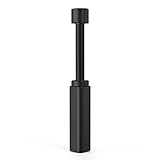
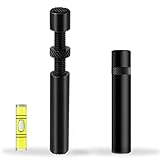


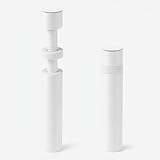

Our Top Picks
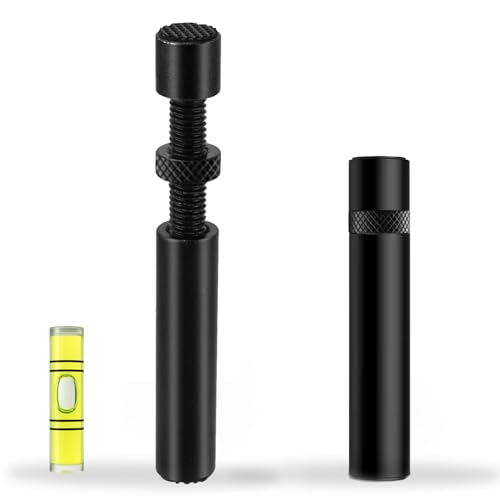 California JOS GPU Support Bracket Graphics Card BraceLarge6 x 4 x 0.6 Inches0.1 poundsCheck on Amazon


Top 3 picks at a glance
Quick Picks
| Product | Best for | Price |
|---|---|---|
| acer GPU Support Bracket, GPU Stand with Magnet Non-Slip Base,(L, 70-120mm) | Best Magnetic Base | Check on Amazon |
| Graphics Card GPU Brace Support, Video Card Sag Holder Bracket, GPU Stand (L, 74-120mm) | Best Sleek Low-Profile Pick | Check on Amazon |
| California JOS GPU Support Bracket Graphics Card Brace Anti-Sag Holder Height Adjustable Video Card Stand Large(1 PCAK, Black) | Best Budget Pick | Check on Amazon |
| TEAMOLA Tall GPU Support Bracket – Adjustable GPU Anti-Sag Stand GPU Mount | Best for Tall Cases | Check on Amazon |
| GPU Support Bracket, Graphics Card Support, GPU Brace, Video Card Holder Bracket with Bottom Adhesive, GPU Stand, Adjustable Anti Sag GPU Stand 35-120mm, Support GPU 4090 Thickness Support up to 75mm | Best Adjustable Range | Check on Amazon |
| OwlTree GPU Support Bracket Graphics Card Stand Holder GPU Sag Bracket Supprt Fans 12cm and 14cm Fans (0.24 to 4.92 inch) | Best With Fan Mount | Check on Amazon |
| GPU Support Bracket Graphics Card Brace Anti-Sag Holder Height Adjustable Video Card Stand White Large | Best White Build Pick | Check on Amazon |
| CyberPrism GPU Support Bracket, ARGB GPU Sag Holder, 2.95-4.92in | Best ARGB Option | Check on Amazon |
How We Compared
We focused on brackets that actually solve sag for heavy modern cards without requiring case modifications. Every pick had to offer tool-free height adjustment, a stable base that stays put on a PSU shroud or case floor, and compatibility with large triple-slot cards. We prioritized telescoping or screw-adjust stands with a height range that covers the most common gap between the GPU edge and the bottom of the case, which in most ATX builds falls between 35mm and 120mm. Price was also central, so we compared street prices from around $3 to around $16 to find the strongest value at each tier.
We also weighed footprint and aesthetics. The ideal bracket should be narrow enough to fit between front fans and power supply cables, yet provide a padded or widened contact point to avoid scratching the GPU shroud or backplate. Materials mattered — aluminum or reinforced ABS with rubber, magnet, or adhesive bases scored higher than plain plastic. Finally, we considered special use cases such as tall full-tower cases, white-themed builds, and stands that can double as fan mounts or add ARGB lighting.
The 8 Best Picks
1. acer GPU Support Bracket, GPU Stand with Magnet Non-Slip Base,(L, 70-120mm)
Ideal for anyone who wants a set-and-forget install without adhesives, the acer stand uses a magnetic non-slip base that locks firmly to a steel PSU shroud and adjusts from 70mm to 120mm to cover most mid-tower gaps. The L-sized telescoping column gives you fine control for leveling a heavy 2.5 to 4-slot card, and the soft top pad protects the card edge. At around $8 it sits in the middle of the price range and feels more premium than basic plastic props. It is especially good for builders who frequently swap GPUs and do not want sticky residue.
- Pro: Magnetic base stays secure without adhesive and repositions easily
- Pro: 70-120mm adjustment range fits most ATX and micro-ATX layouts
- Con: Magnet requires a steel surface and will not grip aluminum or glass floors
When to skip: Choose an adhesive or screw-mount option if your case has a non-magnetic PSU cover or you need support below 70mm.
2. Graphics Card GPU Brace Support, Video Card Sag Holder Bracket, GPU Stand (L, 74-120mm)
This L-size brace is for the minimalist who wants the bracket to disappear. With a narrow vertical profile and a height range of 74mm to 120mm, it tucks neatly beside power cables and under the GPU edge without blocking airflow. Priced at around $8, it offers the same value as our top magnetic pick but in a slimmer form factor that suits compact cases where every millimeter counts. The textured base resists sliding, and the adjustable head lets you dial in just enough lift to level the card without over-stressing the slot.
- Pro: Slim tower design saves space and keeps the interior clean
- Pro: 74-120mm range provides precise leveling for heavy cards
- Con: Small base footprint can be less stable on heavily textured shrouds
When to skip: If your GPU sags more than 3mm at the far end or your case needs support shorter than 74mm, pick a model that starts at 35mm.
3. California JOS GPU Support Bracket Graphics Card Brace Anti-Sag Holder Height Adjustable Video Card Stand Large(1 PCAK, Black)
For the budget-conscious build, the California JOS Large in black is hard to beat at around $3. It is a straightforward height-adjustable stand designed to prop up the outer corner of a sagging card, and the large head spreads the load to avoid pressure points on the shroud. While it lacks magnets or lighting, it does the core job — preventing PCIe slot strain — for less than the cost of a case fan. This is the one to add to a cart for a secondary rig, office PC with a heavy GPU, or any build where function matters more than flair.
- Pro: Lowest price in the roundup at around $3
- Pro: Large contact head distributes weight evenly on wide cards
- Con: Basic construction with no magnetic or adhesive anchor
When to skip: Skip if you need a locked base for a system that is moved often or you want a premium finish to match a showcase build.
4. TEAMOLA Tall GPU Support Bracket – Adjustable GPU Anti-Sag Stand GPU Mount
Built for full-tower and deep-chassis cases, the TEAMOLA Tall bracket addresses the problem other short stands cannot: reaching a GPU mounted high above the PSU shroud. Its extended telescoping column provides extra vertical reach while keeping the base stable, making it a natural fit for E-ATX cases and vertical GPU layouts with a distant floor. At around $13 it costs more than compact stands, but that premium buys you height that prevents you from stacking adapters or improvising. Choose this if you have tried a standard 70-120mm prop and it came up short.
- Pro: Tall adjustable design fits full-tower and high-clearance cases
- Pro: Sturdy column resists wobble under heavier 3.5 and 4-slot cards
- Con: Higher price at around $13 and larger footprint than low-profile models
When to skip: Not needed for standard mid-towers where a 70-120mm stand already reaches comfortably.
5. GPU Support Bracket, Graphics Card Support, GPU Brace, Video Card Holder Bracket with Bottom Adhesive, GPU Stand, Adjustable Anti Sag GPU Stand 35-120mm, Support GPU 4090 Thickness Support up to 75mm
If you need one bracket to cover almost any scenario, this adhesive-base model is the most versatile at around $9. Its standout feature is the extra-wide adjustment range of 35mm to 120mm, which handles both low-clearance small form factor builds and standard ATX towers. It also accommodates extra-thick cards up to 75mm, which covers RTX 4090-class GPUs that occupy 3.5 to 4 slots. The bottom adhesive keeps it planted even on non-magnetic surfaces, and the padded cradle supports the card without marring the finish.
- Pro: Broad 35-120mm range covers more cases than 70mm+ stands
- Pro: Supports extra-thick GPUs up to 75mm, ideal for RTX 4090 builds
- Con: Adhesive base is semi-permanent and less convenient to reposition
When to skip: Avoid if you frequently reconfigure your interior or prefer a residue-free magnetic solution.
6. OwlTree GPU Support Bracket Graphics Card Stand Holder GPU Sag Bracket Supprt Fans 12cm and 14cm Fans (0.24 to 4.92 inch)
The OwlTree is for builders who want support and extra cooling in one part. Priced at around $9, it functions as a GPU stand while also providing mounting points for 12cm and 14cm fans, with an adjustable height of 0.24 to 4.92 inches. That dual purpose makes it clever for cases where GPU sag and bottom-intake airflow are both concerns. You can prop the card and add a fan to feed fresh air directly to the GPU fans. The bracket is wider than a simple pole, so it inherently offers a stable base for heavy cards.
- Pro: Integrated fan support for 12cm and 14cm fans improves airflow
- Pro: 0.24 to 4.92 inch range is highly adaptable across case sizes
- Con: Larger overall footprint may not fit tight PSU shrouds with dense cabling
When to skip: Skip if you do not plan to add a bottom fan or your case already has restricted clearance near the GPU.
7. GPU Support Bracket Graphics Card Brace Anti-Sag Holder Height Adjustable Video Card Stand White Large
White builds need a bracket that does not stand out, and this Large White stand at around $5 delivers exactly that. It provides the same height-adjustable anti-sag function as our black budget picks but in a finish that blends with white cases, white motherboards, and light-colored cables. At just under six dollars it is one of the best values in the group and is large enough to support wide triple-fan cards without digging into the shroud. It is a simple, effective prop for aesthetic-first setups where a black post would break the color scheme.
- Pro: White finish matches modern white-themed builds
- Pro: Strong value at around $5 with large support head
- Con: No magnetic or adhesive lock, relies on gravity and friction
When to skip: Choose a magnetic or adhesive model if your PC is on a desk that gets bumped or you transport the system to LAN events.
8. CyberPrism GPU Support Bracket, ARGB GPU Sag Holder, 2.95-4.92in
For a showcase rig, the CyberPrism ARGB holder turns a utilitarian prop into an accent light. At around $16 it is the most expensive pick here, but it justifies the price with integrated ARGB lighting that syncs with motherboard headers and a solid height range of 2.95 to 4.92 inches. The illuminated column adds a subtle glow under the GPU that complements other ARGB fans and strips. Functionally it still does the core job of preventing sag, with a stable base and padded top to hold heavy cards level behind glass.
- Pro: ARGB lighting integrates with motherboard lighting ecosystems
- Pro: Sturdy build with 2.95-4.92in adjustment for high-end builds
- Con: Highest price at around $16 and requires an available 5V ARGB header and cable routing
When to skip: Skip if you prefer a stealth look, lack a free ARGB header, or want the lowest-cost functional fix.
Buying Guide
Measure Your Clearance First
Before you buy, measure the vertical gap between the top of your PSU shroud or case floor and the bottom edge of your GPU at the sagging corner. Most mid-towers need 70mm to 120mm, but compact cases, cases with raised shrouds, or builds with a bottom radiator can need as little as 35mm. Picks in this roundup range from 35-120mm down to 70-120mm, 74-120mm, and 2.95-4.92 inches, so matching your measurement to the stated range is the fastest way to avoid a stand that is too short or too tall.
Pick the Right Base for Your Case
Your case material determines which anchor works best. Magnetic non-slip bases are ideal for steel PSU shrouds because they hold firm and lift off without residue, which is perfect if you upgrade often. Adhesive bases grip aluminum, painted, or plastic surfaces where magnets will not stick, but they are harder to reposition and may leave residue. Plain friction bases work fine for stationary desks but can shift if the PC is moved. Also consider the top pad — a rubber or silicone cradle prevents scratches on backplates and shrouds.
Match the Bracket to Your Build Priorities
Prices here span around $3 to around $16, so you do not need to overspend for basic support. If cost is the driver, the around $3 to around $5 Large stands cover the essentials. If you have a heavy RTX 4090 up to 75mm thick, prioritize a model that explicitly lists that thickness support and a wider head. For full-towers choose a tall variant, for airflow-focused builds consider a bracket that mounts 12cm or 14cm fans, and for glass-panel showpieces decide whether you want the stand to disappear or to add ARGB at around $16.
Our Verdict
For most builders the adhesive model with a 35-120mm range and 75mm thickness support at around $9 is the safest all-rounder — it fits more cases and thicker cards than the standard 70-120mm poles. If you have a steel shroud and value clean removal, the acer magnetic stand at around $8 is the more elegant everyday pick. On a tight budget, the California JOS Large at around $3 and the White Large at around $5 both handle sag for far less than a replacement cable or riser, while the TEAMOLA Tall, OwlTree fan-mount, and CyberPrism ARGB models are worth their premiums when you have a specific case height, cooling, or lighting need.
FAQ
Do I really need a GPU support bracket for a heavy card?
If your card weighs over 3 pounds or sags visibly at the far end, yes. Modern triple-fan cards exert constant leverage on the PCIe slot and can cause contact issues, fan noise from a tilted heatsink, or stress cracks over time. A around $3 to around $16 bracket transfers that load to the case and keeps the card level, which is inexpensive insurance for a high-end GPU and motherboard.
What height should I choose?
Measure the distance from your case floor or PSU shroud to the bottom of the GPU. Standard mid-towers typically need 70mm to 120mm, while compact or low-clearance builds may need a bracket that starts at 35mm. Our roundup includes options covering 35-120mm, 70-120mm, 74-120mm, 0.24-4.92 inches, and 2.95-4.92 inches — choose a range that places your measured gap near the middle of the adjustment for the most stable fit.
Will a magnetic or adhesive base damage my case?
A magnetic non-slip base will not damage a steel surface and leaves no residue, but it only works where the shroud is magnetic. An adhesive base grips non-magnetic surfaces well but may leave residue if removed and is less easy to reposition. If you plan to move the bracket often, a magnetic or friction base is more convenient; if you need a permanent anchor on aluminum or plastic, adhesive is the better hold.
Can a support bracket improve cooling or only prevent sag?
Primarily it prevents sag, but some designs help cooling. The OwlTree model in this list includes mounting for 12cm and 14cm fans, letting you add bottom intake airflow directly beneath the GPU. Even standard poles can help slightly by keeping the card level so its fans operate in their intended orientation and do not press against side panels or cables.
Related guides
- Best Gaming PC for Overwatch 2: Ten Prebuilts Matched to Your Monitor (2026)
- Best Gaming PC for Baldur’s Gate 3: Matching CPU, VRAM and Storage to the Game (2026)
- Best Gaming PC for Apex Legends: Which Listings Fit a High-Refresh Setup (2026)
- Best RTX 3060 Gaming PCs: Eight Prebuilt Listings Compared by CPU, RAM and Cooling (2026)









