
When designing a serene and productive home office workspace, managing the acoustics and thermal output of your desktop PC is just as critical as choosing the right ergonomic desk or ambient lighting. A high-performing system needs adequate airflow to maintain low operational noise, but standard motherboards often feature a limited number of fan headers. Connecting multiple intake, exhaust, or radiator fans directly to individual headers quickly creates a chaotic spiderweb of cables, cluttering the interior of your custom chassis and disrupting sleek workspace visual harmony.
Using the best pwm fan splitters for motherboard headers solves this issue by letting you run two, three, or even five cooling fans from a single header connection. Pulse-Width Modulation (PWM) technology enables your system to dynamically control fan speeds based on real-time component temperatures, keeping your workspace quiet during light tasks and ramping up airflow during heavy workloads. Looking ahead at modern desktop builds in 2026, clean cable routing and synchronized cooling profiles remain essential for maintaining both hardware longevity and an elevated home office aesthetic.
As an Amazon Associate we earn from qualifying purchases at no extra cost to you.

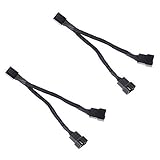


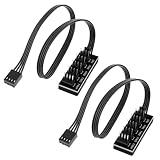
Our Top Picks


Top 3 picks at a glance
Quick Picks
| Product | Best For | Price |
|---|---|---|
| Cable Matters 2-Pack 3 Way 4-Pin PWM Fan Splitter Cable, 12 inches / 30 cm | Best Overall 3-Way Reach | Check on Amazon |
| JBtek All Black Sleeved PWM Fan Splitter Cable 1 to 2 Converter, 2 Pack | Best Budget 2-Pack | Check on Amazon |
| Cable Matters 2-Pack 2 Way 4-Pin PWM Fan Splitter Cable, 4 inches | Best Short Pass-Through | Check on Amazon |
| VWEICYY Fan Hub,Compatible 3PIN/4PIN PC Fan Splitter.PWM Fans Hub for Desktop PC Cooling Fans,Computer DIY,1 to 5 | Best 1-to-5 Hub | Check on Amazon |
| 2-Pack 3-Way 4 Pin PWM Fan Splitter Cable – 10.6 Inches / 27 cm, 1x PWM Master to 2X Follower, PC Case Fan 1 to 3 Splitter for Synchronized Cooling | Best for Synchronized Airflow | Check on Amazon |
| Noctua NA-SYC1 chromax.Black, Two-Way PC Fan Splitter 3-Pack | Best Premium Quality | Check on Amazon |
| 16.14inch 1 to 3 Ways 3Pin/4Pin Male PWM PC Fan Extension Cable 2Pack White | Best Long White Builds | Check on Amazon |
| PWM Fan Splitter Hub Compatible 3PIN/4PIN 2 Pack 1 to 5 Splitter | Best Multi-Hub Value Pack | Check on Amazon |
How We Compared
Evaluating fan splitters and expansion hubs requires balancing electrical safety, signal integrity, and cable management. Standard motherboard chassis fan headers typically supply a maximum output of 1.0 Amp (12 Watts). Combining multiple high-performance fans on a single header requires calculating total power draw (usually 0.08A to 0.3A per fan) to remain safely under amperage thresholds.
We evaluated products based on wire gauge quality, pin configurations, physical flexibility, and aesthetic integration. Proper PWM splitters must feature one designated “master” connector with four pins (including the tachometer pin for speed feedback) while follower connectors present three pins to prevent conflicting RPM signals back to the motherboard. Finally, cable length and sleeving were heavily weighted to ensure clean routing across compact, mid-tower, and full-tower home desktop builds.
The 8 Best Picks
1. Cable Matters 2-Pack 3 Way 4-Pin PWM Fan Splitter Cable, 12 inches / 30 cm
This 12-inch (30 cm) splitter cable set is engineered for desktop builders who need to power three case fans from a single motherboard header. The generous 12-inch reach provides ample slack for routing behind motherboard trays and desk setups. It splits the PWM signal while maintaining a master RPM readout on one connector, ensuring smooth, automated fan curve adjustments.
- Includes two 12-inch (30 cm) cables for flexible cable routing
- Clean black braided sleeving blends seamlessly into dark computer cases
- Can approach header current limits if paired with high-draw industrial fans
Skip this option if your motherboard header requires a short pass-through cable with zero excess wire.
2. JBtek All Black Sleeved PWM Fan Splitter Cable 1 to 2 Converter, 2 Pack
Designed for simple dual-fan configurations, this 2-pack converts a single 4-pin motherboard header into two active PWM outputs. Featuring sleek all-black flexible sleeving, it complements minimalist workspace rigs and tucks away easily behind cable management panels. At an accessible price of around $4, it provides an economical way to expand radiator airflow or dual front-intake fans.
- Highly economical around $4 price tag for a practical two-cable bundle
- Flexible all-black sleeving enhances visual appeal in glass-panel enclosures
- Short overall length requires fans to be mounted close together
Skip this option if you need to run three or more fans off a single motherboard header location.
3. Cable Matters 2-Pack 2 Way 4-Pin PWM Fan Splitter Cable, 4 inches
Measuring just 4 inches in length, this compact 2-way fan splitter from Cable Matters is tailored specifically for tight Small Form Factor (SFF) cases or clean CPU cooler installations. The stubby profile prevents excess wire accumulation, reducing internal air turbulence and keeping your workspace desktop tidy. Priced at around $6 for two cables, it delivers reliable speed control without unwanted cable slack.
- Ultra-compact 4-inch length eliminates unsightly cable clutter
- Sturdy molded connectors ensure reliable pin engagement
- Too short for routing across larger mid-tower or full-tower chassis
Skip this option if your motherboard headers are located far away from your target mounting brackets.
4. VWEICYY Fan Hub,Compatible 3PIN/4PIN PC Fan Splitter.PWM Fans Hub for Desktop PC Cooling Fans,Computer DIY,1 to 5
For high-airflow builds requiring dense fan arrays, the VWEICYY 1 to 5 Fan Hub splits a single motherboard signal across up to five 3-pin or 4-pin fans. Selling for around $4, it functions as a centralized junction board for desktop PC cooling projects. It helps aggregate multiple fan wires into one central location for clean, professional cable management inside custom builds.
- Expands one header connection to support up to five total cooling fans
- Low around $4 cost delivers exceptional system expansion value
- Requires careful power calculation to avoid exceeding header amperage limits
Skip this option if you only need to connect two adjacent fans and prefer a simple Y-cable pass-through.
5. 2-Pack 3-Way 4 Pin PWM Fan Splitter Cable – 10.6 Inches / 27 cm, 1x PWM Master to 2X Follower, PC Case Fan 1 to 3 Splitter for Synchronized Cooling
Featuring a 10.6-inch (27 cm) cable length, this 2-pack splitter utilizes a dedicated 1x PWM Master to 2x Follower wiring scheme. This hardware configuration ensures that RPM feedback originates strictly from one master fan, preventing erratic motherboard bios readings while synchronizing speed curves across three fans. Priced at around $5, it offers a great balance of reach and control.
- Dedicated master-follower layout prevents RPM signal corruption
- Practical 10.6-inch (27 cm) reach easily bridges distances between headers and fans
- Braided sleeving feels slightly stiff when attempting sharp bends
Skip this option if you require ultra-short adapter leads for small form factor desktop builds.
6. Noctua NA-SYC1 chromax.Black, Two-Way PC Fan Splitter 3-Pack
The Noctua NA-SYC1 chromax.Black is a premium 3-pack of 2-way Y-splitters designed for whisper-quiet home office PCs and high-end workspaces. Featuring Noctua’s top-tier build quality, durable high-density black sleeving, and secure connector housings, these splitters ensure zero signal degradation across 4-pin PWM fans. Available at around $9, they deliver supreme reliability for demanding users.
- Exceptional construction quality with durable, stylish chromax.Black sleeving
- Includes three individual splitters in a single package for full-system builds
- Higher price point at around $9 compared to generic alternatives
Skip this option if you are operating on a strict budget and need maximum fan connections per dollar.
7. 16.14inch 1 to 3 Ways 3Pin/4Pin Male PWM PC Fan Extension Cable 2Pack White
Tailored specifically for clean white chassis designs and modern home office aesthetics, this 2-pack of 1 to 3 way splitters features an impressive 16.14-inch length. Compatible with both 3-pin and 4-pin PWM fans, the generous cable span makes it easy to route wiring through backplate cutouts and hidden cable channels in large enclosures.
- Generous 16.14-inch reach ideal for large chassis and back-panel routing
- Crisp white sleeving perfectly matches modern white-out aesthetic builds
- Excess cable length must be coiled and hidden in smaller cases
Skip this option if your computer build features dark internal hardware or limited cable stowage space.
8. PWM Fan Splitter Hub Compatible 3PIN/4PIN 2 Pack 1 to 5 Splitter
Providing incredible utility for custom liquid cooling loops or multi-fan desktop cases, this 2-pack of 1 to 5 fan splitter hubs costs just around $3. It enables builders to connect up to five 3-pin or 4-pin fans per hub module, dramatically increasing cooling capability without cluttering motherboard headers. It serves as an effective bulk solution for intense rendering stations.
- Unbeatable price point of around $3 for two 1-to-5 expansion hubs
- Handles multi-fan configurations with native 3-pin and 4-pin support
- Basic PCB design lacks protective outer plastic housing
Skip this option if you only require simple Y-splitter cables to pair dual intake fans.
Buying Guide
Understanding Electrical Load and Motherboard Header Limits
Before plugging multiple case fans into a single motherboard header using a splitter or hub, you must check the power ratings. Standard system fan headers (labeled SYS_FAN or CHA_FAN) are typically rated for 1.0 Amp at 12 Volts, yielding a maximum safety threshold of 12 Watts. High-amp dedicated headers (such as AIO_PUMP or W_PUMP) can often supply 2.0A or 3.0A (24W to 36W).
Most standard 120mm and 140mm computer case fans draw between 0.10A and 0.25A each. Joining three standard 0.15A fans onto one header results in a total draw of 0.45A, which operates safely under the 1.0A ceiling. However, connecting five high-RPM or industrial-grade fans that pull 0.35A each will exceed 1.0A, potentially damaging the motherboard header or causing fan shutdown. Always check the amperage label on the back of your fans prior to installation.
PWM Signal Transmission and RPM Tachometer Pinning
A standard 4-pin PWM fan connector consists of four distinct pins: Ground (Pin 1), 12V Power (Pin 2), Tachometer/RPM Speed Sense (Pin 3), and PWM Speed Control (Pin 4). When using a fan splitter cable, only one branch of the splitter contains all 4 metal pins. The secondary branches deliberately omit Pin 3 (the Tachometer signal).
This design prevents signal interference. If multiple fans sent separate tachometer pulses back to a single motherboard header simultaneously, the BIOS would receive garbled readings and fail to regulate speeds properly. The motherboard reads the RPM of the primary “master” fan and transmits a single PWM signal to adjust all connected fans synchronously.
Cable Length, Aesthetics, and Cable Routing
Matching cable dimensions to your computer chassis layout keeps internal wiring tidy and maximizes airflow efficiency. Short 4-inch splitters work best in Small Form Factor (SFF) cases or directly behind dual-fan CPU air coolers where minimal slack is desired. Long cables ranging from 10 to 16 inches allow you to hide wiring behind motherboard trays and side panels in large mid-tower or full-tower builds.
Color selection also impacts workspace visual appeal. Black braided cables integrate seamlessly into standard dark components, whereas white-sleeved extension splitters maintain clean aesthetics inside modern white-themed computer setups.
Our Verdict
For most standard home office and workspace PC builds, the Cable Matters 2-Pack 3 Way 4-Pin PWM Fan Splitter Cable (12 inches) offers the ultimate combination of reach, build quality, and value. If supreme reliability and premium aesthetic finish are your primary goals, the Noctua NA-SYC1 chromax.Black 3-Pack stands out as the finest choice. For minimal wire slack in compact cases, the stubby Cable Matters 4-inch 2-Way Splitters keep builds pristine, while the VWEICYY 1 to 5 Fan Hub provides maximum expansion for high-airflow setups.
FAQ
Can you daisy-chain multiple PWM fan splitters together?
While physically possible, daisy-chaining splitters increases resistance and potential points of failure. More importantly, chaining multiple splitters onto one motherboard header risks exceeding the standard 1.0A (12W) current limit. If you need to connect four or more fans to a single header, use a powered fan hub that draws primary electricity directly from your power supply via SATA or Molex connectors.
Why does only one branch of a PWM fan splitter have four pins?
Only one connector branch includes the third pin (the tachometer pin) to send RPM speed readings back to the motherboard. If multiple fans sent speed pulses along the same wire, the motherboard BIOS would register incorrect, fluctuating readings. The missing pin ensures the motherboard monitors one master fan while controlling all connected fans equally via PWM signal on the fourth pin.
Will a 4-pin PWM splitter work with 3-pin case fans?
Yes. 4-pin PWM splitters are backward compatible with 3-pin non-PWM fans. However, 3-pin fans connected to a PWM splitter will run at full speed unless your motherboard header supports Voltage/DC mode control. To utilize dynamic temperature-based speed curves on 3-pin fans, configure the corresponding fan header mode from PWM to DC inside your motherboard BIOS settings.
How many fans can safely run on a single motherboard header?
You can safely connect as many fans as the header’s amperage rating allows. Most motherboard fan headers support up to 1.0 Amp. Standard case fans draw roughly 0.10A to 0.25A, meaning you can safely run two to three standard fans on a single header without issue. Always add the rated power draw of each fan together to ensure the total current remains below 1.0A.
Related guides
- Best Gaming PC for Overwatch 2: Ten Prebuilts Matched to Your Monitor (2026)
- Best Gaming PC for Baldur’s Gate 3: Matching CPU, VRAM and Storage to the Game (2026)
- Best Gaming PC for Apex Legends: Which Listings Fit a High-Refresh Setup (2026)
- Best RTX 3060 Gaming PCs: Eight Prebuilt Listings Compared by CPU, RAM and Cooling (2026)









