
When designing a modern home, we obsess over paint swatches, custom cabinetry, and the perfect layout of our living spaces. Yet, one of the most critical elements of a functional 2026 home is entirely invisible until it fails: the home network. Whether you are setting up a dedicated home office, a high-end gaming station, or a multi-room media setup, physical wiring remains the gold standard for speed, stability, and security. But when it comes to buying, many homeowners fall into a classic trap.
The biggest mistake people make when evaluating what to look for in high speed ethernet cables is buying solely based on the highest number printed on the box. They purchase a massive Category 8 (Cat 8) cable expecting it to magically turn their basic 300 Mbps broadband connection into a lightning-fast 40 Gbps pipeline, only to find the stiff, thick cable is impossible to route around their baseboards or hide under a rug. Alternatively, they buy cheap, unshielded bulk cables, run them alongside electrical lines inside their walls, and wonder why their smart TV constantly buffers. To get the best connection without wasting money or creating an aesthetic nightmare, you need to understand which technical specifications actually impact your daily life.
As an Amazon Associate we earn from qualifying purchases at no extra cost to you.


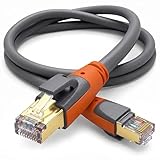
Our Top Picks
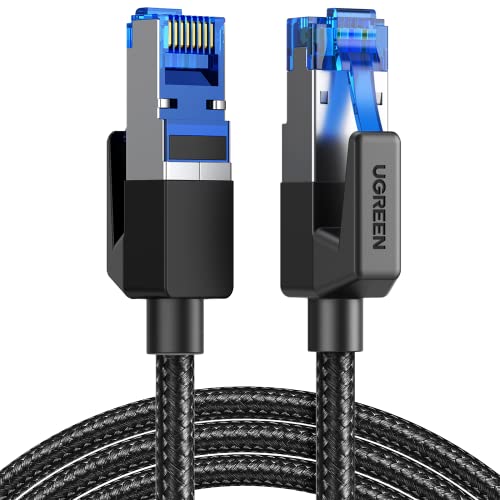


Top 3 picks at a glance
Decide These 3 Things First
Before diving into wire gauges, shielding standards, and category ratings, you must establish your home’s physical and technical baseline. Answering these three questions first will immediately narrow down your options:
- Your Actual ISP and Hardware Speeds: Check your internet service provider (ISP) contract. If you pay for 500 Mbps, buying a cable rated for 40,000 Mbps (40 Gbps) will not speed up your web browsing. Furthermore, check the ports on your router, computer, or gaming console. Most consumer hardware is limited to 1 Gbps or 2.5 Gbps. Your cable only needs to match or slightly exceed the maximum speed of your slowest device.
- The Physical Routing Path: Determine exactly where the cable will live. Will it run across a desk, under a rug, along a baseboard, or inside a wall cavity? Tight corners and visible paths require highly flexible, flat, or braided cables. In-wall installations require rigid, fire-rated solid copper lines.
- The Interference Environment: Electromagnetic interference (EMI) degrades network speeds. If your cable runs parallel to heavy electrical wiring, large home appliances, or behind a crowded entertainment center, you need a shielded cable. If it runs through a clean, isolated space, a standard unshielded cable is easier to handle and more cost-effective.
1. Cable Length and Gauge (Size)
In high-speed data transmission, physical dimensions directly dictate performance. Ethernet cables use the American Wire Gauge (AWG) system to measure the thickness of the internal copper conductors. It is important to remember that a smaller AWG number means a thicker wire.
Most high-speed ethernet cables range from 24 AWG (thick, solid conductors) to 30 AWG (thin, highly flexible conductors). For short patch runs of 3 to 10 feet behind a desk, a thin 30 AWG cable is ideal because it bends easily and keeps your workspace tidy. However, for long runs of 50 to 100 feet, you should look for 24 AWG or 26 AWG cables. Thicker wires have less electrical resistance, preventing signal degradation (attenuation) over long distances. A 100-foot cable that is too thin (such as 30 AWG) may fail to deliver its rated speed or suffer from frequent packet loss.
2. Conductor Material: Pure Copper vs. Copper Clad Aluminum
This is the single most critical material choice you will make, and it is where many budget manufacturers cut corners. Premium high-speed cables use 100% bare copper conductors. Cheap, generic cables often use Copper Clad Aluminum (CCA).
CCA cables feature an aluminum core coated with a thin layer of copper. While they are highly affordable—often costing 30% to 50% less than pure copper—aluminum is highly brittle and has much higher electrical resistance. CCA cables can snap easily when bent around tight corners, suffer from massive signal drops over distances greater than 15 feet, and pose a serious fire hazard if used for Power over Ethernet (PoE) applications like security cameras. Always look for “pure bare copper” or “oxygen-free copper” in the product specifications. If a listing does not explicitly state the conductor material, assume it is inferior CCA.
3. Shielding and Outer Construction
The construction of the cable determines its durability and its ability to block external noise. You will encounter two primary shielding configurations:
- UTP (Unshielded Twisted Pair): This design relies solely on the twisting of the internal wire pairs to cancel out interference. It is highly flexible, thin, inexpensive, and perfectly adequate for standard home environments where cables do not run parallel to power lines.
- STP/FTP (Shielded/Foiled Twisted Pair): This design features a protective foil or braided shield wrapped around the internal wires to block heavy electromagnetic interference. Shielding is mandatory for Cat 6a, Cat 7, and Cat 8 cables to achieve their high rated speeds.
For the outer jacket, standard PVC is fine for static setups, but double-braided nylon jackets offer superior resistance to kinking, pet chewing, and sharp bends. If you are routing a cable around a desk or along a baseboard, a braided jacket also presents a much cleaner, more high-end aesthetic than cheap plastic. Additionally, ensure the RJ45 connectors feature molded strain-relief boots to prevent the plastic clips from snapping off during installation.
4. Speed, Frequency, and Performance Categories
Ethernet cables are classified by categories (Cat) based on their bandwidth (frequency in MHz) and maximum data transfer rates (Gbps). Here is what actually matters for home performance:
- Cat 6: Supports speeds up to 1 Gbps at 250 MHz up to 328 feet, or 10 Gbps up to 180 feet. This remains the practical standard for most gigabit home networks.
- Cat 6a: Supports speeds up to 10 Gbps at 500 MHz up to 328 feet. This is the optimal choice for future-proofing in-wall installations, especially if you plan to upgrade to 10GbE network storage or multi-gigabit fiber internet.
- Cat 8: Supports speeds up to 40 Gbps at 2000 MHz (2 GHz) up to 98 feet. These cables are heavily shielded and designed for data centers, but they are excellent for short, high-speed patch runs (such as connecting a PS5, PC, or smart TV directly to a nearby router) because they offer absolute immunity to interference.
Avoid Cat 7 cables entirely. Cat 7 is a non-standard category that uses proprietary connectors (GG45 or TERA) rather than the standard RJ45 connector, and it is not officially recognized by the TIA/EIA standards body for residential networks.
5. Price Tiers and Value Realities
High-speed networking is incredibly affordable, but prices scale based on length, shielding, and build quality. Here is what you can expect to pay:
- Budget Tier (around $5 to around $8): This covers high-quality, short patch cables (3 to 10 feet). For example, a 6-foot heavy-duty braided Cat 8 cable with 40 Gbps support typically costs around $6 to around $7. This is perfect for connecting individual media devices to a nearby switch.
- Mid-Range Tier (around $9 to around $20): This covers longer consumer patch cables (15 to 50 feet). A 50-foot Cat 8 cable designed for routing across a room can be found for around $9. These cables balance length with performance but are not meant for in-wall installation.
- Premium/Bulk Tier (around $25 to around $100+): This includes bulk spools (100 to 500 feet) of solid copper Cat 6 or Cat 6a cabling, or heavy-duty armored outdoor cables designed to be buried underground.
6. Certification and Testing Standards
Do not trust the marketing text on a product box blindly. High-quality cables are independently verified to ensure they meet strict performance standards. Look for manufacturers that conduct Fluke testing on their cables.
A Fluke DSX-8000 analyzer tests cables for insertion loss, near-end crosstalk (NEXT), and return loss to verify they actually achieve their rated category performance. Reputable brands will often include a Fluke test report in their product images or packaging. Additionally, ensure the cable is RoHS compliant (free of hazardous environmental substances) and carries a UL (Underwriters Laboratories) safety listing.
7. Wall Ratings and Fire Safety (Installation)
If you plan to run ethernet cables through your walls, ceilings, or HVAC ducts, you cannot use standard patch cables. You must select cables with specific fire-safety jacket ratings printed directly on the cable:
- CM/CMG: General-purpose residential use. These are suitable for patch cables but are not rated for in-wall routing.
- CMR (Riser Rated): Designed for running vertically between floors or inside standard wall cavities. The jacket is engineered to prevent fire from spreading along the cable.
- CMP (Plenum Rated): Required for any space used for environmental air circulation, such as drop ceilings or raised floors. CMP jackets use self-extinguishing materials that emit very low smoke and zero toxic fumes if they burn.
Spec Checklist
Use this quick-reference table to match your specific home networking project with the correct cable specifications:
| Specification | Budget Option | Mid-Range Option | Premium Option |
|---|---|---|---|
| Category Rating | Cat 6 | Cat 6a | Cat 8 |
| Max Speed / Bandwidth | 1 Gbps / 250 MHz | 10 Gbps / 500 MHz | 40 Gbps / 2000 MHz |
| Conductor Material | Pure Bare Copper | Oxygen-Free Copper | Solid Bare Copper |
| Shielding Type | UTP (Unshielded) | F/UTP (Foil Shielded) | S/FTP (Shielded Foil) |
| Typical AWG (Gauge) | 28 AWG to 30 AWG | 26 AWG | 24 AWG |
| Price Range (6-Foot) | around $3 – around $5 | around $5 – around $7 | around $7 – around $12 |
Red Flags to Avoid
When shopping online, look out for these common warning signs of low-quality or mislabeled cables:
- No AWG Specification: If a product listing fails to state the wire gauge (e.g., 26 AWG or 28 AWG), the manufacturer is likely using ultra-thin, low-quality conductors that will degrade your signal.
- Ultra-Thin “Cat 8” Flat Cables: Genuine Cat 8 speeds (40 Gbps at 2000 MHz) require heavy physical shielding around individual wire pairs to prevent crosstalk. An ultra-thin, completely unshielded flat cable labeled as “Cat 8” is physically incapable of meeting the specification. It is simply a mislabeled Cat 5e or Cat 6 cable.
- Suspiciously Low Prices on Bulk Spools: A 100-foot pure copper cable cannot physically be manufactured and sold for around $8. If you see a long spool at this price point, it is guaranteed to be fragile, high-resistance Copper Clad Aluminum (CCA).
- Unguarded Connector Clips: Cheap cables feature exposed RJ45 plastic clips. These clips easily catch on furniture, walls, or other cables and snap off, leaving you with a loose connector that slips out of your device. Look for snags-free designs or molded boots.
Frequently Asked Questions
Is Cat 8 overkill for home gaming and streaming?
Technically, yes. Most games and 4K streaming services require less than 100 Mbps, meaning a Cat 6 cable is more than enough. However, because short Cat 8 patch cables are incredibly affordable (often under around $7 for a 6-foot run), many users buy them anyway. The heavy shielding of Cat 8 provides excellent peace of mind by eliminating any potential signal interference from nearby power strips and console power bricks.
Can I run high-speed ethernet cables outdoors?
Only if the cable is explicitly rated for outdoor use or direct burial. Standard PVC jackets will degrade rapidly under solar UV radiation and crack in freezing temperatures, allowing water to seep into the copper core. Outdoor-rated cables feature a rugged LLDPE (Linear Low-Density Polyethylene) jacket that is waterproof, UV-resistant, and sometimes filled with water-blocking gel.
Do flat ethernet cables perform worse than round ones?
Over short distances (under 15 feet), high-quality flat cables perform beautifully and are incredibly easy to hide under rugs or along baseboards. However, over long distances, flat cables are more susceptible to electromagnetic interference and crosstalk because their internal wire pairs cannot be twisted and shielded as effectively as those in a round cable. For runs longer than 25 feet, stick to round cables.
How do I know if my current ethernet cable is bottlenecking my internet?
The easiest way to check is through your computer’s operating system. In Windows, go to your Network and Sharing Center and click on your Ethernet connection to view the “Speed.” On a Mac, check the Network utility. If your ISP plan provides 500 Mbps or 1 Gbps, but your computer’s network interface status says “100 Mbps,” your cable is either damaged, an old Cat 5 (non-e) cable, or miswired, and it is actively bottlenecking your network.
Related guides
- Best Gaming PC for Overwatch 2: Ten Prebuilts Matched to Your Monitor (2026)
- Best Gaming PC for Baldur’s Gate 3: Matching CPU, VRAM and Storage to the Game (2026)
- Best Gaming PC for Apex Legends: Which Listings Fit a High-Refresh Setup (2026)
- Best RTX 3060 Gaming PCs: Eight Prebuilt Listings Compared by CPU, RAM and Cooling (2026)









