On paper, the best gaming PCs in this group are the ones that pair a Ryzen 7 9800X3D with an RTX 5070 Ti, and the best-value picks are the RTX 5070 systems with 32GB of DDR5 memory. All ten listings below are prebuilt desktops in the same RTX 5070 or 5070 Ti class, so there is no entry-level machine, laptop or console alternative here; the real decisions are about the processor, the storage size and how much the seller tells you about the power supply and cooler. Several listings are near-duplicates of each other (three from KOTIN, two from iBUYPOWER, two from Skytech), which makes the small differences the whole story. Builders who prefer to pick parts themselves may want the Ryzen CPU guide alongside this one.
Our Top Picks
 iBUYPOWER Element Gaming PC Desktop Computer AMD Ryzen20 x 9.1 x 17.4 inches36 poundsCheck on Amazon
Top picks at a glance

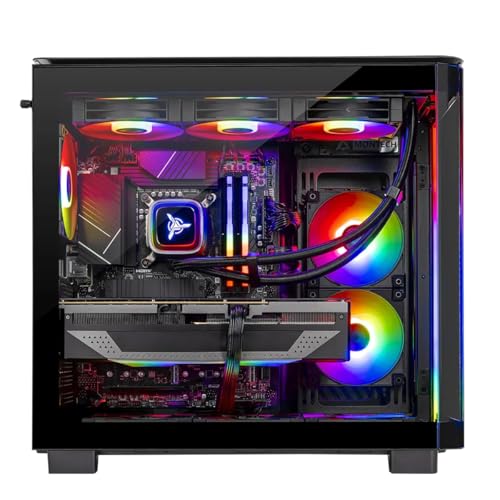
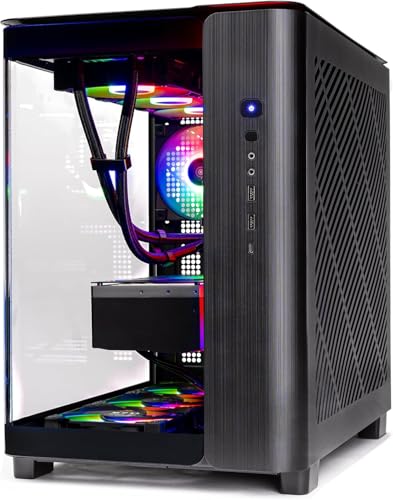
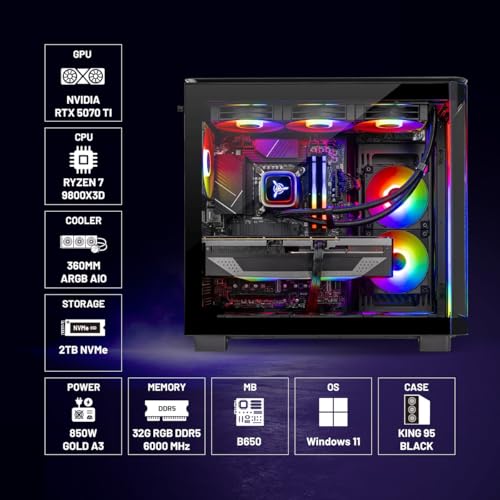
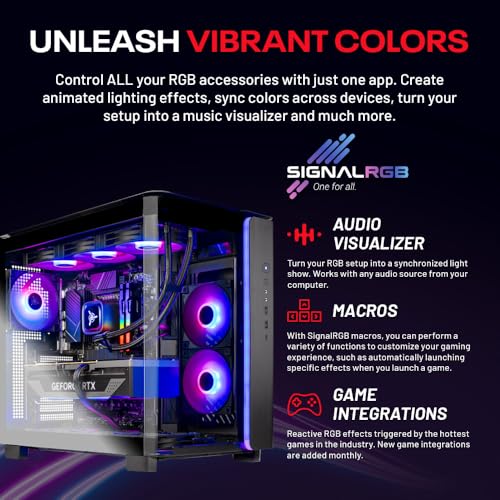
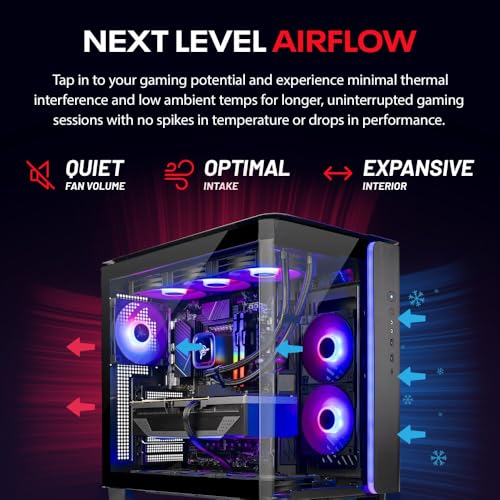
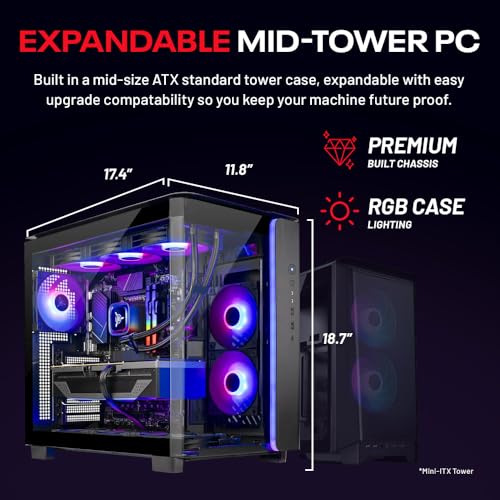
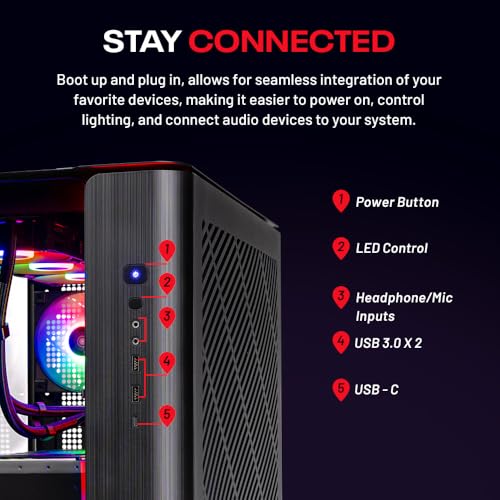
Skytech Gaming PC Desktop, Ryzen 7 9800X3D, RTX 5070 Ti, 32GB RAM, 2TB SSD | Windows 11, Gen4 NVMe SSD, DDR5 6000, 850W GOLD ATX 3 PSU, 360 ARGB AIO , Wi-Fi 5, King 95 Series


As an Amazon Associate we earn from qualifying purchases. Product prices and availability are accurate as of the date/time indicated.
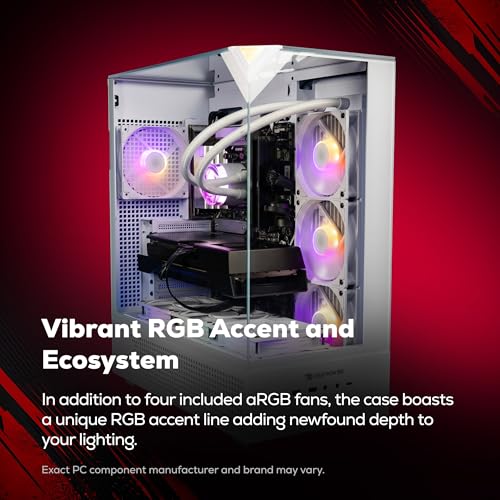
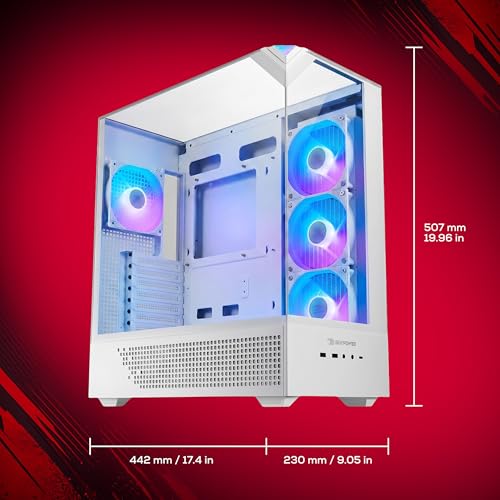
iBUYPOWER Element Gaming PC Desktop Computer AMD Ryzen 9 7900X CPU, NVIDIA GeForce RTX 5070 12GB GPU, 32GB DDR5 RAM, 1TB NVMe SSD, Windows 11 Home, Gamer Keyboard and Mouse - EWA9N5702





As an Amazon Associate we earn from qualifying purchases. Product prices and availability are accurate as of the date/time indicated.

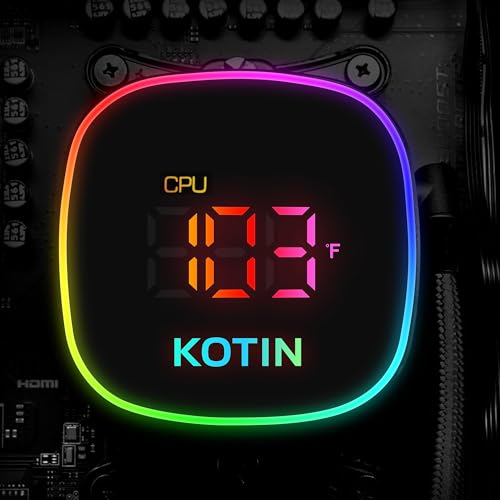
KOTIN Gaming PC Desktop, Ryzen 7 9800X3D, RTX 5070 12GB, 32GB DDR5, 1TB SSD | 11.3" Smart Display, 360mm Liquid Cooler, WiFi 7, 850W 80+ Gold PSU, Windows 11 ARGB Lighting Gaming Computer 1440 4K


As an Amazon Associate we earn from qualifying purchases. Product prices and availability are accurate as of the date/time indicated.

msi Codex Z2 Gaming Desktop, AMD R7-8700F, RTX 5070, 32GB DDR5, 2TB SSD | NVIDIA GeForce RTX 5070, USB Type-C, VR-Ready, Windows 11 Home. Model A8NVP-436US


As an Amazon Associate we earn from qualifying purchases. Product prices and availability are accurate as of the date/time indicated.
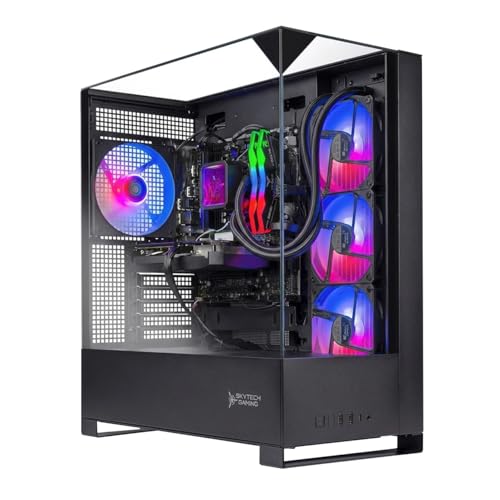
Skytech Gaming PC Shadow 5, Ryzen 7, RTX 5070, 32GB RAM, 1TB SSD | Windows 11, AMD 7700, NVIDIA 5070, NVMe SSD, DDR5 6000, 750W GOLD PSU, 360 ARGB AIO , Wi-Fi 5, Desktop


As an Amazon Associate we earn from qualifying purchases. Product prices and availability are accurate as of the date/time indicated.
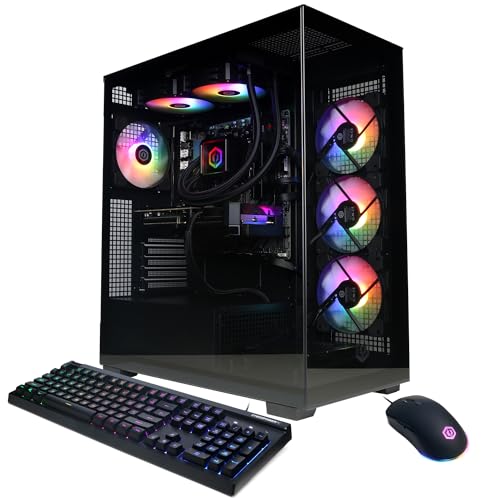
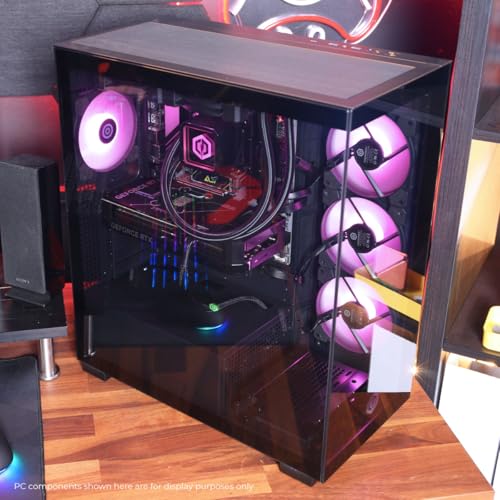
CyberPowerPC Gaming PC, AMD Ryzen 9 9900X, GeForce RTX 5070 12GB | Gamer Xtreme, 32GB DDR5, 1TB PCIe 4.0 SSD, WiFi Ready & Windows 11 Home (GXiVR8080A41)




As an Amazon Associate we earn from qualifying purchases. Product prices and availability are accurate as of the date/time indicated.
KOTIN Gaming PC, Ryzen 7 9800X3D, RTX 5070 Ti 16GB, 32GB DDR5, 1T SSD | 11.3" Smart Display, 360mm Liquid Cooler, WiFi 7, 850W 80+ Gold PSU, Windows 11 Home, ARGB Tower, Gaming Desktop Computer

As an Amazon Associate we earn from qualifying purchases. Product prices and availability are accurate as of the date/time indicated.
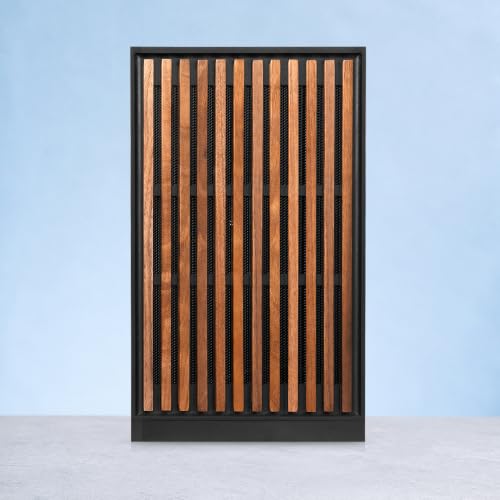
KOTIN Prebuilt Gaming PC RTX 5070 12GB, Ryzen 7 9700X, 32GB DDR5, 1TB SSD | 11.3in Smart Display, 850W 80+ Gold PSU, 360mm Liquid Cooler, WiFi 7, 1440p 4K ARGB Windows 11 Gaming Desktop Computer


As an Amazon Associate we earn from qualifying purchases. Product prices and availability are accurate as of the date/time indicated.

iBUYPOWER Element Gaming PC Desktop, AMD Ryzen 7 9800X3D, NVIDIA GeForce RTX 5070 12GB, 32GB DDR5 RAM, 2TB SSD, RGB Wired Keyboard and Mouse, WiFi, Windows 11 Home


As an Amazon Associate we earn from qualifying purchases. Product prices and availability are accurate as of the date/time indicated.

GIGABYTE AORUS Prime 5 Gaming Desktop PC, AMD Ryzen 7 9700X, RTX 5070, 32GB DDR5, 1TB PCIe 4.0 SSD, Windows 11, Black


As an Amazon Associate we earn from qualifying purchases. Product prices and availability are accurate as of the date/time indicated.
| Model | Key point from the title | Price tier | Best for |
|---|---|---|---|
| Skytech King 95 | Ryzen 7 9800X3D, RTX 5070 Ti, 2TB SSD, 850W Gold ATX 3 PSU, 360 AIO | Premium | 4K and high-refresh play with room to spare |
| iBUYPOWER Element EWA9N5702 | Ryzen 9 7900X, RTX 5070 12GB, 1TB NVMe, keyboard and mouse included | Mid-range | Gaming plus multi-threaded work |
| KOTIN 9800X3D / RTX 5070 | 11.3″ smart display, 360mm liquid cooler, WiFi 7, 850W Gold | Mid-range | Showpiece builds with a strong CPU |
| msi Codex Z2 A8NVP-436US | R7-8700F, RTX 5070, 2TB SSD, USB-C, VR-ready | Budget | Lowest entry into this GPU class |
| Skytech Shadow 5 | Ryzen 7 (7700 per title), RTX 5070, 1TB SSD, 750W Gold, 360 AIO | Budget | 1440p play without extras |
| CyberPowerPC Gamer Xtreme GXiVR8080A41 | Ryzen 9 9900X, RTX 5070 12GB, 1TB PCIe 4.0 SSD | Mid-range | Streaming and heavy multitasking |
| KOTIN 9800X3D / RTX 5070 Ti | RTX 5070 Ti 16GB, 1T SSD, smart display, 360mm cooler, WiFi 7 | Premium | Higher-resolution gaming at a premium tier |
| KOTIN 9700X / RTX 5070 | Ryzen 7 9700X, 850W Gold, 360mm cooler, WiFi 7 | Mid-range | Balanced GPU-first spending |
| iBUYPOWER Element 9800X3D | Ryzen 7 9800X3D, RTX 5070, 2TB SSD, wired keyboard and mouse | Mid-range | Buyers who want a bigger drive in a 5070 build |
| GIGABYTE AORUS Prime 5 | Ryzen 7 9700X, RTX 5070, 1TB PCIe 4.0 SSD, Windows 11 | Mid-range | Brand-conscious buyers who want a plain spec line |
Price tiers are relative within these ten listings only. Even the “Budget” entries are substantial purchases in absolute terms.
What is changing in gaming PCs
The first change is the graphics generation. Every listing here carries an RTX 50-series card, and the 5070 and 5070 Ti are the cards most prebuilt sellers lean on for mid-to-high pricing. Nvidia’s current feature set includes DLSS upscaling and frame generation, which can raise displayed frame rates at the cost of some added latency and image-quality trade-offs. These features help most in demanding single-player games and matter much less in older titles.
Second, the processor conversation has shifted toward AMD’s X3D chips. The Ryzen 7 9800X3D appears in four of the ten titles. X3D parts add a large stack of extra cache to the processor, which tends to help in games limited by CPU speed, such as simulation, strategy and competitive shooters at high frame rates. Ordinary Ryzen 9000 and 7000 parts, like the 9700X and 7900X, are stronger for general computing than for pure gaming per dollar.
Third, 32GB of DDR5 memory has become the default in this class: all ten titles state it. Storage is more mixed, with 1TB still common alongside 2TB on a few. Large games are big enough that a 1TB drive fills faster than buyers expect.
Fourth, cooling and cosmetics have escalated. Several listings include 360mm liquid coolers, ARGB lighting, and, in the KOTIN case, an 11.3-inch smart display. Those extras cost money without raising frame rates, so they are best judged as design choices rather than performance upgrades. Newer power supplies marked ATX 3 are built to handle the brief power spikes of current graphics cards and the 12V-2×6 connector.
Fifth, wireless networking is uneven: Wi-Fi 5 shows up on both Skytech listings, WiFi 7 on all three KOTIN ones, and some titles only say “WiFi” or “WiFi Ready”. Component prices, especially memory, can swing, so the same configuration may change price quickly. Treat the tiers here as relative guidance rather than a promise.
How we picked these ten
This roundup was built by the Editorial team from published specifications, manufacturer documentation and buyer reviews. We collected prebuilt desktops with RTX 5070-class graphics, then grouped them by processor, graphics card, memory, storage, power supply and cooler as stated in each title. Nobody on the team used or measured these units, so no frame rate, noise level or temperature in this article describes a real machine. Where we give numbers, such as power estimates, they are calculations with stated assumptions. Anything the title does not say is flagged as “check the listing”, for example the motherboard, case, exact RAM speed or warranty terms. We also did not rank by price, because prices on these listings move; the tiers are rough groupings, and the order of the product sections follows the table rather than a score.
The ten prebuilt gaming PCs, one by one
Skytech King 95: the fullest spec line in the group
The title lists a Ryzen 7 9800X3D, an RTX 5070 Ti, 32GB of DDR5 running at 6000, a 2TB Gen4 NVMe drive, an 850W Gold ATX 3 power supply, a 360mm ARGB liquid cooler, Wi-Fi 5 and Windows 11. It is the only listing that combines a 5070 Ti, 2TB of storage and a stated Gold-rated ATX 3 supply with a 360mm cooler, which makes it the easiest to size up on paper.
Think of a player with a 4K monitor at 120Hz or a 1440p ultrawide, who also keeps a large Steam library. The 2TB drive means they do not need to uninstall games in the first year, and the X3D processor suits CPU-heavy titles. The 5070 Ti is the stronger graphics card of the two used in this group, though it also draws more power, which the 850W supply is sized to handle. A 360mm radiator needs a case that can mount it at the front or top, so the case model is worth confirming too.
Pros
- 5070 Ti and 9800X3D together, the highest-tier pairing in the set
- 2TB of NVMe storage and DDR5 6000 stated
- PSU wattage, efficiency rating and ATX 3 standard all named
Cons
- Wi-Fi 5 is the oldest wireless standard in the group
- Most expensive listing, so the premium is hard to justify at 1080p
- No keyboard, mouse or monitor mentioned
Check the listing: motherboard chipset, VRAM of the 5070 Ti, case dimensions and airflow, warranty terms and whether the Ethernet port speed is stated.
Ask before buying: do I own or plan to buy a display that can use this much GPU, or would an RTX 5070 system serve my monitor equally well?
iBUYPOWER Element EWA9N5702: twelve cores and a mouse in the box
This listing names a Ryzen 9 7900X, an RTX 5070 with 12GB, 32GB of DDR5, a 1TB NVMe SSD, Windows 11 Home and a gamer keyboard and mouse. The 7900X is a 12-core chip from the previous Ryzen generation, so it favors workloads that scale with core count: video encoding, game streaming, compiling code and heavy multitasking.
The scenario here is a streamer who plays and broadcasts from a single machine. Twelve cores leave breathing room for an encoder, a chat overlay and a browser while the game runs. A pure gamer, by contrast, gets little extra from the additional cores. The package also includes peripherals, which helps a first-time buyer but does not tell you their quality. If you already own a favorite keyboard and mouse, the bundle adds little value, and the money may be better spent on storage elsewhere.
Pros
- 12-core processor suits streaming and creative work
- Keyboard and mouse included in the title
- RTX 5070 with 12GB stated explicitly
Cons
- Processor is one generation older than the Ryzen 9 9900X listing
- Cooler and power supply are not described
- Only 1TB of storage
Check the listing: PSU wattage and brand, CPU cooler type, Wi-Fi presence (the title does not mention it), motherboard model and warranty length.
Ask before buying: which cooler keeps a 7900X in check, given that this chip tends to run warm under all-core loads?
KOTIN with 9800X3D and RTX 5070: the one with a screen on the case
The KOTIN title stacks features: Ryzen 7 9800X3D, RTX 5070 12GB, 32GB DDR5, 1TB SSD, an 11.3-inch smart display, a 360mm liquid cooler, WiFi 7, an 850W 80+ Gold power supply and ARGB lighting, with “1440 4K” in the description. It is the same core pairing as the iBUYPOWER 9800X3D listing but with a more complete cooling and power description and a modern wireless standard.
Imagine someone building a desk setup that is meant to be seen: the display can show system information such as temperatures, and an ARGB tower matches a lit-up room. The display is a design feature rather than a performance one, and its software is a detail worth confirming. For gameplay, the 9800X3D handles CPU-limited games well, while the RTX 5070 targets 1440p comfortably and 4K with upscaling. Because the title leaves out the motherboard and RAM speed, treat those as open items; at this tier they decide how easily you can add memory or a second drive later.
Pros
- WiFi 7 and an 850W Gold supply both named
- Strongest gaming processor in the group at a mid-range tier
- 360mm liquid cooler listed
Cons
- Only 1TB of storage, half of the iBUYPOWER 9800X3D listing
- The smart display adds cost and another piece of software to maintain
- “1440 4K” is a marketing phrase, not a performance claim
Check the listing: what the display needs from Windows, the case airflow with a display panel, motherboard model, warranty terms and support channel for a smaller brand.
Ask before buying: if the display software fails or becomes unsupported, does the PC itself keep working normally?
msi Codex Z2 A8NVP-436US: the lowest entry to an RTX 5070
The title gives a Ryzen 7 8700F, an RTX 5070, 32GB of DDR5, a 2TB SSD, USB Type-C, a VR-Ready tag, Windows 11 Home and the model number A8NVP-436US. Of all ten, it is the lowest tier, and the processor is the main reason: the 8000-series F-suffix chips sit below the 9000-series ones, and the F generally means no integrated graphics.
It suits a 1440p player who spends most of their time in GPU-bound games, where the graphics card does most of the work. Picture a family PC that mostly runs recent single-player titles at 1440p or 4K with upscaling: a modest processor loses little there. The 2TB drive is the largest at this tier, matched only by the Skytech King 95 and the iBUYPOWER 9800X3D. Anyone shopping this listing should also compare it against the Skytech Shadow 5, which sits close in tier and trades half the storage for a stated cooler and power supply.
Pros
- Lowest tier of the RTX 5070 listings
- 2TB of SSD storage stated
- USB Type-C named, useful for modern peripherals
Cons
- Older 8700F processor class is weaker for CPU-bound games
- Power supply, cooler and Wi-Fi are not described
- VR-Ready is a label, not a measured result
Check the listing: PSU wattage and connector type, whether the motherboard and power supply are standard sizes or custom, Wi-Fi availability and warranty terms.
Ask before buying: are the motherboard and power supply standard parts that I can upgrade later, or custom ones that limit future changes?
Skytech Shadow 5: a 750W Gold system with a puzzling title
This title lists a Ryzen 7, an RTX 5070, 32GB of RAM, a 1TB NVMe SSD, DDR5 6000, a 750W Gold power supply, a 360 ARGB AIO cooler, Wi-Fi 5 and Windows 11. The processor naming is muddled: “Ryzen 7” and “AMD 7700” both appear, which most likely means a Ryzen 7 7700, an eight-core Zen 4 chip. Do not assume more until the product page states the exact model.
A good fit is the shopper who wants a clean 1440p gaming machine and prefers to buy the long-established mid-tier from a well-known prebuilt seller. The 7700 is not an X3D chip, so it lacks the large cache, but at 1440p and above the RTX 5070 is the usual limiter. A 750W Gold supply is generally within published guidance for this card, leaving moderate headroom. The tight spot is the upgrade path: a future card with a higher power draw may call for a new supply, a cost to factor in if you keep PCs for many years.
Pros
- Second-lowest tier among the 5070 listings
- 360mm AIO and Gold-rated supply both named
- DDR5 6000 stated
Cons
- CPU model is stated in two inconsistent ways
- Wi-Fi 5 and 1TB storage make it the plainest listing on those points
- 750W leaves less upgrade headroom than the 850W systems
Check the listing: the exact processor model, whether the PSU is ATX 3 rated, case airflow and the warranty period.
Ask before buying: if I later upgrade to a stronger graphics card, would 750W still be enough?
CyberPowerPC Gamer Xtreme GXiVR8080A41: Ryzen 9 9900X with sparse extras
The title names a Ryzen 9 9900X, an RTX 5070 12GB, 32GB of DDR5, a 1TB PCIe 4.0 SSD, “WiFi Ready” and Windows 11 Home. The 9900X is a 12-core Zen 5 processor, newer than the 7900X in the iBUYPOWER listing, and aimed at people who run many threads at once rather than pure gamers.
Consider a content creator who edits video on weekdays and games on weekends. The twelve cores shorten exports, and the RTX 5070 handles most 1440p games. The phrase “WiFi Ready” is ambiguous: it can mean the motherboard has wireless built in, or that the board supports an add-in card. Do not assume an antenna and adapter are in the box. Also remember that a 12-core chip draws more power under sustained load, so the unlisted cooler and supply matter more here than on an eight-core system.
Pros
- 12-core current-generation processor for mixed workloads
- PCIe 4.0 SSD stated
- Model number given, which makes it easy to look up the full specification
Cons
- PSU, cooler, motherboard and case are not described
- Extra cores add cost without improving most games
- “WiFi Ready” does not confirm wireless is included
Check the listing: power supply wattage and rating, cooler type, Wi-Fi hardware, RAM speed and the warranty terms.
Ask before buying: do I use applications that scale across twelve cores, or would the 9800X3D systems suit my games better?
KOTIN with 9800X3D and RTX 5070 Ti 16GB: the premium KOTIN
This listing mirrors the KOTIN 5070 listing but upgrades the graphics card to an RTX 5070 Ti with 16GB of memory, keeping the 9800X3D, 32GB DDR5, 1T SSD, 11.3-inch smart display, 360mm liquid cooler, WiFi 7 and 850W Gold supply. That makes the two KOTIN 9800X3D listings an unusually clean comparison: one change in the graphics card, everything else the same on paper.
It fits a 4K or high-refresh 1440p player who wants the larger VRAM pool. 16GB of video memory matters most in games with large texture sets and in 4K play with high-quality settings. A buyer targeting 1440p at 144Hz may never fill 12GB, so the premium tier should be justified by the monitor, not by the specification line alone. The listing also states a 360mm cooler and WiFi 7, so unlike several rivals it gives you most of the facts needed to compare it directly with the cheaper KOTIN.
Pros
- 16GB VRAM stated, more headroom for 4K textures
- Same stated cooling, power and wireless as the cheaper KOTIN
- 9800X3D pairs with the stronger card without a CPU bottleneck
Cons
- Still only 1T of storage at the premium tier
- Premium tier for a card that a lower-tier PC can approximate at 1440p
- Smart display adds a feature you may never use
Check the listing: GPU board maker and size, case clearance, PSU brand, and the warranty and returns process for this seller.
Ask before buying: if I spend the price gap on a 2TB drive and a better monitor instead, would that serve me more?
KOTIN with Ryzen 7 9700X and RTX 5070: GPU first, CPU second
The lowest KOTIN of the three states a Ryzen 7 9700X, an RTX 5070 12GB, 32GB DDR5, a 1TB SSD, an 11.3-inch display, an 850W 80+ Gold supply, a 360mm liquid cooler and WiFi 7, labelled for 1440p and 4K. The 9700X is an eight-core processor with a lower power rating than X3D chips, so it runs cooler and is generally a cheaper way to feed a mid-range card.
The scenario fits a player whose games are mostly GPU-limited, such as modern single-player titles at 1440p. In that case a 9700X holds back a 5070 very little. The difference becomes visible in CPU-limited titles at high frame rates, where the X3D chips can pull ahead. The 850W supply is a generous size for this combination, which leaves room to move up to a more powerful graphics card later. Eight cores at a modest power rating also tend to be easier to cool quietly, though noise depends on the specific fans and pump, which the title does not describe.
Pros
- 850W Gold supply and 360mm cooler on a lower-tier listing
- WiFi 7 stated
- Efficient processor class with lower heat output
Cons
- Lacks the extra cache of the X3D listings
- 1TB storage only
- Same smart-display questions as the other KOTIN models
Check the listing: motherboard model, RAM speed, how the display connects, case airflow and warranty terms.
Ask before buying: do the games I play lean on the CPU enough to justify the 9800X3D version instead?
iBUYPOWER Element with 9800X3D and RTX 5070: the 2TB variant
This second iBUYPOWER title names a Ryzen 7 9800X3D, an RTX 5070 12GB, 32GB DDR5, a 2TB SSD, an RGB wired keyboard and mouse, WiFi and Windows 11 Home. Compare it with the KOTIN 9800X3D listing and the processor, graphics card and memory match; what changes is that iBUYPOWER doubles the drive and bundles peripherals, while KOTIN states the cooler, power supply and WiFi 7.
It suits a buyer upgrading from an older desktop who wants a ready-to-use desk, because the keyboard and mouse allow immediate setup. With 2TB, a library of roughly 25 to 30 large games fits comfortably under reasonable assumptions (see the storage example in the buying guide). The gap is information: the title does not say what cools the processor or what supplies the power. X3D chips can lose boost clocks if cooling is weak, so ask about the cooler rather than assuming the best.
Pros
- 9800X3D with a 2TB drive at a mid-range tier
- Peripherals included for an immediate start
- Larger drive than the KOTIN with the same processor and graphics card
Cons
- Cooler, PSU and Wi-Fi version are not stated
- Included peripherals are of unknown quality
- Price tier is equal to the KOTIN, which lists more hardware details
Check the listing: PSU wattage and rating, cooler type and radiator size, Wi-Fi generation, motherboard model, and the warranty period.
Ask before buying: what exactly cools the 9800X3D in this build, and how large is the power supply?
GIGABYTE AORUS Prime 5: a plain spec line from a component brand
The title reads: AMD Ryzen 7 9700X, RTX 5070, 32GB DDR5, 1TB PCIe 4.0 SSD, Windows 11, Black. That is all. It matches the KOTIN 9700X processor and graphics card, minus the cooler, power-supply and wireless details. GIGABYTE is best known for motherboards and graphics cards, so a buyer may feel more comfortable with the name, but the title alone cannot confirm which components it uses.
Suppose a buyer who likes understated cases and keeps the PC in a shared room. Black and plain describes the case better than the glass-and-lighting approach of other listings. The trade-off is the information gap: before comparing it with a KOTIN 9700X system, you need the PSU, cooling and Wi-Fi details from the product page. Branded prebuilts from component makers may use their own motherboard or case designs, so also ask whether standard replacement parts will fit later.
Pros
- Recognizable hardware brand
- PCIe 4.0 SSD stated
- Same processor and GPU tier as the KOTIN 9700X listing
Cons
- Cooler, PSU and wireless are not listed
- 1TB storage only
- No peripherals or extras mentioned
Check the listing: PSU wattage, CPU cooler, case dimensions, Wi-Fi hardware, front-panel ports and warranty terms.
Ask before buying: since the title leaves out the cooler and power supply, what does the full specification page say about them?
Buying guide: how to choose among prebuilt gaming PCs
Start from the screen you will play on
The monitor decides how much computer you need. At 1080p a graphics card in this class is often far more than the screen can use, and the processor tends to become the limit. At 1440p the RTX 5070 and 5070 Ti are comfortable targets for high settings. At 4K, upscaling is typically part of the plan, and the 5070 Ti’s extra memory is more useful. Write down your monitor’s resolution and refresh rate before comparing listings; if you do not own a display yet, budget for one, since none of these titles include a monitor.
GPU tier: RTX 5070 versus RTX 5070 Ti
Eight of the ten listings use the RTX 5070 with 12GB of memory, and two use the 5070 Ti, which the KOTIN title specifies as 16GB. The Ti draws more power (published figures put the two cards near 250W and 300W respectively; confirm on the manufacturer’s page) and sits a tier higher in price. A reasonable rule is to buy the Ti if you play at 4K or use texture-heavy games and mods, and the standard 5070 if you play at 1440p. Memory capacity is the quiet constraint: when a game asks for more video memory than the card has, frame rates can drop sharply even if the processor is fast.
Processor: X3D, core count or neither
Pick by the games you play. Strategy, simulation, MMO and competitive shooters at high frame rates lean on the processor, which is where the 9800X3D earns its premium. Modern single-player games at 1440p or 4K lean on the graphics card, where a 9700X or 7700 gives up little. Streaming, video editing and compiling code scale with cores, which favors the 12-core 7900X and 9900X. The 8700F in the msi listing is the lowest class here; it can run a 5070 at 1440p but offers less room for CPU-limited games.
Memory and storage, with a worked example
All ten titles state 32GB of DDR5, which is a comfortable amount for current games with background apps. Check that it is two 16GB modules rather than a single stick, because two modules run in dual-channel mode. Storage is where the listings differ. Take a 1TB drive: the 1,000 GB label is decimal, so Windows shows about 931 GB. If Windows, drivers and everyday apps occupy 150 GB (an assumption), roughly 780 GB remains. With an assumed average game size of 60 GB, that is about 13 games. A 2TB drive shows about 1,862 GB; after the same 150 GB, about 1,712 GB remains, enough for roughly 28 games at the same average. Some large releases exceed 100 GB each, so your own library may fill the drive faster than these assumptions suggest.
Power supply, cooling and case: what titles leave out
Prebuilt makers sometimes use custom or proprietary parts to save cost. Standard ATX parts can be replaced or upgraded later; custom ones may not. Look for a named PSU wattage, efficiency rating (80+ Gold is a mid-high tier) and ATX 3 compliance. Liquid coolers of 360mm size offer more cooling area than most air coolers but add a pump as a potential failure point; air coolers are simpler. If desk space is limited, the small form factor PC guide explains the trade-offs of compact cases, which usually mean less room for a large graphics card and fewer upgrade options.
Worked example: power headroom and running cost
Assume, as a rough planning figure, that a 5070 Ti system with a 9800X3D peaks near 520 W: about 300 W for the card, 120 W for the processor and 100 W for everything else. On an 850 W supply that is about 61% load, a comfortable zone. A 5070 system with a 9700X might peak near 440 W (250 W card, 90 W processor, 100 W other), which is about 59% of a 750 W supply. Both are estimates, not measurements.
For running cost, assume an average gaming draw of 350 W for the 5070 system and 450 W for the 5070 Ti system, three hours a day and an electricity price of $0.17 per kWh. The 5070 system uses 0.35 x 3 x 365 = about 383 kWh a year, which comes to roughly $65. The Ti system uses about 493 kWh, roughly $84. The gap of around $19 a year is small next to the purchase gap, so power cost alone rarely decides between the two cards.
Connectivity, setup and support
Wired Ethernet is more consistent than any Wi-Fi standard, so treat the wireless generation (Wi-Fi 5 on Skytech, WiFi 7 on KOTIN) as a secondary point unless you cannot run a cable. WiFi 7 only pays off with a compatible router. After delivery, run Windows Update, install the graphics driver from the manufacturer, and remove trial software that slows boot; the Windows 11 startup guide covers that cleanup. Keep the packaging for the first thirty days or whatever the seller’s return window allows.
Second comparison: spec concept, what to look for, why
| Spec concept | What to look for | Why it matters |
|---|---|---|
| GPU memory | 12GB for 1440p; 16GB if you target 4K or large texture packs | Running out of video memory causes sudden frame-rate drops |
| CPU type | X3D for CPU-bound games; high core count for streaming and editing | Matches spending to your actual workload |
| RAM configuration | Two matched modules, DDR5 at 6000 where stated | Dual-channel operation and stable speed on AMD platforms |
| Storage size | 2TB if you keep many large games installed | 1TB leaves room for roughly a dozen big titles |
| Power supply | Named wattage, 80+ Gold or better, ATX 3 | Headroom for the GPU and future upgrades |
| Cooling | Stated cooler type; radiator size for liquid models | Sustained boost clocks and noise depend on it |
| Motherboard and case | Standard form factors and a named chipset | Determines upgrade path and part replacement |
| Wireless | Generation of Wi-Fi or Bluetooth, and whether an antenna is supplied | “WiFi Ready” may not include the hardware |
| Warranty | Length, who services it, and whether opening the case voids it | Prebuilt purchases depend on seller support |
Mistakes buyers make with gaming PCs
Paying for a CPU that the games do not need. An X3D chip helps CPU-limited games, but a GPU-limited 4K title gains little from it. Match the processor to your library.
Treating decorations as performance. ARGB lighting, glass panels and smart displays do not raise frame rates. They are fine as taste, but do not let them decide a close comparison.
Ignoring what the title leaves out. A listing that omits the power supply, cooler or motherboard may be hiding nothing, or it may be hiding something. Ask or look up the full specification page before buying.
Forgetting the monitor and peripherals. A 1080p 60Hz screen cannot show what an RTX 5070 Ti can do. Budget for a suitable display, and remember that only the iBUYPOWER listings mention a keyboard and mouse.
Choosing 1TB without a plan. You can add an SSD later only if the motherboard has a free slot and the case allows it. Confirm that before treating 1TB as a minor concern.
Assuming included peripherals are good. A bundled keyboard and mouse help you start playing on day one, but they are usually basic. Count them as a convenience rather than as a discount worth chasing.
Mixing up near-duplicates. The three KOTIN listings and two iBUYPOWER ones look alike. Compare model numbers and the exact processor and GPU line before clicking buy.
Verdict by use case
These picks use the titles only, so every recommendation carries the unresolved details listed in each product section.
- Most complete system on paper: the Skytech King 95, with a 5070 Ti, a 9800X3D and 2TB, if your display justifies it.
- Best value for 1440p gaming: the KOTIN 9700X or the GIGABYTE Prime 5 for GPU-limited games; confirm the missing details on the GIGABYTE first.
- Best CPU for competitive and simulation titles: the Ryzen 7 9800X3D systems, with the iBUYPOWER favored for storage and the KOTIN for stated cooler, power supply and WiFi 7.
- Streaming and creative work: the Ryzen 9 CyberPowerPC (newer generation) or the iBUYPOWER 7900X (older but cheaper tier, with peripherals).
- Lowest entry price: the msi Codex Z2 or the Skytech Shadow 5, after resolving the unclear processor wording on the Skytech.
- Higher-resolution gaming: the KOTIN 5070 Ti with 16GB, if you will pair it with a 4K display.
Frequently asked questions
Is a prebuilt gaming PC worth it compared with building one?
A prebuilt saves assembly time, includes a warranty on the whole system and avoids compatibility mistakes. Building usually gives more control over the power supply, motherboard and case, and often costs somewhat less for the same parts. Component prices move, so the gap can shrink or flip. The practical rule is to buy prebuilt if you value support and convenience, provided the listing names the parts that matter.
Is the RTX 5070 enough for 4K gaming?
It can handle 4K in many games when upscaling is enabled and settings are moderate to high, but it is more naturally a 1440p card. Its 12GB of memory is the main limit at 4K with demanding textures. If you intend to play at 4K regularly, the 16GB RTX 5070 Ti gives more headroom, and your own game list matters more than any generic claim.
Do I need a Ryzen 7 9800X3D for gaming?
Not always. The 9800X3D helps most in games limited by the processor, such as simulation, strategy and competitive titles at high frame rates. In GPU-limited games at 1440p or 4K, a Ryzen 7 9700X or 7700 gives up little. If your library is mostly modern single-player titles, putting the extra money toward storage or a better monitor may serve you better.
How much storage should a gaming PC have?
Many large games exceed 100 GB each, and Windows plus apps takes a share. A 1TB drive shows about 931 GB and might hold a dozen big titles after system files, while 2TB holds roughly twice that. If you keep a large library installed, choose 2TB or confirm there is a free M.2 slot for later expansion before accepting 1TB.
Is a 750W power supply enough for an RTX 5070?
Published guidance for this class of card has generally fallen in the 650W to 750W range, so a quality 750W unit is usually adequate. Check the manufacturer’s current recommendation for your exact card, and remember that a more powerful processor or future upgrade could narrow the margin. Brand and build quality matter as much as the wattage figure, and a unit with a clear 80+ Gold or better rating and ATX 3 support is a safer starting point.
What does the smart display on the KOTIN listings do?
The title describes an 11.3-inch smart display but not its software. In similar products, such screens show system information such as temperatures or clocks, or custom images. It does not raise gaming performance. Before buying, check what software controls it, whether it needs to keep running in the background, and whether the PC works normally if you disable it or the software stops receiving updates.
Is Wi-Fi 5 or WiFi 7 important on a gaming PC?
For online games, a wired Ethernet connection is generally more stable than any wireless standard. WiFi 7 can offer higher speeds and better performance on crowded networks, but only with a compatible router. Wi-Fi 5, as on the Skytech listings, is adequate for many homes. Treat wireless generation as a secondary factor unless you cannot run a cable to the desk, in which case the router matters as much as the PC.
Related guides
- Best Gaming PC for Overwatch 2: Ten Prebuilts Matched to Your Monitor (2026)
- Best Gaming PC for Baldur’s Gate 3: Matching CPU, VRAM and Storage to the Game (2026)
- Best Gaming PC for Apex Legends: Which Listings Fit a High-Refresh Setup (2026)
- Best RTX 3060 Gaming PCs: Eight Prebuilt Listings Compared by CPU, RAM and Cooling (2026)