Most dead zones are not caused by a weak router; they are caused by distance and walls. An extender picks up your existing signal and repeats it, and a dual-band model does that job with two radios: 2.4 GHz for reach and 5 GHz for speed. The reason to insist on dual band is simple. A single-band repeater has to receive and retransmit on the same channel, which tends to cut throughput sharply, while a dual-band unit can spend one band on the link back to the router and the other on your devices.
That makes this a narrower shopping problem than “buy any booster”. You are choosing a Wi-Fi generation, a size of area, a device count, and whether you need a wired port for a streaming box or console. This 2026 guide compares eight dual-band extenders using only the claims in each listing, and it flags where the coverage numbers look more like maximums than promises.
Our Top Picks
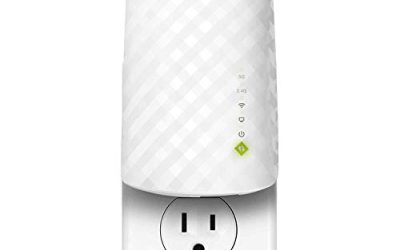
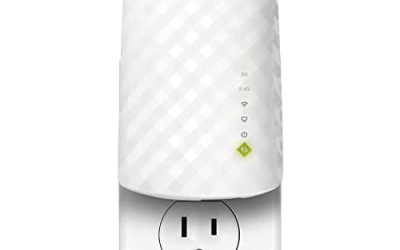
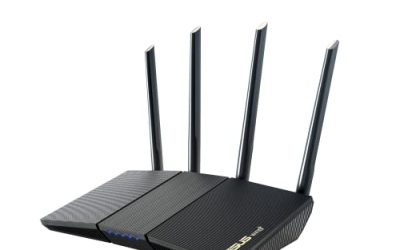
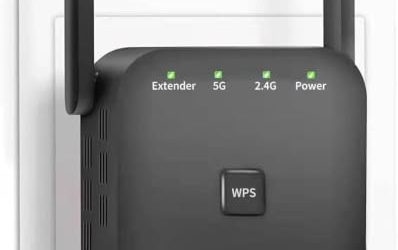
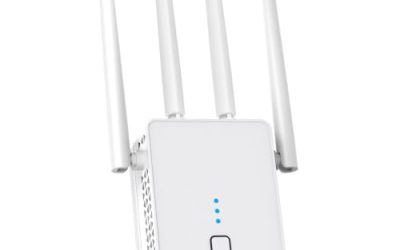
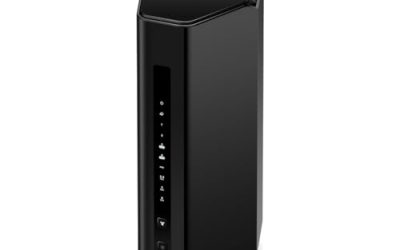
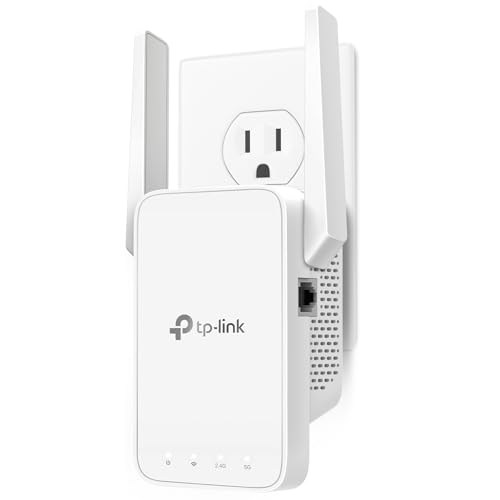 TP-Link AC1200 WiFi Extender Dual Band 5GHz/2.4GHz1 Count (Pack of 1)3.5 x 2.05 x 4.89 inches0.4 PoundsCheck on Amazon
 TP-Link AC1900 WiFi Range Extender RE550WiFi 5, AC19006.4 x 3 x 2.6 inches0.51 poundsCheck on Amazon
 TP-Link AX3000 WiFi 6 Dual-Band Range Extender PCMag4.21 x 1.58 x 6.3 Inches0.84 PoundsCheck on Amazon
 TP-Link AX1500 WiFi Extender Internet Booster WiFi 65.87 x 3.07 x 1.42 Inches0.46 PoundsCheck on Amazon

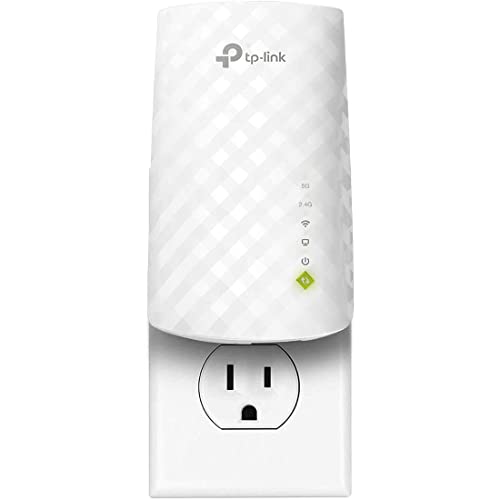
Top 3 picks at a glance
Quick Picks
As an Amazon Associate we earn from qualifying purchases at no extra cost to you.


| Product | Best for | Key spec from the title |
|---|---|---|
| TP-Link RE315 | Apartments and small homes | AC1200, up to 1600 sq ft, 32 devices, EasyMesh |
| TP-Link RE550 | Larger rooms needing a wired port | AC1900, Gigabit port, up to 2200 sq ft |
| TP-Link AX3000 RE-series | Wi-Fi 6 households with many devices | AX3000, up to 2400 sq ft, 64 devices |
| 1200Mbps extender, 3000 sq ft | Budget coverage claims | 1200Mbps, up to 3000 sq ft, 20 devices |
| 1200Mbps extender, 5000 sq ft | Large-area budget option | 5G 1200Mbps, up to 5000 sq ft, 35 devices |
| TP-Link RE220 | Simple entry-level boost | Ethernet port, up to 1200 sq ft, 32 devices |
| TP-Link RE500X | Compact Wi-Fi 6 with AP mode | AX1500, up to 1500 sq ft, Gigabit port |
| 1200Mbps extender, 5200 sq ft | Widest listed coverage claim | 1200Mbps, up to 5200 sq ft, 35 devices |
How to Choose
Pick the Wi-Fi generation that matches your router
An extender cannot make your router faster than its own standard. If your router is Wi-Fi 5, an AC1200 or AC1900 extender is a sensible match. If you have a Wi-Fi 6 router and many connected devices, an AX-class extender such as the AX1500 or AX3000 models listed here makes better use of it. Remember that the speed number in a name, like 1200 or 3000, is the combined theoretical rate of both bands, not what a single device will see.
Treat square footage and device counts as ceilings
Listings quote coverage from 1200 square feet to over 5000 square feet, and device limits from 20 to 64. These are maximums in ideal conditions with open layouts. Brick, concrete, mirrors, and appliances shrink real coverage. A practical rule is to place the extender about halfway between the router and the dead zone, where it still receives a strong signal. An extender in the dead zone itself will only repeat a weak one.
Decide whether you need a wired port
An Ethernet port lets you connect a smart TV, console, or desktop that has no Wi-Fi, and it is often more stable than wireless. A Gigabit port avoids a bottleneck on faster plans, while a 100 Mbps port can limit a fast connection. Several models also offer access point mode, which turns the unit into a wired-backhaul Wi-Fi source and is generally a better way to extend if you can run a cable.
Look at mesh compatibility and brand support
EasyMesh compatibility, mentioned for some TP-Link units, helps if your router also supports it, since devices can roam between router and extender under one network name. Established brands tend to provide firmware updates and clearer setup apps. Be skeptical of generic listings with very large area claims and few technical details, because an unusually high coverage number does not mean stronger radios.
The 8 Best Options
TP-Link RE315
A sensible choice for an apartment or small house. The title lists AC1200 dual-band speeds, coverage of up to 1600 square feet, support for 32 devices, EasyMesh compatibility, and one Ethernet port. It suits someone with a Wi-Fi 5 router and one weak bedroom or office.
- Strength: EasyMesh compatibility can help devices roam between router and extender.
- Strength: an Ethernet port lets you connect one wired device.
- Trade-off: the Ethernet port is a single connection and the listing does not call it Gigabit.
Skip it if you have a large home or a Wi-Fi 6 router you want to use fully. The 1600 square foot figure is a ceiling, so a long hallway or several masonry walls will shrink it quickly.
TP-Link RE550
A step up in speed and coverage. The title lists AC1900 dual-band speeds, a Gigabit Ethernet port, coverage of up to 2200 square feet, and support for 32 devices. It suits a two-story house with a router on one floor and a dead zone on another.
- Strength: the Gigabit port suits a streaming box or console on a fast plan.
- Strength: AC1900 is the fastest Wi-Fi 5 rating in this group.
- Trade-off: it stays on Wi-Fi 5, so it will not use the efficiency of newer routers.
Skip it if your router already supports Wi-Fi 6 and you want matching speeds. Pairing a newer router with a Wi-Fi 5 repeater leaves some of its efficiency unused in the extended zone.
TP-Link AX3000 Wi-Fi 6 Range Extender
The most capable spec sheet in the list. The title lists AX3000 Wi-Fi 6 dual-band speeds, an Ethernet port, coverage of up to 2400 square feet, and support for 64 devices. It suits busy households packed with phones, tablets, speakers, and cameras.
- Strength: the 64-device ceiling is the highest here, suited to smart homes.
- Strength: Wi-Fi 6 pairs well with a Wi-Fi 6 router for efficient handling of many clients.
- Trade-off: it makes the most sense only with a Wi-Fi 6 router and a fast internet plan.
Skip it if your router is older, since you will not see the full benefit. A small home with only a handful of devices also gains little from a 64-device ceiling.
1200Mbps Dual Band Extender (3000 sq ft claim)
A generic budget extender. The title lists 1200Mbps dual-band operation, 5 GHz and 2.4 GHz bands, coverage of up to 3000 square feet, and support for 20 devices. It suits a small household that wants a simple, low-cost boost.
- Strength: dual-band hardware at a modest tier.
- Strength: a 3000 square foot claim and a 20-device limit fit a typical home.
- Trade-off: the listing does not name a Wi-Fi generation or mention a wired port.
Skip it if you want documented mesh support or an Ethernet port. Buyers who care about long-term firmware updates may prefer an established brand.
1200Mbps Dual Band Extender (5000 sq ft claim)
A generic unit with a bigger coverage claim. The title lists 5G 1200Mbps dual-band operation, coverage of up to 5000 square feet, and support for 35 devices. It suits a larger layout where a modest, low-cost booster is acceptable.
- Strength: the 35-device limit is higher than the other 1200Mbps entries.
- Strength: dual-band design gives you both 2.4 GHz range and 5 GHz speed.
- Trade-off: the coverage number is a ceiling, and the listing gives few technical details.
Skip it if you need a wired port or clearly documented compatibility. Treat the area claim as a best case, not an expectation.
TP-Link RE220
The simple, established entry-level option. The title lists an Ethernet port, dual-band 5 GHz and 2.4 GHz operation, up to 44 percent more bandwidth than single band, coverage of up to 1200 square feet, and support for 32 devices. It suits a small apartment or a single stubborn room.
- Strength: dual-band operation with an Ethernet port at the entry tier.
- Strength: the 32-device limit is generous for its coverage size.
- Trade-off: the 1200 square foot coverage is the smallest in the group.
Skip it if your dead zone sits far from the router or your home is large. It is best viewed as a gentle boost for one nearby room, not a whole-house fix.
TP-Link RE500X
A compact Wi-Fi 6 option. The title lists AX1500 Wi-Fi 6, coverage of up to 1500 square feet, support for 25 devices, dual-band operation, AP mode, and a Gigabit port. It suits a mid-sized home with a Wi-Fi 6 router.
- Strength: Wi-Fi 6 with a Gigabit port is a strong pairing at this size.
- Strength: AP mode allows wired backhaul, which usually performs better than wireless repeating.
- Trade-off: the 25-device limit is lower than the AX3000 model.
Skip it if you have a crowded smart home or a large floor plan. In those cases the higher device ceiling and area figure of the AX3000 unit are worth the step up.
1200Mbps Dual Band Extender (5200 sq ft claim)
The generic unit with the largest area claim. The title lists 1200Mbps dual-band operation, 5GHz and 2.4GHz bands, coverage of up to 5200 square feet, support for 35 devices, and an Ethernet port. It suits a larger home where a low-cost solution is needed.
- Strength: it lists an Ethernet port, which the other generic entries do not.
- Strength: the 35-device limit suits a busy household.
- Trade-off: the headline coverage number is a maximum, and details are limited.
Skip it if you want proven firmware support or Wi-Fi 6. Unnamed-brand listings make it harder to judge how long updates and support will continue.
Which One Fits Your Situation
You live in an apartment with one weak room
The TP-Link RE220 or RE315 is enough. The RE315 adds EasyMesh compatibility and a larger coverage figure.
You have a Wi-Fi 6 router and a busy smart home
The TP-Link AX3000 model fits best with its 64-device ceiling, while the RE500X suits a smaller space and offers AP mode.
You have a two-story house
The TP-Link RE550 gives a Gigabit port and AC1900 speeds, so a console or streaming box on the second floor can connect with a cable.
You want a low-cost fix for a big layout
The generic 5200 square foot model lists an Ethernet port and a 35-device limit. Buyers should treat the area figure cautiously and place the unit midway between the router and the dead zone.
Common Mistakes
- Placing the extender inside the dead zone. It can only repeat the signal it receives.
- Reading the combined speed figure as per-device speed.
- Buying a Wi-Fi 6 extender for an older router and expecting a big gain.
- Trusting a huge coverage number from a generic listing as a guarantee.
- Skipping wired backhaul or access point mode when a cable run is possible.
Related guides
- Windows Macos Linux Gaming Performance Comparison Strengths Weaknesses
- Desktop Operating Systems Gaming Performance Strengths Weaknesses
- 5G Home Internet Wifi Modem Settings Low Latency Gaming
Frequently Asked Questions
Does a dual-band extender cut speed in half?
Single-band repeaters often do, because they use one channel for both directions. Dual-band models can separate the link to the router from the link to your devices, which usually reduces the loss.
Should I connect it by cable if I can?
Yes. Models that offer access point mode and an Ethernet port can use a wired connection to the router, which is generally more stable than repeating wirelessly.
Will an extender work with any router?
Most extenders work with standard routers over Wi-Fi. For seamless roaming under one network name, check whether both devices support the same mesh standard, such as EasyMesh.
Do I need Wi-Fi 6?
Only if your router and devices support it. Wi-Fi 5 extenders remain a sensible match for a Wi-Fi 5 router in a small or mid-sized home.