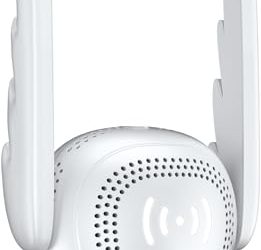
If your router still dates from the days when a household had two laptops and a phone or two, it is probably the weakest link in your internet connection. Wi-Fi 6, formally 802.11ax, was designed for the opposite situation: a crowded home with phones, tablets, smart speakers, game consoles, doorbell cameras, and streaming sticks all talking at once. The point of upgrading is not a bigger headline number on the box, but steadier throughput when ten things ask for bandwidth at the same moment.
This guide is for households that want to move up to Wi-Fi 6 without overspending, apartment dwellers fighting neighbors’ networks, remote workers who need clean video calls, and families whose house is too large for a single access point. The eight listings include dual-band routers rated from AX1800 to AX5400, one tri-band Wi-Fi 6E model, and one three-pack mesh system. Entering 2026, the main decisions are speed class, coverage area, port count, and whether you want a single box or a mesh.
Our Top Picks
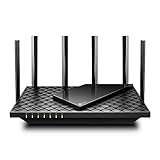
 TP-Link Dual-Band AX3000 Wi-Fi 6 Wireless Gigabit InternetAX300012.99 x 9.45 x 2.87 inches1.66 poundsCheck on Amazon
 TP-Link AXE5400 Tri-Band WiFi 6E RouterWiFi 6E, Tri-Band AXE540012.91 x 10.43 x 4.72 inches1.5 poundsCheck on Amazon
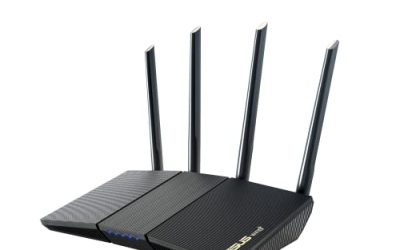
 ASUS RT-AX1800S Dual Band WiFi 6 Extendable RouterRouter9.06 x 5.28 x 2.2 inches0.82 poundsCheck on Amazon



Top 3 picks at a glance
Quick Picks
As an Amazon Associate we earn from qualifying purchases at no extra cost to you.





| Product | Best for | Key spec from the title |
|---|---|---|
| TP-Link Archer AX21 (AX1800) | Small homes and apartments | AX1800 dual band, Gigabit, EasyMesh |
| TP-Link AX3000 Dual-Band | Feature-rich mid-size homes | AX3000, VPN client and server, HomeShield, USB 3.0 |
| TP-Link AXE5400 Wi-Fi 6E | Gamers and 6GHz-ready devices | Tri-band, 6GHz, 160MHz, 2.5Gbps WAN port |
| TP-Link Archer AX73 (AX5400) | Streaming and long range | AX5400 dual band, Gigabit |
| ASUS RT-AX1800S | Security and parental controls | AX1800, built-in VPN, AiMesh compatible |
| NETGEAR Nighthawk R6700AX | Straightforward setup | 1,500 sq ft, 20 devices, 4 Gigabit ports |
| TP-Link Smart Wi-Fi 6 Dual-Band | Wired devices and parental controls | 4 Gigabit LAN, dual-core 900MHz processor |
| TP-Link Deco X55 3-Pack | Large homes with dead zones | AX3000 mesh, up to 6500 sq ft |
How to Choose
Match speed class to your internet plan
The AX number, such as AX1800 or AX5400, adds together the theoretical maximum of all radios, so it is a speed class, not what one phone will see. A plan under 500 Mbps rarely needs more than AX1800. A gigabit plan rewards AX3000 or higher, and a plan above 1 Gbps needs a router with a faster-than-gigabit WAN port, like the 2.5Gbps WAN port on the AXE5400. Check whether your modem and plan can even deliver the speed before paying for a larger class.
Coverage and mesh
Single routers cover an apartment or modest house; the NETGEAR listing cites up to 1,500 square feet, and a three-pack like the Deco X55 claims up to 6,500 square feet. Several TP-Link and ASUS models mention EasyMesh, OneMesh, or AiMesh, which let you add a compatible node later. Concrete, brick, and floors cut coverage far more than distance does, so a two-story house with a basement office often benefits from a mesh set.
Ports, USB, and features
Count the wired devices you need: a console, a desktop, a TV box, and a network storage drive already use four ports. Four Gigabit LAN ports is the norm, and the Deco X55 lists three per unit. A USB 3.0 port, found on the AX3000 listing, lets you share a drive. Look for OFDMA and MU-MIMO, which help the router serve many devices efficiently, and for beamforming that aims signal toward clients. Built-in VPN features or parental controls matter more for families than for solo users.
Wi-Fi 6E, subscriptions, and where cheap routers cut corners
The 6GHz band on a Wi-Fi 6E router offers uncluttered channels, but only 6E-capable phones and laptops can use it. Ignore tri-band if none of your devices support it. Beware of security suites that require a monthly fee after a trial; the ASUS listing highlights subscription-free network security. Budget routers usually cut processing power, port speeds, and update support, so favor listings that name a dual-core processor or a clear feature set.
The 8 Best Options
TP-Link Archer AX21 (AX1800)
The AX21 is a dual-band AX1800 router with Gigabit ports, EasyMesh support, and Alexa compatibility. It is the sensible entry to Wi-Fi 6 for a small household.
- Strength: EasyMesh support lets you expand coverage later with compatible units.
- Strength: AX1800 class matches typical home plans below gigabit.
- Trade-off: Dual band at this class struggles to keep up with dense, multi-device homes.
It suits apartments and small houses with a handful of devices, such as two phones, a laptop, a TV stick, and a smart speaker. The Alexa mention is convenient for voice-assistant households, and the router is easy to relocate if the first spot gives weak coverage. Skip it if you have a gigabit connection and many simultaneous streamers.
TP-Link AX3000 Dual-Band Router
This AX3000 model lists EasyMesh, VPN client and server, HomeShield, OFDMA, MU-MIMO, and a USB 3.0 port. The feature set stands out among the dual-band listings.
- Strength: A USB 3.0 port allows simple file sharing from an attached drive.
- Strength: VPN client and server support suits remote workers and travelers.
- Trade-off: It occupies a higher tier than the AX1800 models without adding a 6GHz band.
It fits a mid-size home with remote workers who connect to an office network, or a family that wants to share a drive across every room without buying separate storage hardware. HomeShield adds a layer of home network controls on top. Skip it if you simply want to replace an old router with minimal fuss.
TP-Link AXE5400 Tri-Band Wi-Fi 6E Router
The AXE5400 adds a 6GHz band, 160MHz channels, a 2.5Gbps WAN port, and OneMesh. The title is aimed at gaming and streaming households.
- Strength: The 2.5Gbps WAN port suits fast fiber plans beyond a single gigabit.
- Strength: The 6GHz band offers cleaner airwaves for compatible devices.
- Trade-off: Only 6E-capable clients benefit from the extra band, and it costs the most among routers here.
It suits a fiber household with recent laptops and phones, plus a gaming console or PC wired to the router. The 160MHz channel width mentioned in the title is what lets compatible devices reach high speeds at close range. Skip it if your devices are older or your plan is under a gigabit.
TP-Link Archer AX73 (AX5400)
The Archer AX73 is a dual-band AX5400 Gigabit router pitched for streaming and long-range coverage. The class number is high for a dual-band design.
- Strength: AX5400 class gives headroom for busy households on faster plans.
- Strength: Streaming and coverage claims target larger homes.
- Trade-off: Gigabit ports mean no multi-gig wired path for a fast plan.
It is a strong choice for a family with several 4K streamers, or a two-level home where the router sits near the center of the floor plan. Higher-class dual-band hardware also gives breathing room as you add devices over the next few years. Placing it high on a shelf, away from metal and thick walls, will help the long-range design do its job. Skip it if you want a 6GHz band or a mesh system.
ASUS RT-AX1800S
This ASUS lists dual-band Wi-Fi 6, an extendable design, subscription-free network security, parental controls, a built-in VPN, and AiMesh compatibility.
- Strength: Security and parental controls come without a stated subscription.
- Strength: AiMesh compatibility lets you pair it with other ASUS routers.
- Trade-off: AX1800 class limits throughput for large, busy homes.
It suits families who value safeguards on a modest plan, for example parents setting content limits for children’s tablets while keeping monthly costs predictable. The built-in VPN is a useful extra for travelers who want to route home traffic securely. The “extendable” wording means you can grow the network later if one unit leaves a corner of the house weak. Skip it if raw speed is your priority or your house is large enough to need several nodes.
NETGEAR Nighthawk R6700AX
The R6700AX is a Wi-Fi 6 dual-band router with up to 1.8 Gbps, coverage of up to 1,500 square feet, support for 20 devices, and four Gigabit ports.
- Strength: Clear coverage and device-count figures help buyers size the purchase.
- Strength: Four Gigabit ports cover a console, PC, and TV box.
- Trade-off: The 20-device limit may be tight for smart-home heavy households.
It suits a mid-size apartment or modest house, and buyers who like a Nighthawk name with plain, published limits instead of vague promises. Setup is pitched as reliable and easy, which helps relatives who are not comfortable with router menus. Skip it if you own dozens of connected gadgets or a mix of cameras, plugs, and speakers.
TP-Link Smart Wi-Fi 6 Dual-Band Router
This listing features four Gigabit LAN ports, 802.11ax, beamforming, OFDMA, MU-MIMO, parental controls, and a dual-core 900MHz processor.
- Strength: The named dual-core processor suggests capable handling of multiple devices.
- Strength: Parental controls and four LAN ports serve family setups.
- Trade-off: The title lacks a clear speed class, so compare it carefully to the AX-numbered models.
It suits families with several wired devices, such as a desktop, a printer, a console, and a TV box that all benefit from a cable. Beamforming helps aim the signal toward phones and laptops, which can steady video calls in a mid-size home. Skip it if you need a defined AX speed tier on the spec sheet before you buy.
TP-Link Deco X55 AX3000 (3-Pack)
The Deco X55 three-pack is a mesh system that replaces a router and extender, covering up to 6,500 square feet, with three Gigabit ports per unit.
- Strength: Three nodes spread coverage across large or multi-story homes.
- Strength: Ports on every unit allow wired devices in several rooms.
- Trade-off: It is a bigger purchase, and small homes will not use the extra nodes.
It suits large homes with dead zones, such as a long ranch layout or a three-level house with a basement office. Because it replaces both router and extender, there is one network name and one app to manage instead of juggling separate devices. Skip it if one router already covers your space or you want advanced settings on a traditional router.
Which One Fits Your Situation
You live in a small apartment on a modest plan
Choose the TP-Link Archer AX21 or the ASUS RT-AX1800S. The ASUS suits households that want parental controls and security without a subscription.
You work from home and use a VPN
The TP-Link AX3000 Dual-Band, with VPN client and server support and a USB 3.0 port, is the better fit.
You have a fiber plan and newer devices
Go with the TP-Link AXE5400 Wi-Fi 6E for its 2.5Gbps WAN port and 6GHz band.
Your house is large or has multiple floors
The TP-Link Deco X55 three-pack is built for that, while the Archer AX73 is a single-router alternative for long-range needs.
Common Mistakes
- Buying by the AX number alone and ignoring the speed of your internet plan.
- Placing the router in a cabinet or basement corner that blocks signal.
- Paying for Wi-Fi 6E when none of your devices support the 6GHz band.
- Assuming a single router will cover a multi-story house.
- Skipping firmware updates, which weakens security and performance.
Related guides
- Windows Macos Linux Gaming Performance Comparison Strengths Weaknesses
- Desktop Operating Systems Gaming Performance Strengths Weaknesses
- 5G Home Internet Wifi Modem Settings Low Latency Gaming
Frequently Asked Questions
Is Wi-Fi 6 worth it over Wi-Fi 5?
For homes with many devices, yes. Features like OFDMA and MU-MIMO improve how the router shares airtime, even if a single device does not gain much speed.
What does AX1800 or AX3000 mean?
It is a combined theoretical speed class across bands. A single device will see less than the total.
Do I need a mesh system?
Only if one router leaves dead zones. A three-pack such as the Deco X55 suits large or multi-level homes.
Will older devices work with a Wi-Fi 6 router?
Yes. Wi-Fi 6 routers are backward compatible with older standards, though older devices will not gain the new features.